Accepting New Applicants
1. Click "Admin"

2. Click "Web Applications"
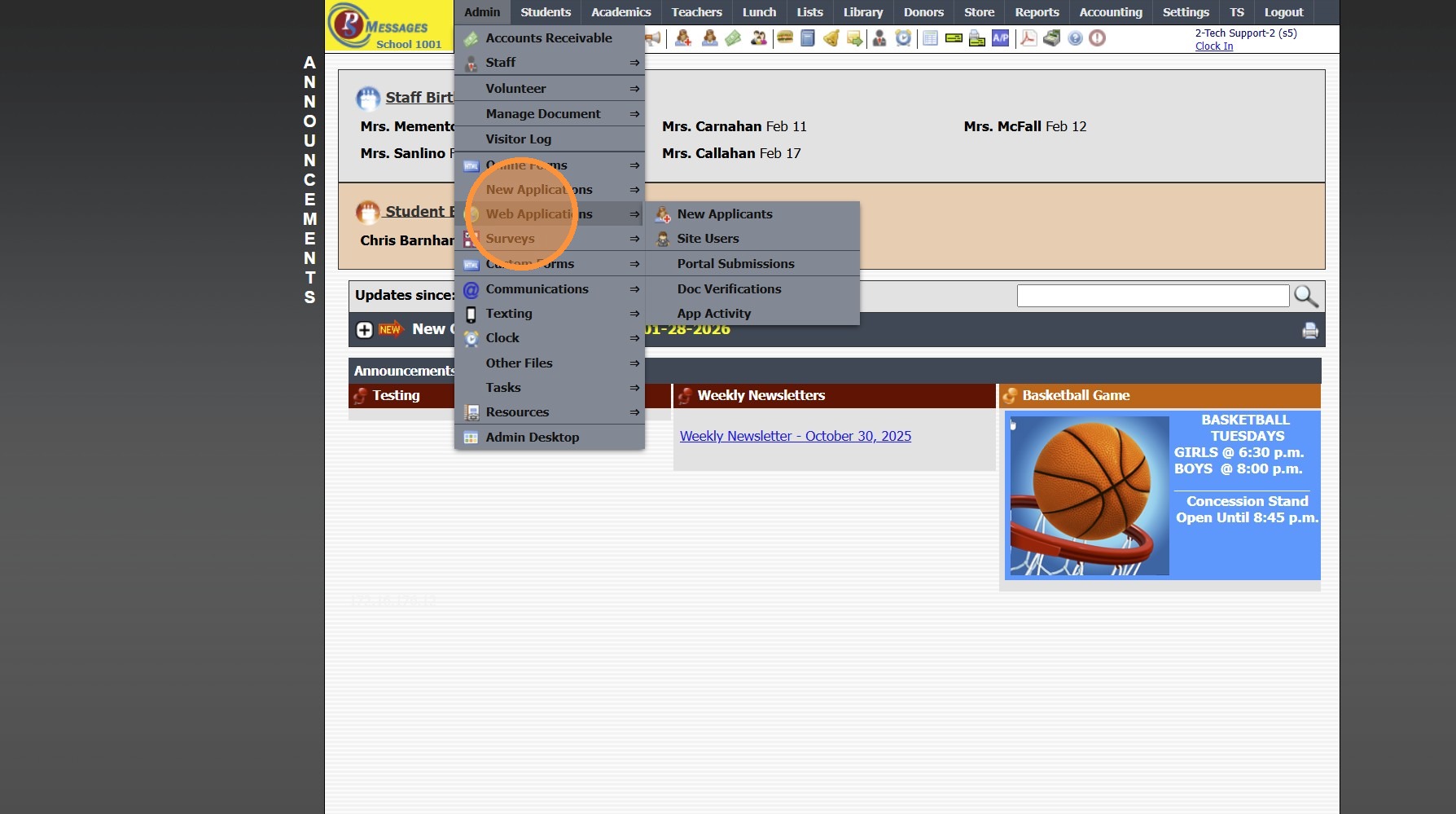
3. Click "New Applicants"

4. Select Application

5. Click the "Enrollment" Tab

6. Click "Add Activity"

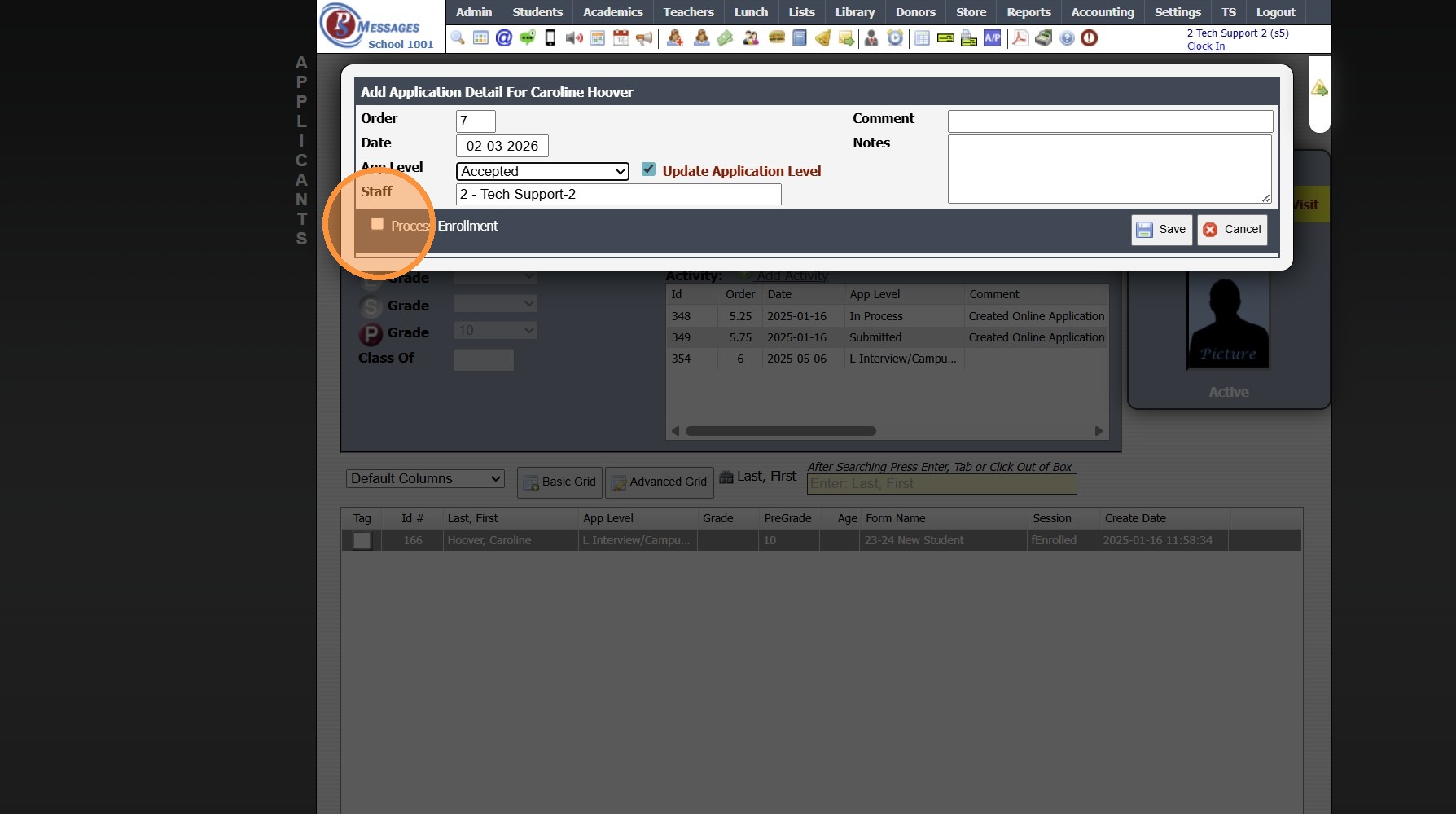
7. Select "Accepted"

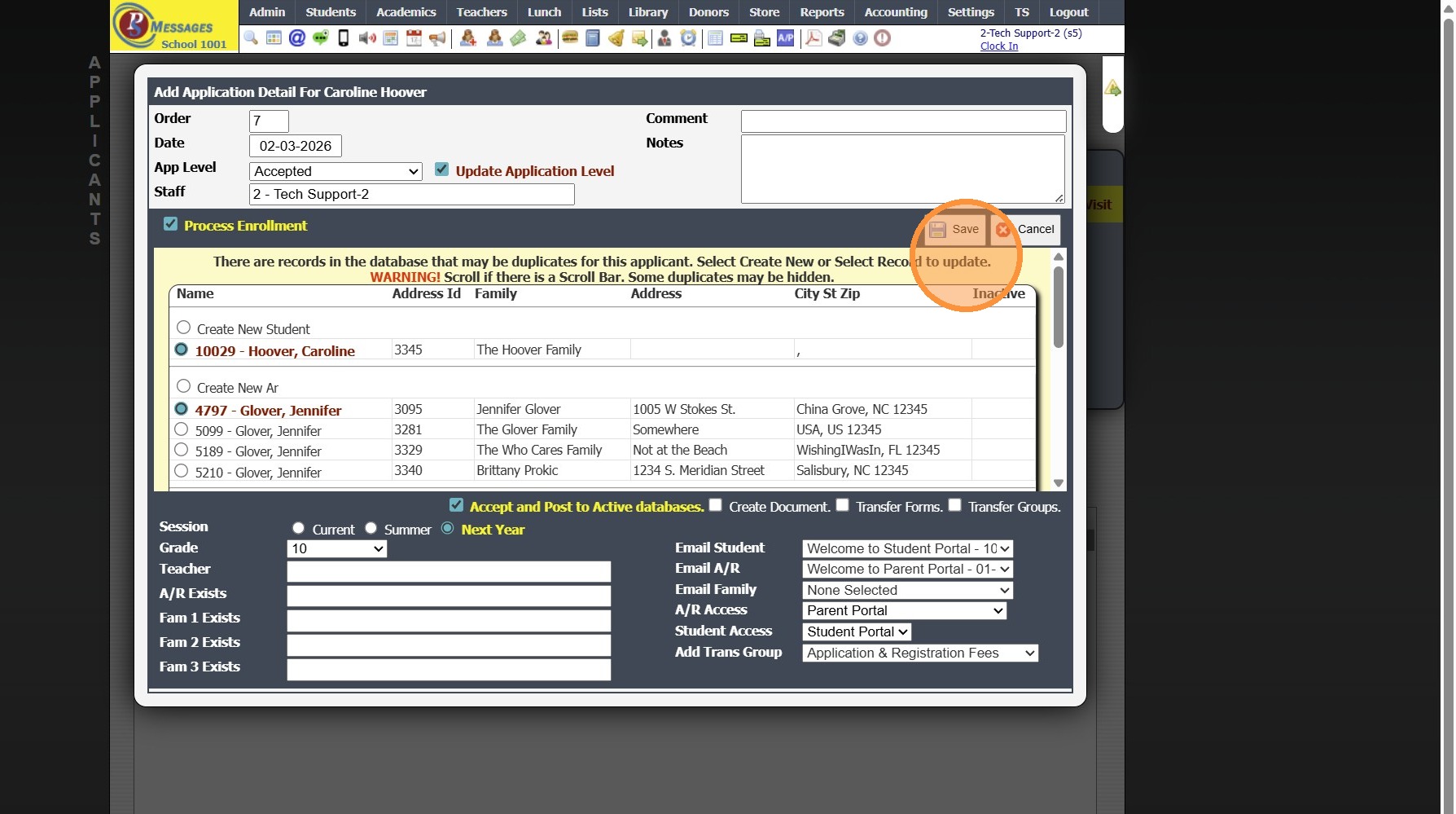
8. Check the "Process Enrollment" Box
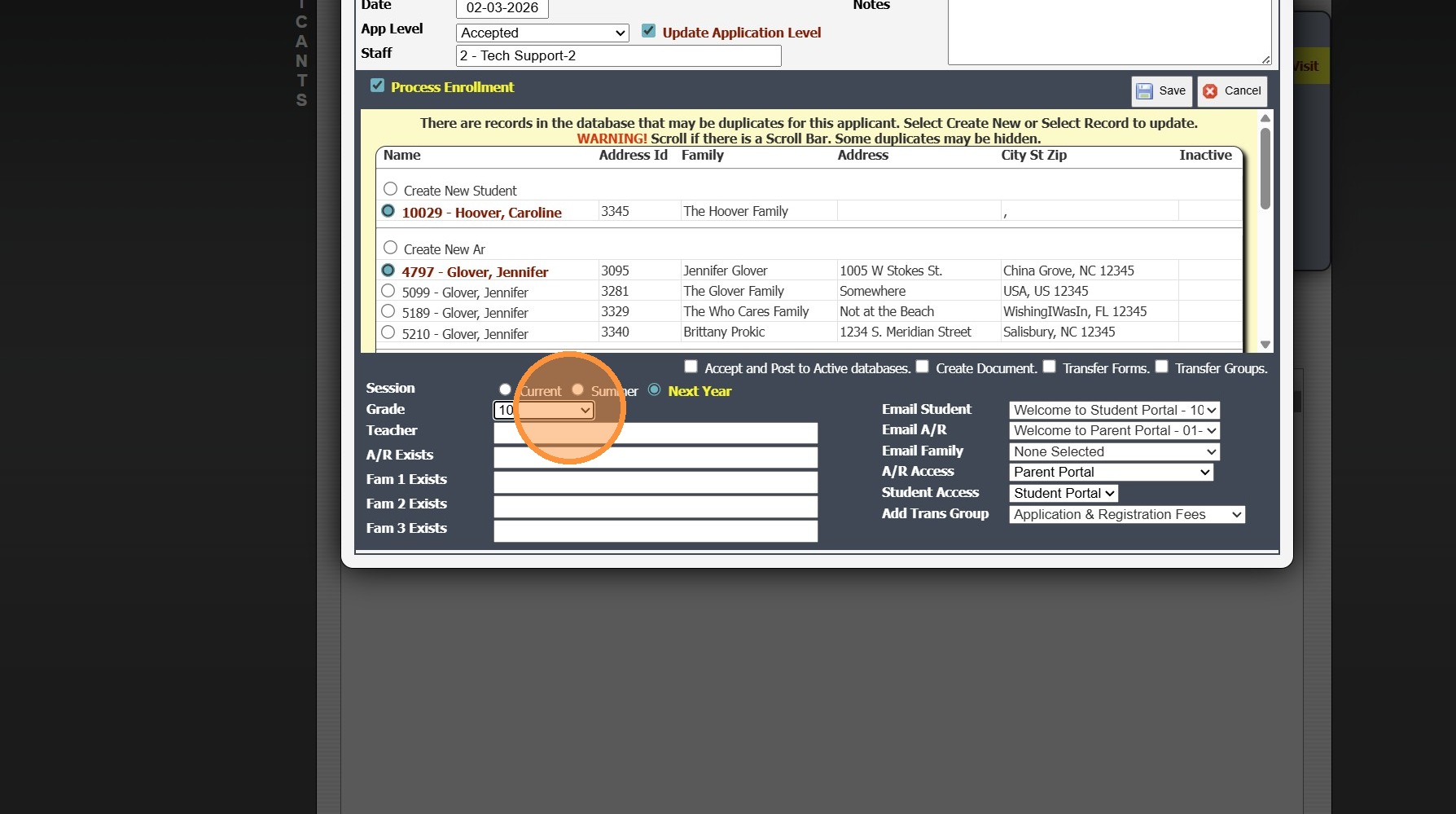
9. IF Duplicate Entries Populate, Select to Connect Instead of Creating Duplicates

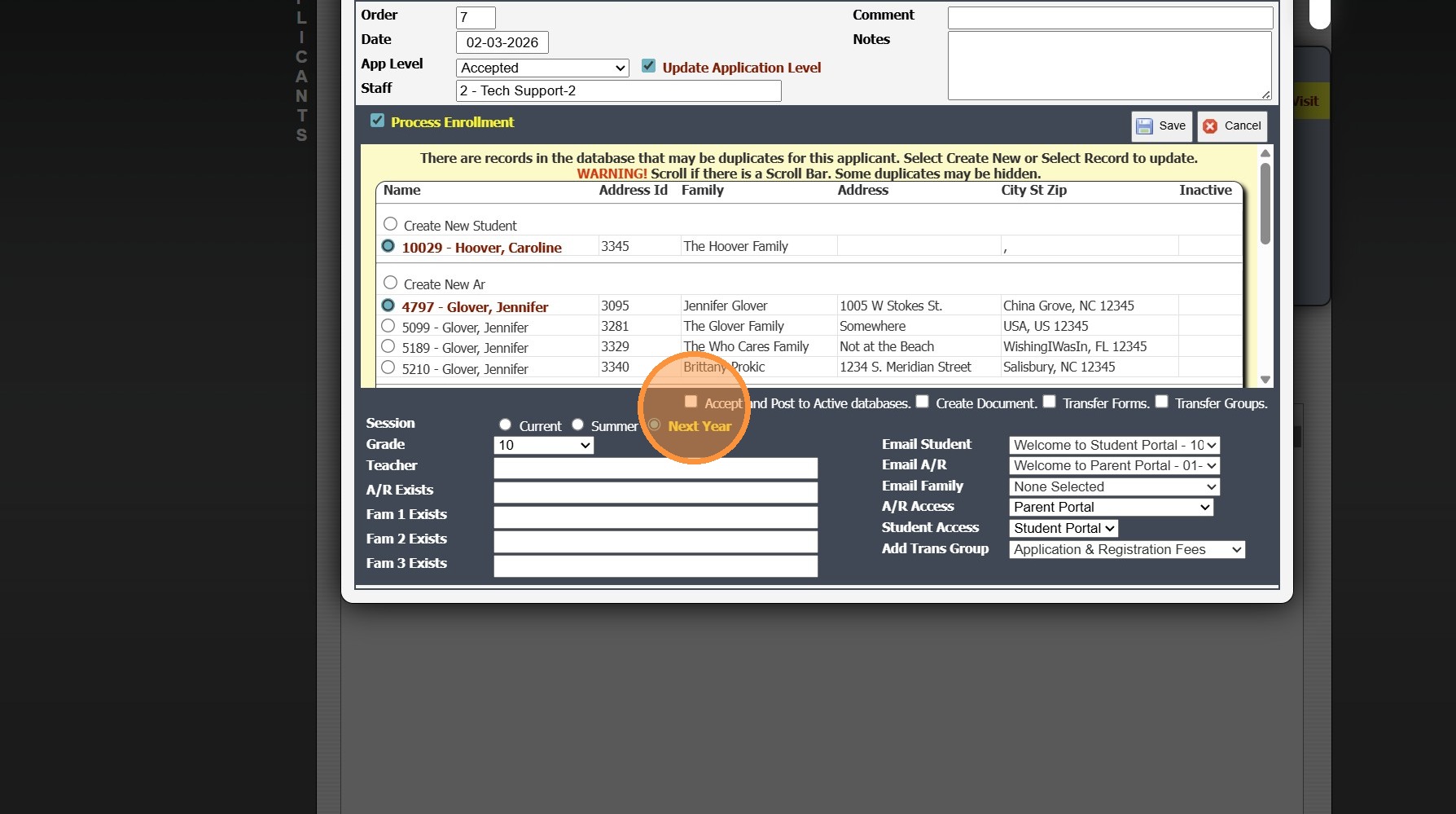
10. Select Session to Enroll Student

11. If Grade does not Populate, Select Student's Grade Level for the Selected Session
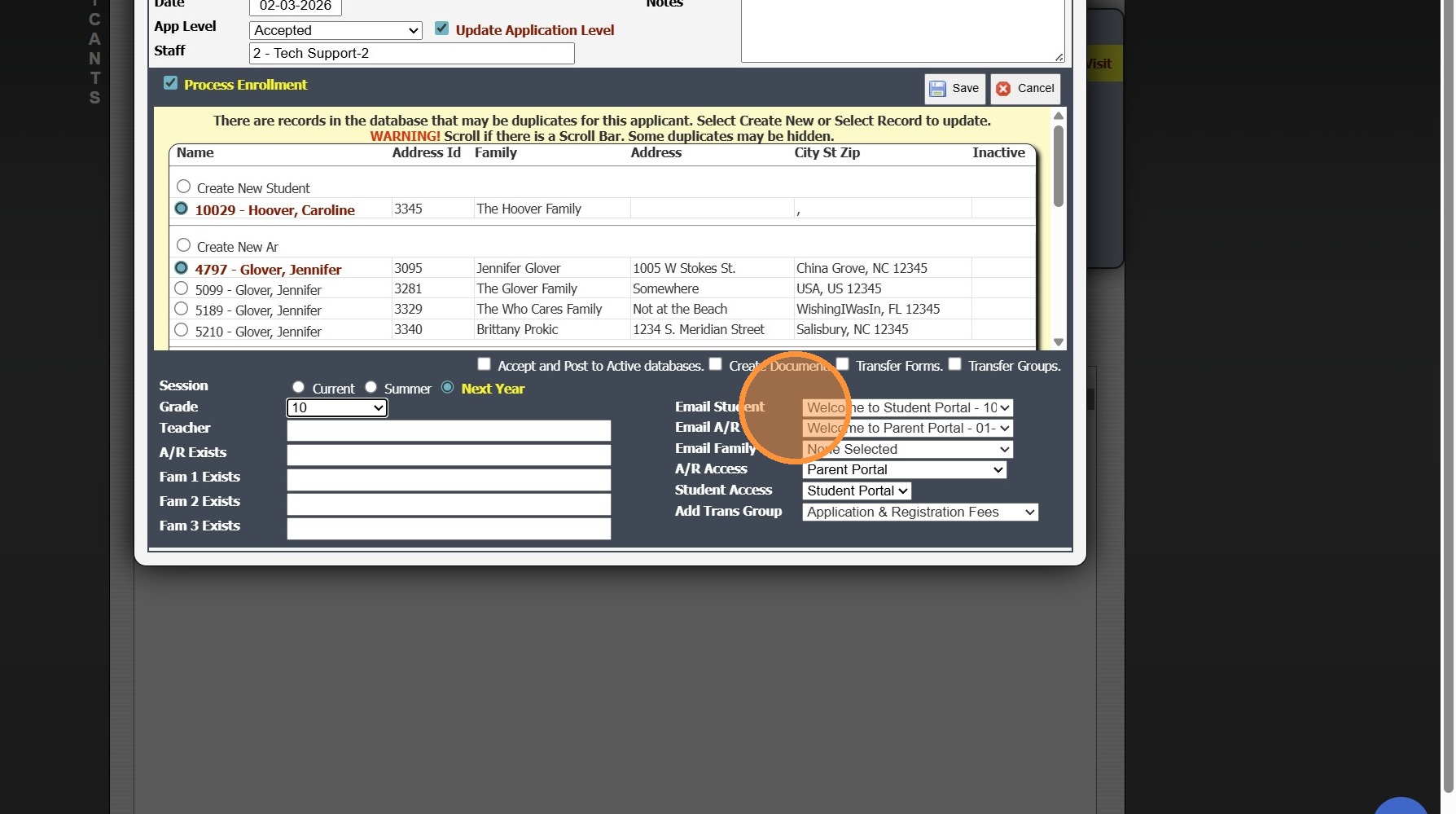
12. Welcome Emails for the Parent & Student Portal can be Sent on Acceptance
13. Check the "Accept and Post to Active databases." Box
14. Click "Save"
1000.7.1
Related Articles
Printing a New Student's Application after Acceptance
1. Click "Admin" 2. Click "Web Applications" 3. Click "New Applicants" 4. Select the " Inactive Applicants " option 5. Select Student Application 6. Click "Print" 8000.29Rolling Classes Into the New School Year
1. Click "Academics" 2. Click "Classes" 3. Click "Actions" 4. Click "Roll Forward" 5. Click "Select All" to Roll all Classes into the New Year 6. Select the New School Year 7. Click "Create New Classes" 2000.13.3New User Interface Guided Tour
Tip: The first time a User logs into Praxi, they Guided Tour will Automatically Pop-Up, Click "Next" to Preview all 11 Items or Click "Cancel" to Close 1. Item 1 of 11 "Welcome to the new look" 2. Item 2 of 11 "Your side menu" 3. Item 3 of 11 "Search ...Adding a New Staff Member in PraxiSchool
Adding a New Staff Member in PraxiSchool 1. Log into PraxiSchool 2. Click "Admin" 3. Click "Staff " 4. Select "Staff" 5. Click "Add" 6. Enter Last Name, First Name, Goes By Name (Goes By Name is NOT Optional, the Goes By Name will populate on Report ...Opening New Grade Period For Report Cards
Opening New Grade Period For Report Cards 1. Click "Academics" 2. Click "Grades Setup" 3. Click "Report Card" 4. Select Report Card Template 5. Click "Grade Periods" 6. Click "Edit" 7. Check the Box next to Print Grade Periods for the Grade Period to ...