Creating a New Vendor in the Vendor File
Creating a New Vendor in the Vendor File
1. Click "Accounting"
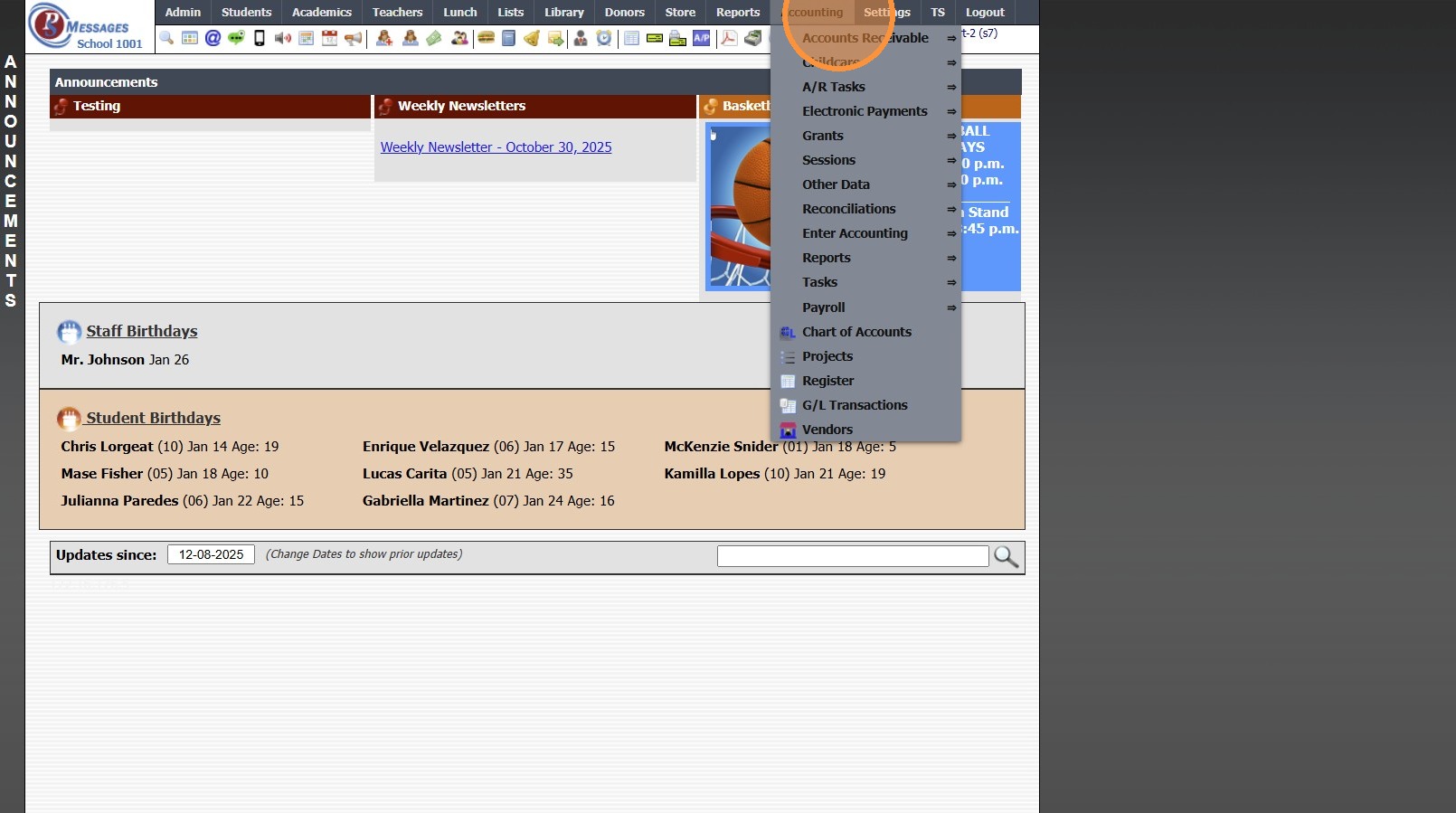
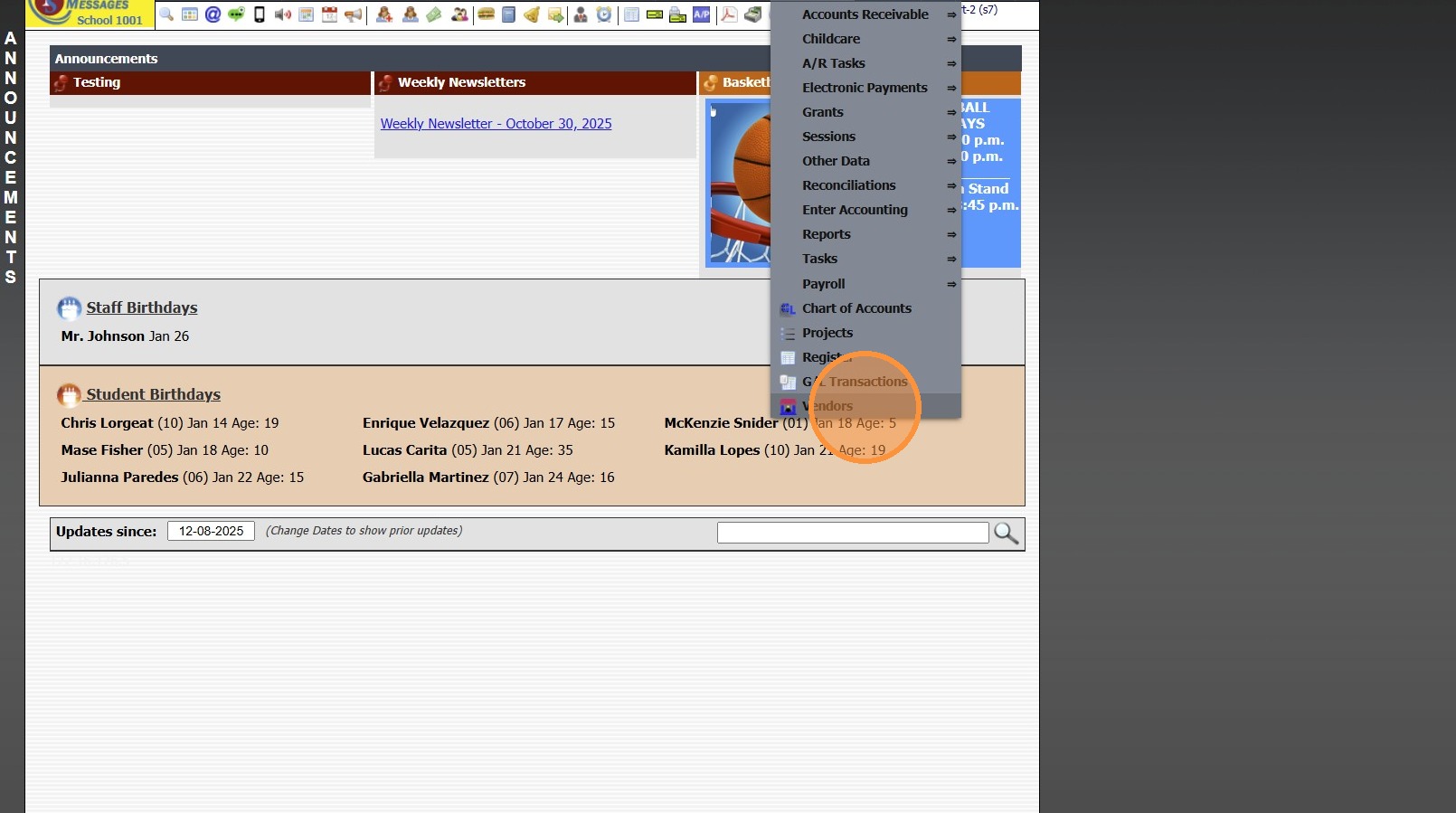
2. Click "Vendors"
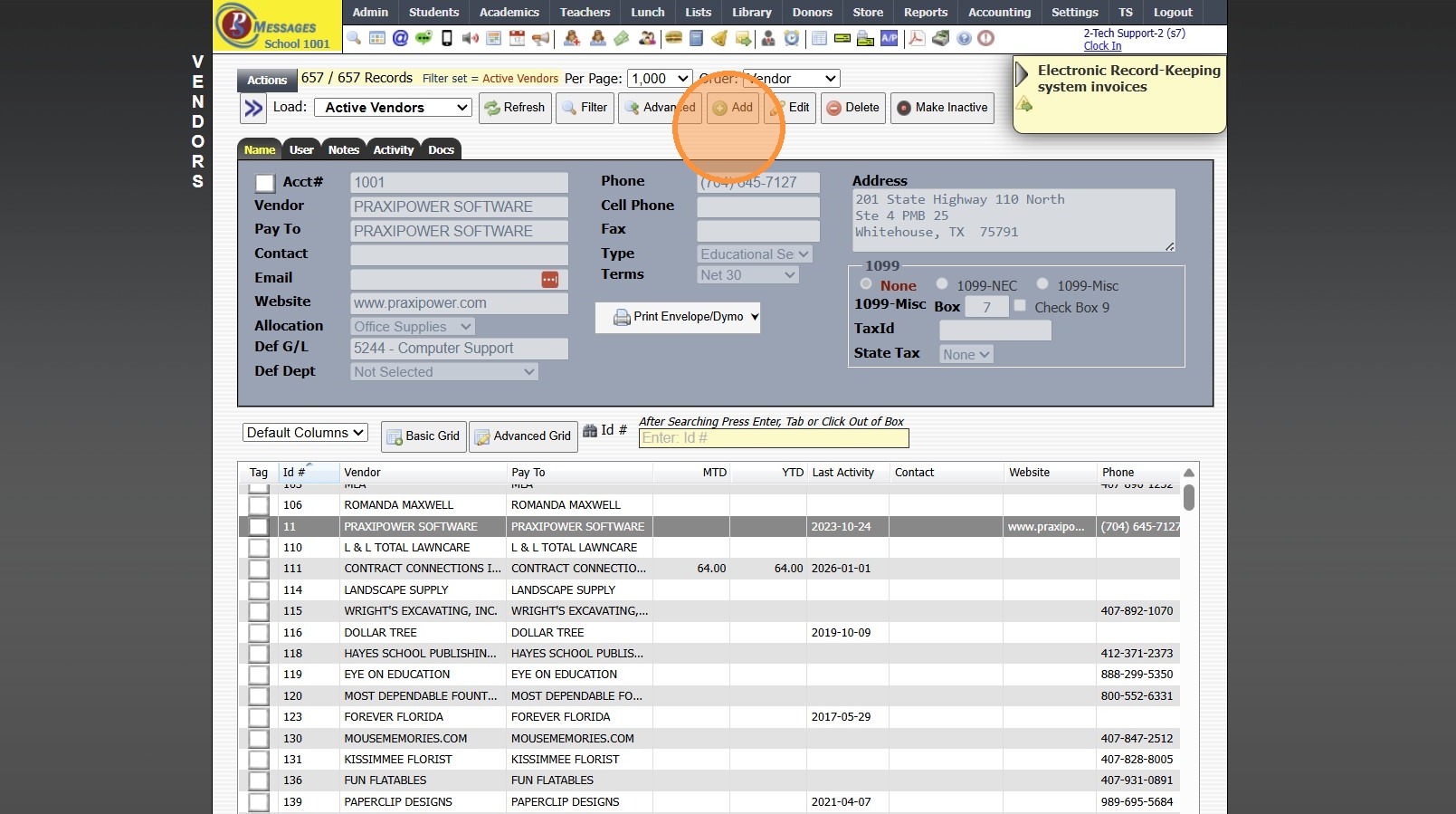
3. Click "Add"
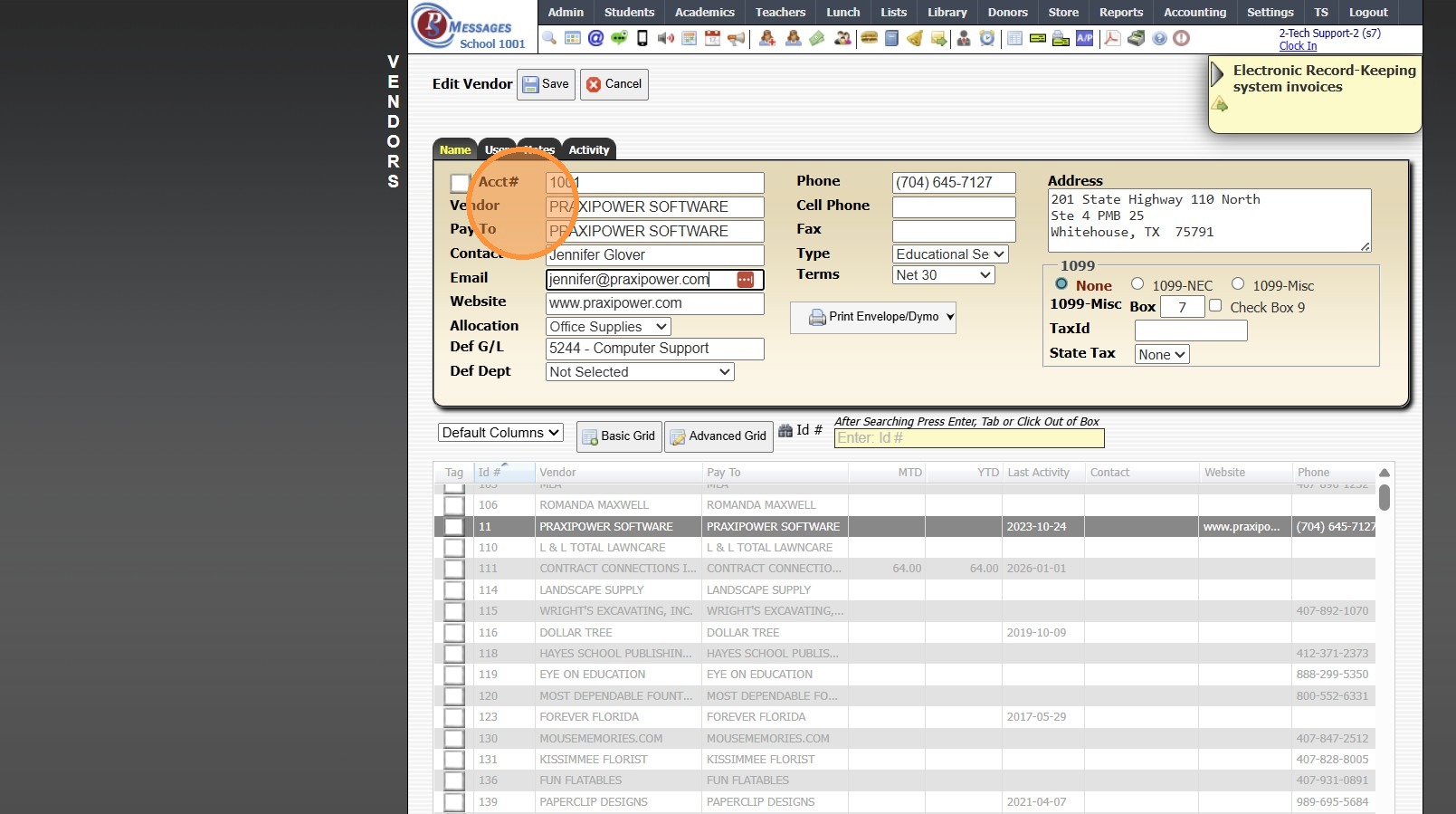
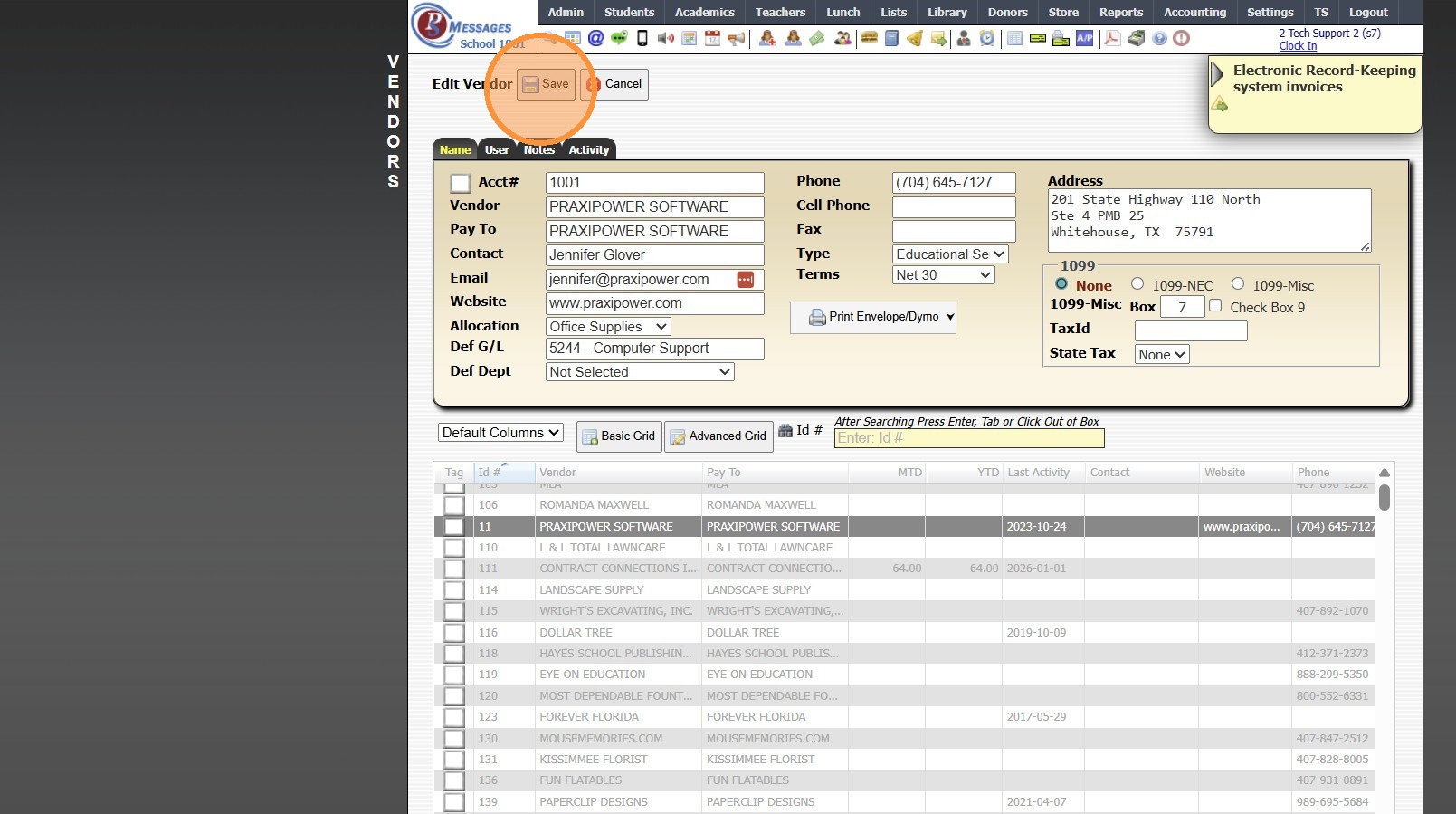
4. Enter the following Required Fields:
Vendor Name & Pay To Name for the Check
1099-NEC or 1099-Misc (If applicable)
Tax ID & State for Taxes (If applicable)
Optional Fields:
vendor Contact Name, Email & Company Website
Allocation, Default General Ledger Number & Department
Phone, Cell Phone & Fax Numbers
Type & Terms
Vendor Address
5. Click "Save"
Related Articles
Creating a Basic Check
Creating a Basic Check 1. Click "Accounting" 2. Click "Enter Accounting" 3. Click "Checks" 4. Enter New Vendor or Select Existing Vendor 5. Current Date will Automatically Populate, Change if Needed 6. Enter Amount of Check 7. Enter Check Memo Enter ...Creating Accounts Receivable Accounts
Creating Accounts Receivable Accounts 1. Log into PraxiSchool 2. Typically Student AR Accounts are Created in the Student Wizard (T) 3. After Creating the Student File, the Primary AR Account is Created from the A/R Account Toggle 4. A Secondary AR ...Accepting New Applicants
1. Click "Admin" 2. Click "Web Applications" 3. Click "New Applicants" 4. Select Application 5. Click the "Enrollment" Tab 6. Click "Add Activity" 7. Select "Accepted" 8. Check the "Process Enrollment" Box 9. IF Duplicate Entries Populate, Select to ...Adding Students to the Donor File
Adding Students to the Donor File 1. Click "Students" 2. Click "Students" 3. Tag Students to Add to the Donor File 4. Click "Actions" 5. Click "Other Actions" 6. Click "Copy Tagged To Donors" 7. A Donor Type can be Selected from the Dropdown Menu OR ...Creating a Report Card Template for a New Student
If a New Student Enrolls After the First Grade Period Report Cards are Created, a Report Card Template will need to be Created for the New Student. 1. Click Academics > Grades Reports > Print Report Cards 2. Click "Process For 1 Student" & Search the ...