Assigning Seats in the Classroom
Assigning Seats in the Classroom
1. Click "Teachers"
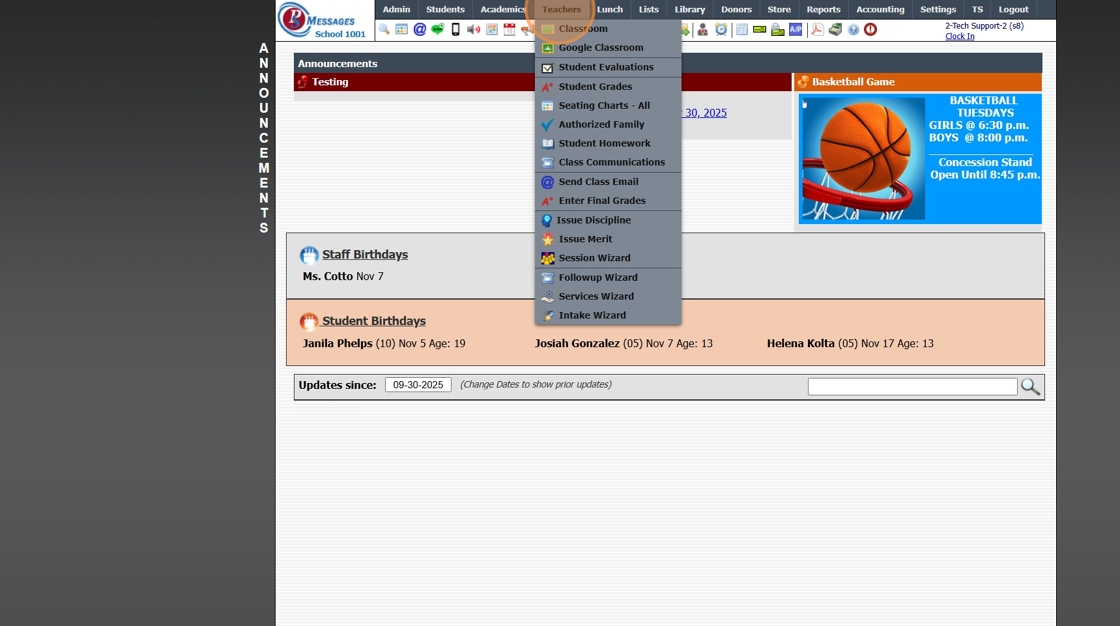
2. Click "Classroom"

3. Select Class in Grid
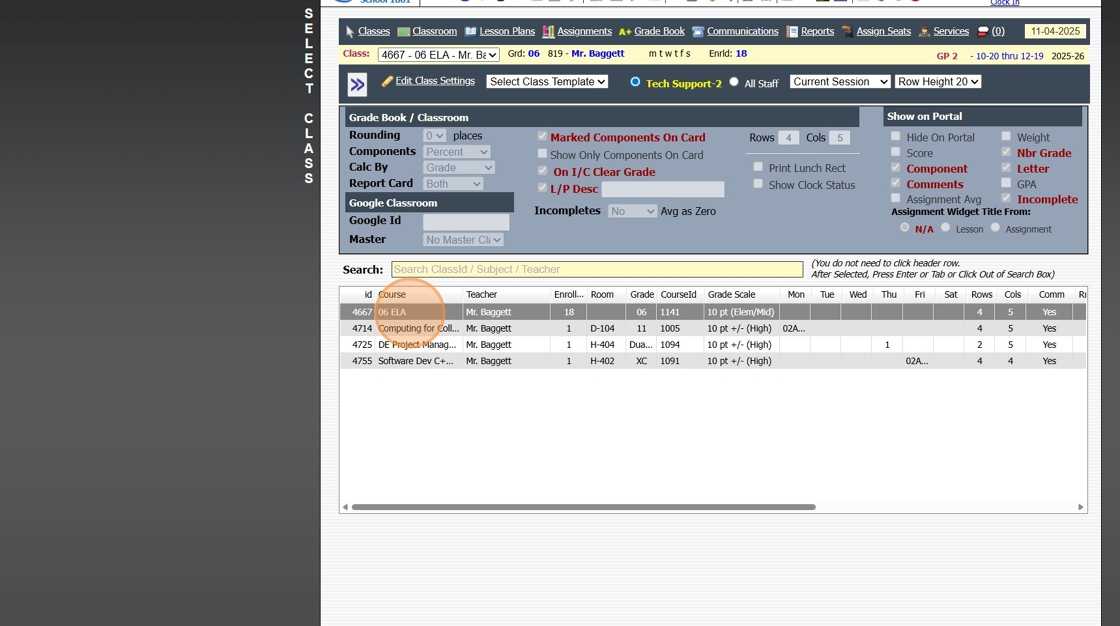
4. Click "Assign Seats"

5. Click "Auto Assign Seats" to allow the System to Assign Seats in Alphabetic Order by Last Name

6. Click "Clear All Seat Assignments" to Manually Assign Seats

7. Click "Change Rows & Cols" to Change the Way the Columns & Rows Populate

8. Enter Number of Rows & Number of Columns & Click "Save"

9. Click on a Student & Drag to the Seat Assignment

10. Repeat until all Students have been Assigned Seats
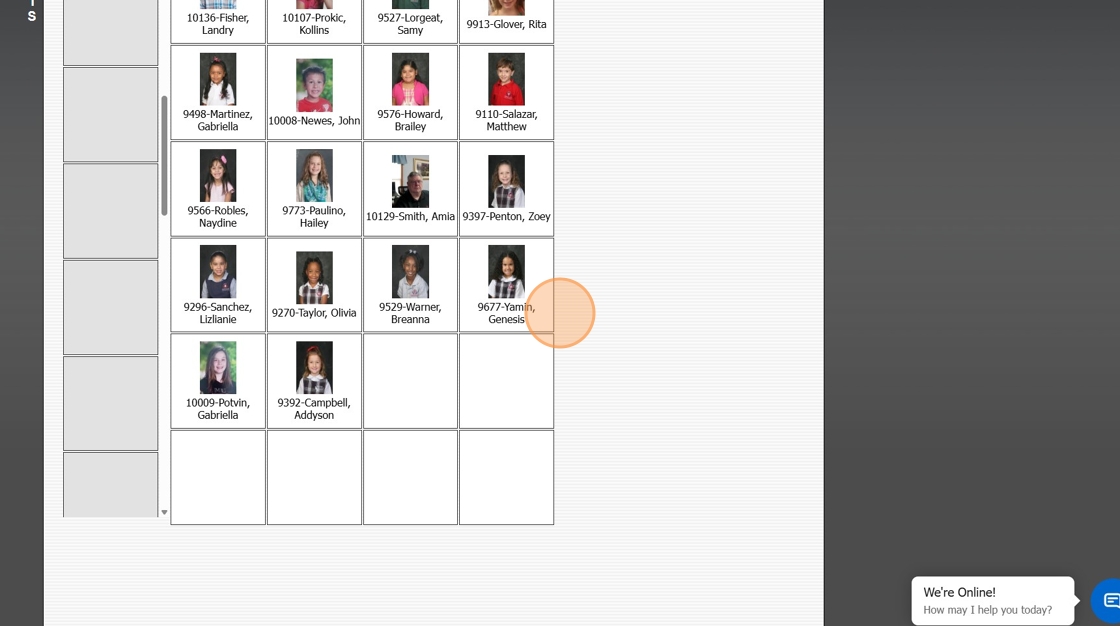
11. Click "Save Seat Assignments"

2500.1.42
Related Articles
Assigning Lockers
Assigning Lockers from Lockers 1. Click "Lists" 2. Click "Misc Lists - Students" 3. Click "Lockers" 4. Click "Edit" 5. Select Student 6. Click "Save" Assigning Lockers from Students 7. Click "Students" 8. Click "Students" 9. Select Student 10. Click ...Batch Assigning Groups
Batch Assigning Groups 1. Go to Database Screen (i.e. Students, AR, Staff) and Tag Individuals to Add to a Group 2. Click "Actions" 3. Click "Batch Change Groups" 4. Select Group 5. Click "Process" 6. Assigned Groups can be viewed under the Groups ...Assigning Staff Security from the Staff File
Assigning Staff Security from the Staff File 1. Log in to PraxiSchool 2. Click "Admin" 3. Click "Staff" 4. Click "Staff" 5. Click "Actions" 6. Click "Assign Security" 7. Select the Security Level you want to assign from the dropdown. 8. Select the ...Assigning Staff Security from School Settings - Security
Assigning Staff Security from School Settings - Security 1. Login to PraxiSchool 2. Click "Settings" 3. Click "Security Settings" 4. Click "Staff Security" 5. Click on the Change Security Levels Toggle and Make sure you are in "Edit Staff In ...Classroom Views
1. Click "Teachers" 2. Click "Classroom" 3. Select the Class 4. Click "Classroom" Class Info Toggle - Both 5. Select the Class Info Toggle 6. In the Class Info Toggle all Students in the Class are Visible along with the Students Total Present, ...