Classroom Views
1. Click "Teachers"
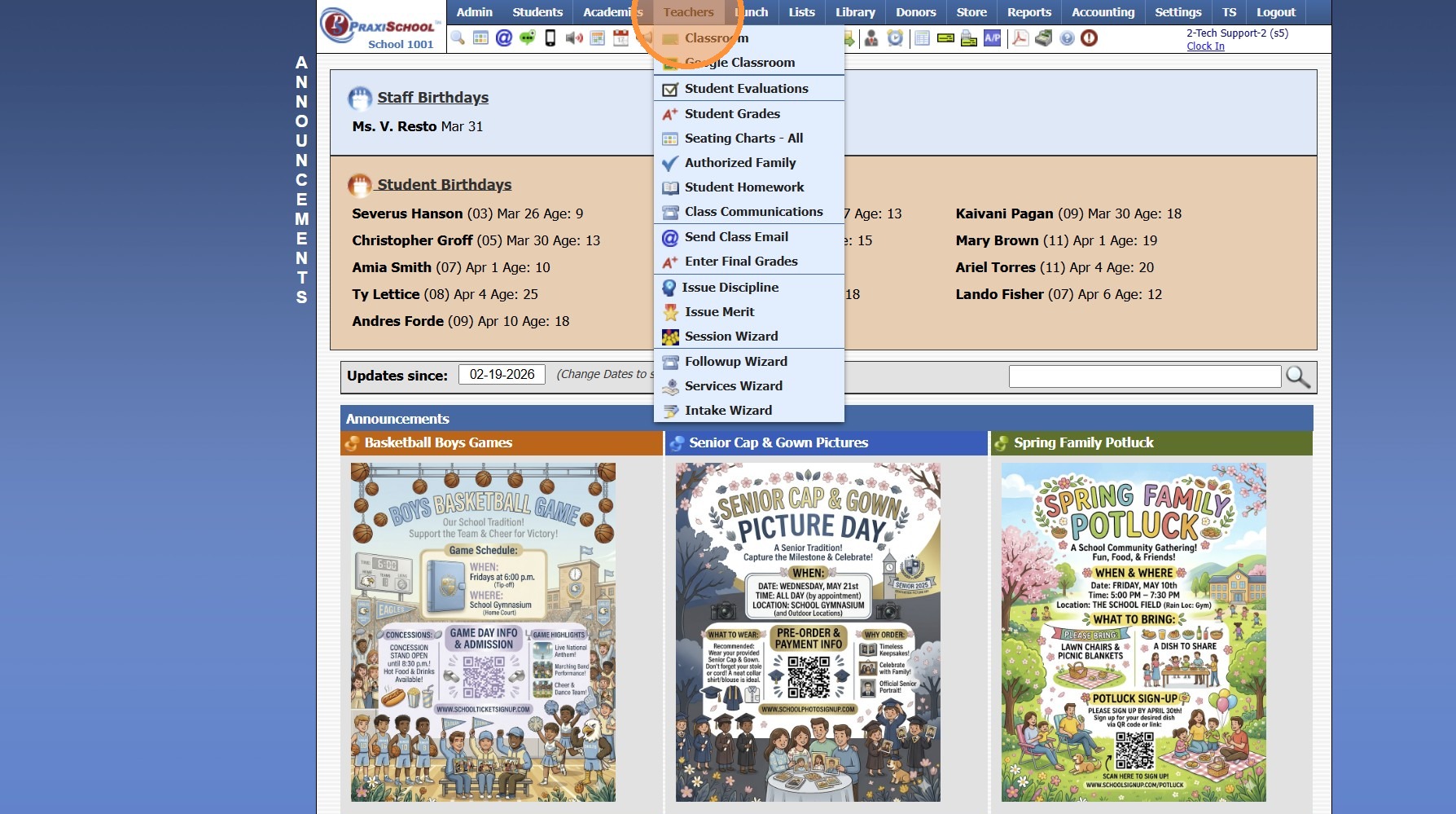
2. Click "Classroom"
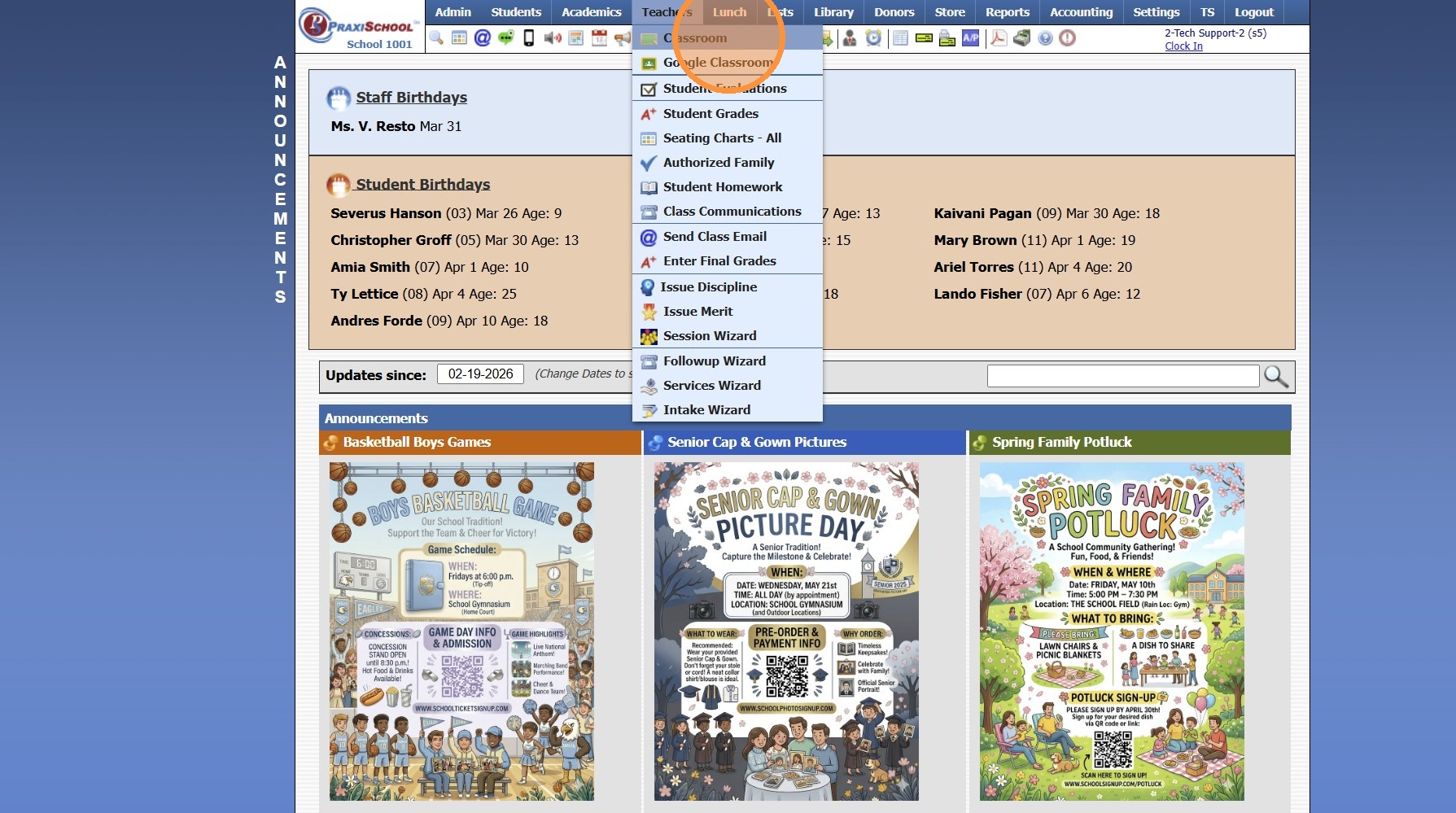
3. Select the Class
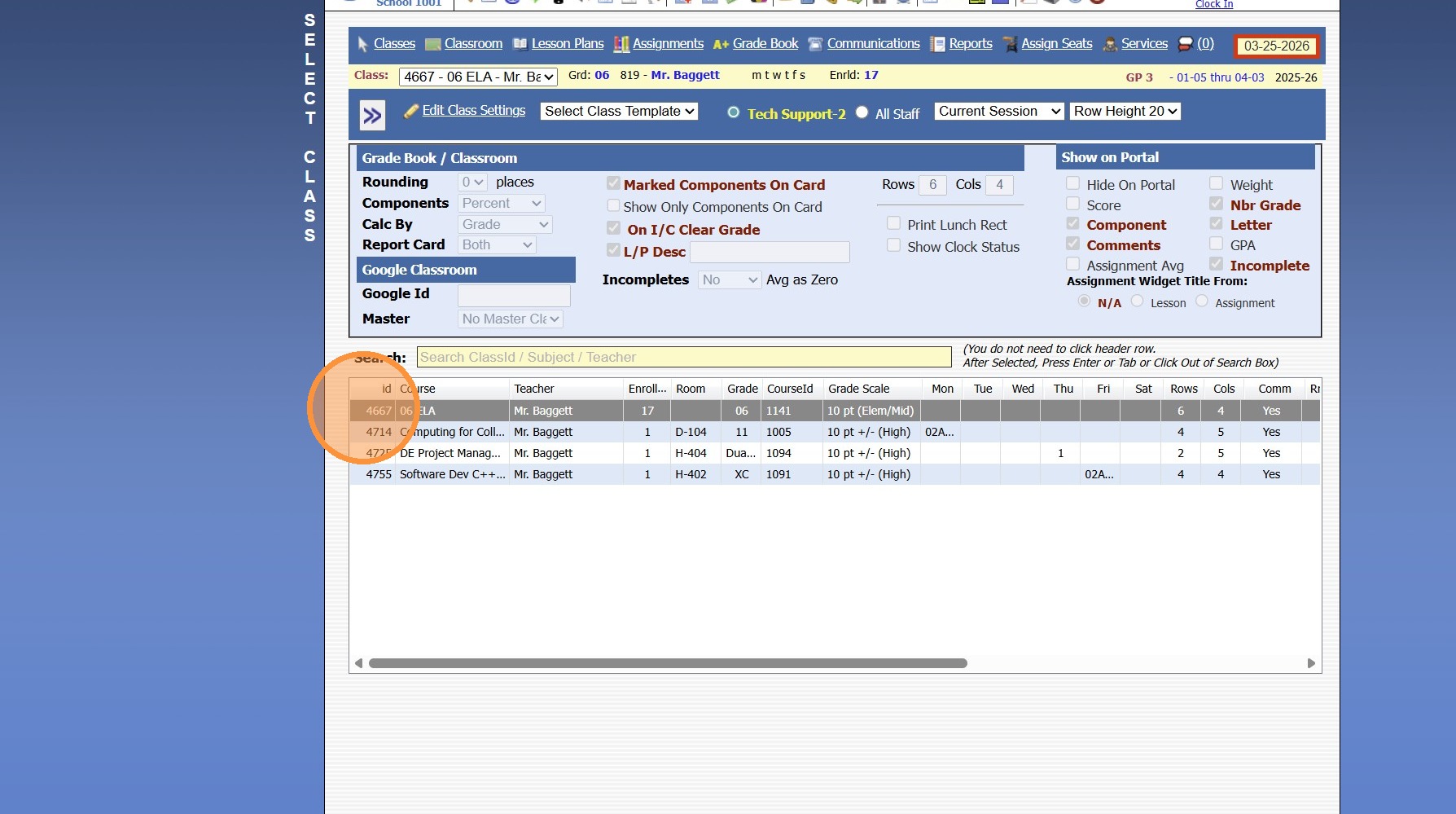
4. Click "Classroom"
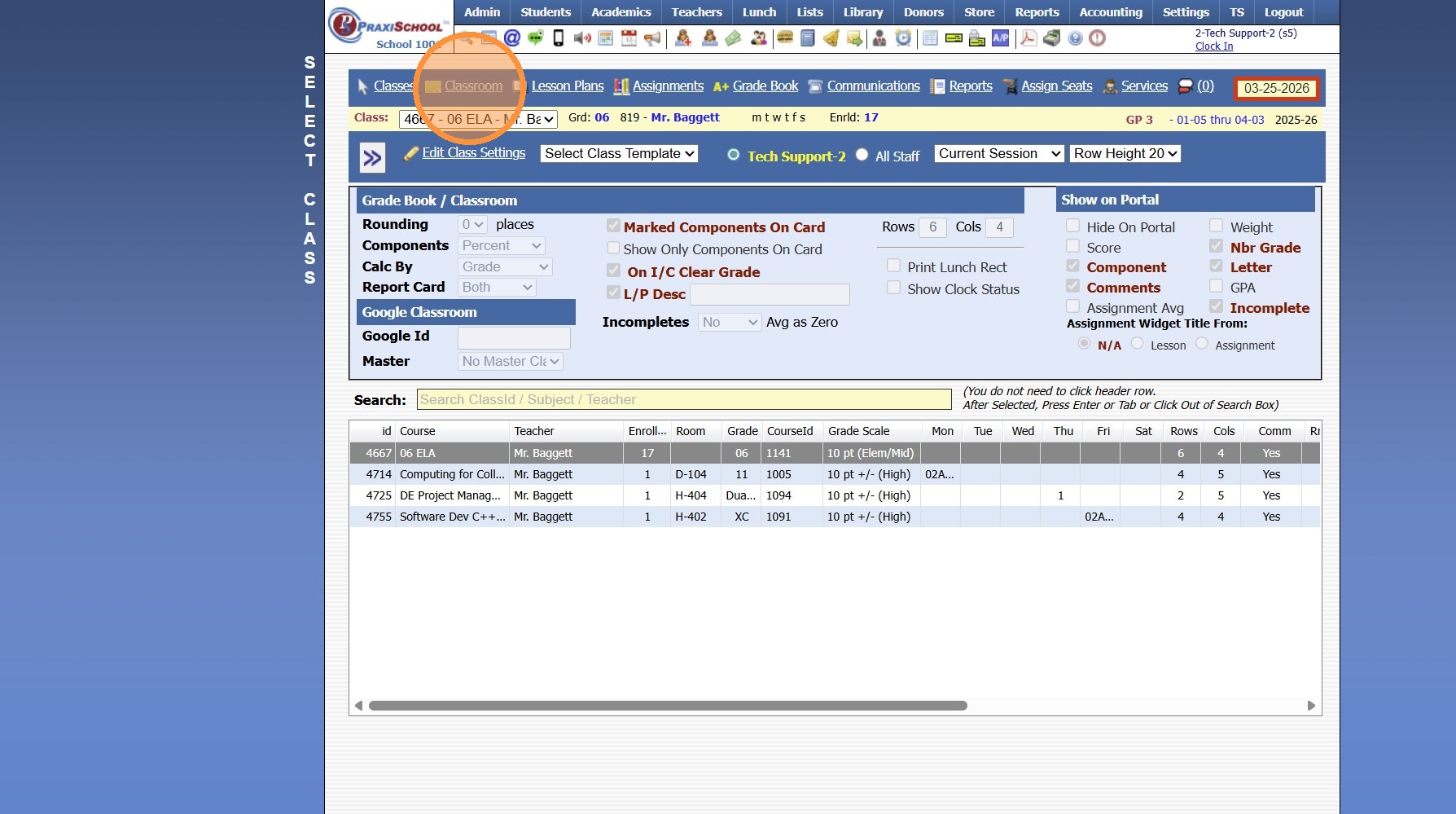
Class Info Toggle - Both
5. Select the Class Info Toggle
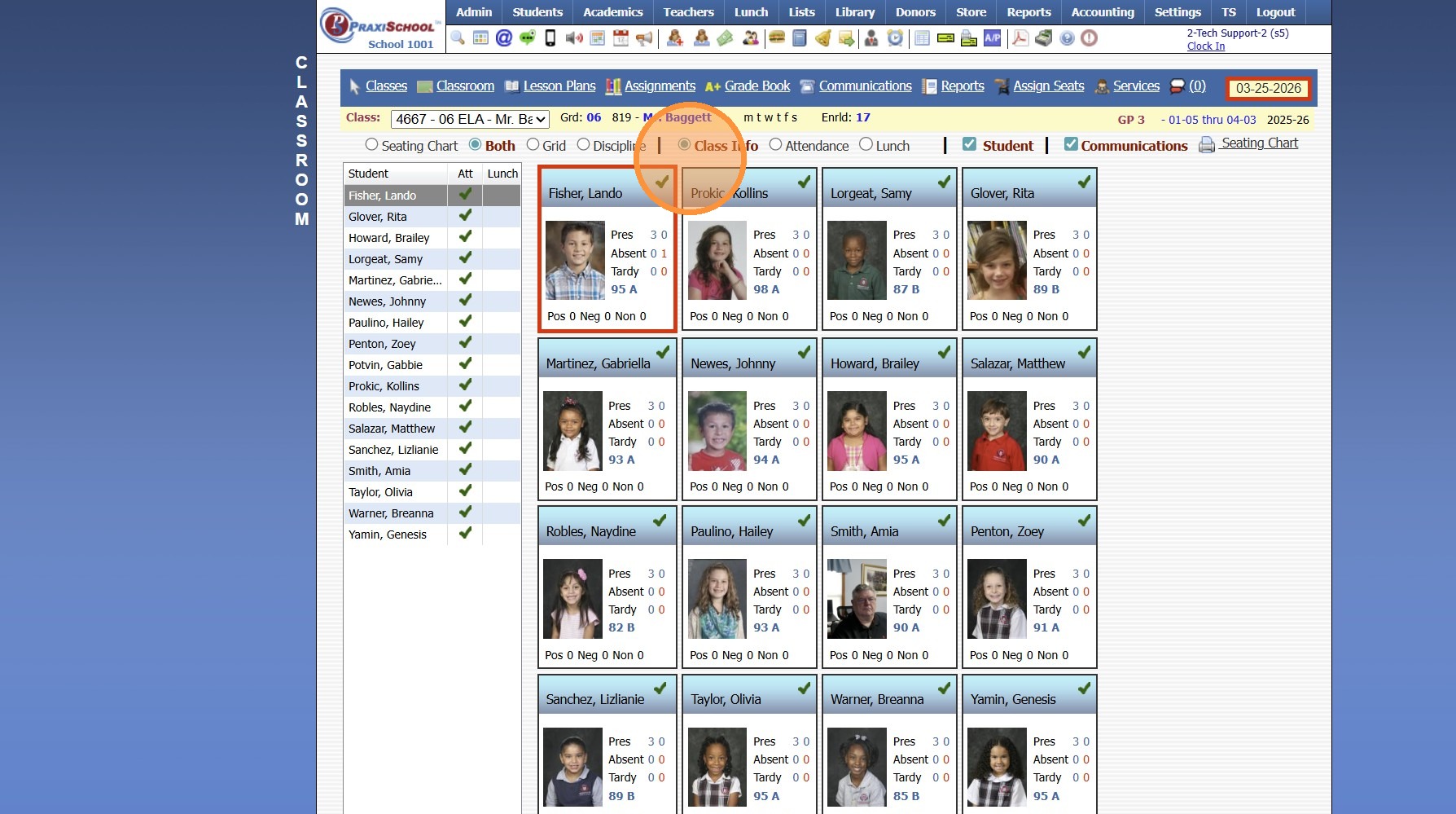
6. In the Class Info Toggle all Students in the Class are Visible along with the Students Total Present, Excused & UnExcused Absences, Excused & UnExcused Tardies & the Total Number of Positive, Negative & Neutral Communications
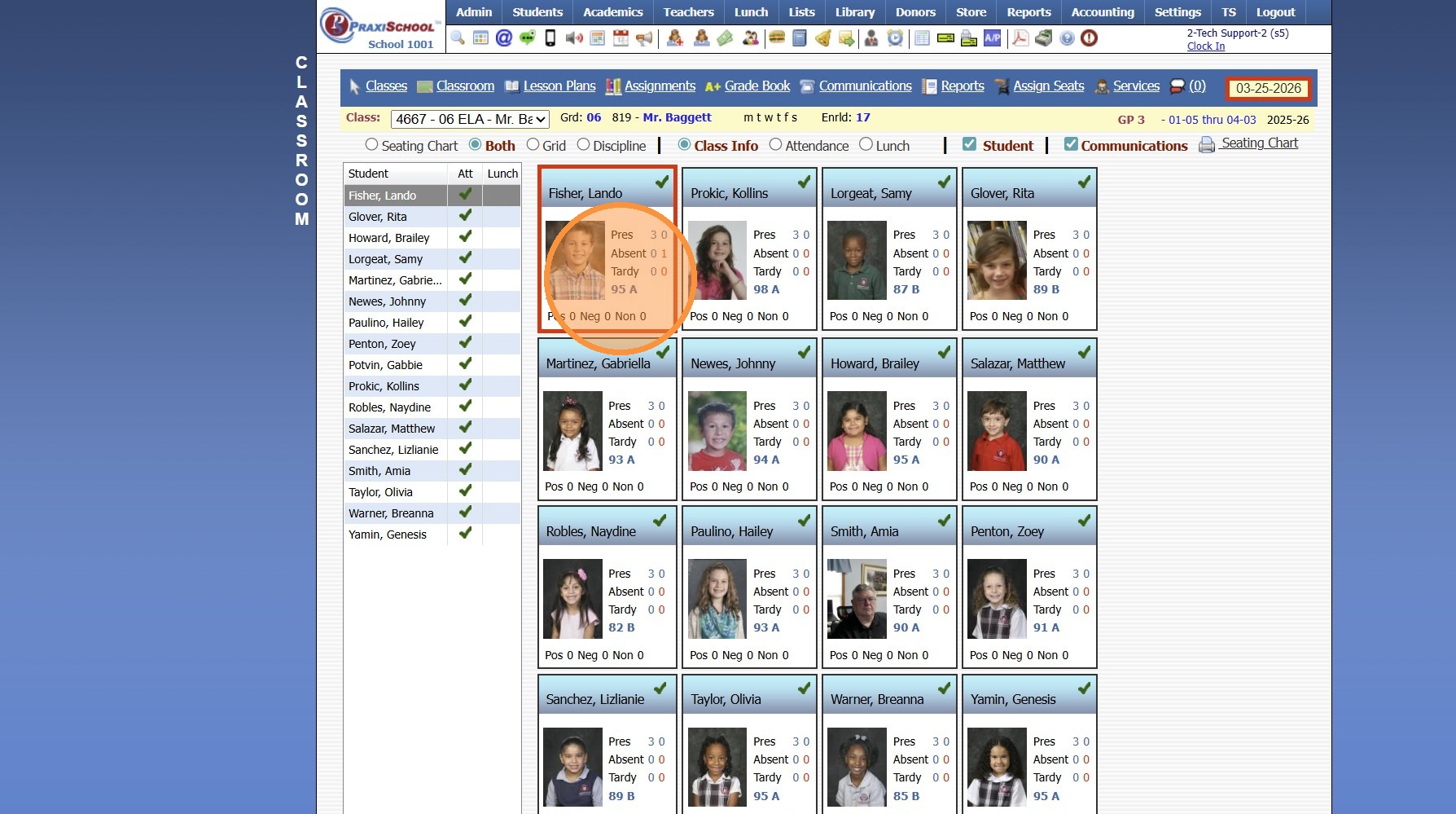
7. On the Left Side of the Screen, a Full List of the Students with the Selected Date Attendance is Visible
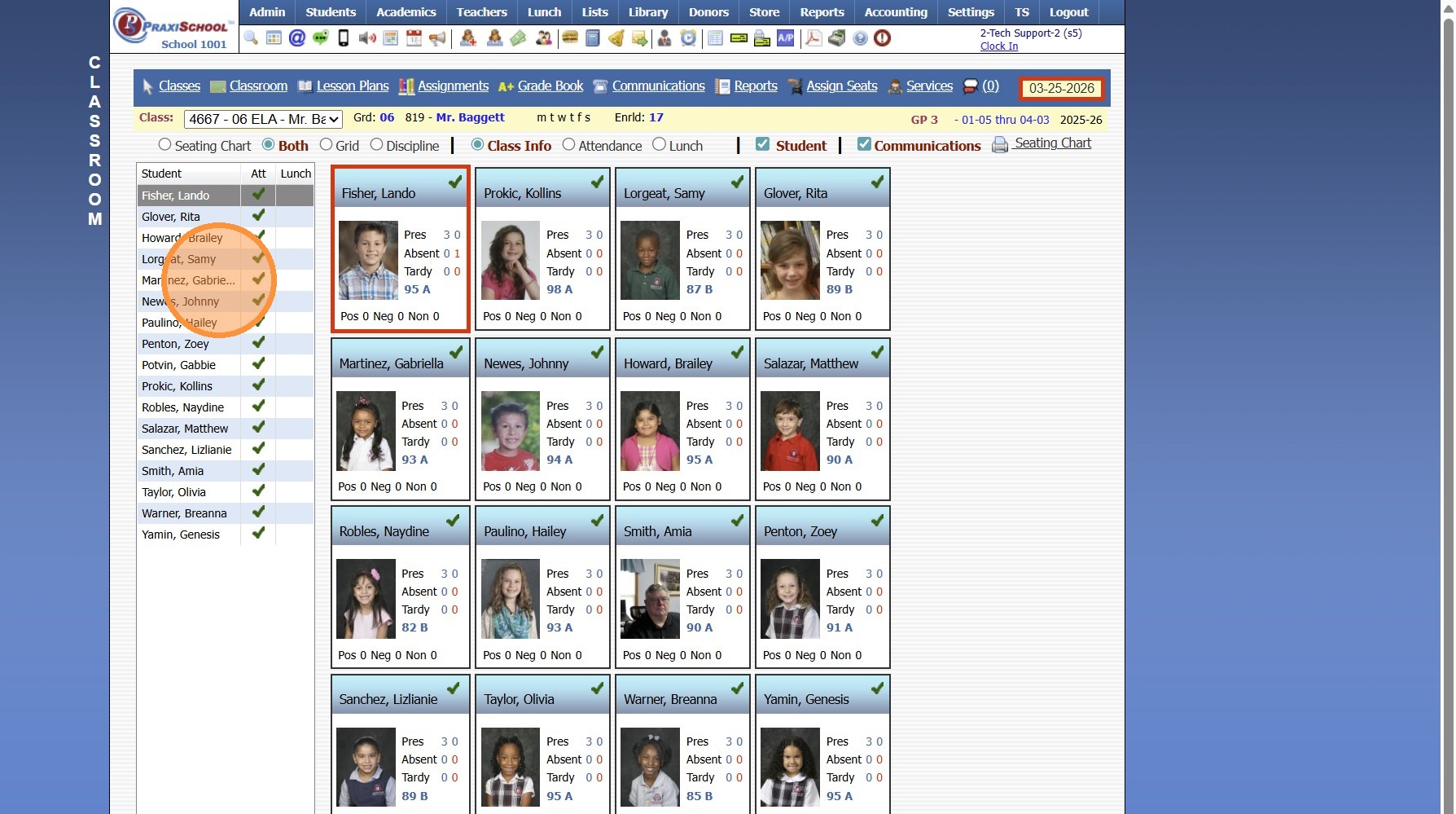
Class Info Toggle - Grid
8. All Students in the Class are Visible with the Selected Date Attendance, Student Lunch Balance, Student's ID Number, Age, Birthday, Current Class Average & the Total Number of Positive, Negative & Neutral Communications
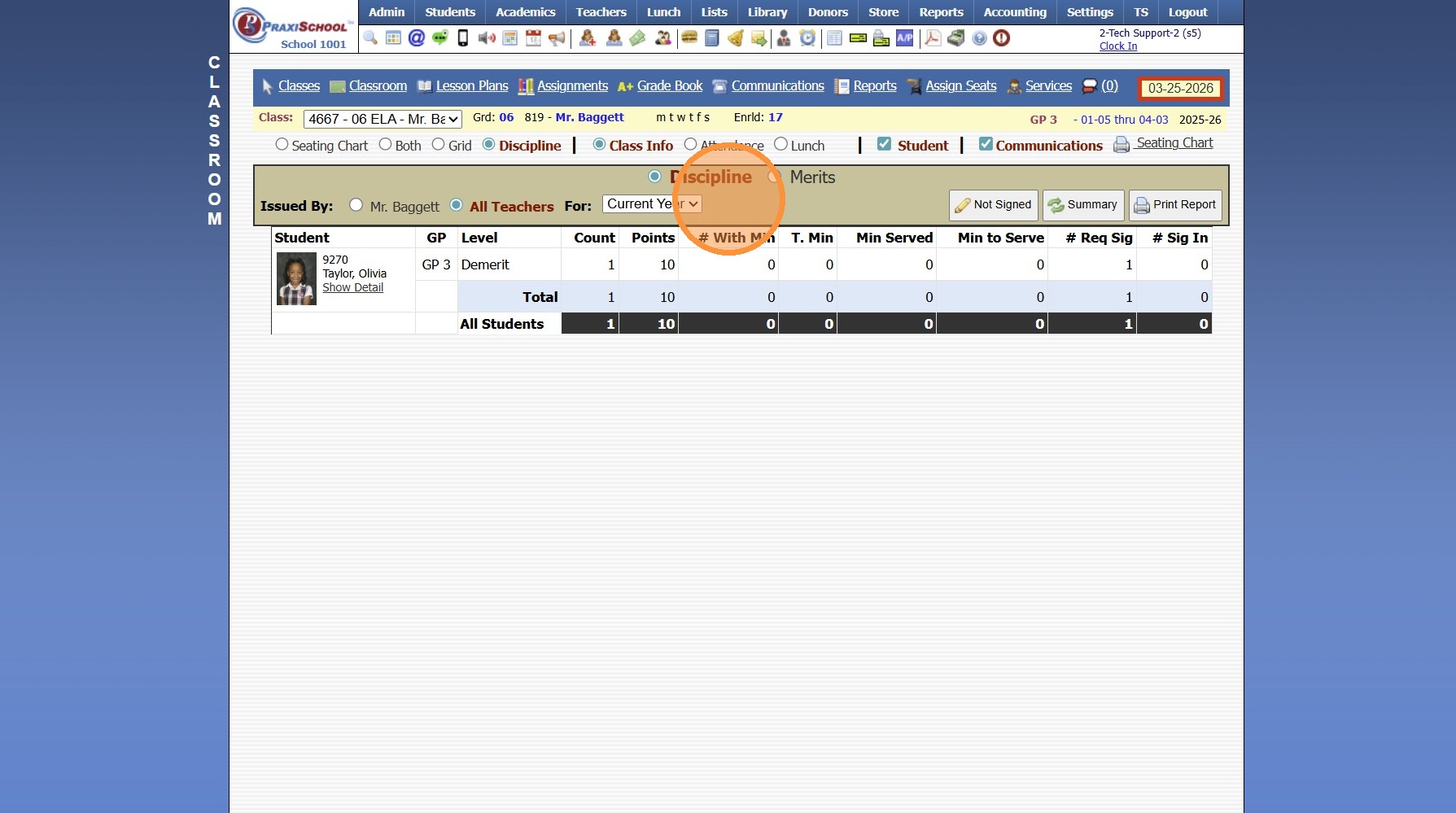
Class Info Toggle - Discipline
9. All Student Discipline / Merits are Visible based on Selections
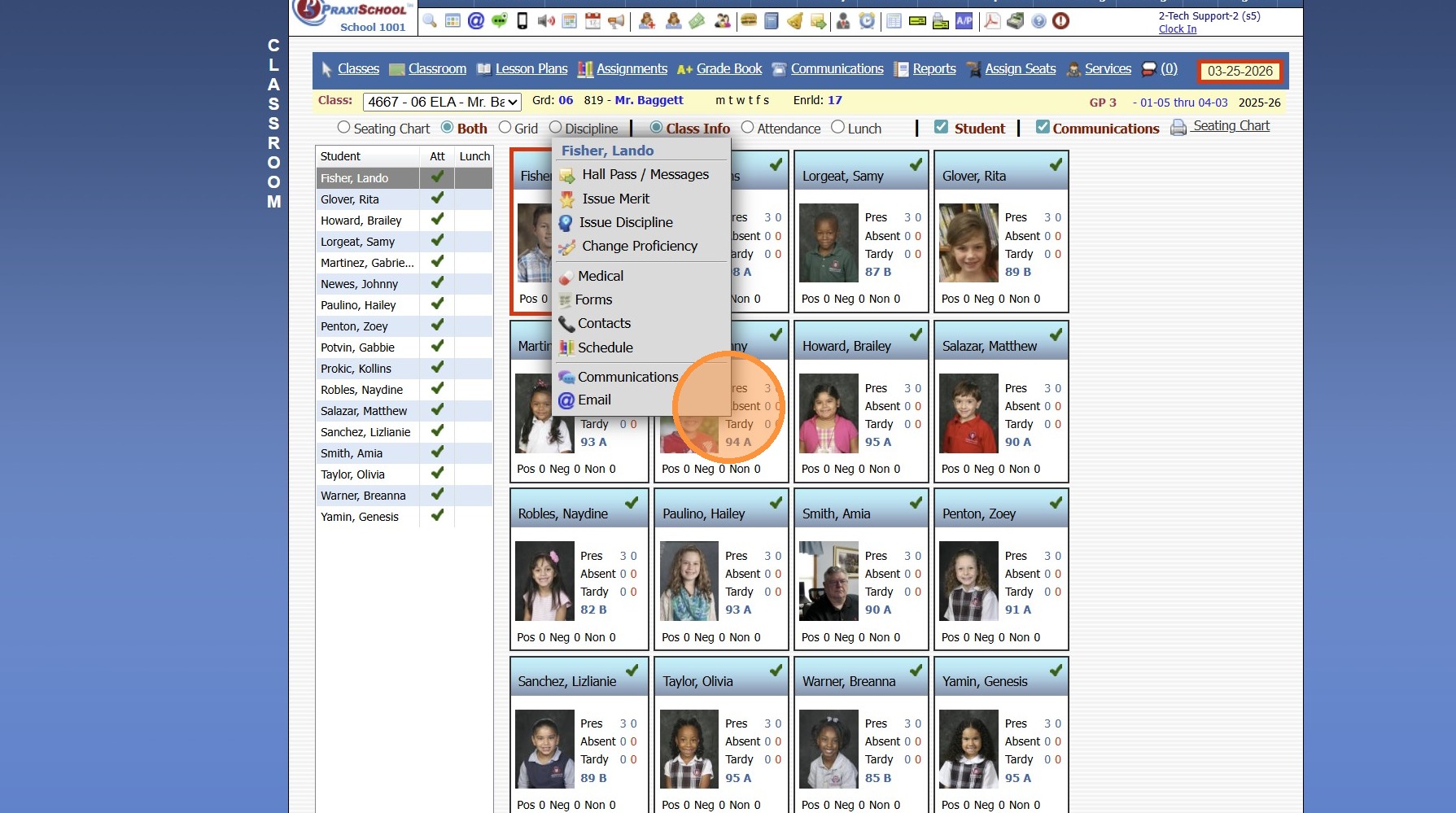
Class Info Toggle - Seating Chart OR Both
10. Left Click on Student to Issue Hall Passes, Merits or Discipline, View Medical, Forms, Contacts, Schedule, Enter Communications or Send Emails
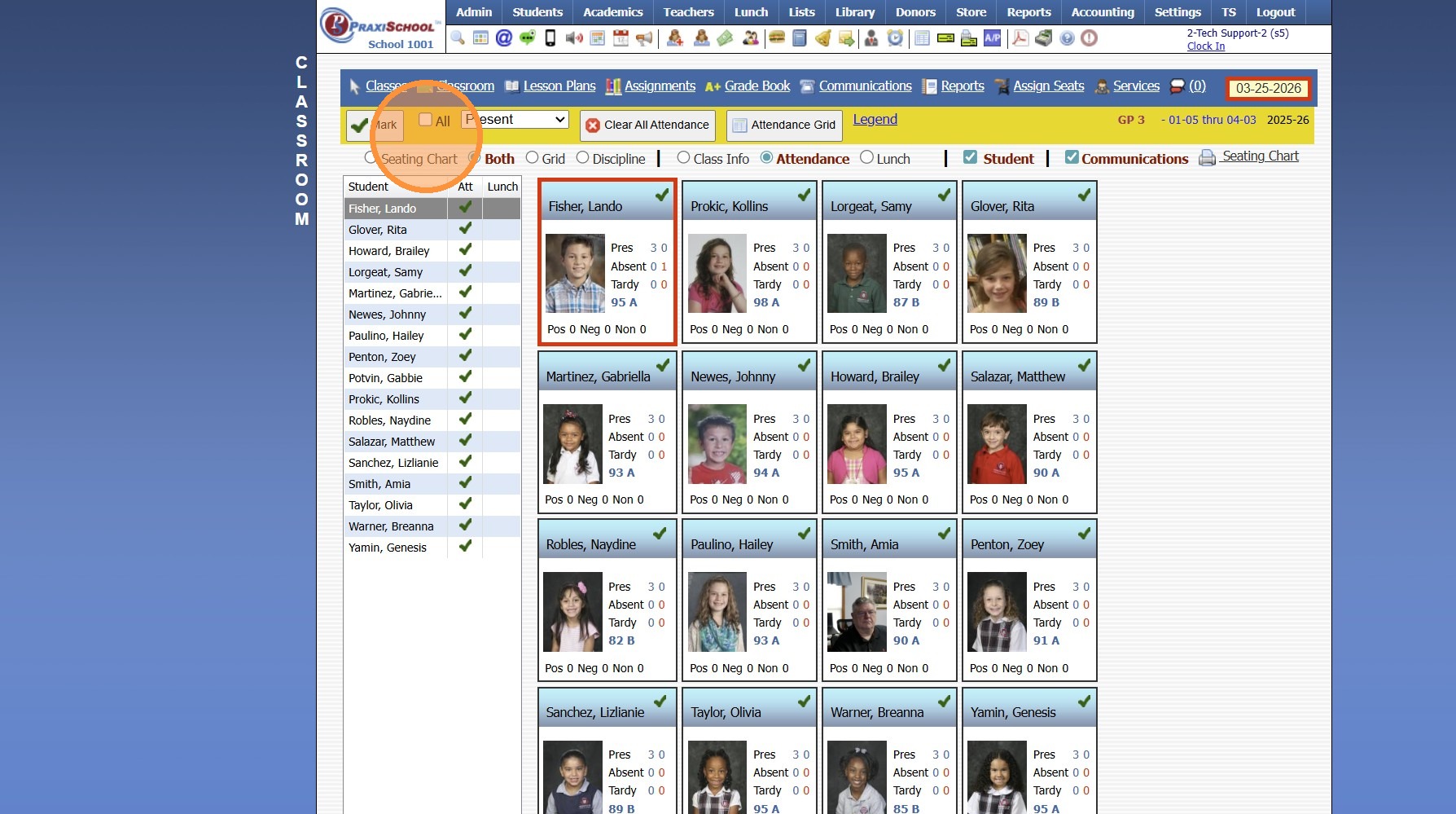
Attendance Toggle - Seating Chart OR Both
11. Click "Mark All Present Event Early Release Absent Ex Absent Ux Clear All Attendance Attendance Grid Legend"
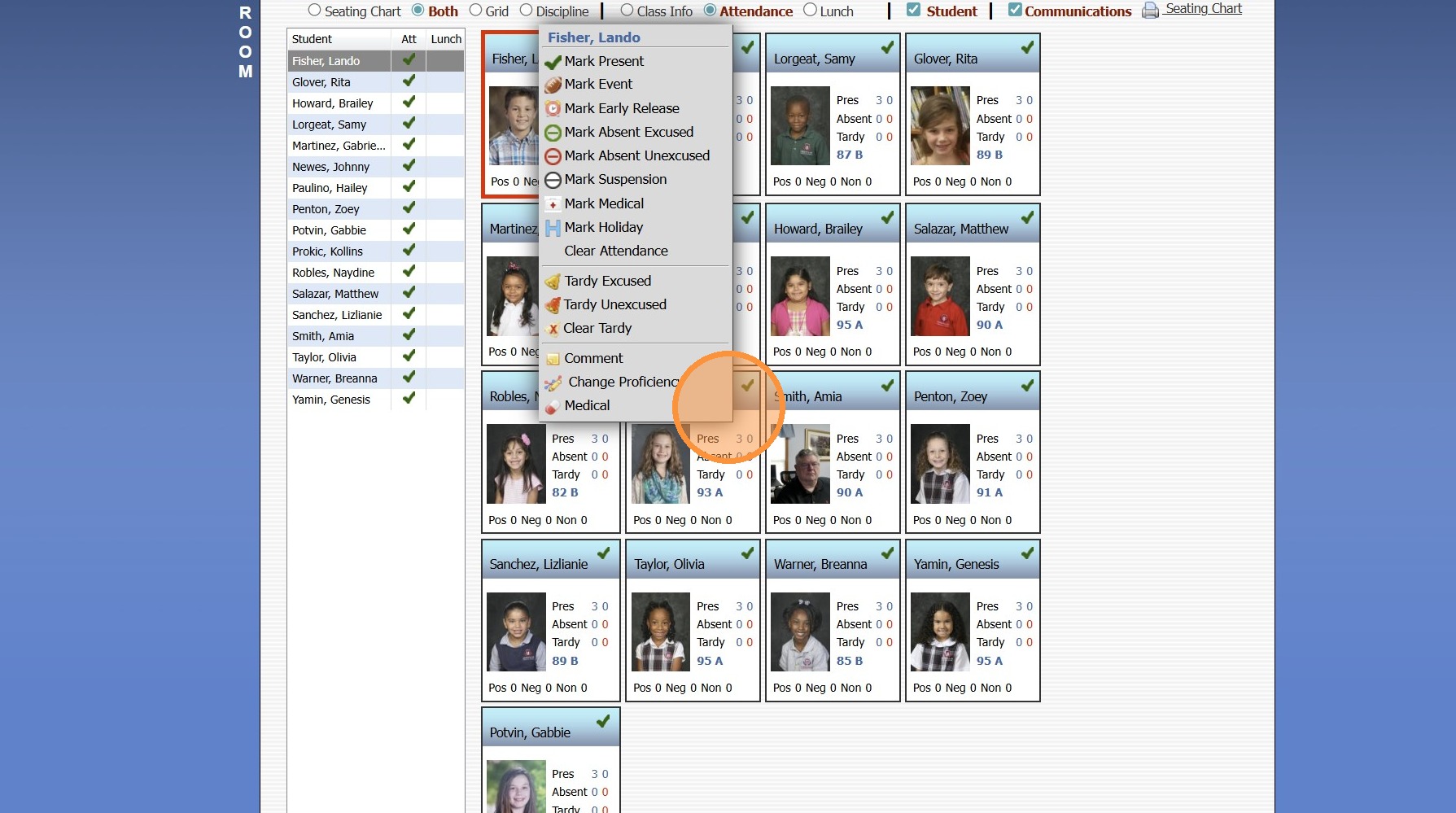
12. Left Click on a Student
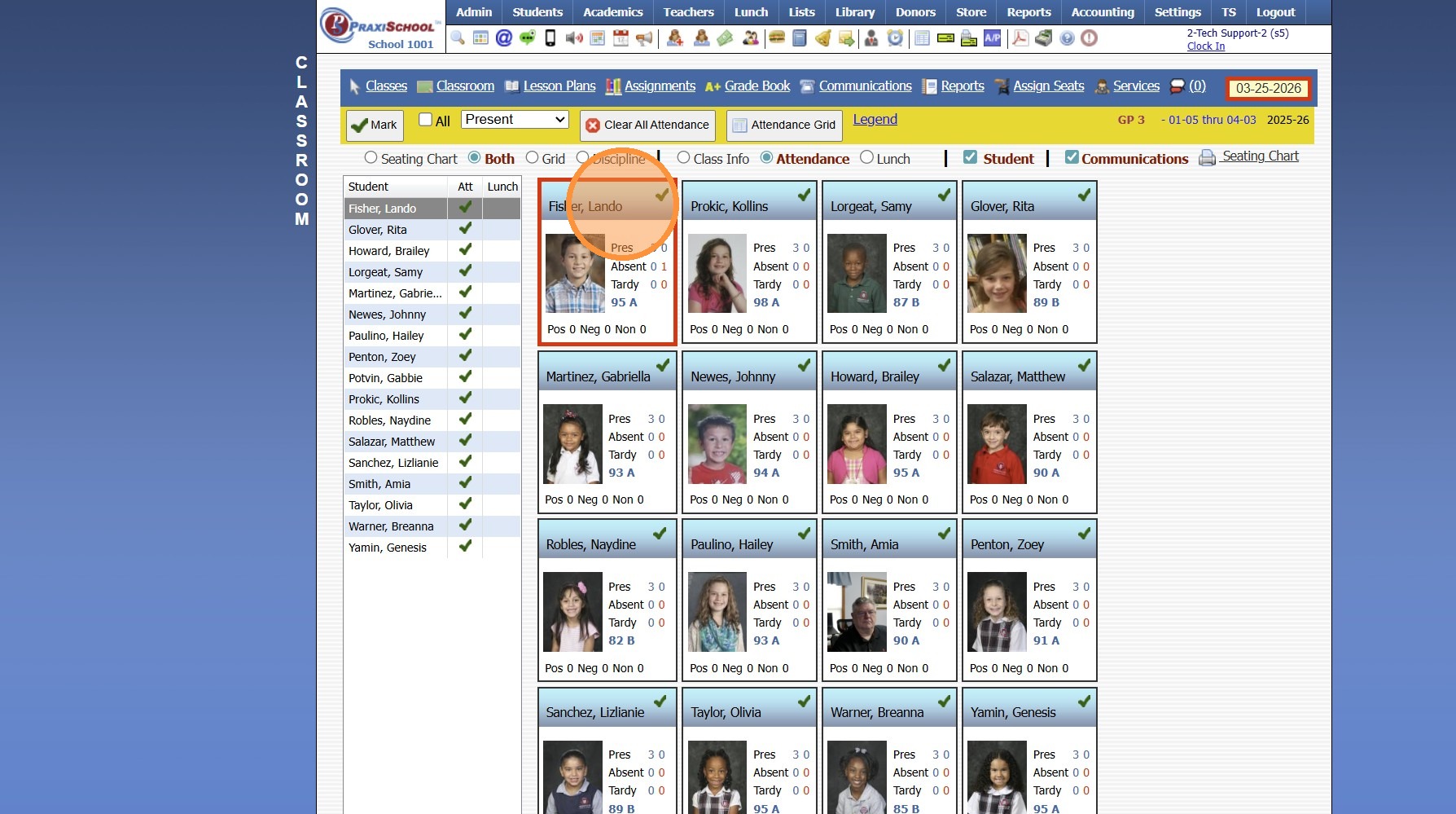
13. Attendance Options Populate along with the option to View Medical
Lunch Toggle - Seating Chart OR Both
14. Left Click on a Student
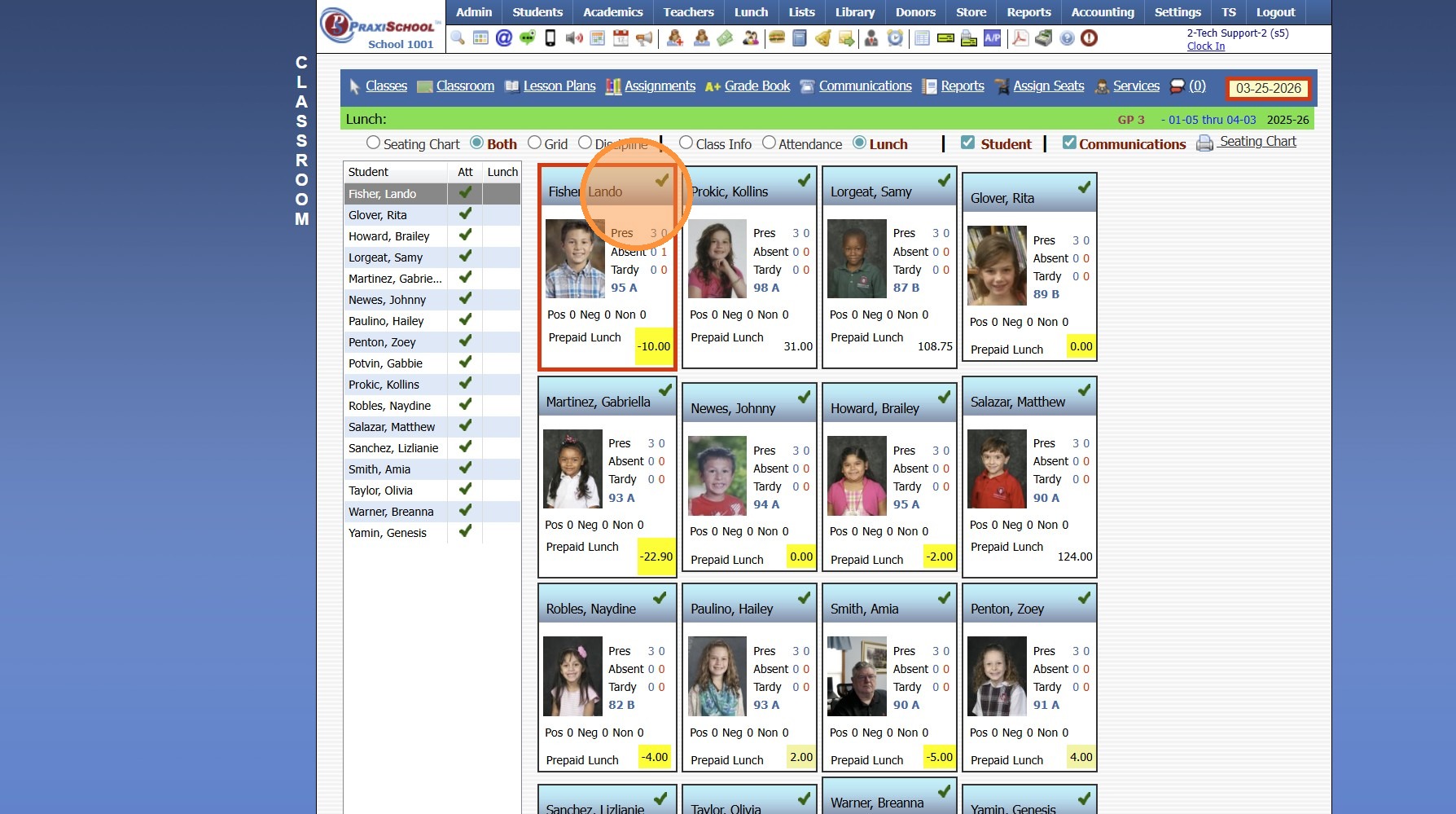
15. Lunch Order/Cancel Options Populate along with the option to View Medical
Related Articles
Teachers - Classroom - Classes
Teachers - Classroom - Classes 1. Log into PraxiSchool 2. Click "Teachers" 3. Click "Classroom" 4. Classes is the Default Classroom View 5. Class Settings for Grading and Google Classroom 6. Class Settings for Components, Lesson Plans and Incomplete ...Implementing Google Classroom
Implementing Google Classroom 1. Click "Teachers" 2. Click "Google Classroom" & Select Google Account to Link 3. Click the "Help" tab to Access the Google Classroom Help for Implementation 4. Click "Google Classroom Interface" to View Interface ...Classroom Lunch Orders Report
Classroom Lunch Orders Report 1. Log into PraxiSchool 2. Click "Teachers" 3. Click "Classroom" 4. Select Class 5. Click "Reports" 6. Click "Lunch Orders" and Click "Process Report" 7. Lunch Order Report Options: Print, Email or Download to a PDF ...Classroom Incomplete Grades Report
Classroom Incomplete Grades Report 1. Log into PraxiSchool 2. Click "Teachers" 3. Click "Classroom" 4. Select Class 5. Click "Reports" 6. Click "Incomplete Grades" (Incomplete Grades Report shows All Student Assignments marked Incomplete) 7. Click ...Classroom Detail Grades Report
Classroom Detail Grades Report 1. Log into PraxiSchool 2. Click "Teachers" 3. Click "Classroom" 4. Select Class 5. Click "Reports" 6. Click "Detail Grade Book" (Detail Grade Book Report shows All Student's Assignment Grades for Class) 7. Click ...