Adding a Transaction Group to an Online Form

1. Navigate to Admin > Online Forms > Forms.
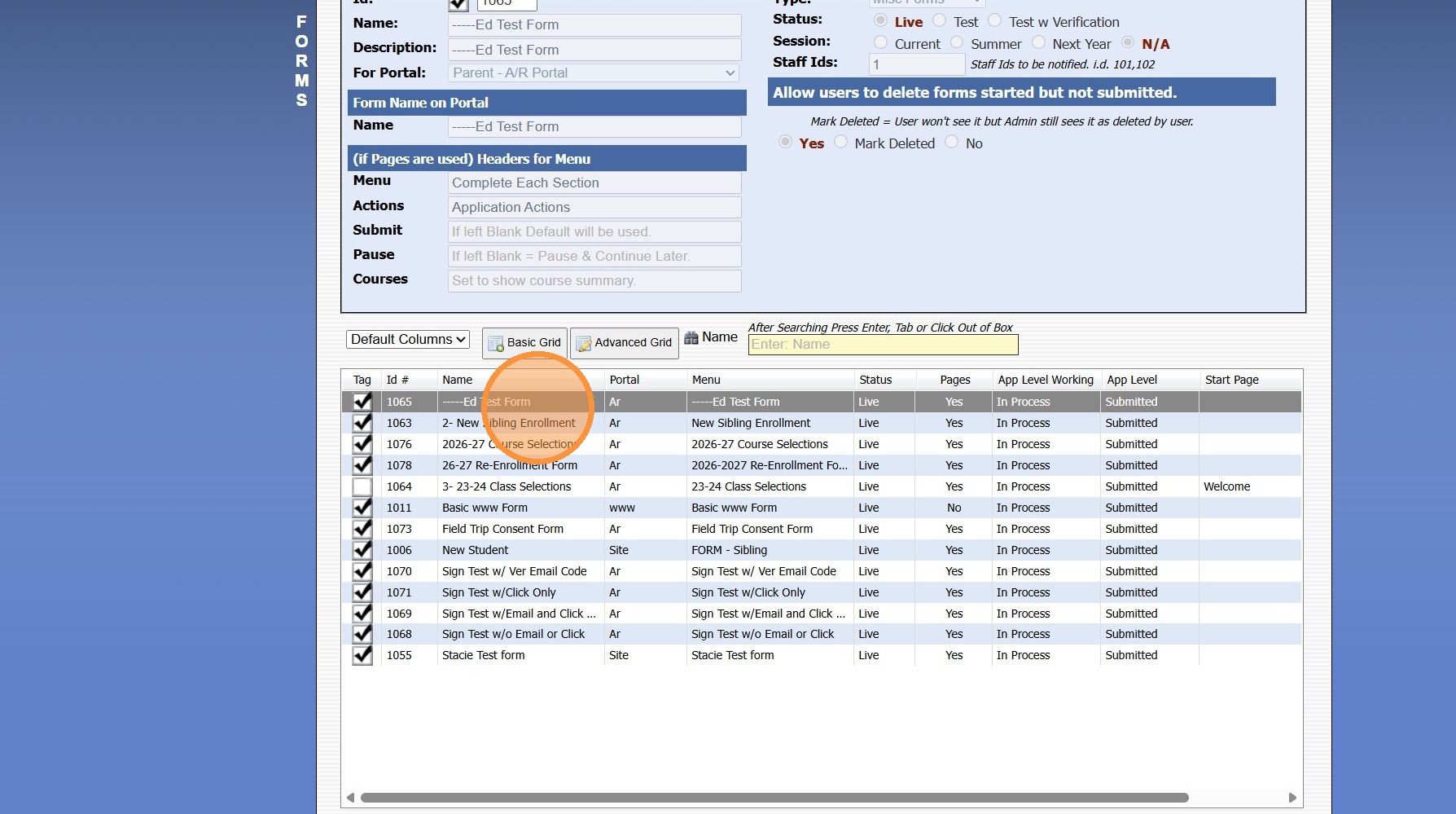
2. Select the Form to Update
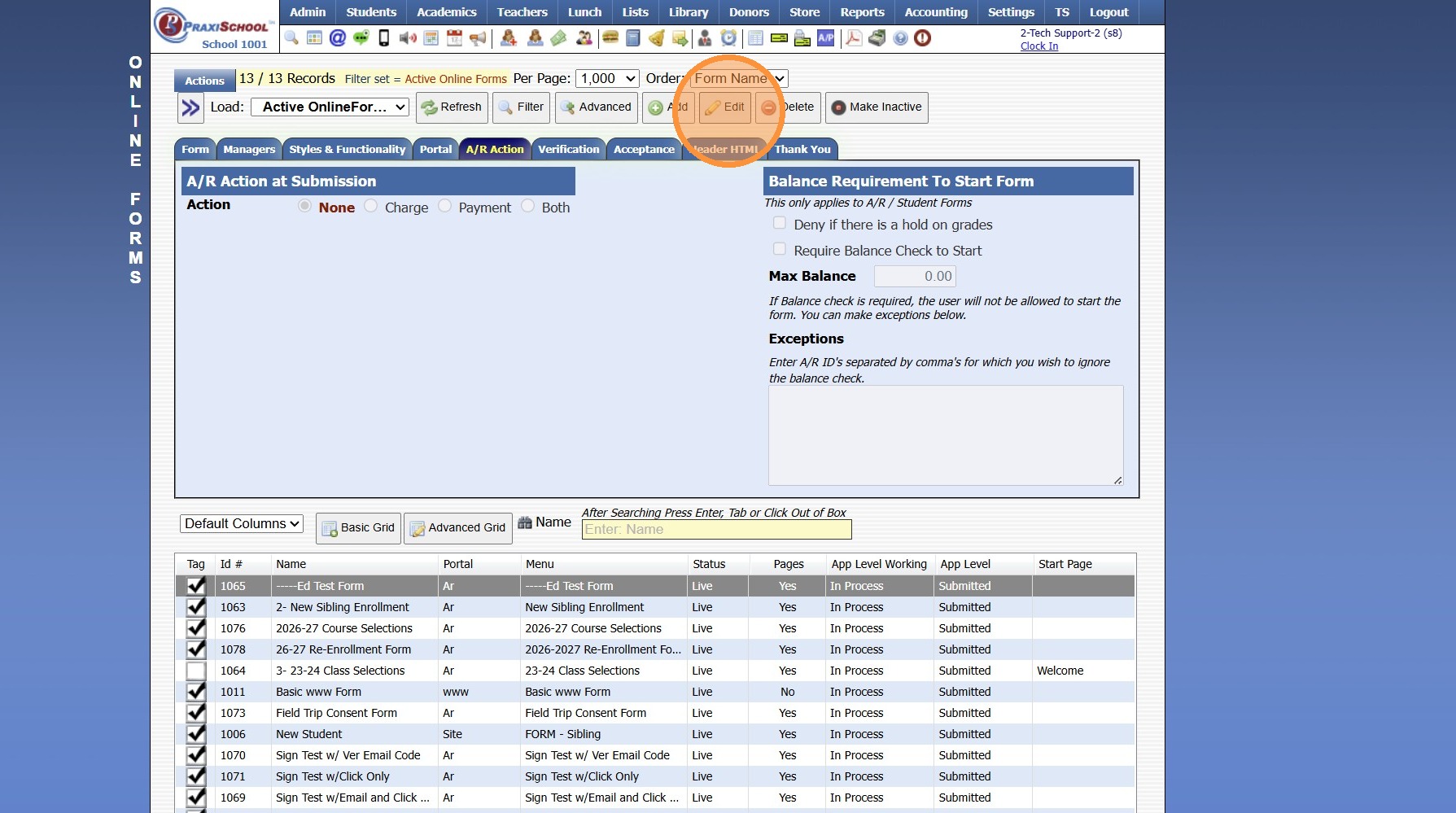
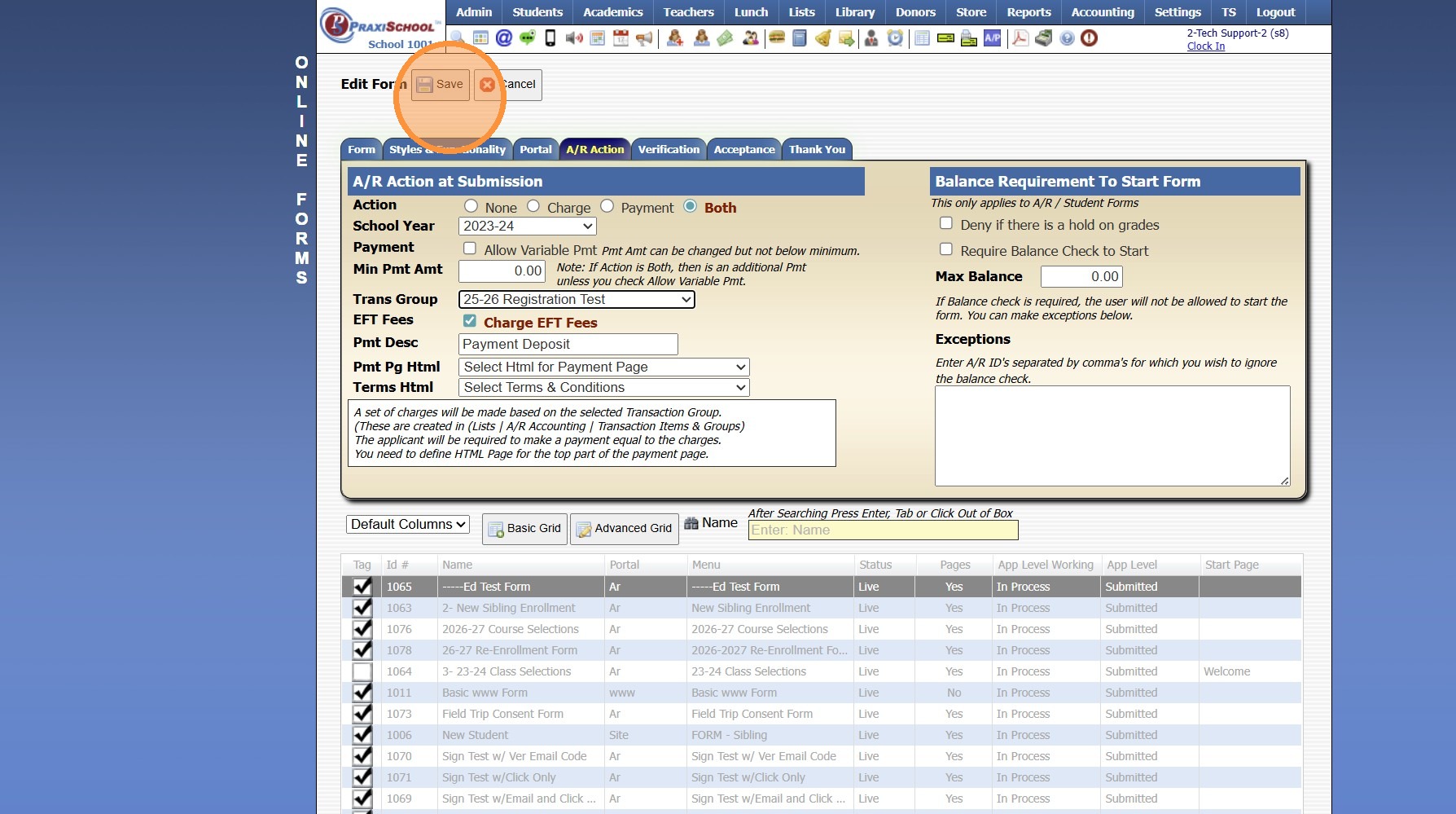
3. Click on "A/R Action" Tab
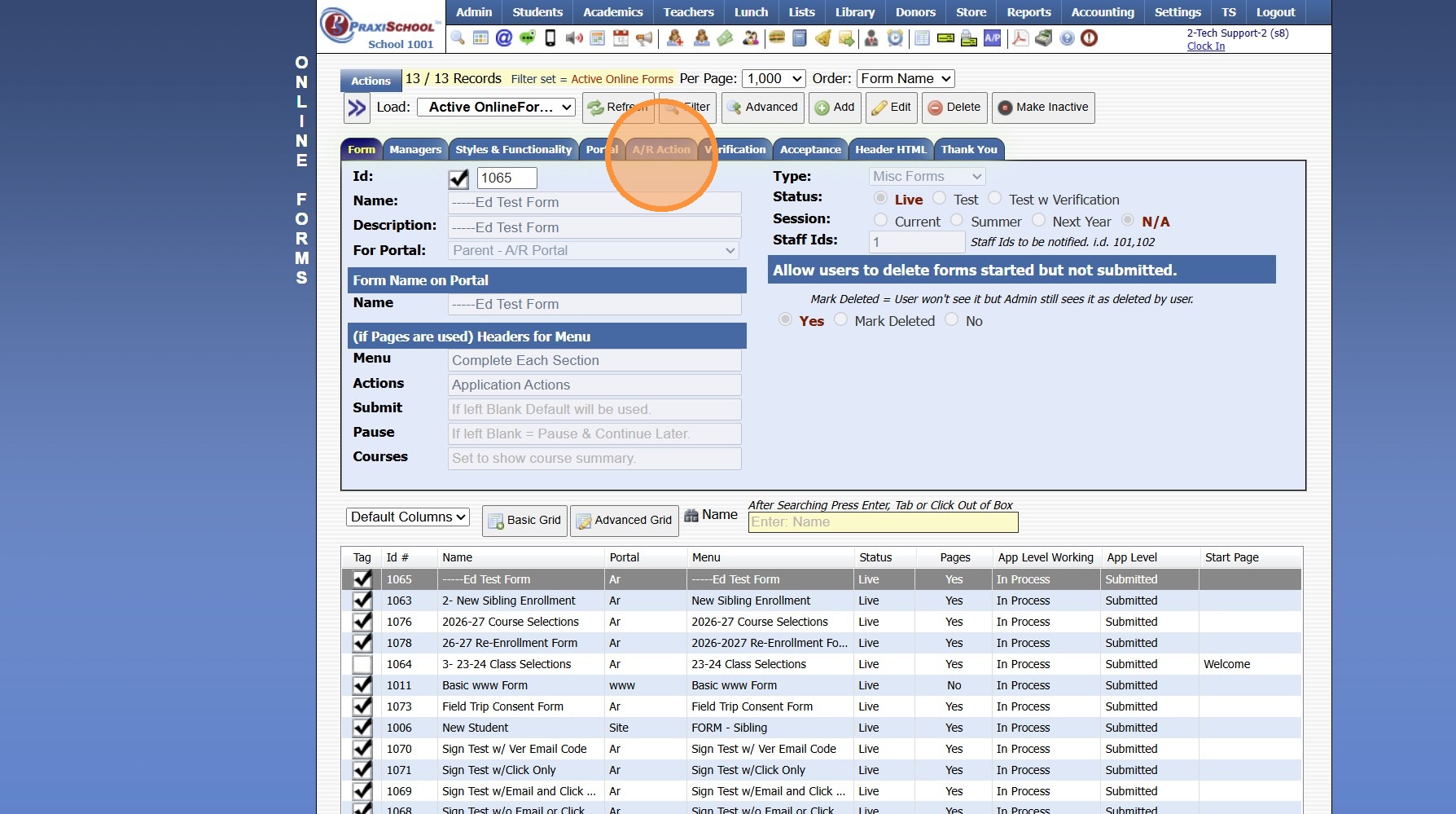

5. Select Charge, Payment or Both
(Both will Charge & Collect the Payment)
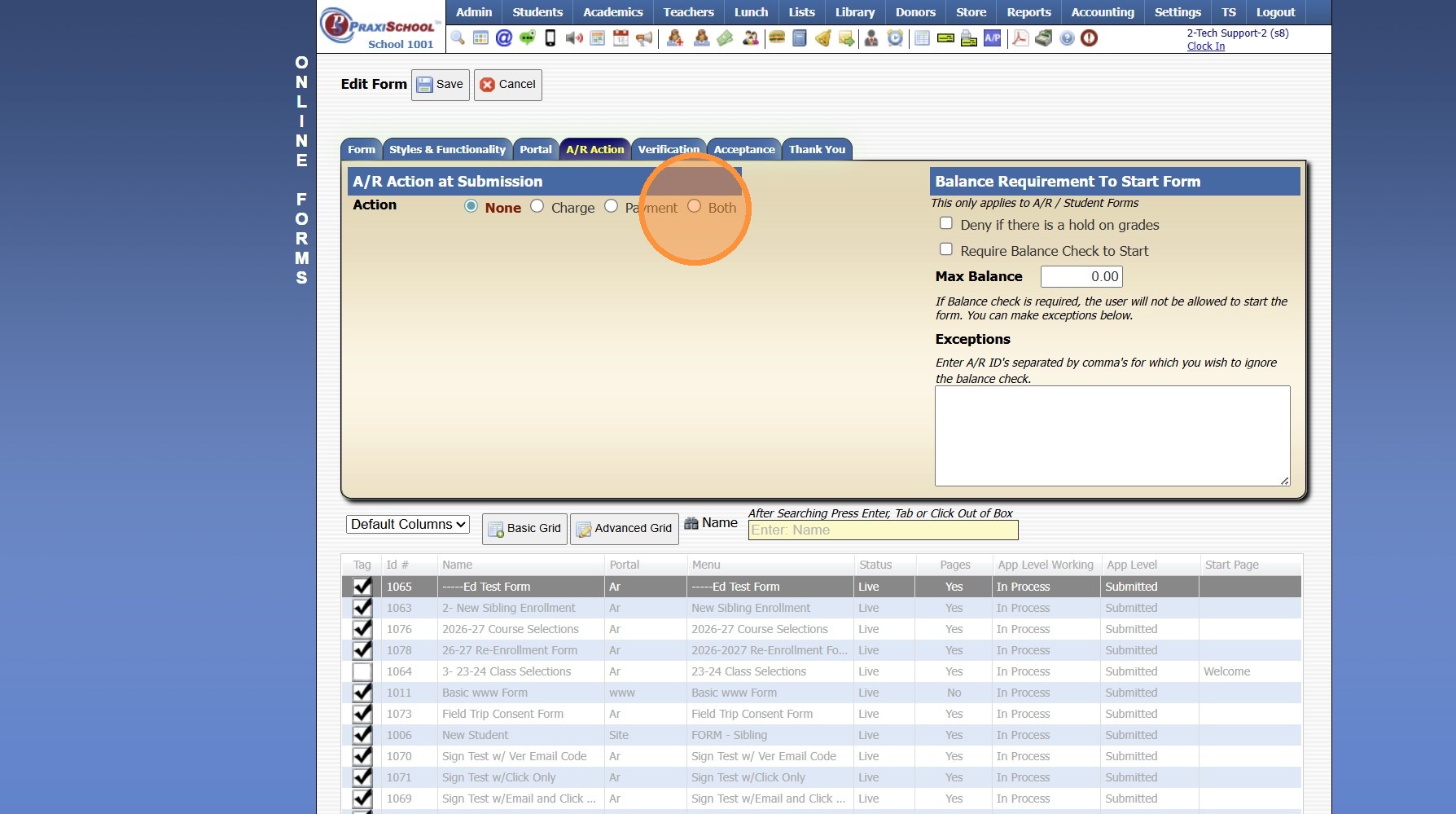
6. Select the Trans Group from the Dropdown Menu

Related Articles
Creating a New Transaction Group for Online Forms
1. Click "Lists" 2. Click "A/R Accounting" 3. Click "Transaction Groups" 4. Click "Add" 5. Name Transaction Group 6. Click "Save" 7. Click "Add/Edit/Delete" 8. Select Transaction Item & Click Add (Repeat to Add Additional Transaction Items to Same ...
Adding Form Templates
Adding Form Templates 1. Click "Lists" 2. Click "Enrollment" 3. Click "Forms Templates" 4. Click "Add" 5. Name Template Group 6. Select School Year 7. Click "Save" 8. Click "Change Forms in Template" 9. Select Applicable Forms 10. Click "Finished" ...
Creating Custom Fields for Online Form/Surveys
Custom Fields create for Online Forms are for the purpose of Printing the Form Only, Custom Fields do NOT Save to the Student, AR nor Family Files. 1. Click "Admin" 2. Click "Online Forms" 3. Click "Custom Fields" 4. Click "Add" 5. Select or Add a ...
Accessing & Previewing Online Form Templates
1. Click "Admin" 2. Click "Online Forms" 3. Click "Forms" 4. Select Form 5. Click "Header HTML" 6. Click "Preview Form" 7. A Preview of the Form will Populate 1000.6.20
Adding Headers to Online Forms
1. Click "Admin" 2. Click "Online Forms" 3. Click "Forms" 4. Select Form to Add Header 5. Click the "Header HTML" Tab 6. Click "Edit" 7. Select Created Form Header from Dropdown to Show on Form 8. Select Created Form Header from Dropdown for Printing ...