Making a Payment from the Student Portal
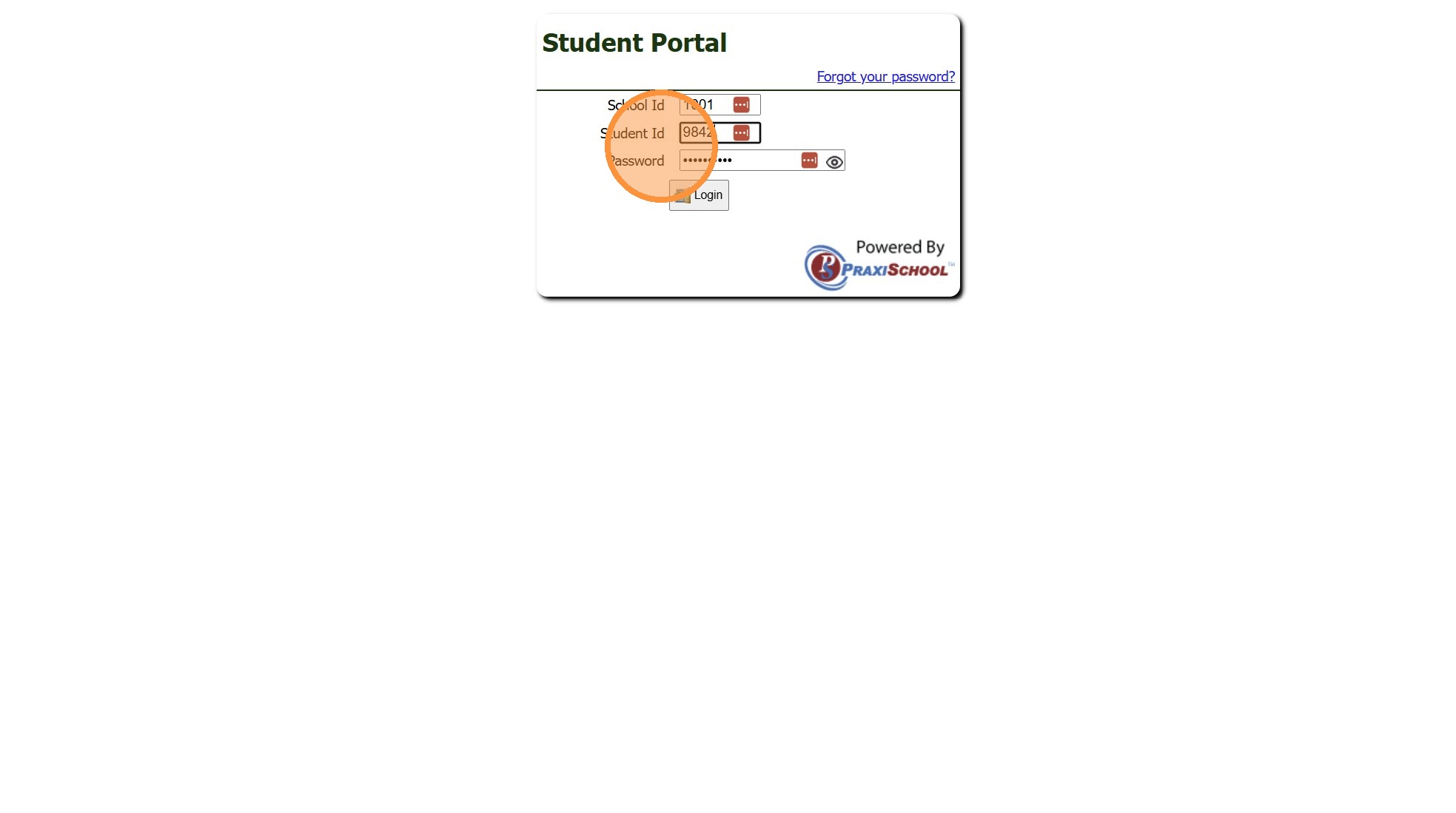
1. Log into the Student Portal
(Enter School ID, Parent ID & Password)
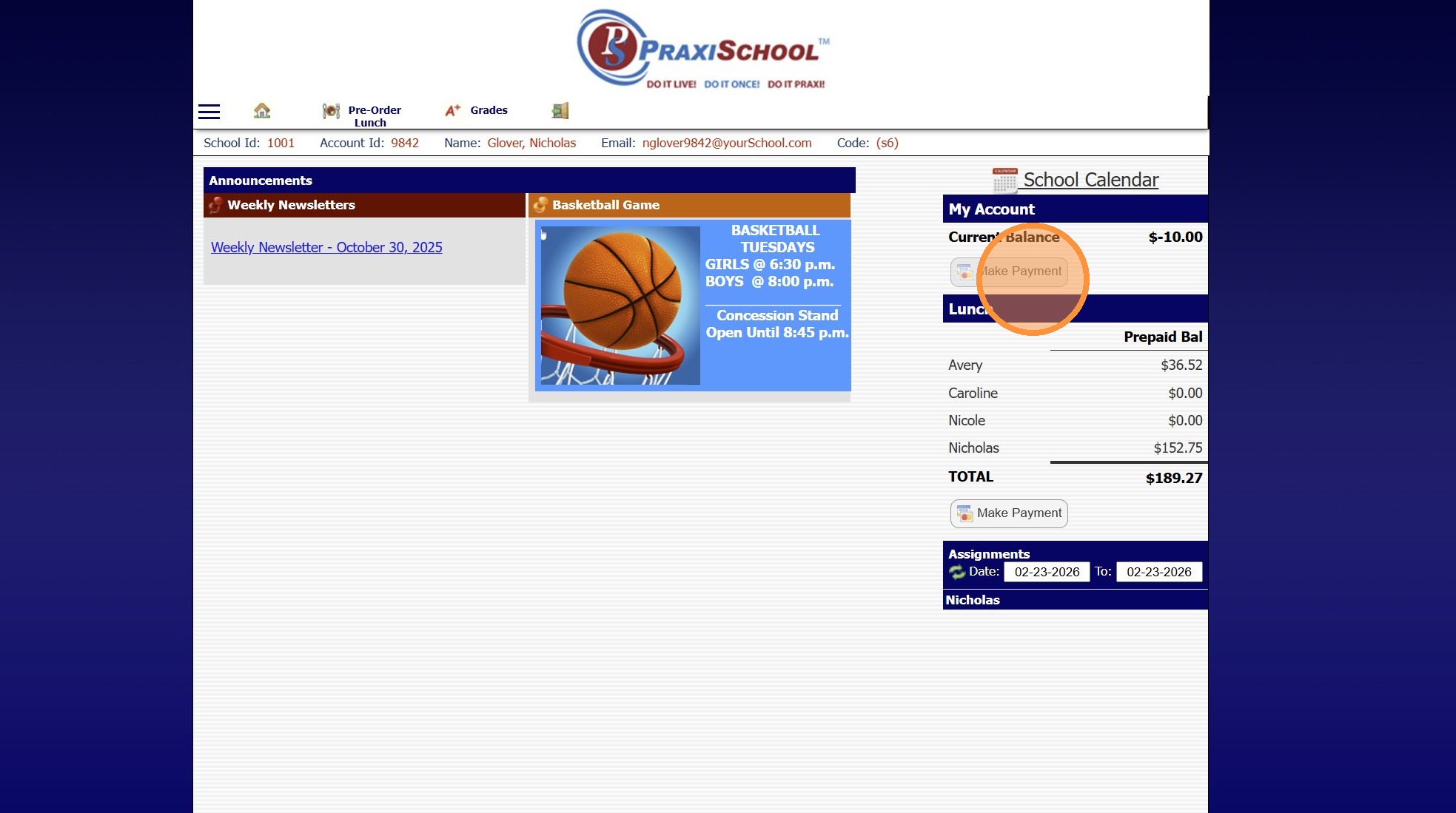
2. Click "Make Payment"
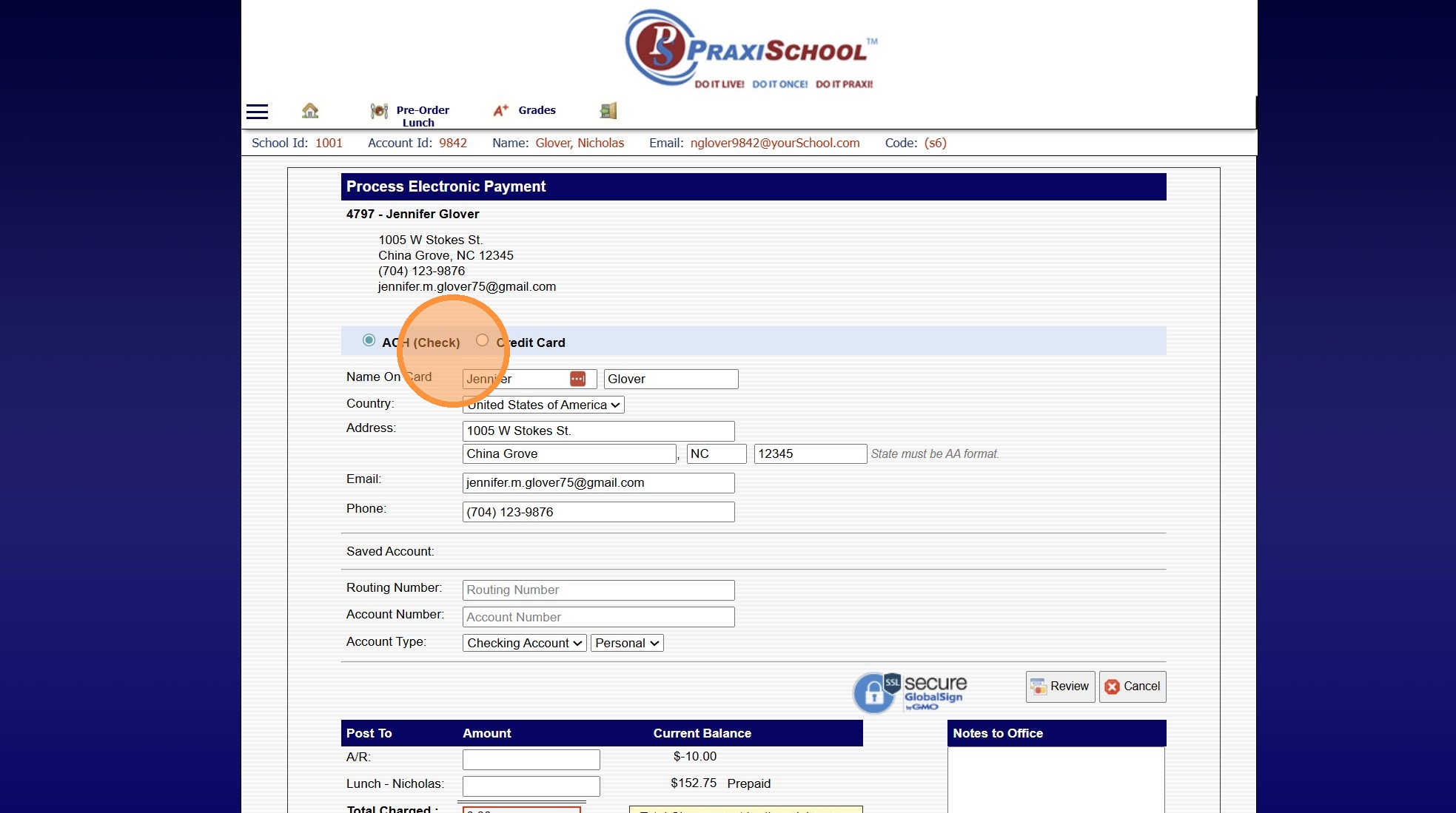
3. Select ACH or Credit Card
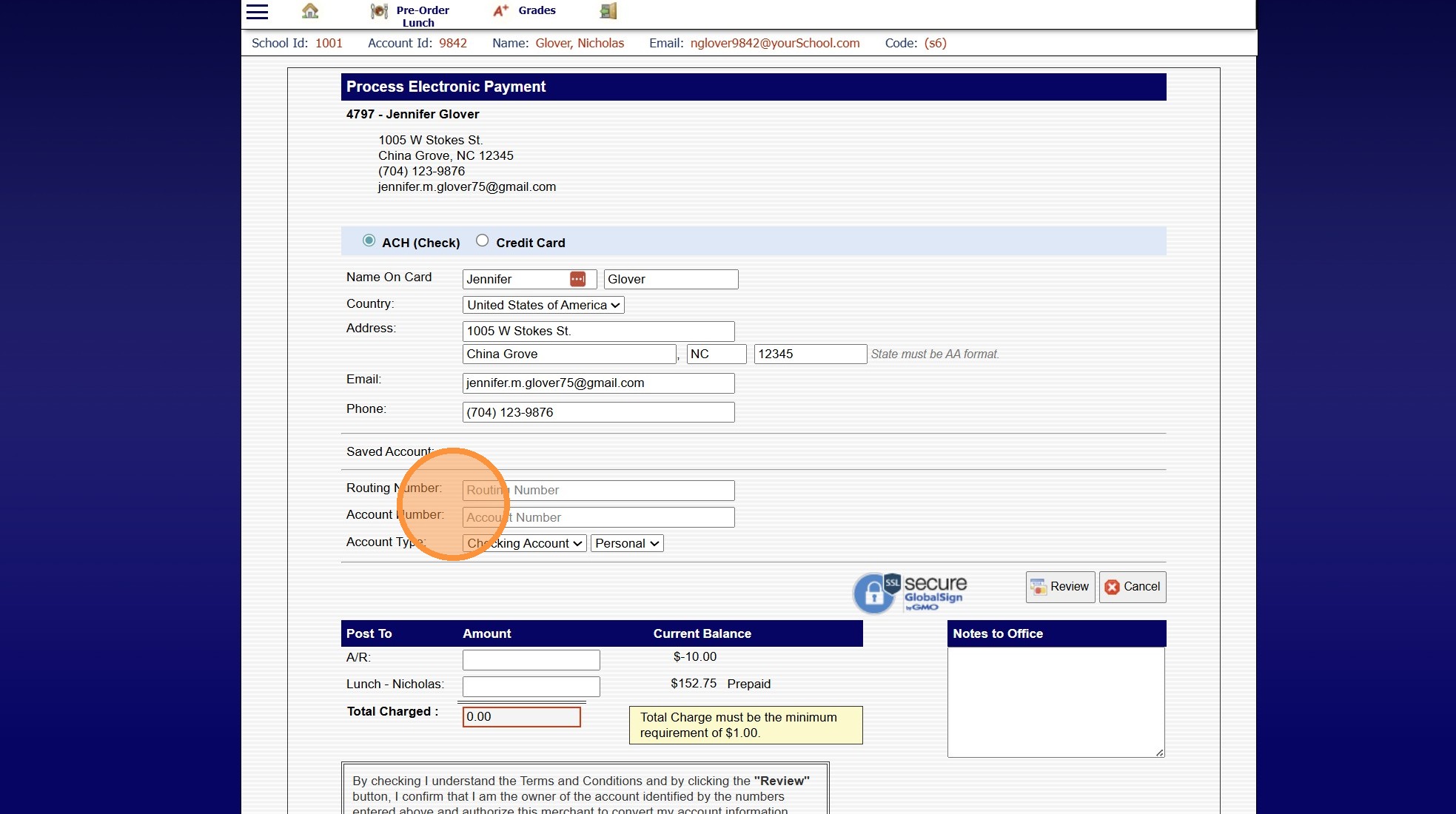
4. Enter ACH or Credit Card Information
5. Enter Payment Amount in the A/R Field
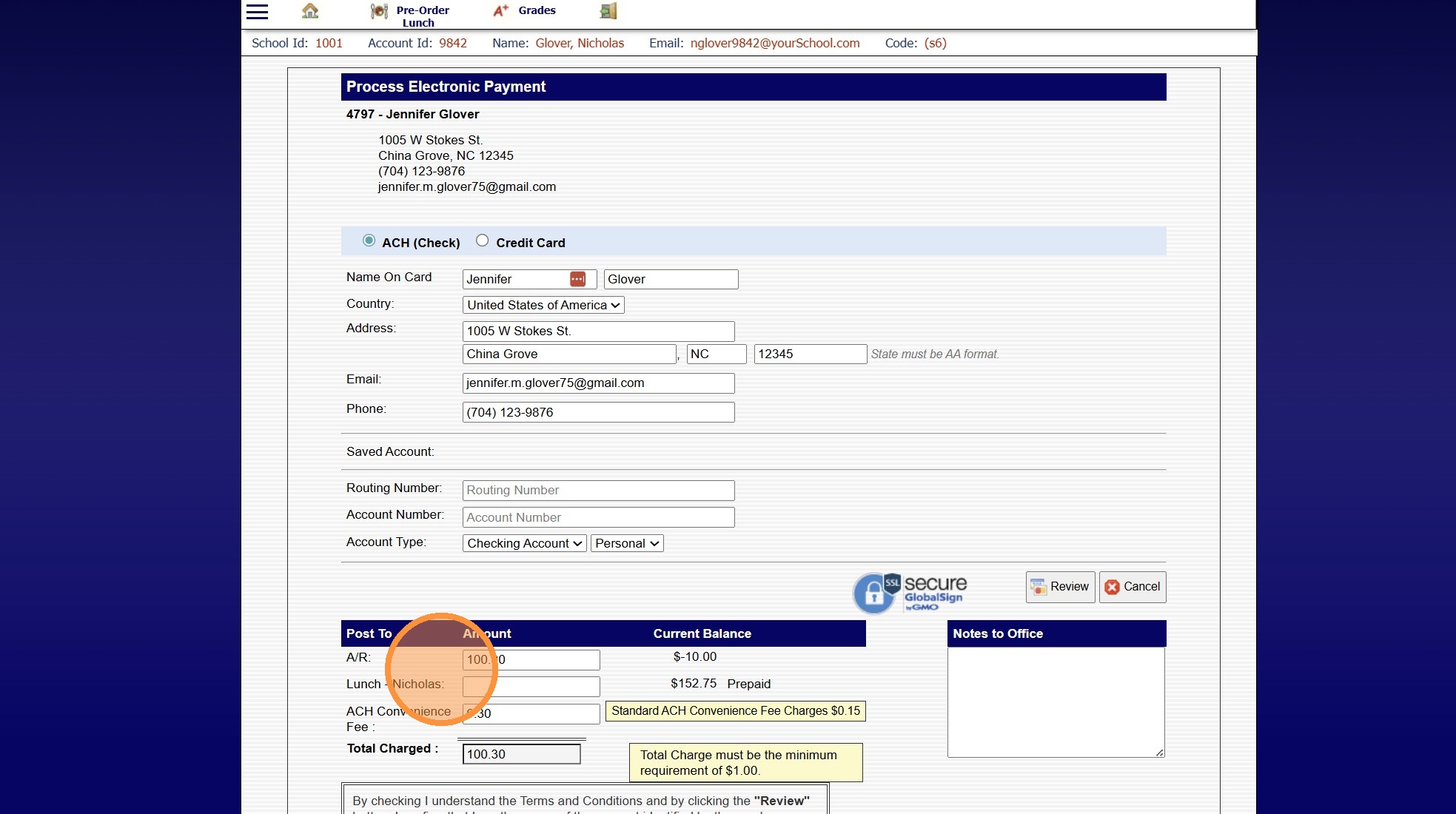
6. Check Terms & Conditions Box
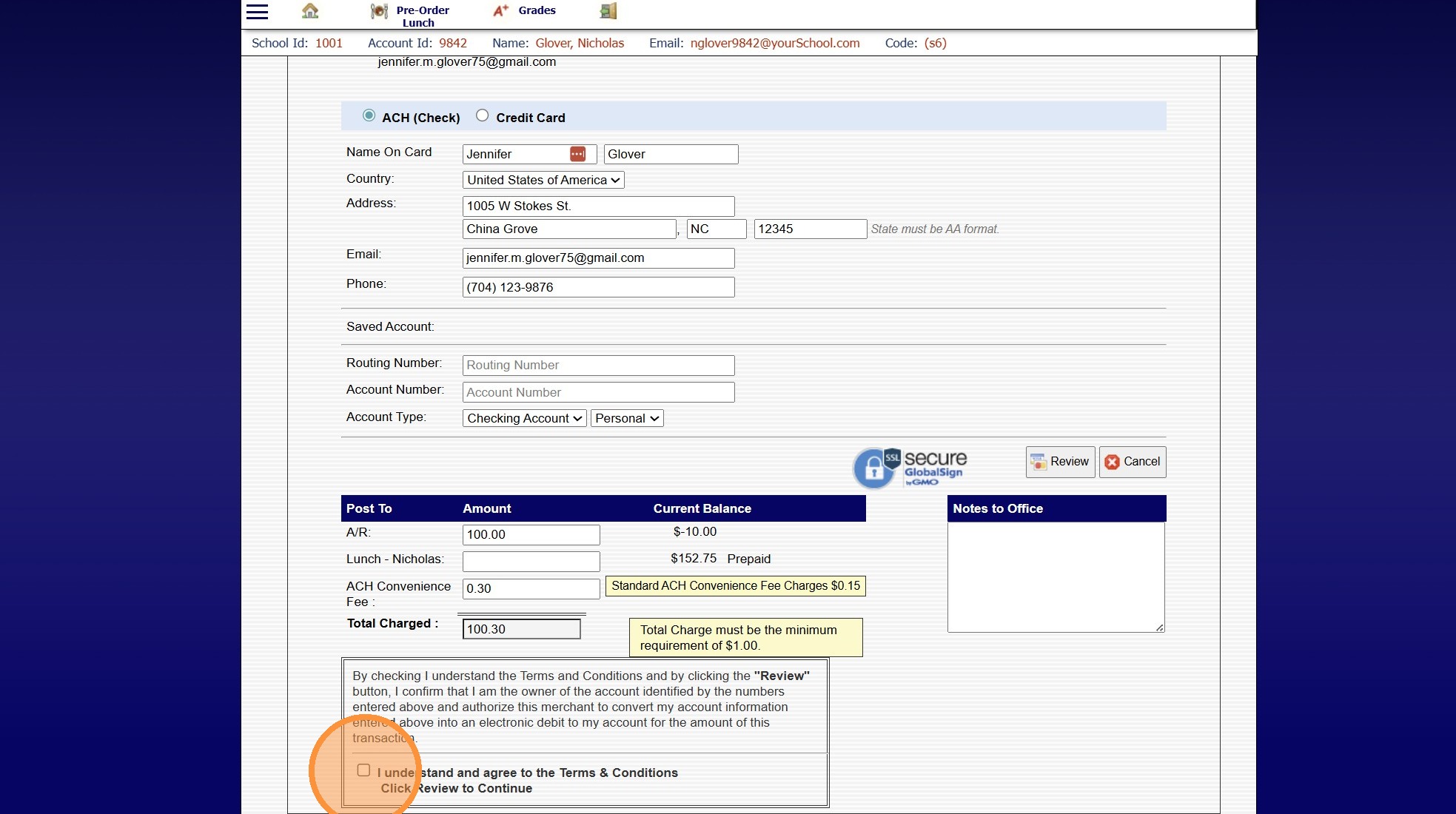
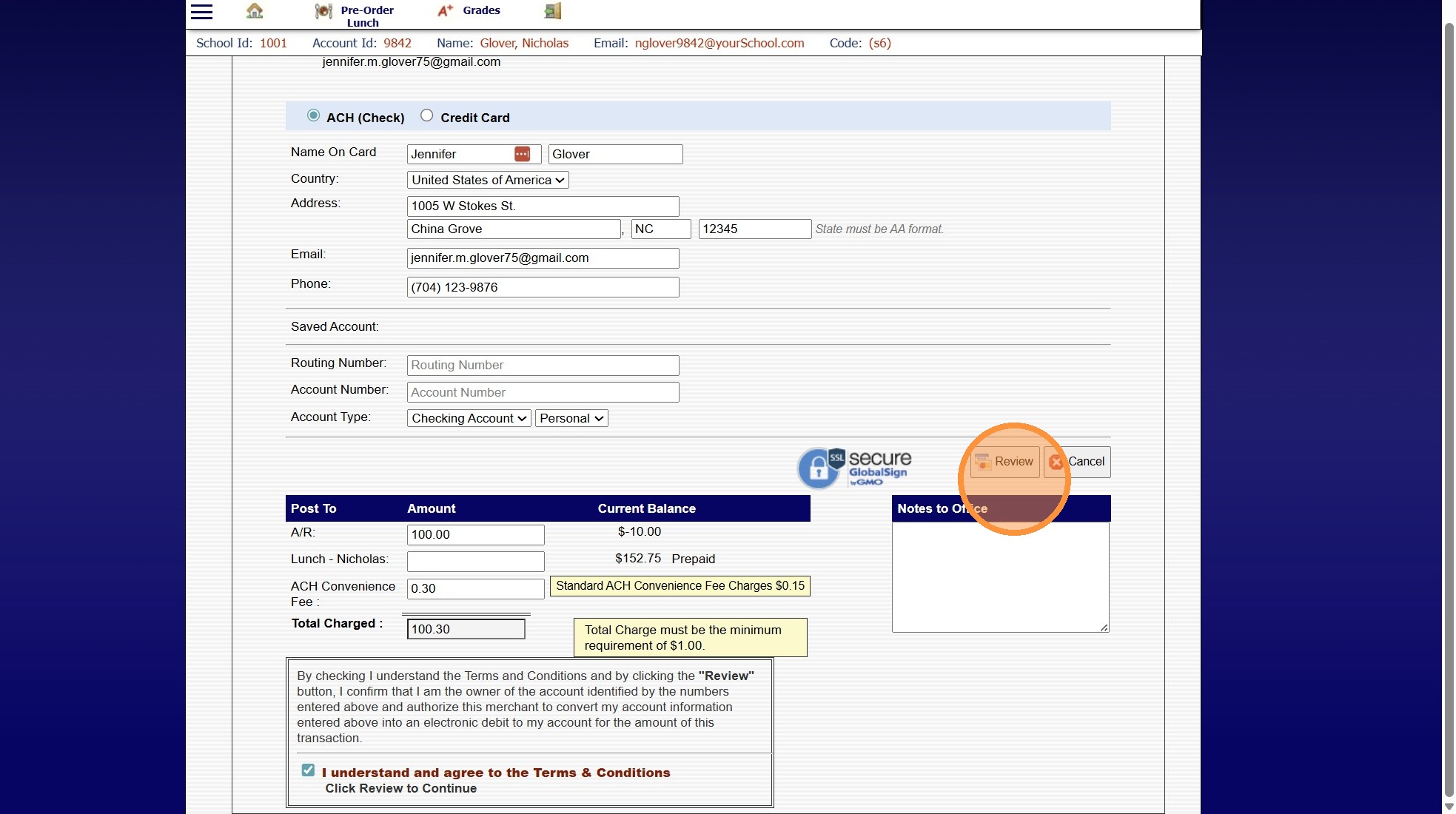
7. Click "Review"
8500.4.1
Related Articles
Making an AR/Lunch Payment on the Parent Portal
1. Log into the Parent Portal 2. Click "Make Payment" 3. Select ACH or Credit Card 4. AR Amount Due will Auto Populate (Click in the Amount Field to Edit Amount to Pay) 5. Lunch Amount Due will Auto Populate (Click in the Amount Field to Edit Amount ...Student Directory Portal Options
Student Directory Portal Options 1. Click "Reports" 2. Click "Student Directory" 3. Select Sort & Filter Option 4. If Ignore Directory Preferences is not Selected, Options Selected by Administration and Selected by Parent / Student will be visible on ...Making Inactive Student Transcripts Inactive in Batch
Making Inactive Student Transcripts Inactive in Batch 1. Click "Academics" 2. Click "Transcripts" 3. Click "Transcripts" 4. Click "Actions" 5. Deactivate for Inactive, type "INACTIVE" & Click "Ok" 6. 2000.8.19Setting up Recurring Payments from the Student Portal
1. Navigate to the Student Portal & Log In 2. Click on the Menu Bars 3. Click "Billing" 4. Select Recurring Payments 5. Click "Create New Account" 6. Enter Billing Address, Email & Phone for the Payment Type 7. Check the "Save As New Payment Account" ...Making an AR Deposit
Making an AR Deposit 1. Click "Accounting" 2. Click "A/R Tasks" 3. Click "Make Deposit" Making a Date Range Deposit 4. Select "Date Range" from Dropdown 5. Select Start & End Date (Use Calendar to select Year, Month & Date) 6. Enter Deposit Date 7. ...