Uploading Student / Staff Photos Individually
1. Go to the Student or Staff Database
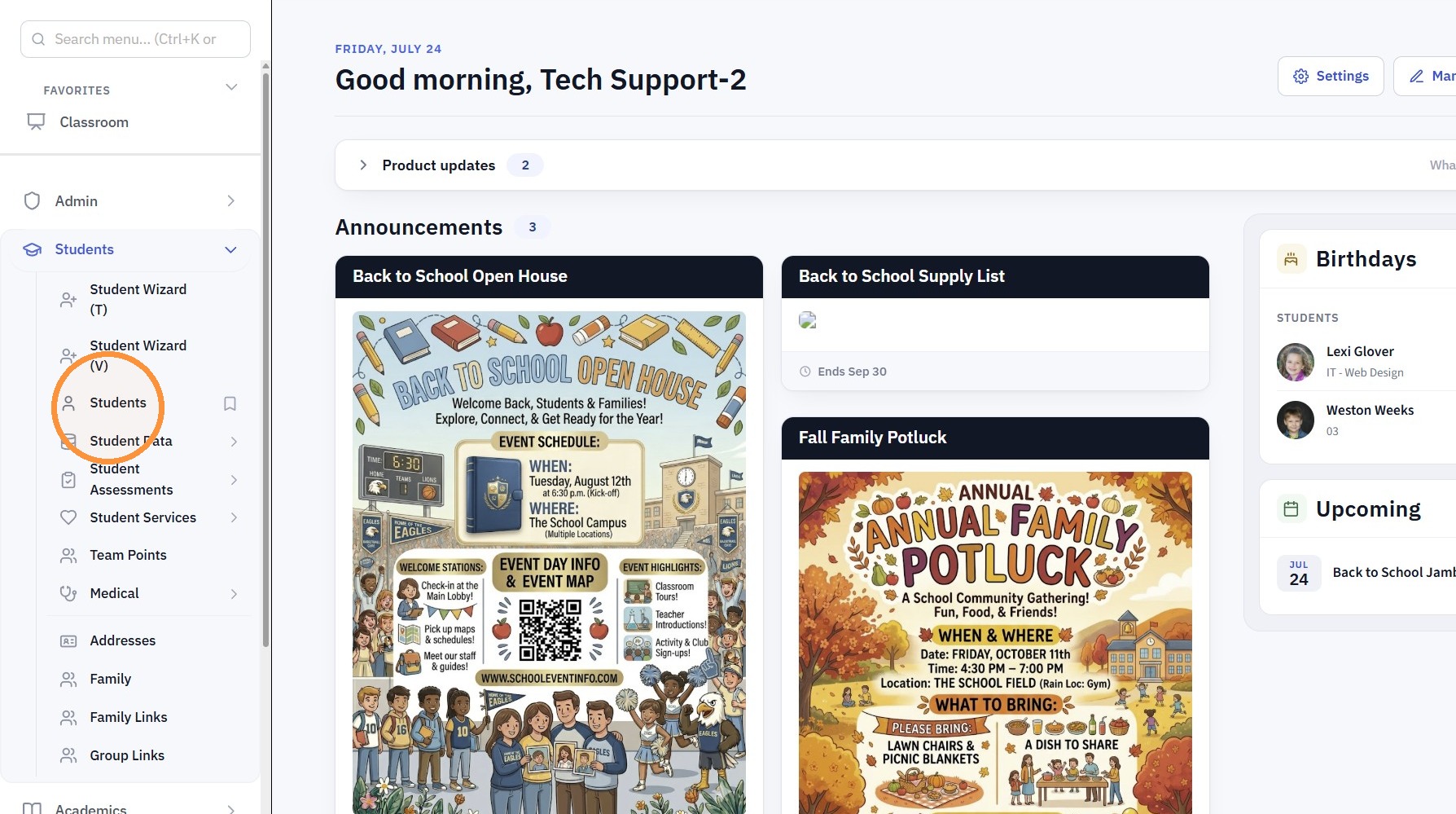
2. Select the Student or Staff
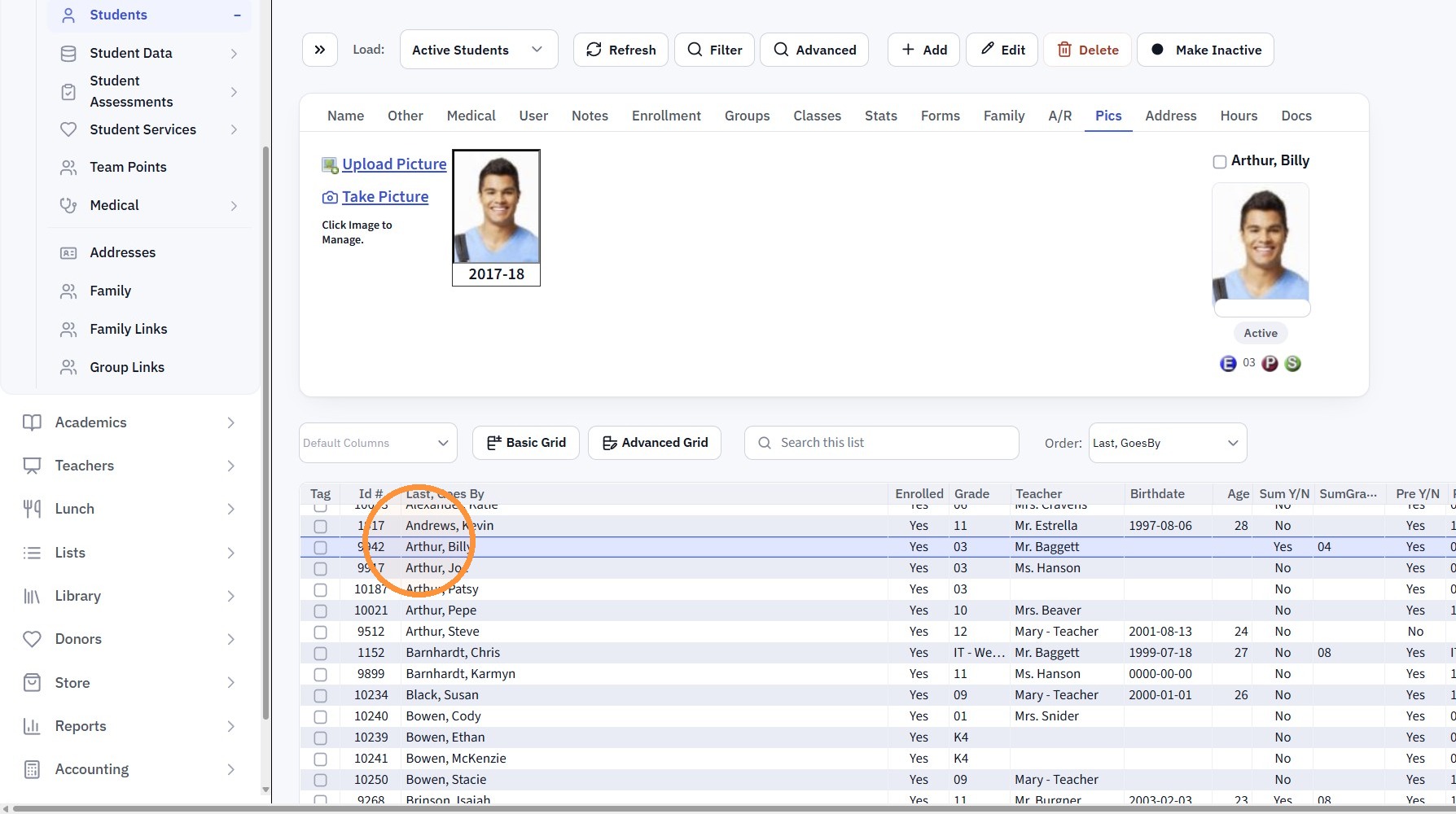
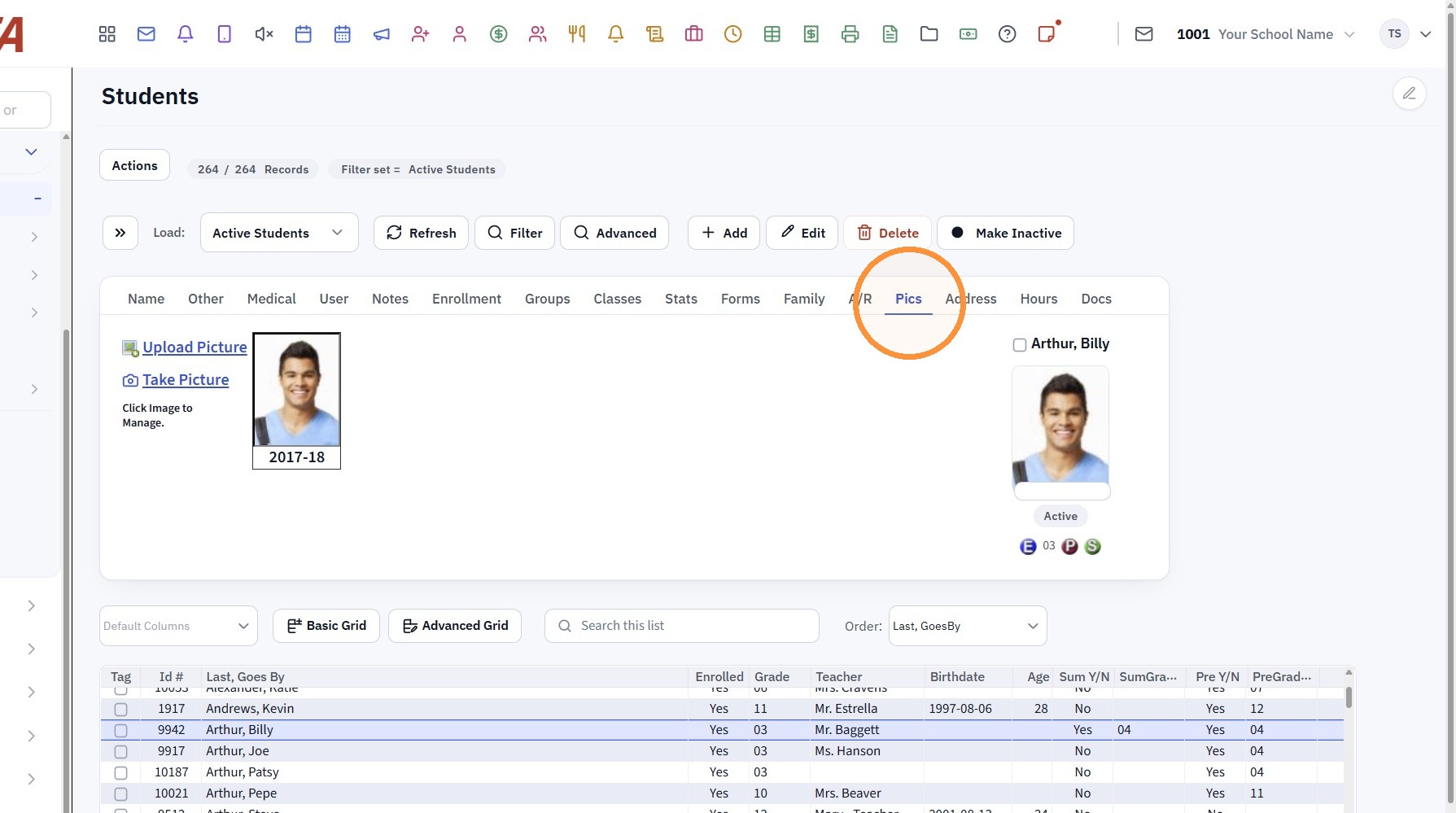
3. Click the "Pics" Tab
4. Click "Upload Picture"
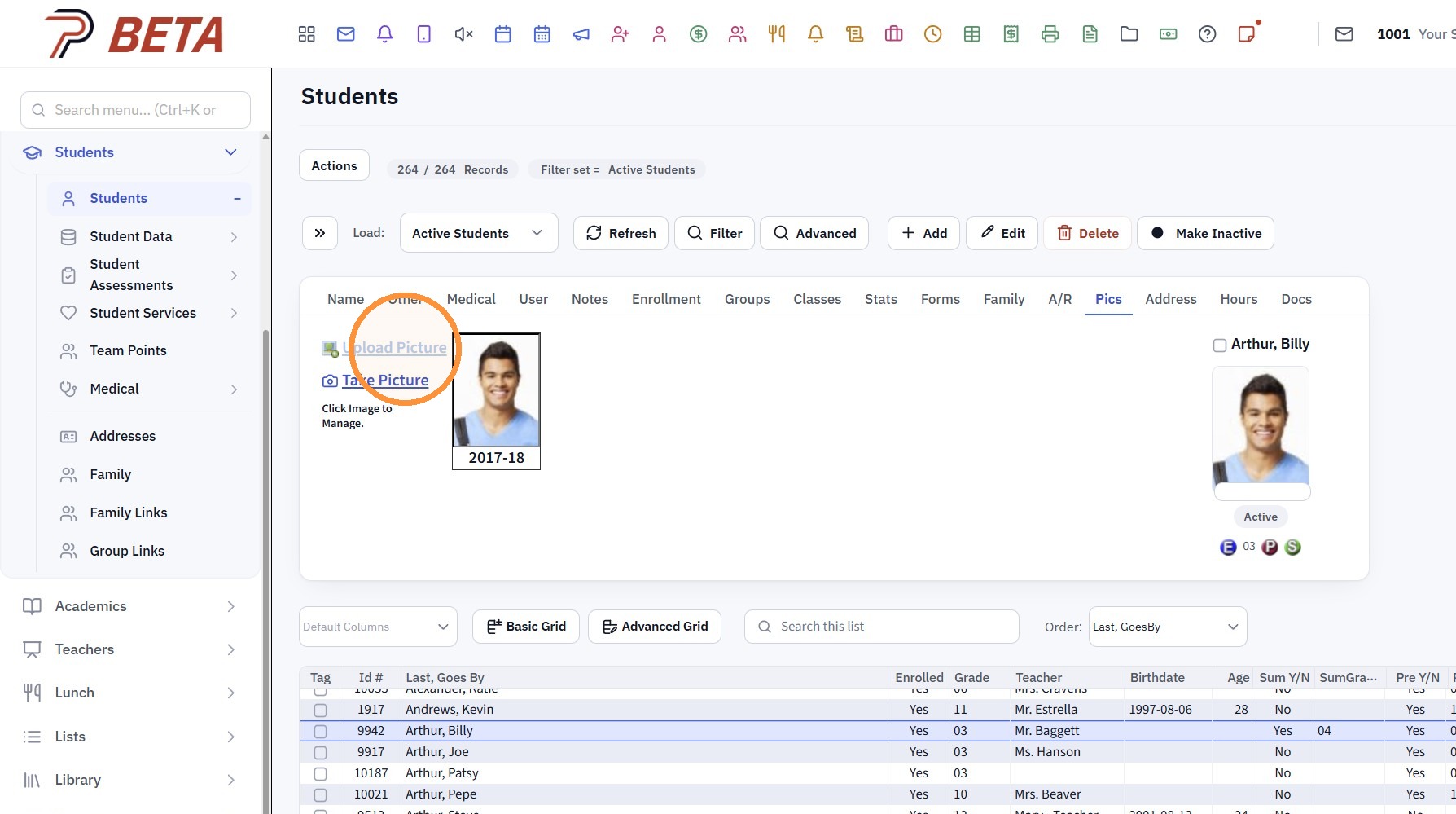
5. Click "Choose File" & Select the Image
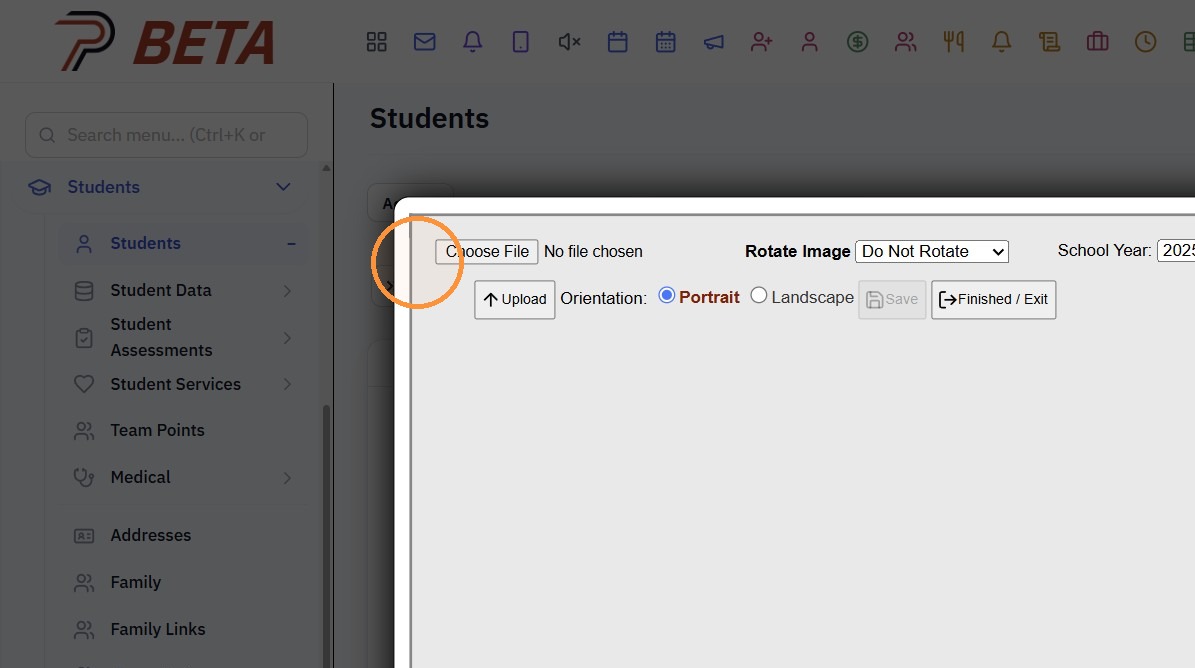
6. Click to Upload
(Photo can be Cropped prior to Uploading to the Student / Staff file)
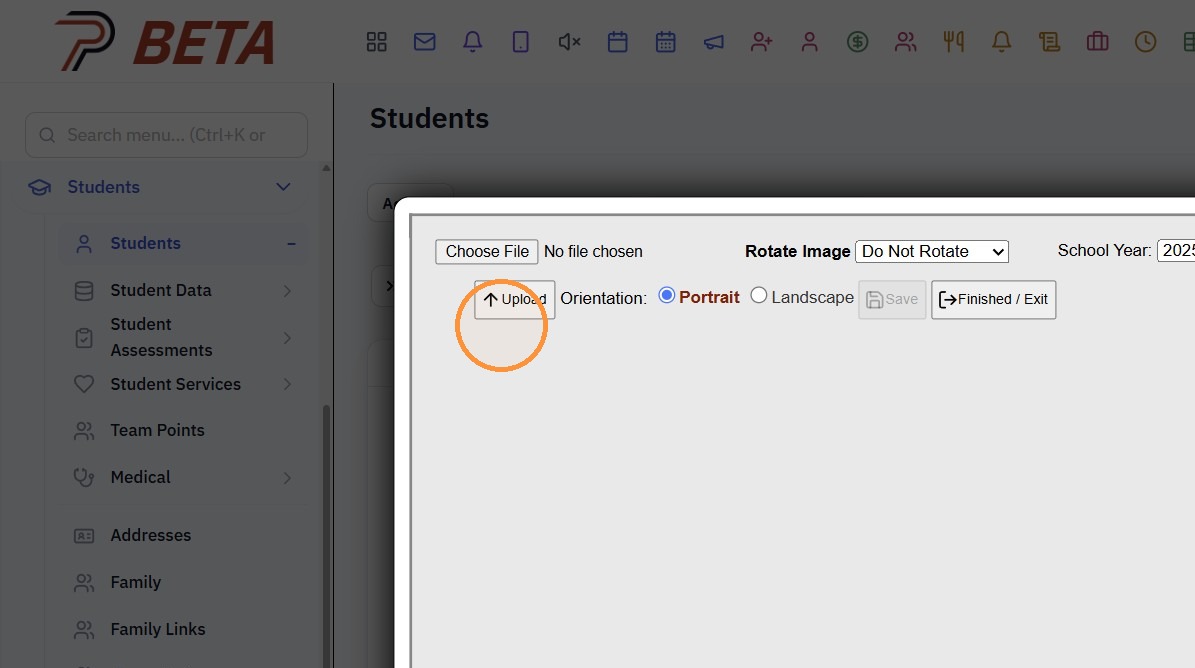
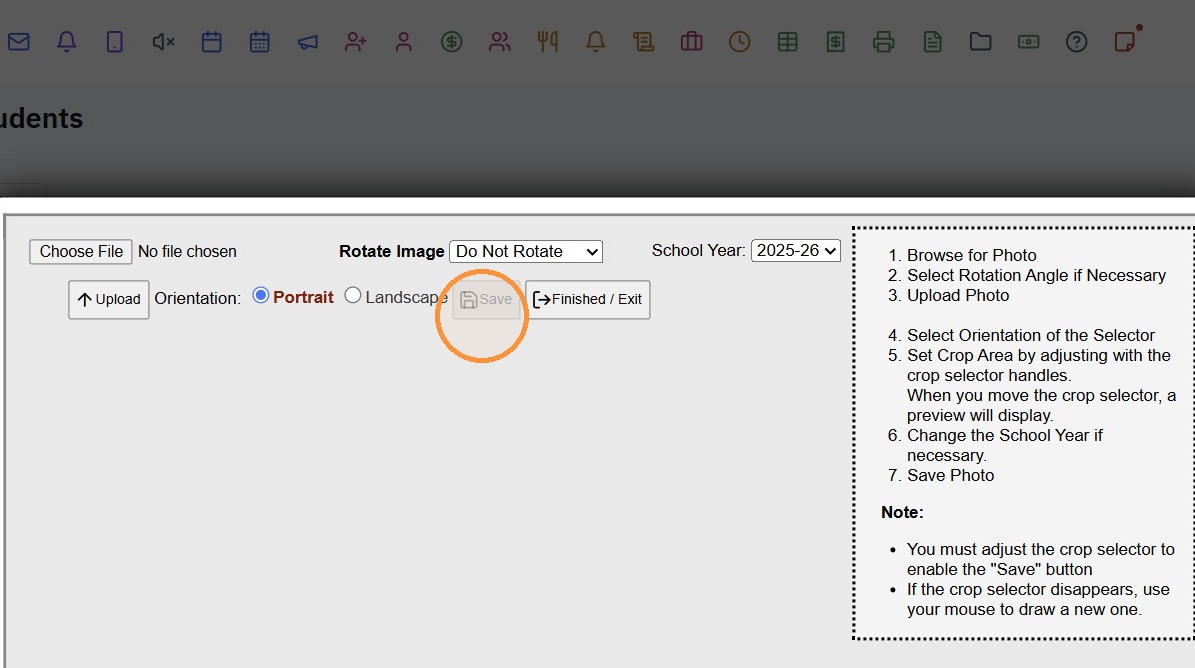
7. Click "Save"
1000.14.5
Related Articles
Importing Student / Staff Photos in Batch
Tip: Please Note: Images must be saved by Student/Staff ID Number, not by Name 1. Click "Admin" 2. Click "Tasks" 3. Click "Import Photos" 4. Select the Import For Option (Ex. Students, Staff or Family) 5. Select the School Year 6. Click Choose Files ...Updating Student/Teacher Photos on Student Evaluation
Updating Student/Teacher Photos on Student Evaluation 1. Click "Academics" 2. Click "Evaluations" 3. Click "Student Evaluations" 4. Click "Actions" 5. Click "Tag Filtered Records" 6. Click "Actions" 7. Click "Update Photos" 8. Select "Students" to ...Uploading Student Documents
1. Click "Admin" 2. Click "Manage Document" 3. Click "Upload Documents" 4. Select the "Security" 5. Select the "Student" 6. Select the "Folder" 7. Select the "Description" 8. Click "Choose File" & Select Document to Upload 9. Verify School Year 10. ...Uploading Student Documents from the Student File
1. Click "Students" 2. Click "Students" 3. Select Student 4. Click the "Docs" Tab 5. Click "Add" 6. Select the Security, Folder & Description 7. Click "Choose File" 8. Verify School Year 9. Click "Upload Document" 1000.4.1.1Single Hrs Wizard: Adding Volunteer Hours Individually by A/R Account or Student
Single Hrs Wizard: Adding Volunteer Hours Individually by A/R Account or Student 1. Click "Admin" 2. Click "Volunteer" 3. Click "Single Hrs Wizard" 4. Select Table "A/R" or "Student" 5. Search Parent / Student Name 6. Click "Add" 7. Set Date & Select ...