Creating Document Security Levels
Creating Document Security Levels
1. Click "Settings"
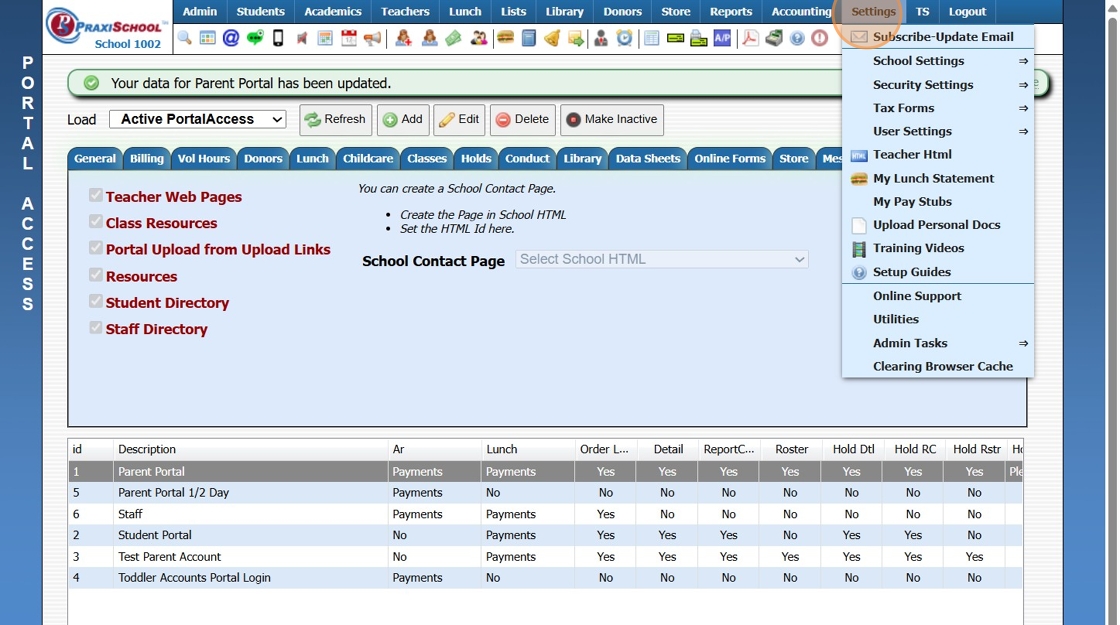
2. Click "Security Settings"

3. Click "Doc Security Levels"

4. Click "Add"
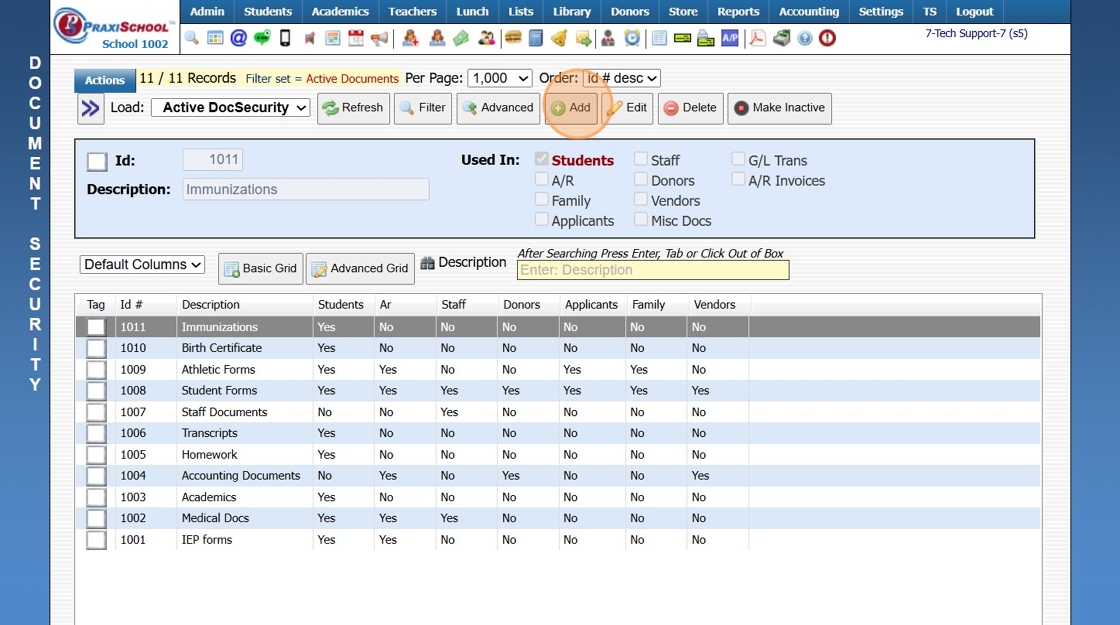
5. Enter a description and select the databases that will hold this document.

6. Click "Save"

6500.3.5
Related Articles
Creating Document Profiles
Creating Document Profiles 1. Click "Settings" 2. Click "Security Settings" 3. Click "Document Profiles" 4. Select the document profile you need to add a document access to. 5. Click "Add" 6. Select the document. 7. Check the actions you want this ...Add Document Security Settings to Staff
Add Document Security Settings to Staff 1. Click "Settings" 2. Click "Security Settings" 3. Click "Staff Security" 4. Select "Add/Edit Security Levels" 5. Click Security Level to Add a Document Profile 6. Click "Edit" 7. Select the Document Profile ...Creating Document Portal Upload Links
Creating Document Portal Upload Links 1. Click "Admin" 2. Click "Manage Document" 3. Click "Upload Links" 4. Click "Add" 5. Click the "Server Docs" field. 6. Enter a description for the document 7. Select the header if you want to group documents ...Creating Application Levels
1. Click "Lists" 2. Click "Online Forms" 3. Click "Applicant Levels" 4. Click "Add" 5. Enter Order & App Level Description 6. Select App Level Tip: App Level Information: Exclude: All App Levels created for Applications that will not be ...Creating Grade Levels
1. Click "Lists" 2. Click "Enrollment" 3. Click "Grade Levels" 4. Click "Add" 5. Enter Grade Level & Grade Level Description 6. Select Grade Level & Grade Scale 7. Select "Promote To" Grade Level (Optional) 8. Click "Save" 3500.1.3