Updating Timeclock Transactions
1. Click "Admin"
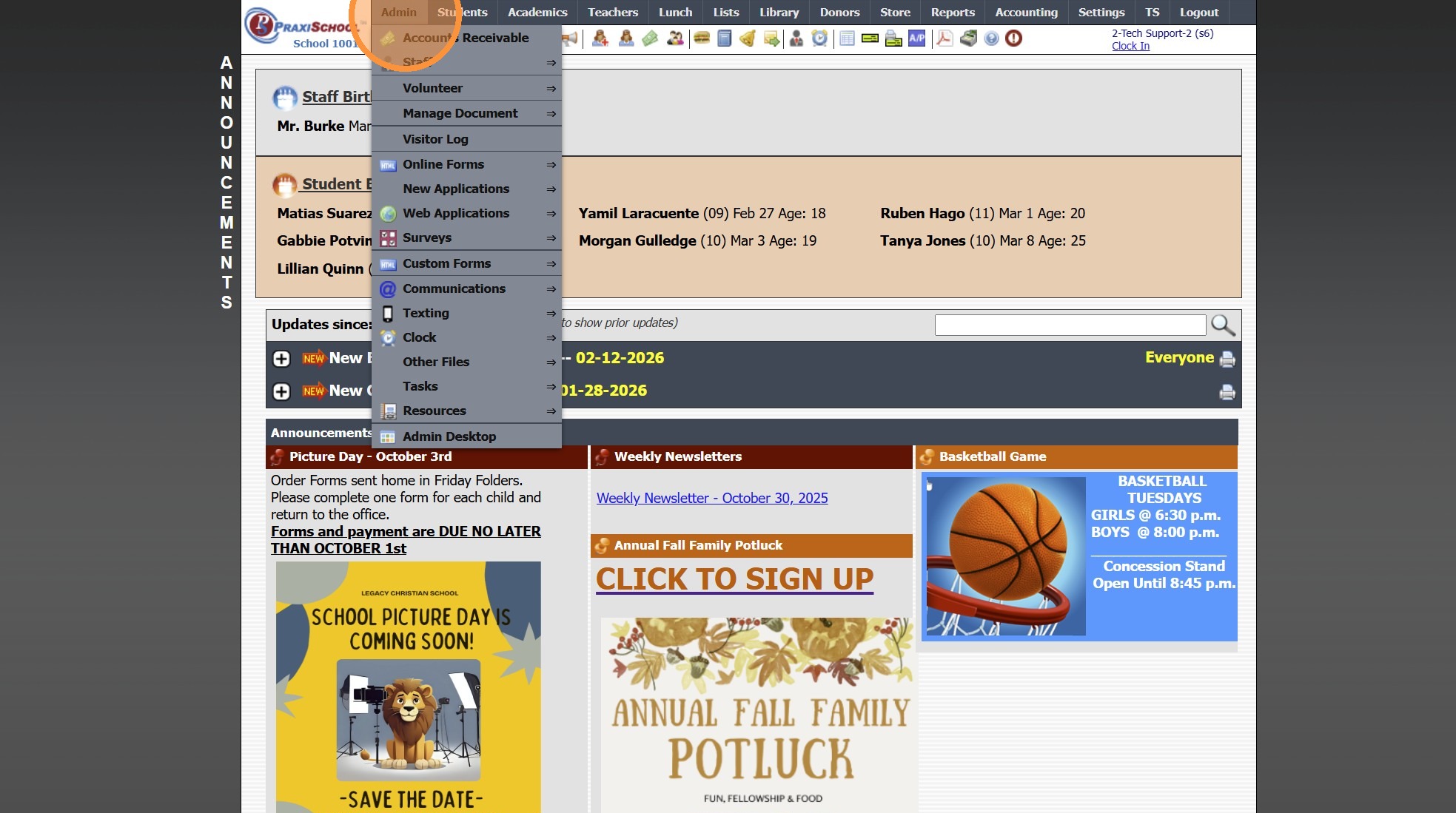
2. Click "Clock"
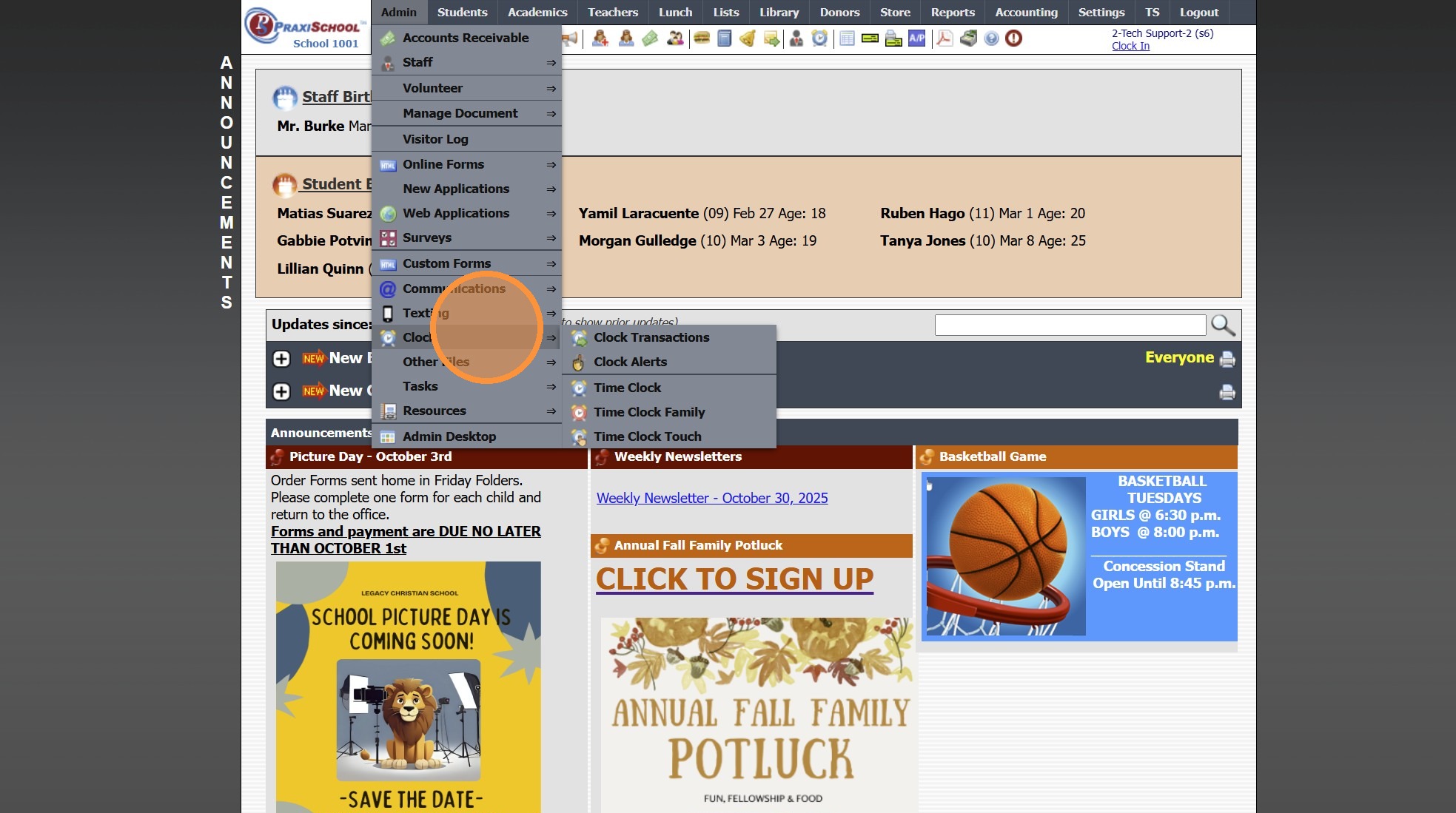
3. Click "Clock Transactions"
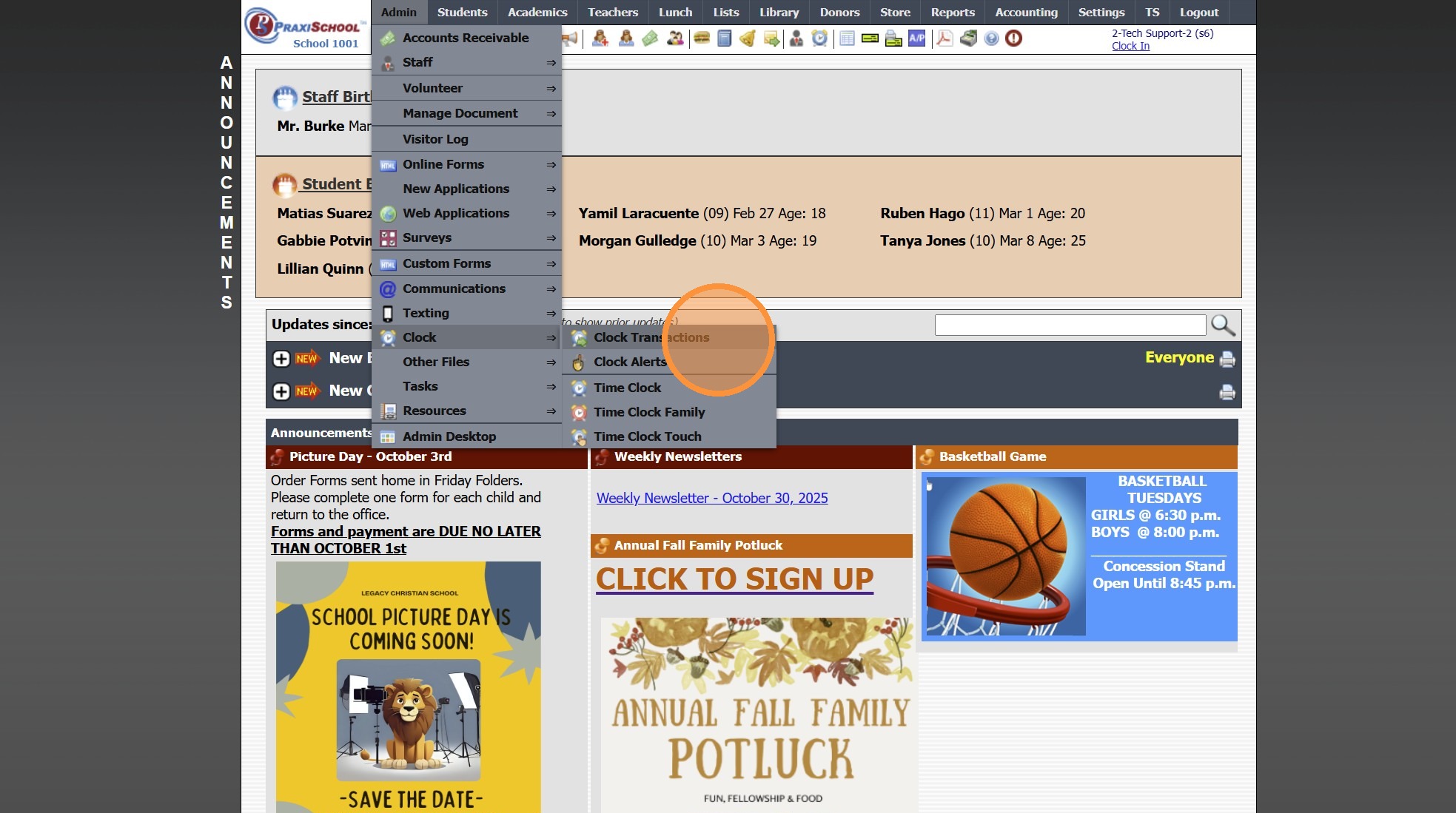
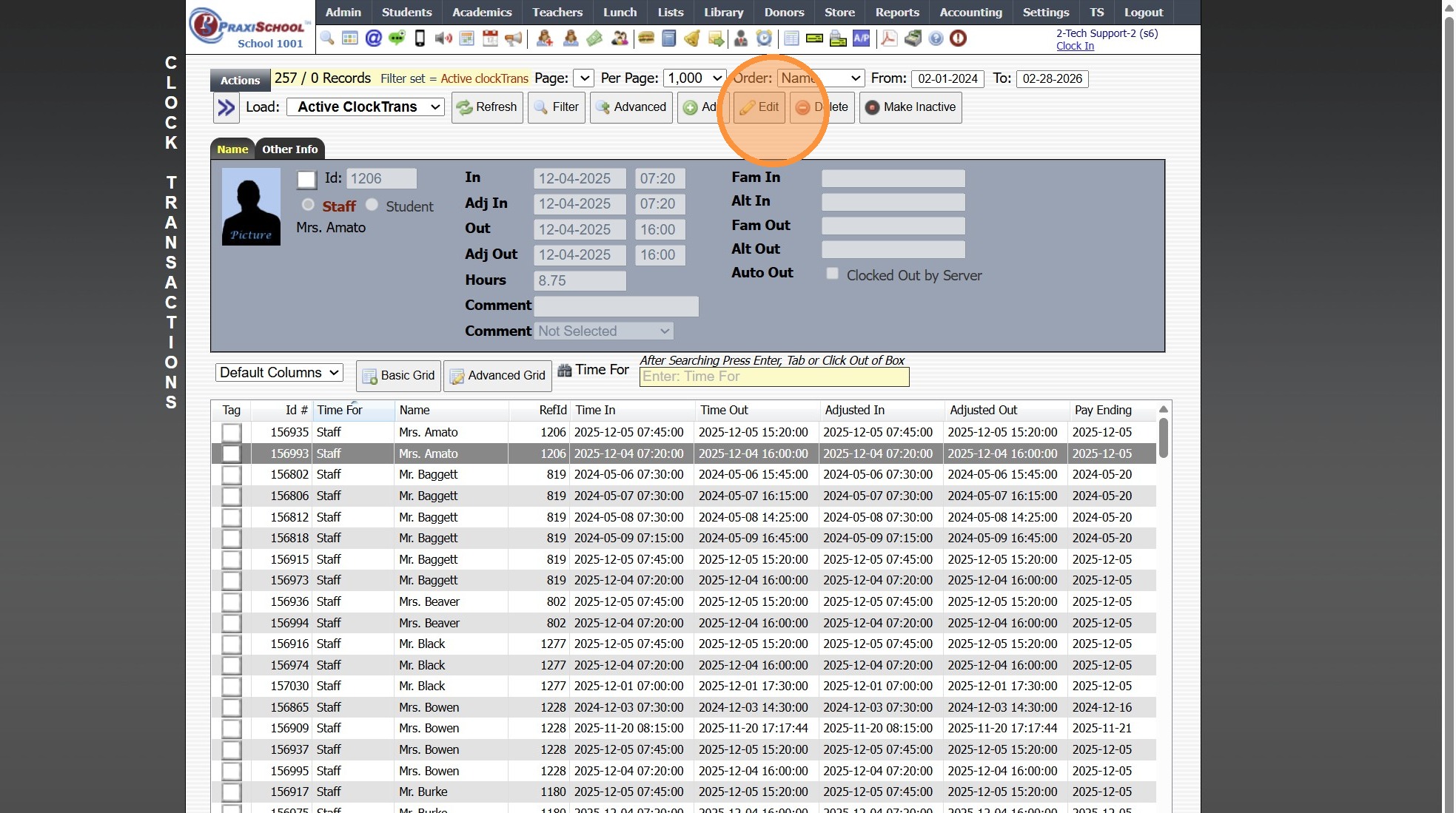
4. Select Staff/Student Timeclock Record
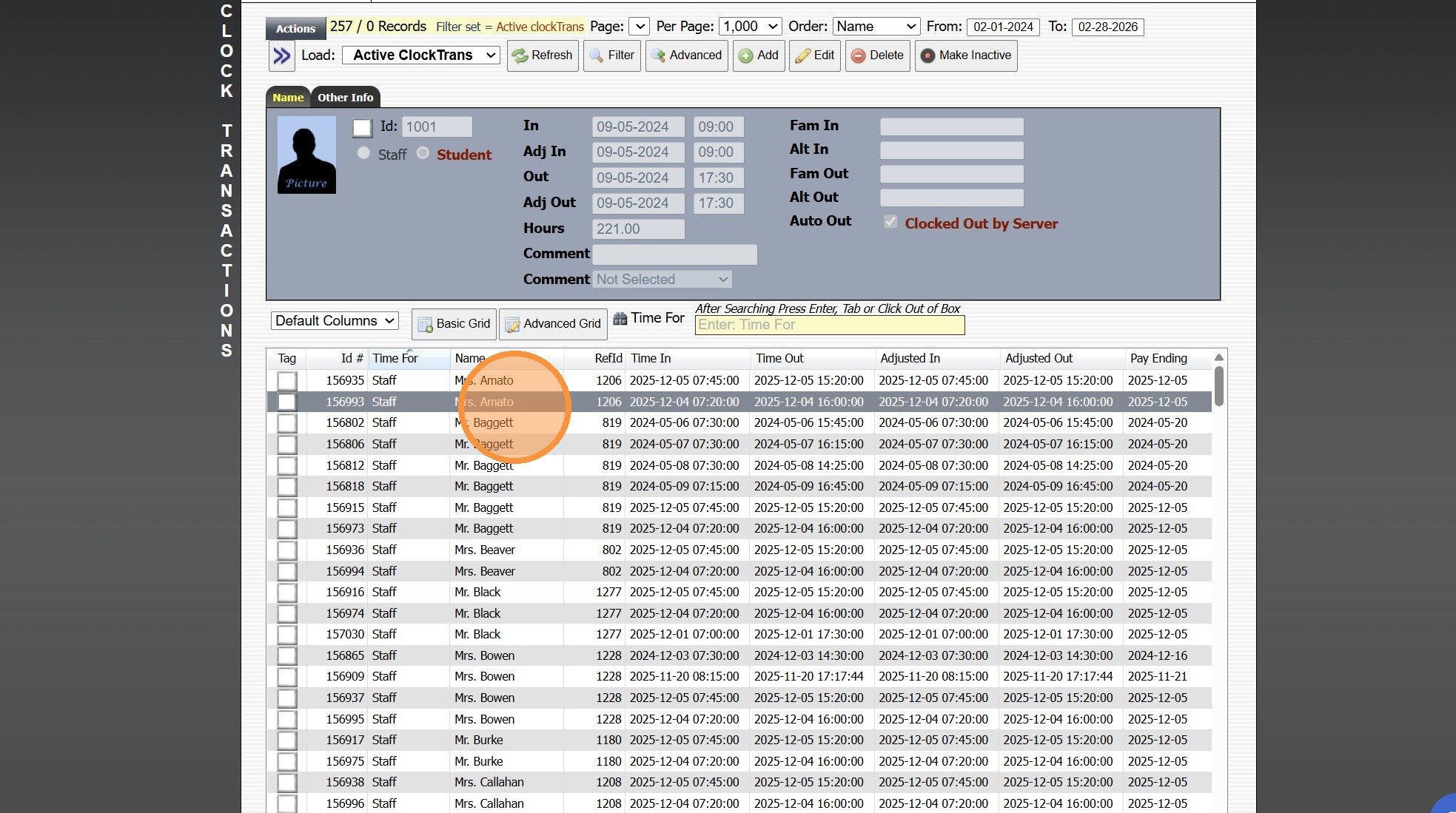
5. Click "Edit"
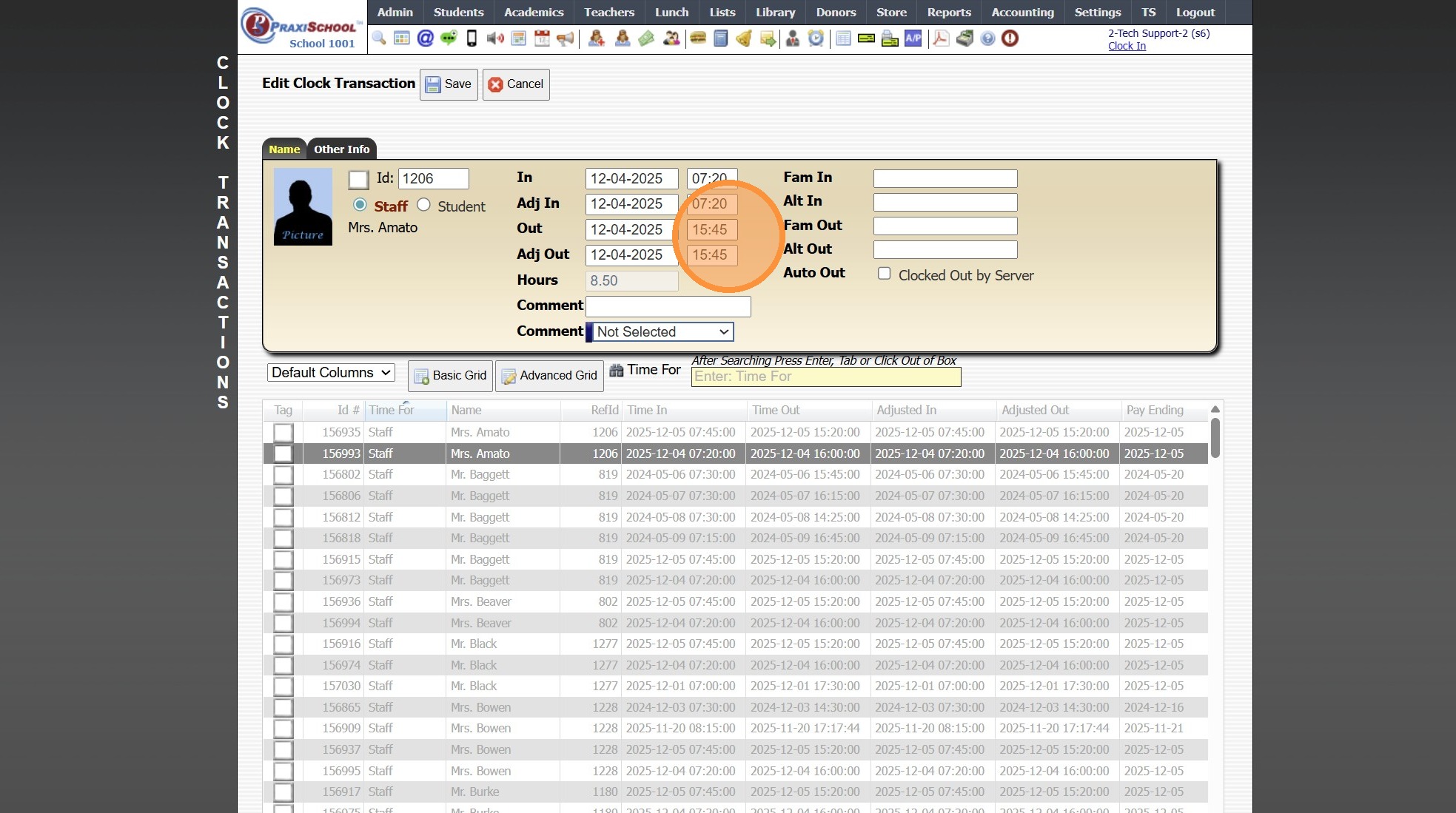
6. Update Time In/Out and Adj Time In/Out
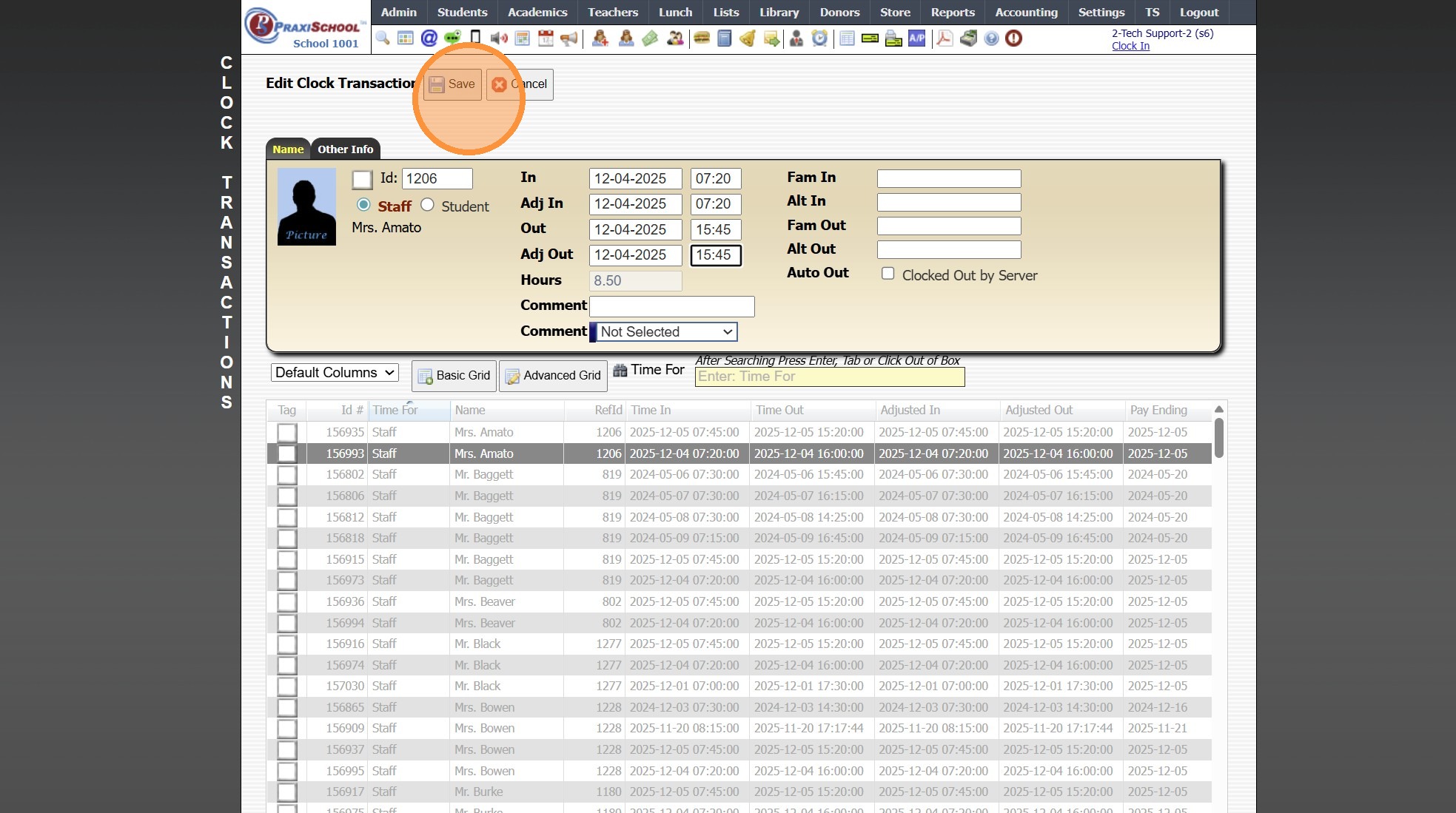
7. Click "Save"
1000.12.1.1
Related Articles
Updating Staff Attendance from Time Clock Transactions
Updating Staff Attendance from Time Clock Transactions 1. Click "Admin" 2. Click "Staff" 3. Click "Staff Attendance Wizard" 4. Click "Update From Time Clock" 1000.2.7Time Clock Transactions
Time Clock Transactions 1. Log into PraxiSchool 2. Click "Admin" 3. Click "Clock" 4. Click "Clock Transactions" 5. Set Date From and Date To & Click "Refresh" 6. Click on a Timeclock Transaction to View Clock Details 7. Select Grid Report 8. Click ...TimeClock Icon - Standard Time Clock
TimeClock Icon - Standard Time Clock 1. Click the TimeClock icon on the Icon Toolbar Clocking In / Out Using a Scanner 2. Select the "Scan Barcode" toggle 3. Click inside the Clock Id box & Scan Staff / Student Barcode (Box will turn green & state ...Updating PACE Inventory
Updating PACE Inventory 1. Click "Academics" 2. Click "ACE" 3. Click "Pace Deliveries / Adjustments" Update for One PACE 4. Select Pace to Edit & Click "Edit" 5. Update Comment, In Stock Quantity, Price and/or Cost 6. Click "Save" 7. Click "Actions" ...Updating Class Resources
Updating Class Resources 1. Login to PraxiSchool 2. Click "Admin" 3. Click "Resources" 4. Click "Class Resources" Editing a Single Resource 5. Click "Edit" to Update Name, Category, Share Option and/or to Add Notes Editing Resource Categories in ...