Transferring Lunch Balances to the Student AR Account
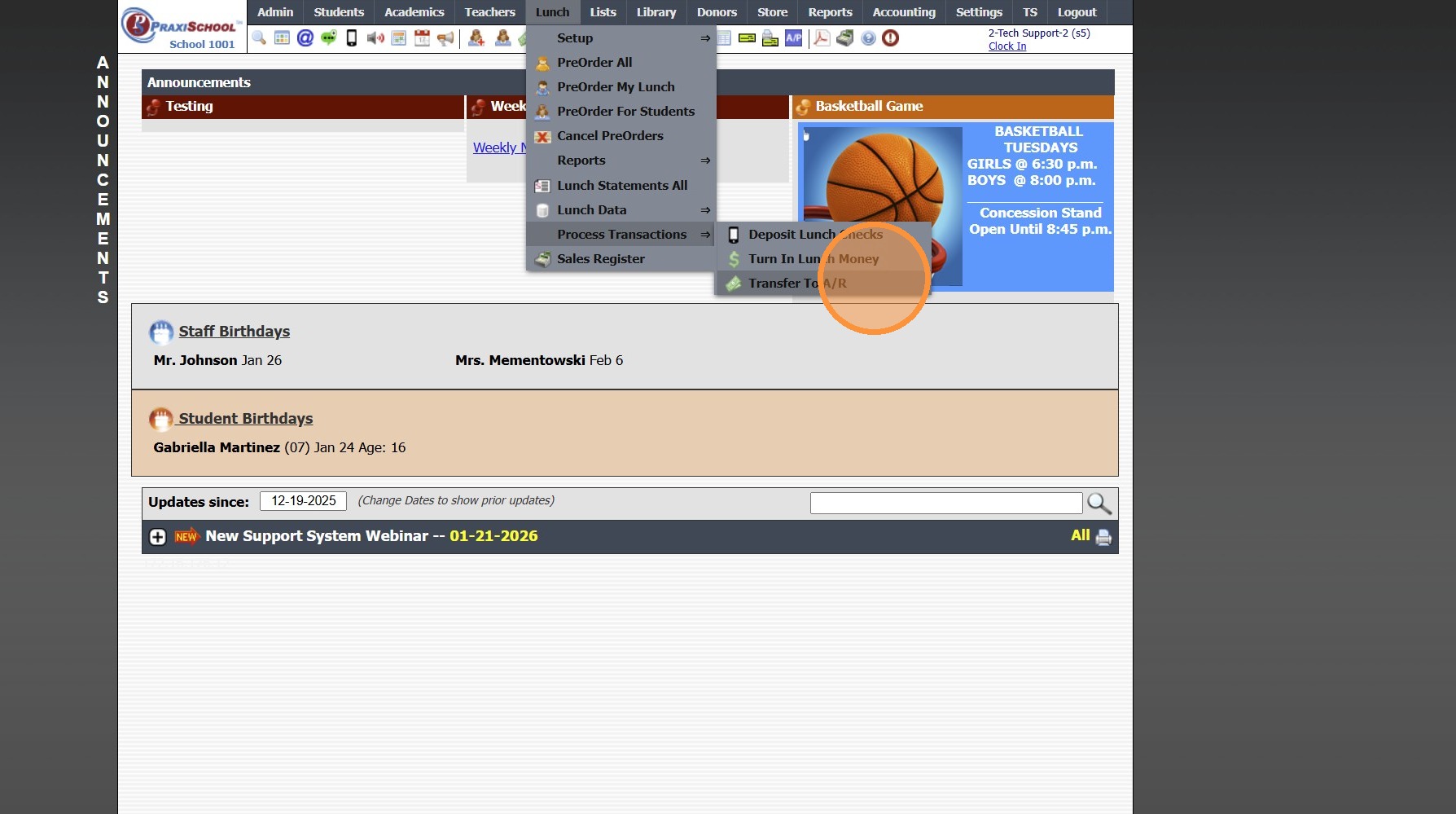
1. Click "Lunch"

2. Click "Process Transactions"

3. Click "Transfer To A/R"
4. Select Student to Transfer for 1 Student, Select All to Transfer for All Students

5. Select the "Transfer To A/R 1" option
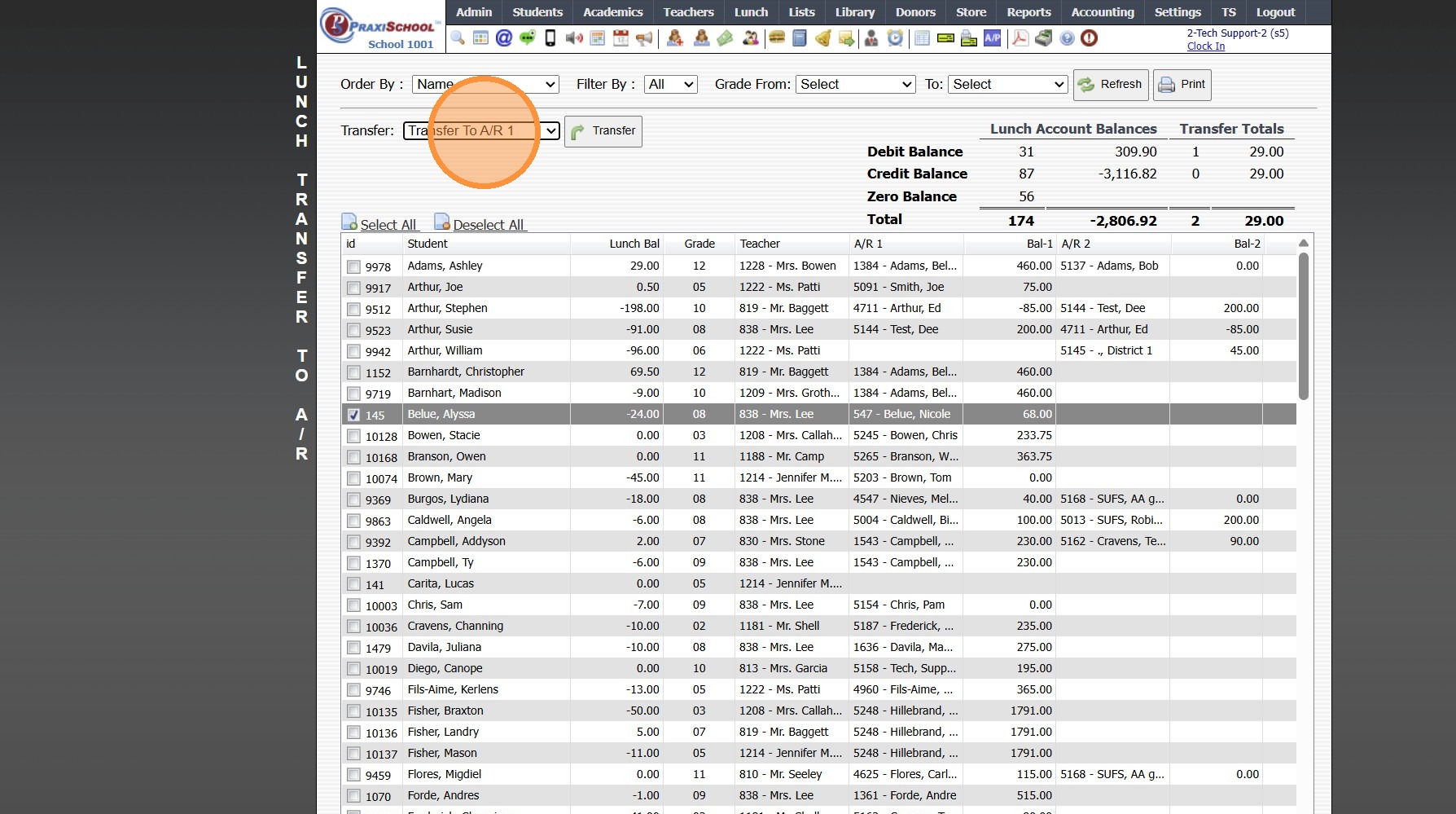
6. Click "Transfer"

3000.9.1
Related Articles
Transferring Lunch Balances to AR - Owed/Credit Balances
1. Click "Lunch" 2. Click "Process Transactions" 3. Click "Transfer To A/R" Transferring Owed & Credit Balances 4. Select "<> 0 " Transferring Owed Balances Only 5. Select "> 0 " 6. Set Grade Levels 7. Click "Refresh" 8. Select "Transfer To A/R 1" to ...Transferring Funds from an AR Account to a Student Lunch Account
Transferring Funds from an AR Account to a Student Lunch Account 1. Click "Admin" 2. Click "Accounts Receivable" 3. Select AR Account 4. Click the "$" 5. Click "Debit" 6. Select Student 7. Enter Comment "Transfer to Lunch" 8. Select Lunch General ...Transferring Lunch Funds from One Student Lunch Account to Another Student Lunch Account
Transferring Lunch Funds from One Student Lunch Account to Another Student Lunch Account 1. Click Hamburger Icon on Icon Toolbar Debiting Funds from Student Account 2. Search Student to Transfer Lunch Funds From 3. Click the "Debit" toggle 4. Enter ...Sweeping AR Balances
1. Click "Admin" 2. Click "Accounts Receivable" 3. Click "Sweep Balances" 4. Click "Post Date" 5. Select Load & Account Option 6. Click "Select All" to Process for All Accounts Listed OR Tag Accounts to Process for 7. Click "Sweep Accounts" 1000.1.22Posting a Check Payment That Includes Both AR & Lunch Payments
Posting a Check Payment That Includes Both AR & Lunch Payments Posting a Check Payment to the Accounts Receivable that Includes Funds for a Students Lunch Account. 1. Log into PraxiSchool 2. Click "Admin" 3. Click "Accounts Receivable" 4. Search for ...