Posting Assignment Grades & Averaging Directly in the Grade Book
1. Click "Teachers"
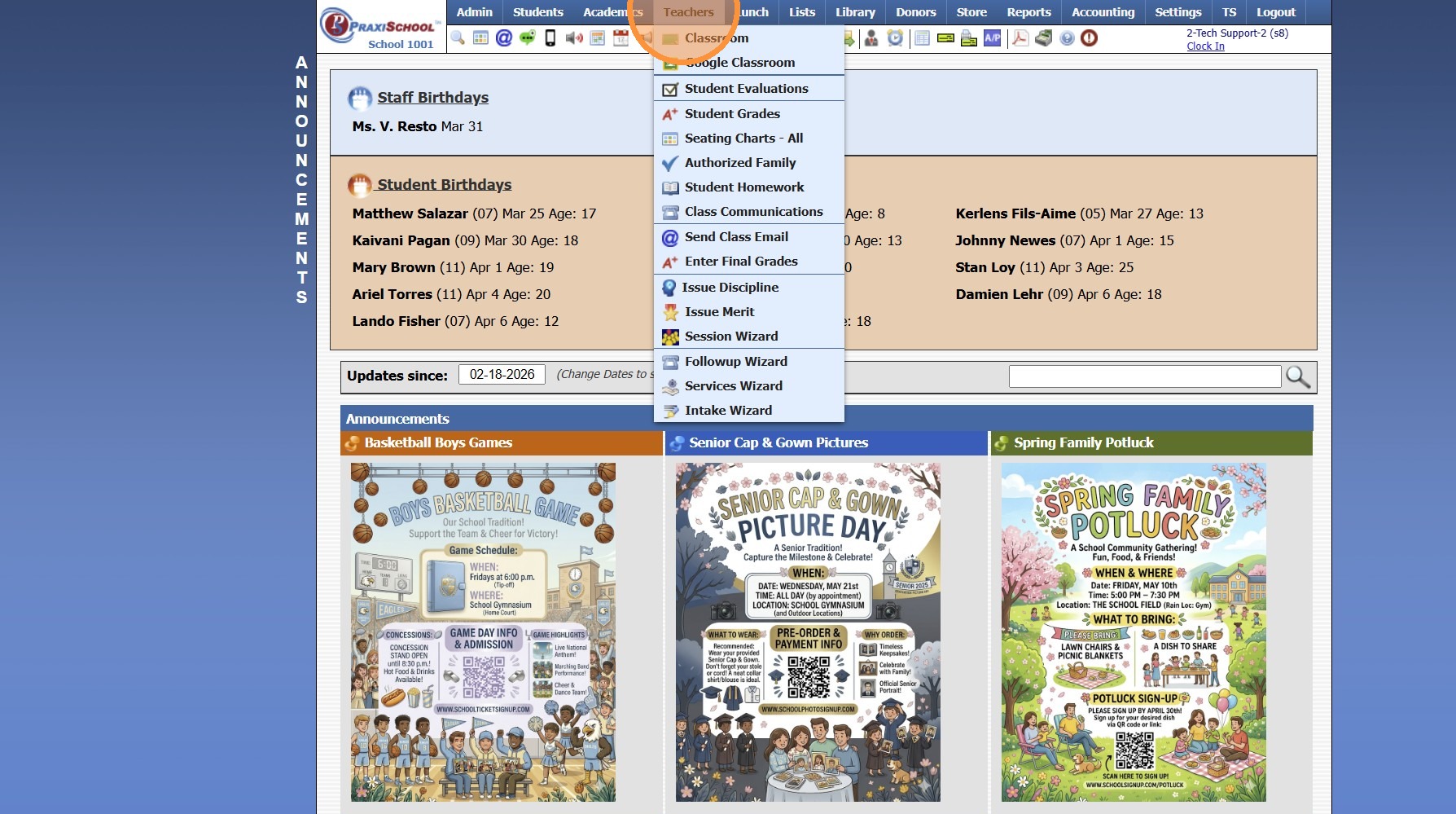
2. Click "Classroom"
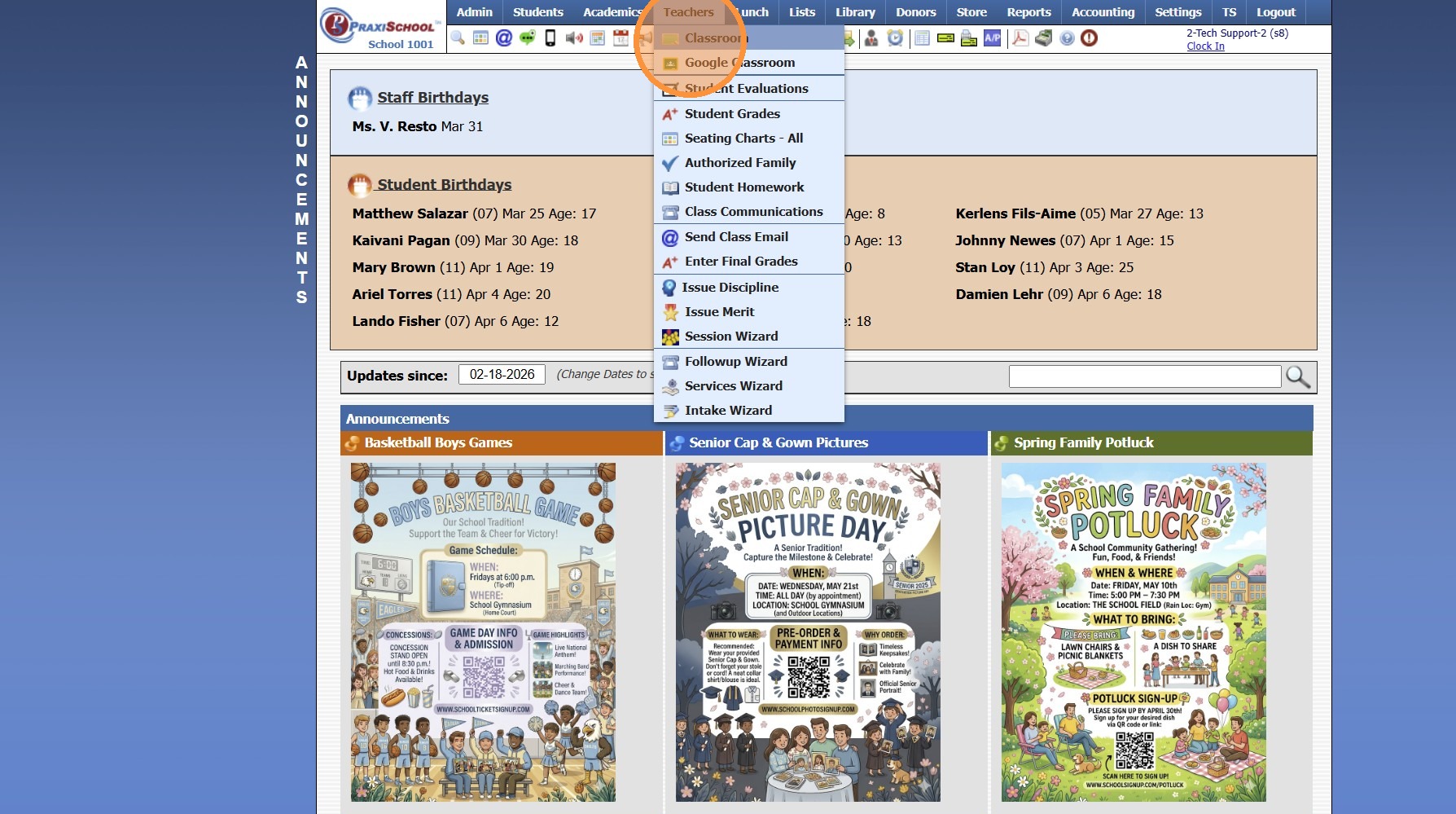
3. Select Class
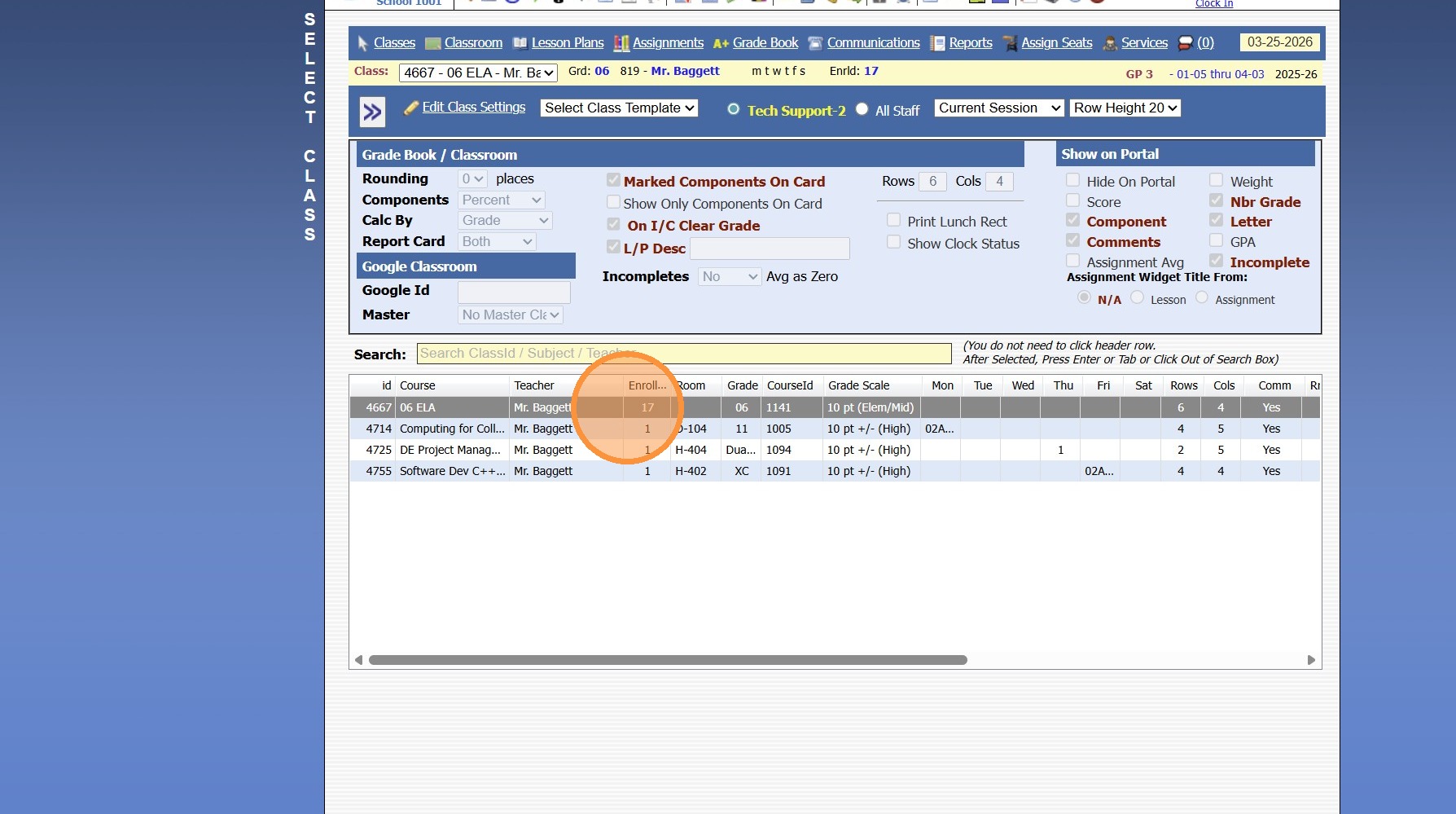
4. Click "Grade Book"
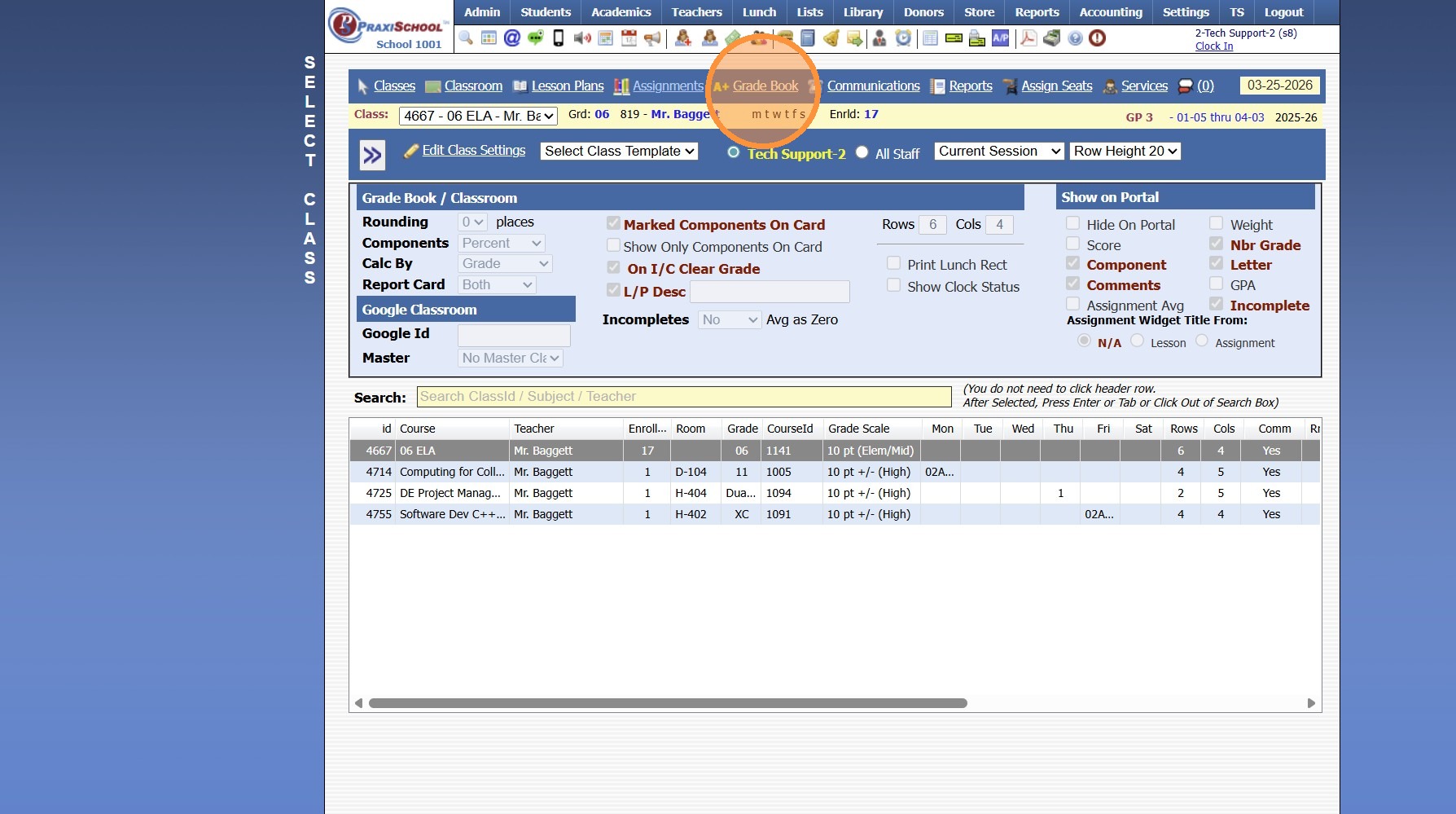
5. Select Post Grades Toggle
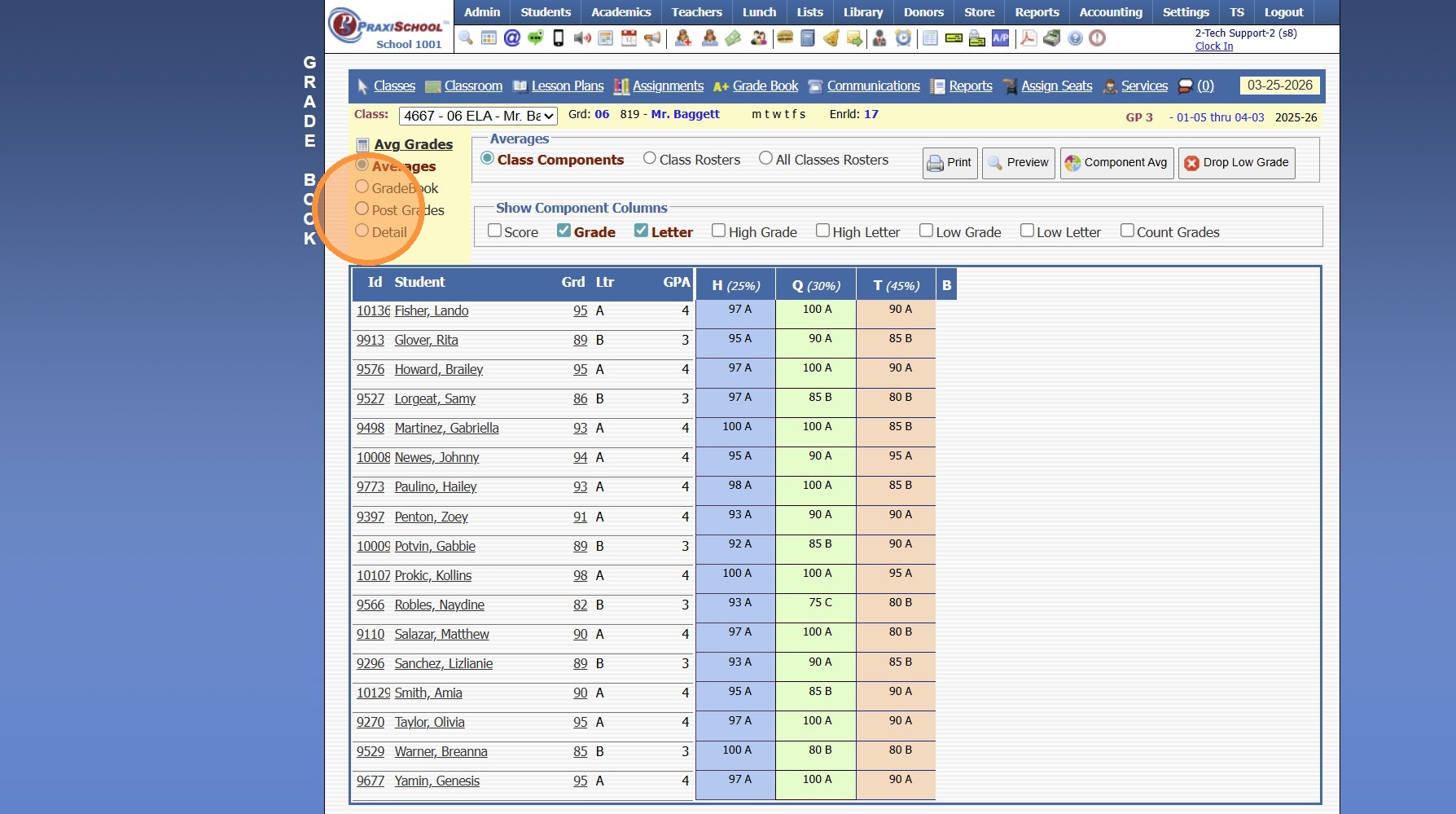
6. Select the Component
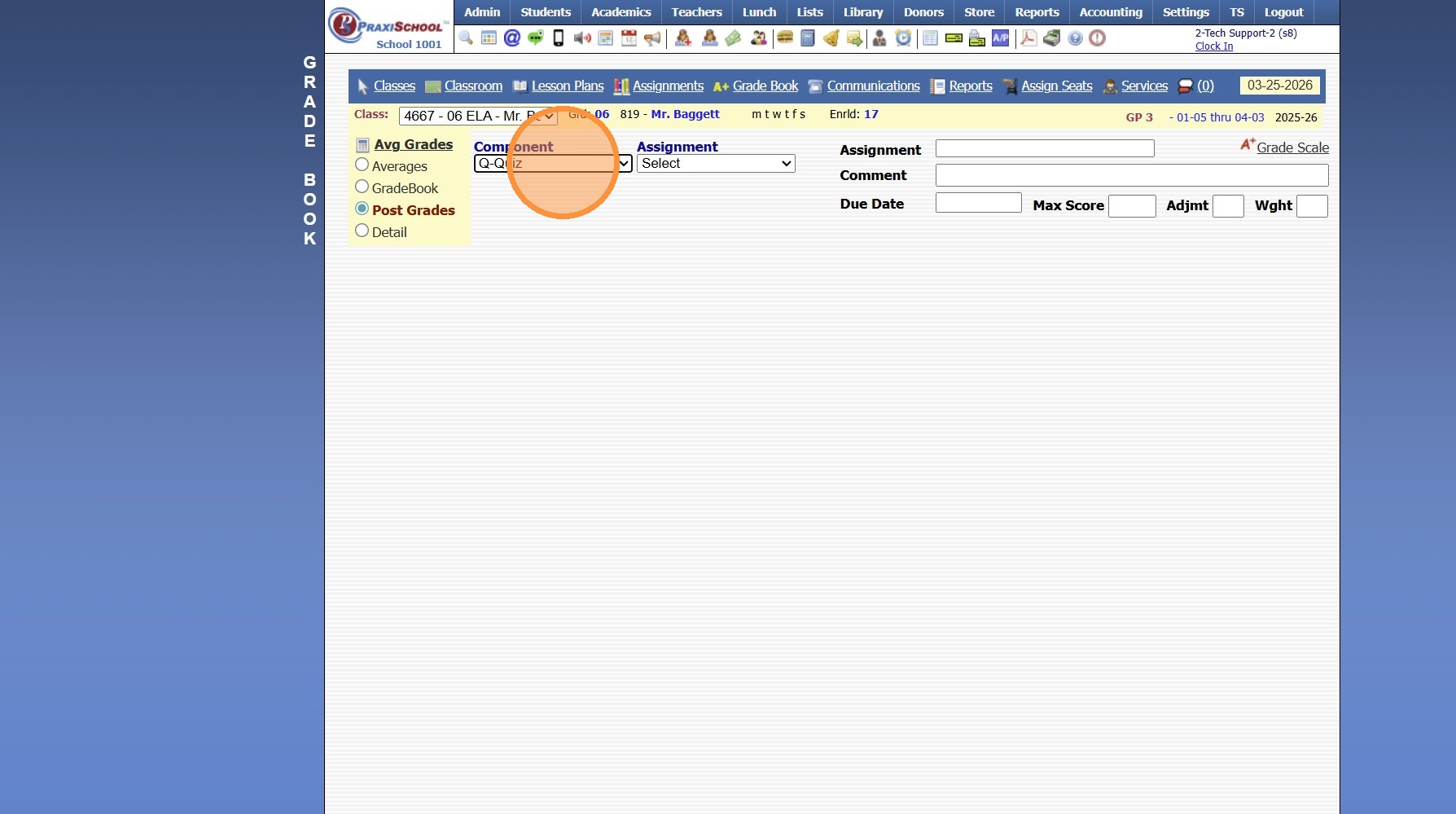
7. Select the Assignment
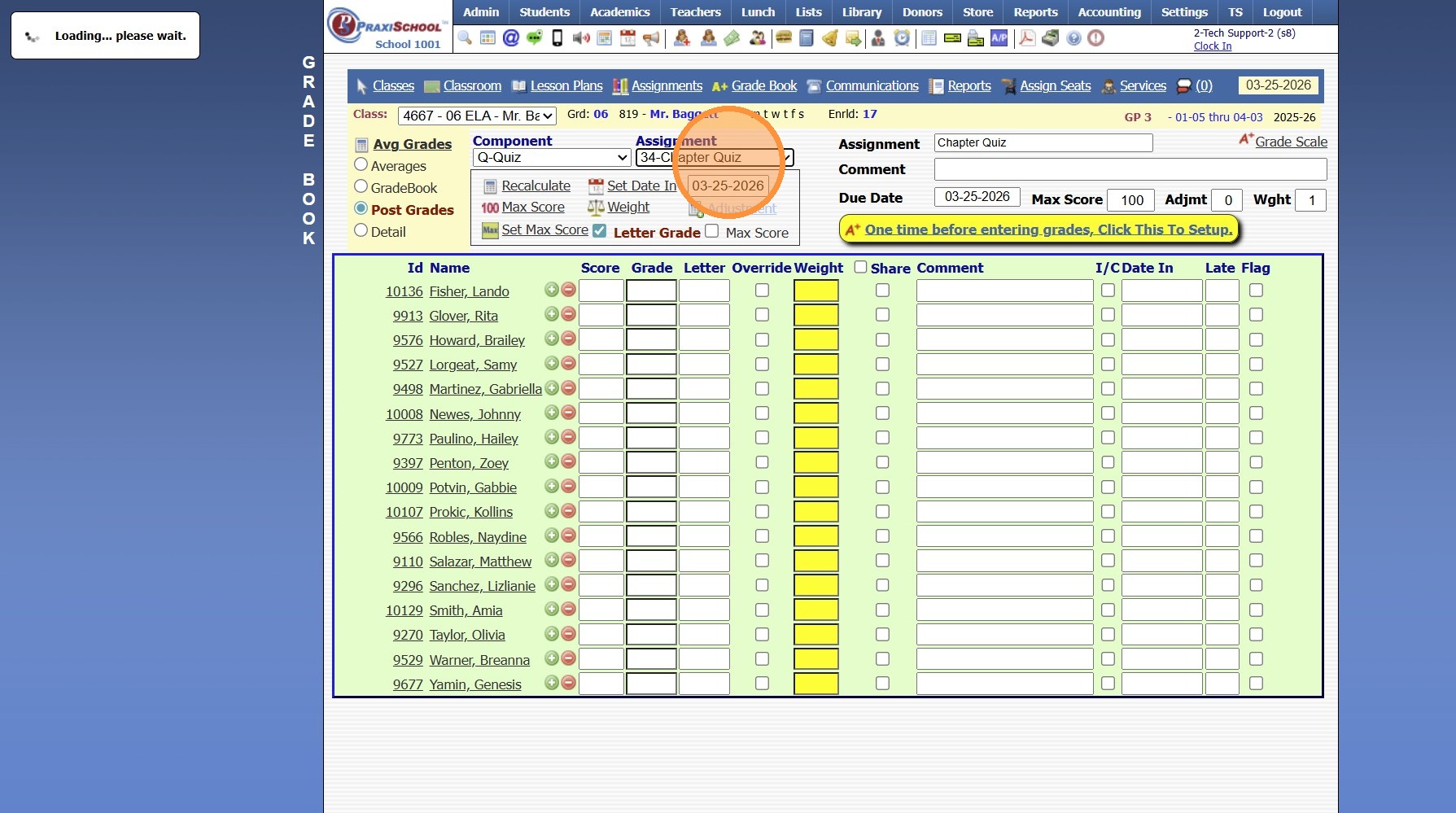
8. Click the Yellow Bar "One time before entering grades, Click This To Setup"
(Clicking the Yellow Bar adds the Weight to the Assignment so that the Assignment is visible in the Parent & Student Portals & tells the System the Assignment should now be included in the Average)
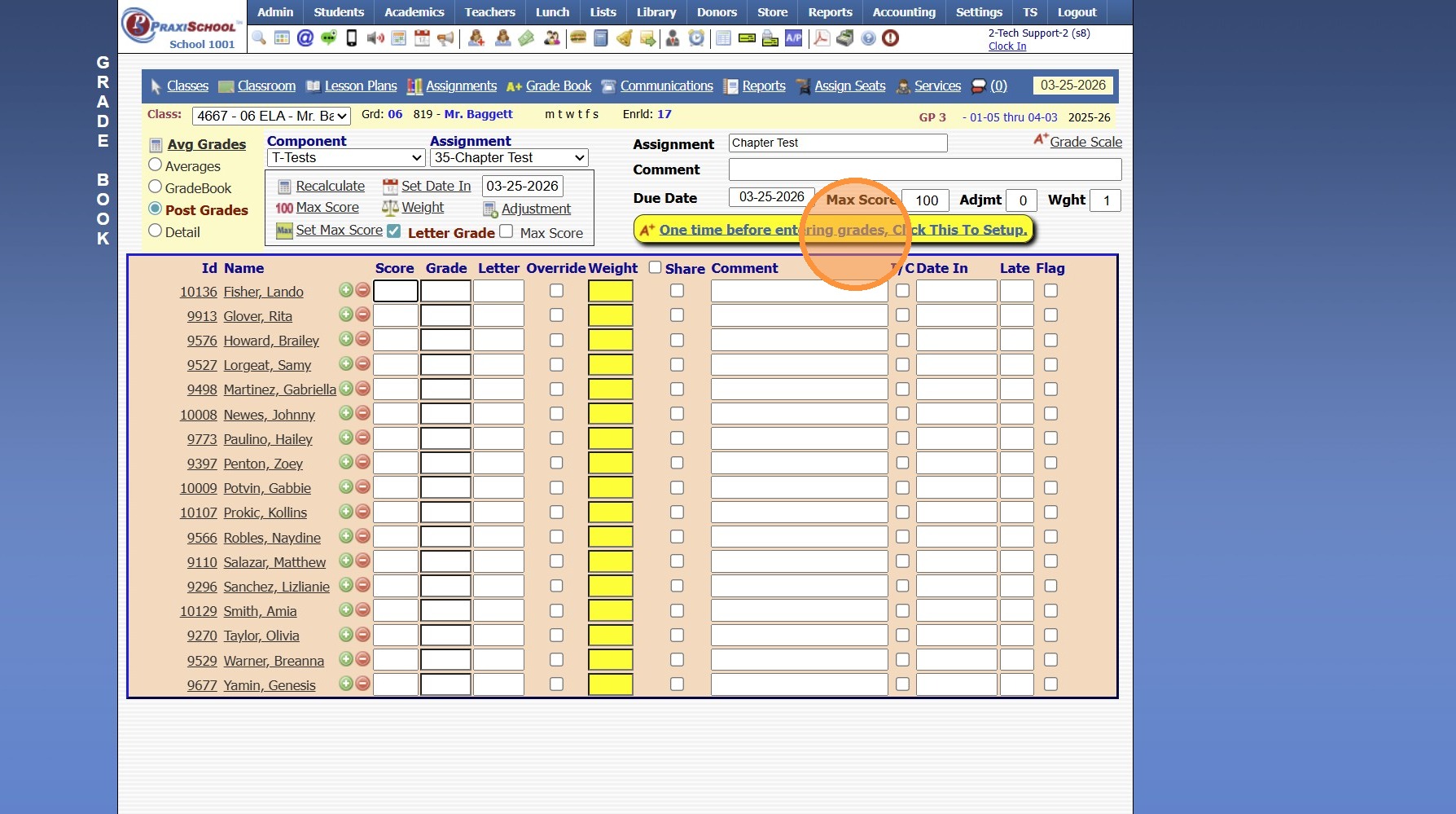
9. Enter the Students Grade in the Score Column, then hit Enter to move to the next Student.
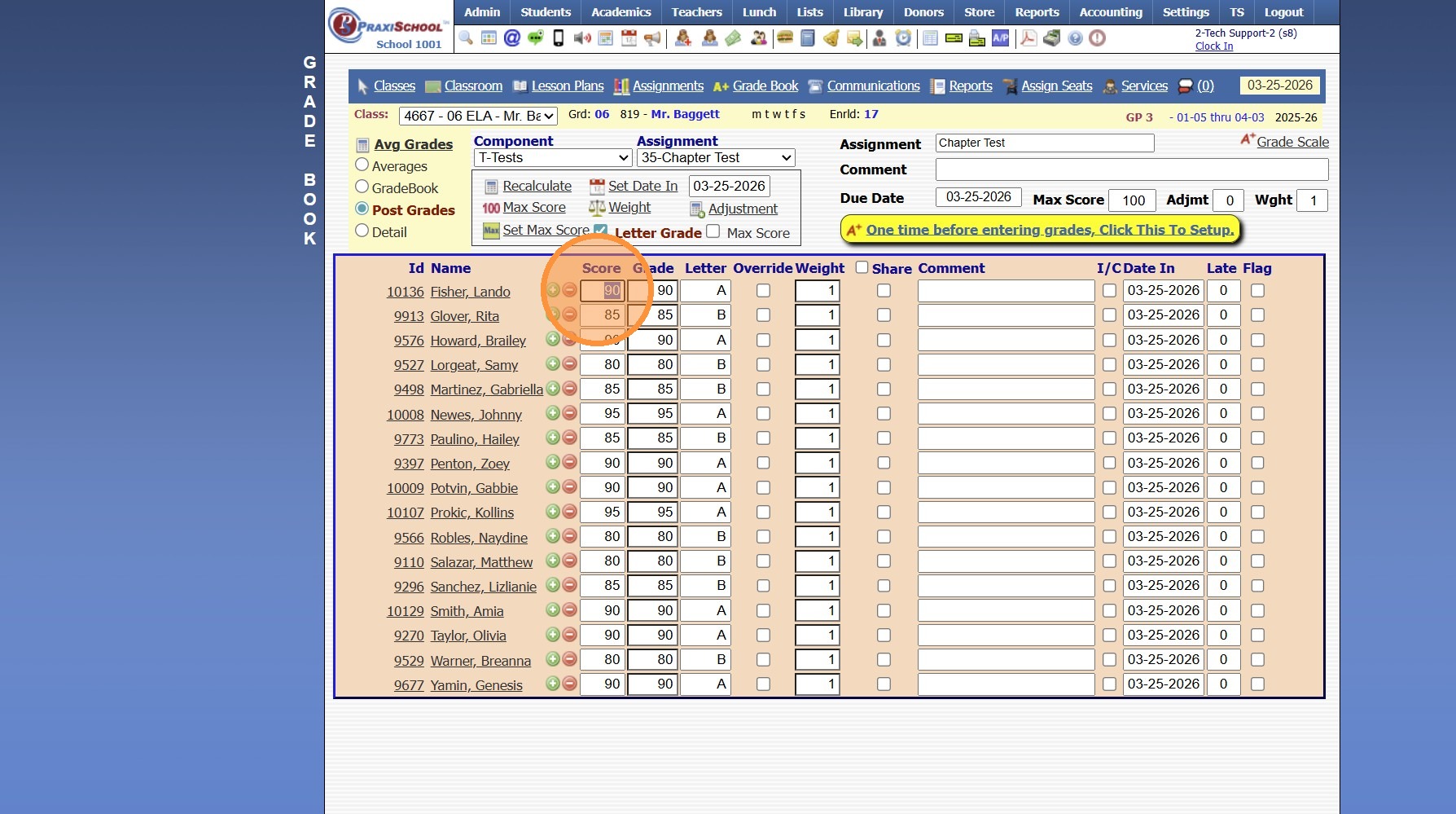
10. Once Grades are Entered, click the Avg Grades button
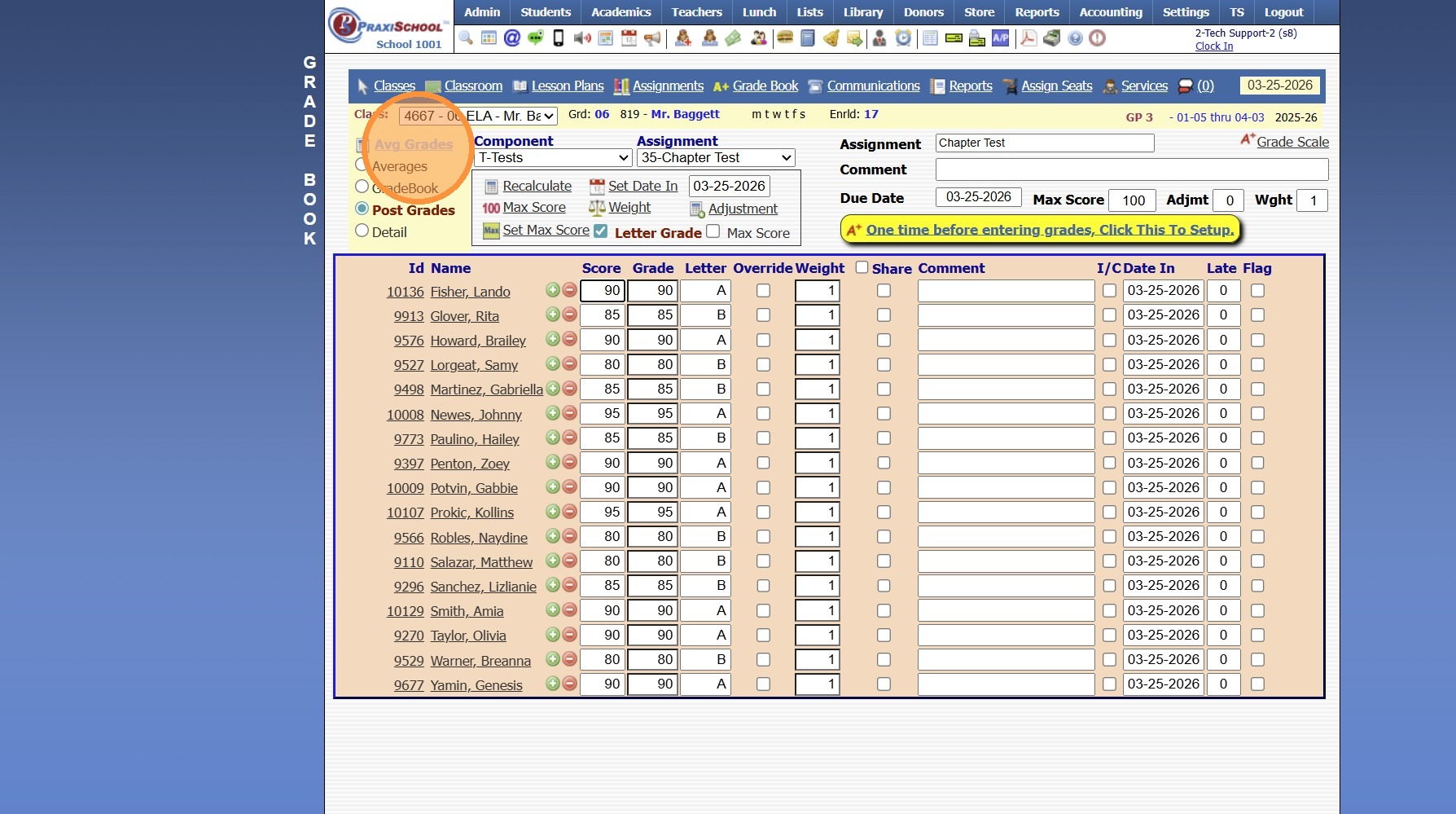
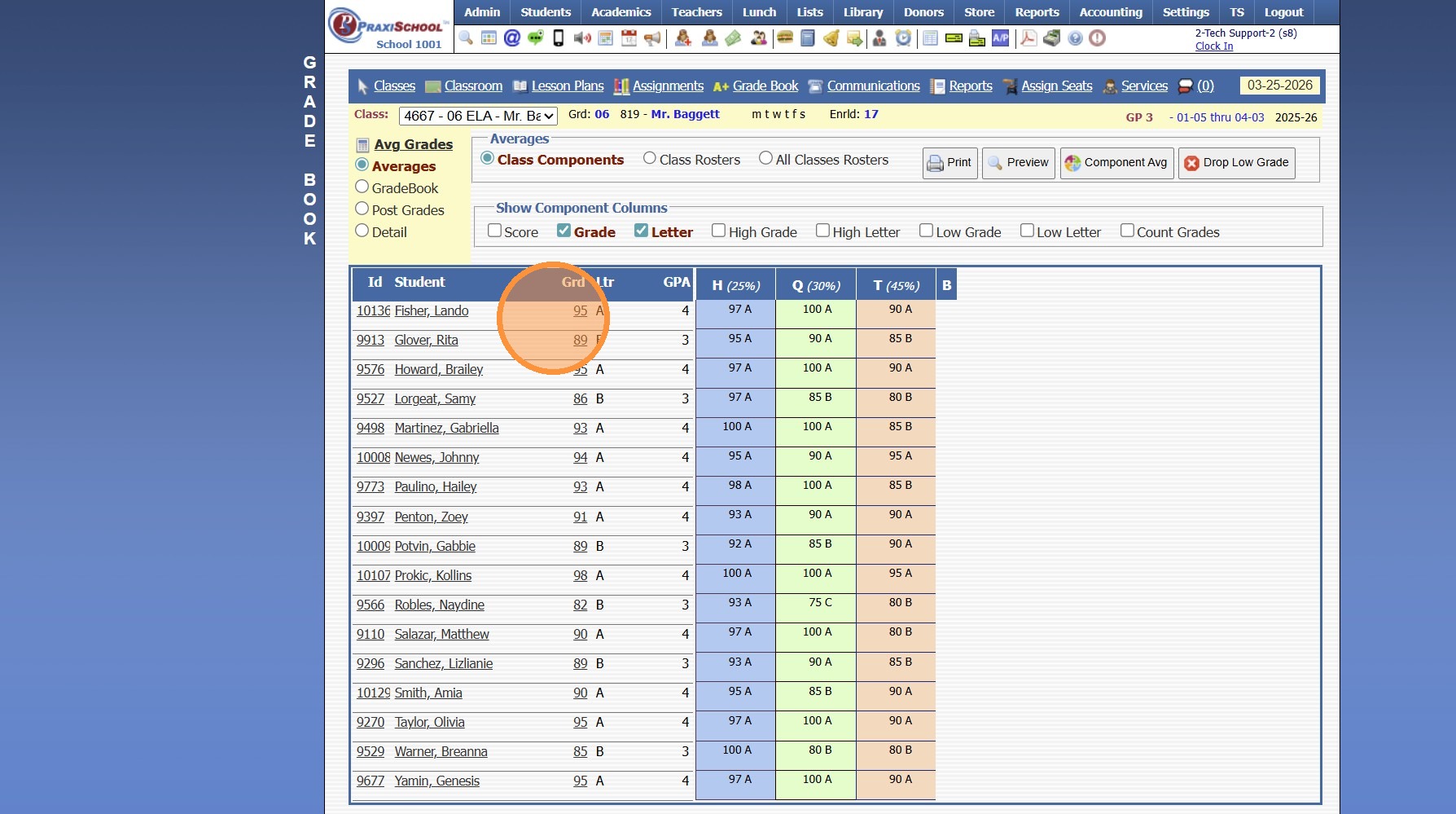
11. Once the Grade Averages run, the Averages Screen will populate
(The Averages Screen shows the Students Current Average, Letter Grade & GPA along with the Students Average in each Component)
Related Articles
Posting Assignment Grades & Averaging Grade Book Grades Accessing the Grade Book by an Assignment from an Assignment
1. Click "Teachers" 2. Click "Classroom" 3. Select Class 4. Click "Assignments" 5. Select Component 6. Double-click on Assignment to Open Grade Book for that Specific Assignment 7. Click the Yellow Bar "One time before entering grades, Click This To ...Entering Assignment Grades
Entering Assignment Grades 1. Log into PraxiSchool 2. Click "Teachers" 3. Click "Classroom" 4. Select Class 5. Click "Grade Book" 6. Select the "Post Grades" Toggle 7. Select Component 8. Select Assignment 9. Click "One time before entering grades, ...Viewing Grade Book Grades
1. Click "Teachers" 2. Click "Classroom" 3. Select Class 4. Click "Grade Book" 5. Select Grade Book Toggle 6. Grade Book of all Student Assignments is Visible 2500.1.29Averaging Grades (Administration)
Averaging Grades (Administration) 1. Login to PraxiSchool 2. Click "Academics" 3. Click "Grades Tasks" 4. Click "Average Grades" 5. Select School Year from Dropwdown 6. Select Grade Period(s) to Average (Ex. GP1, GP2, GP3, GP4 or Select All to ...Entering Assignment Grades Using Max Score
Entering Assignment Grades Using Max Score Max Score can be used to enter the maximum score for each Student. (Ex. a Homework Assignment earns a 100% if turned in and all Students turned in the Assignment) 1. Log into PraxiSchool 2. Click "Teachers" ...