National Suicide Prevention Hotline for Staff, Parents & Students
Tip: Using Announcements is the best way to make the National Suicide Prevention Hotline Number visible to Staff, Parents & Students.
1. Click "Admin"

2. Click "Resources"
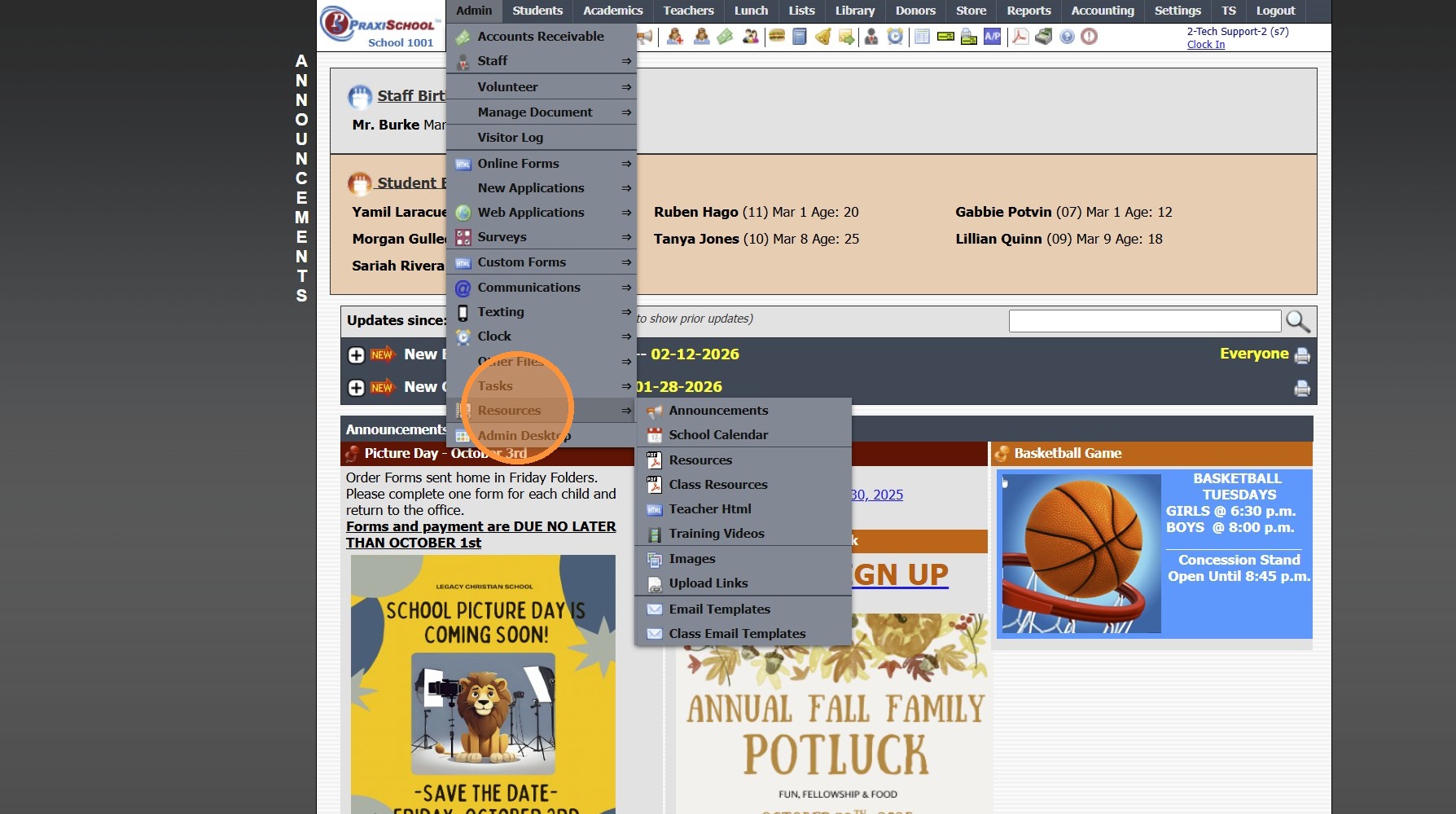
3. Click "Announcements"
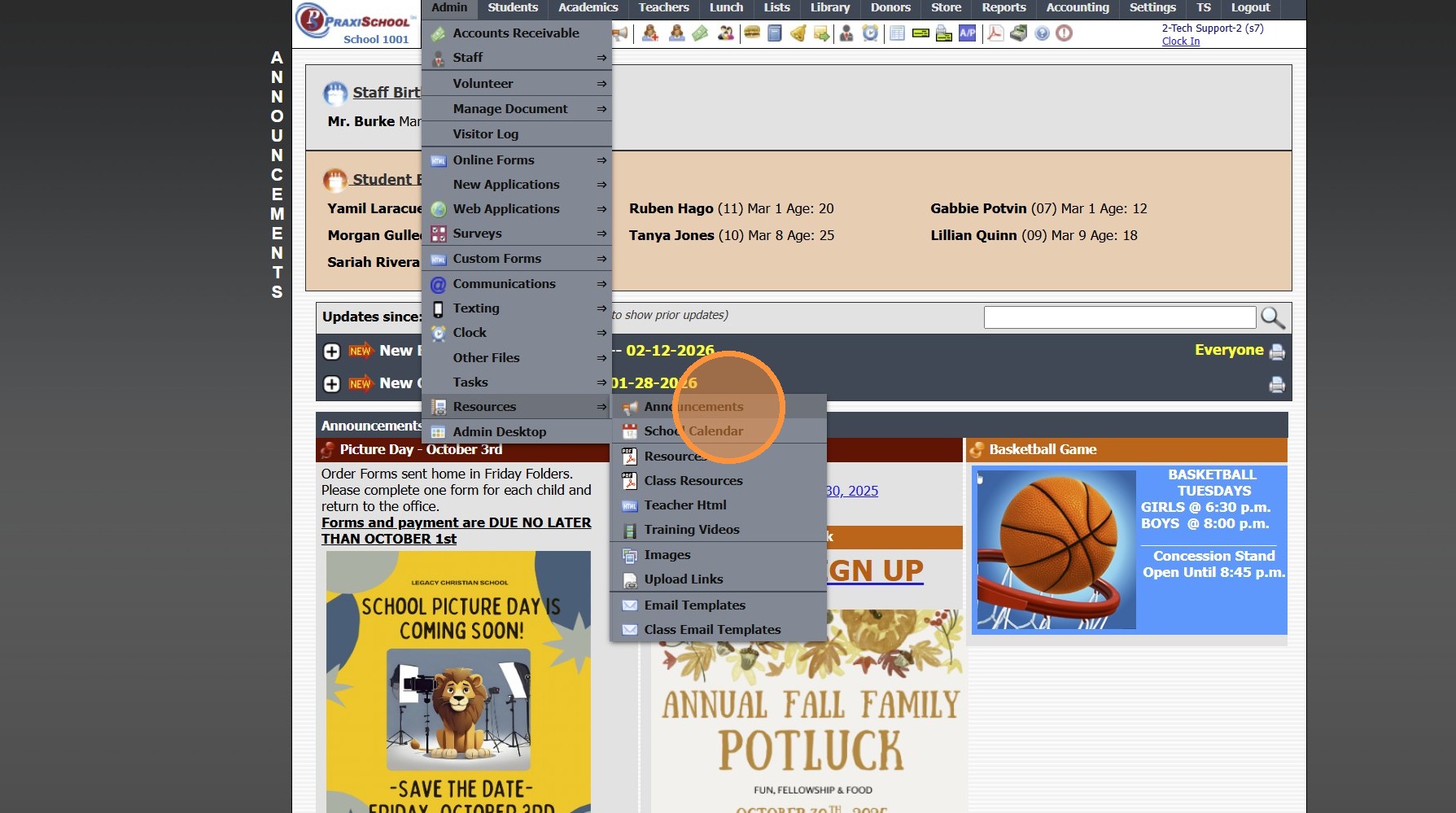
4. Click "Add"
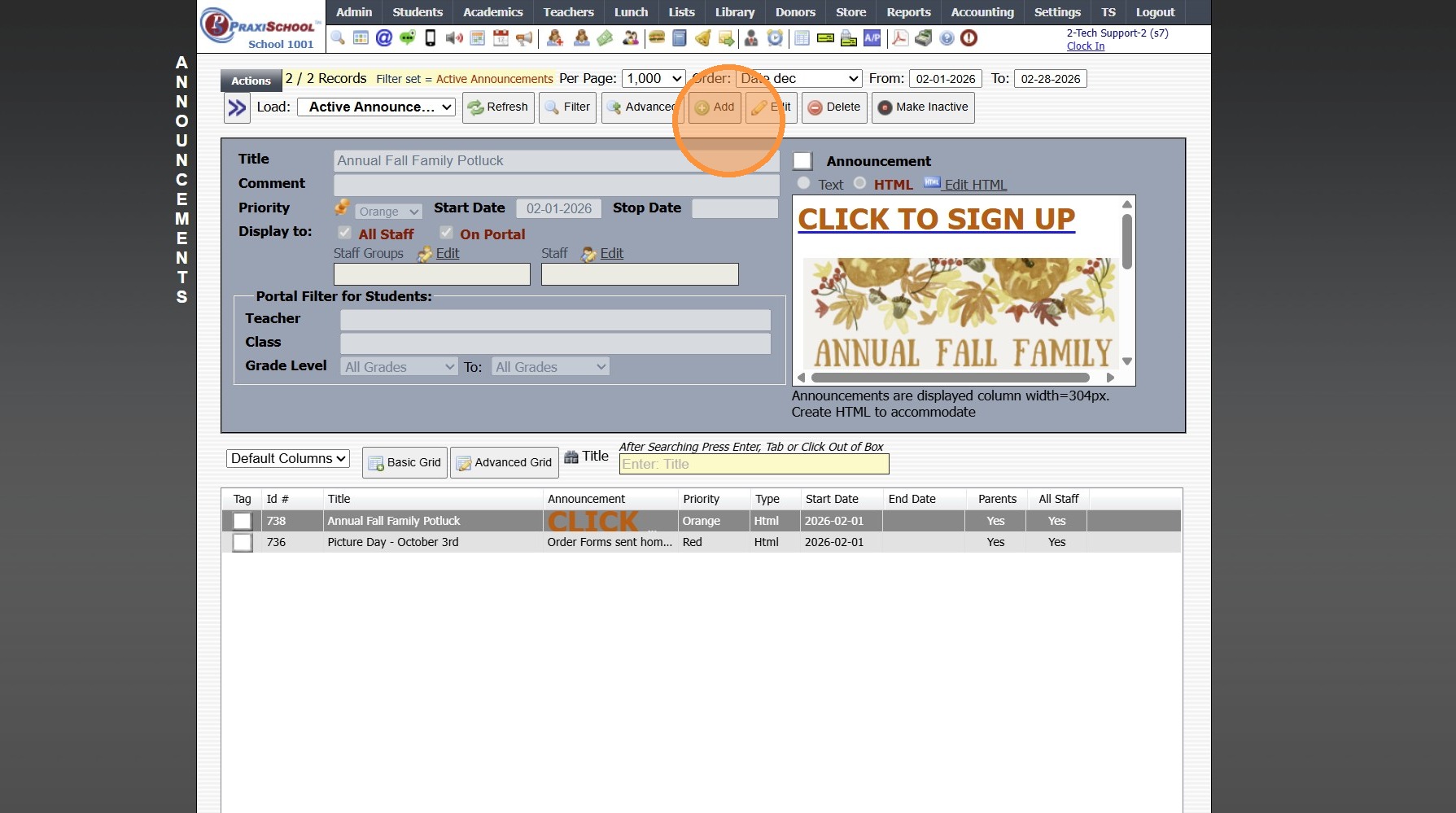
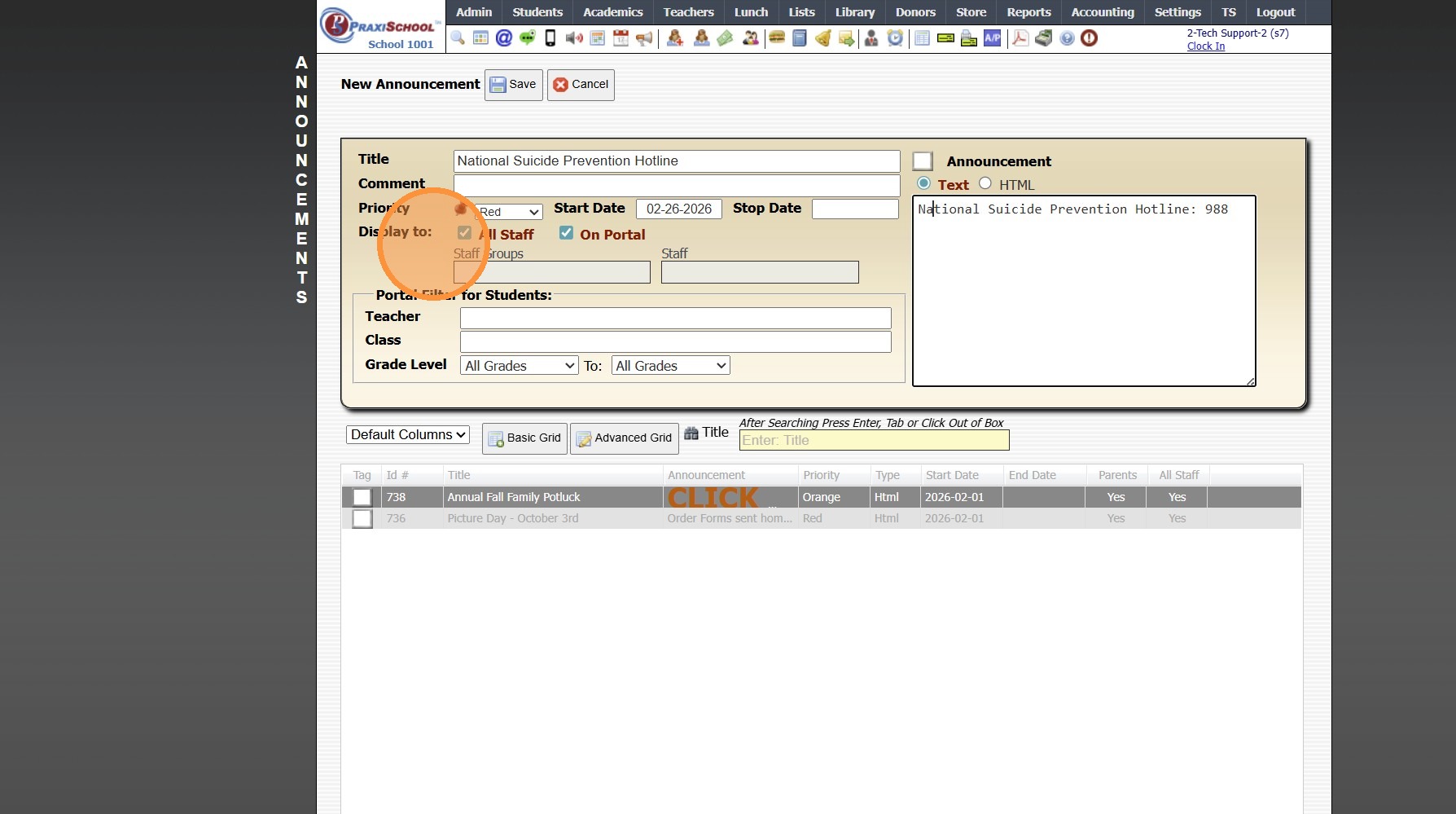
5. Enter Title "National Suicide Prevention Hotline"
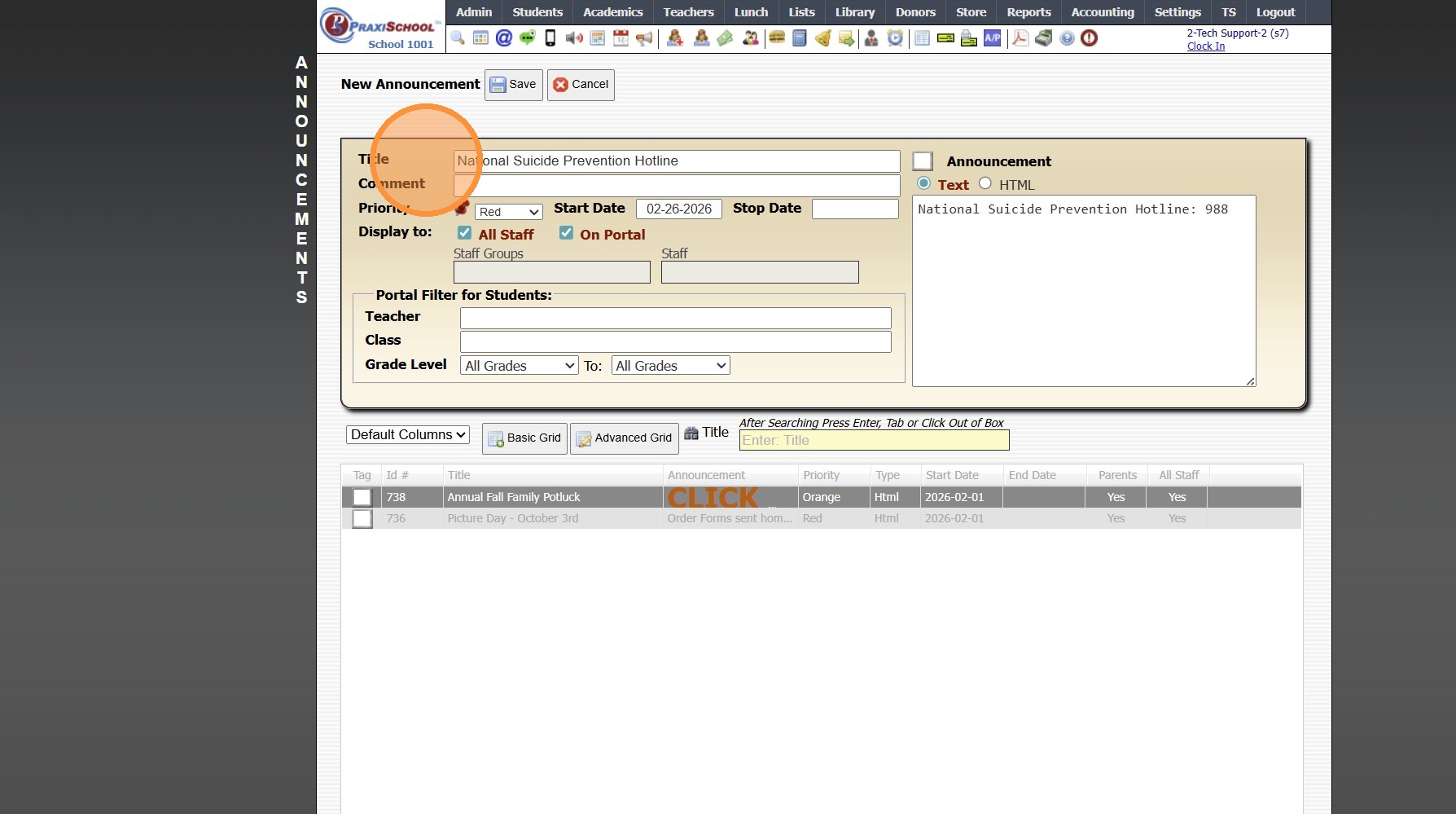
6. Enter Verbiage & Number

7. Select to Display to All Staff & On Portal
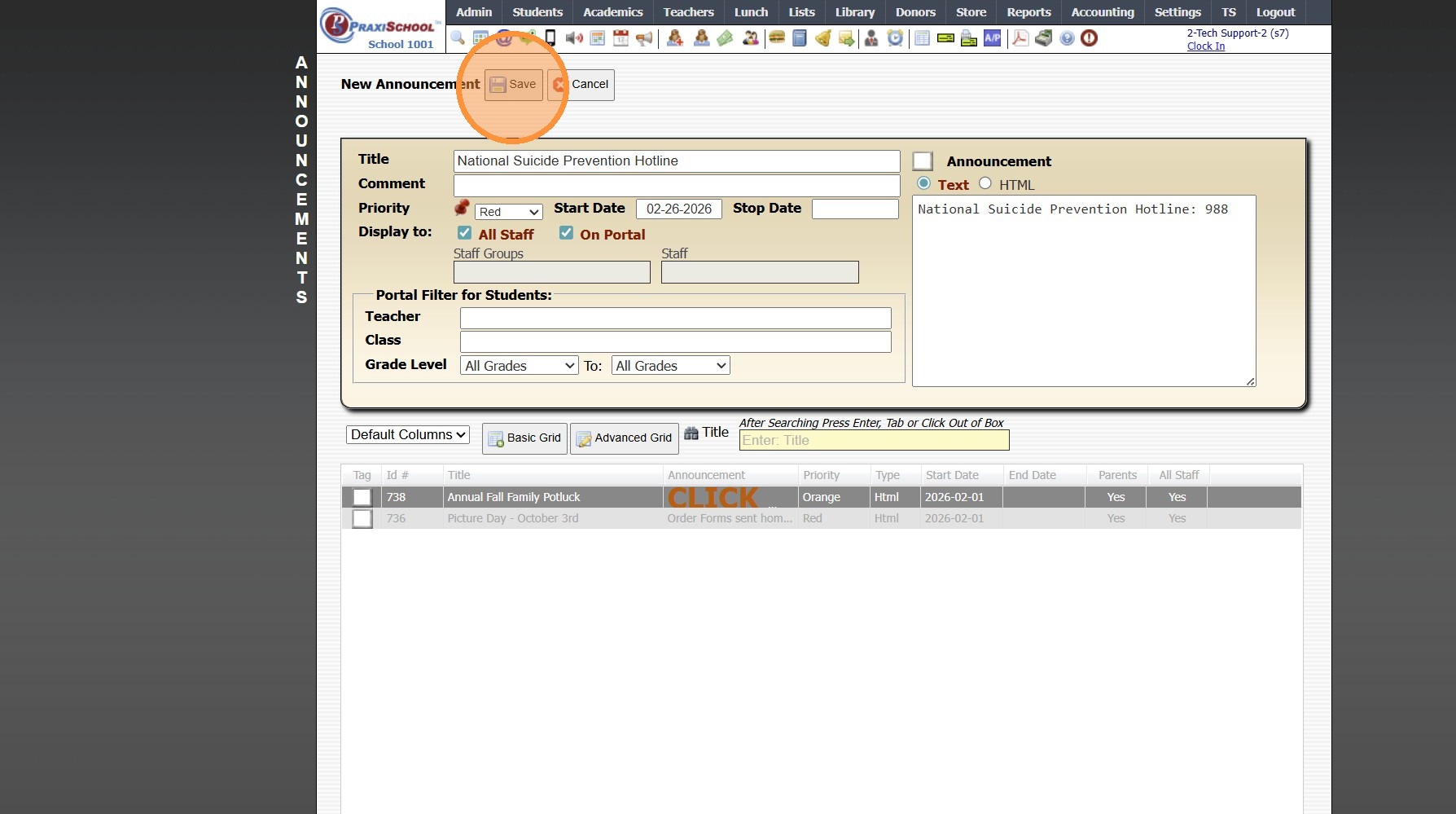
8. Click "Save"
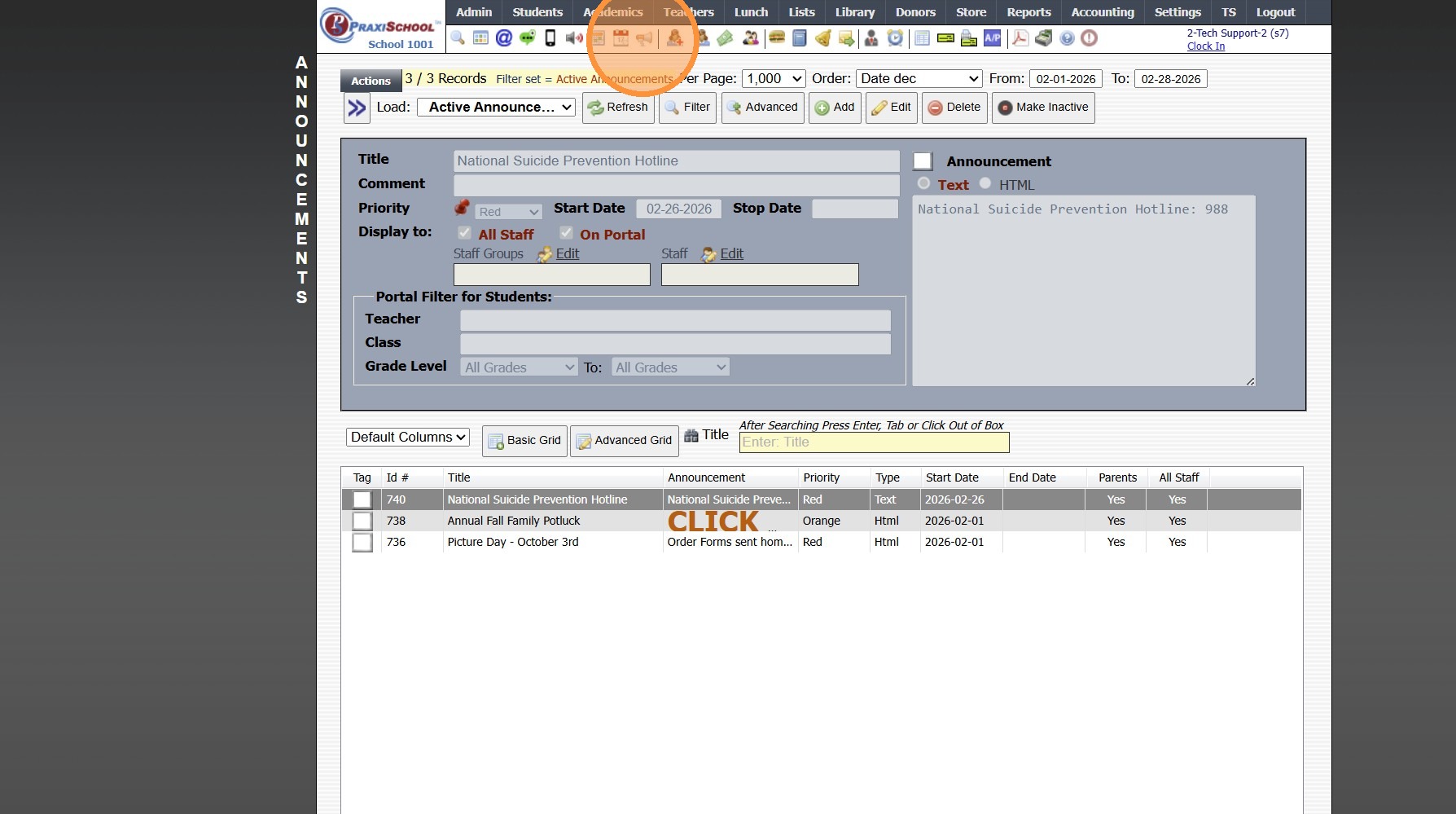
9. Click the Announcement Page Icon
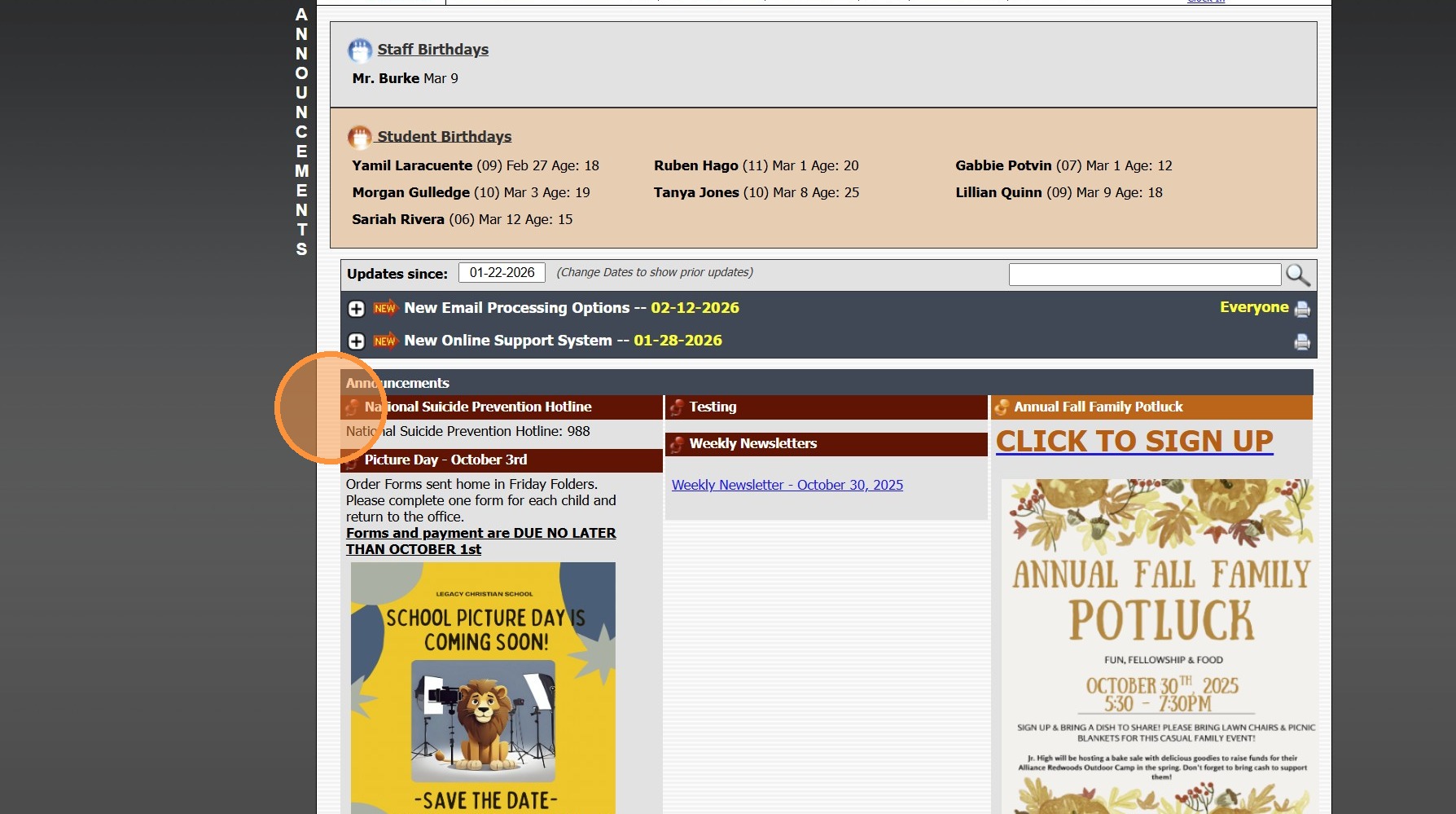
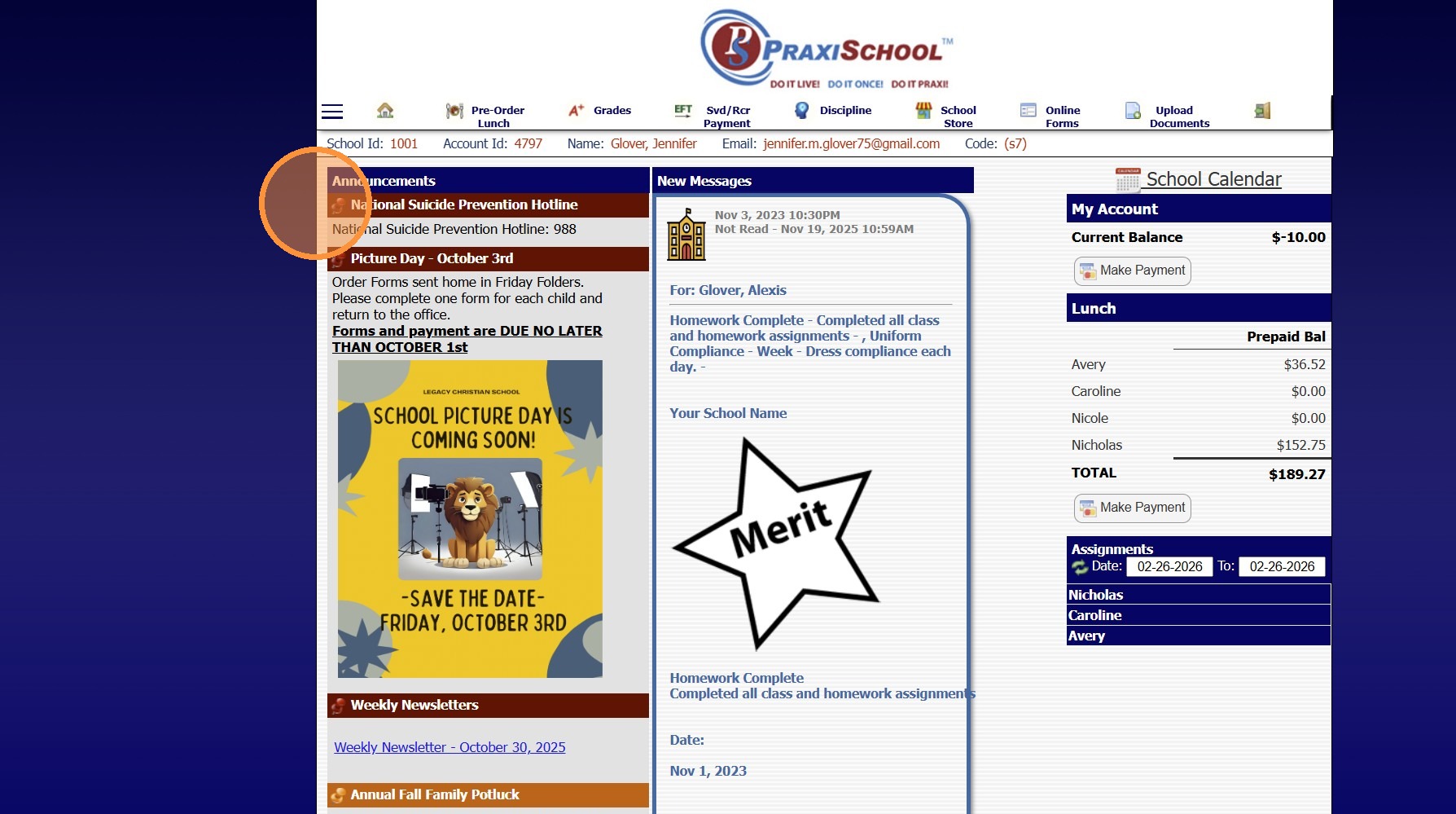
10. National Suicide Prevention Hotline Number Posts to Staff Announcement Page
11. National Suicide Prevention Hotline Number Posts to Parent & Student Portal Announcement Page
8000.14
Related Articles
Sending Welcome Emails to Staff, AR (Parents) and Students
1. Log into PraxiSchool and Select the Database To Send the Welcome Email From (i.e. Staff, AR or Students) 2. Click "Actions" 3. Click "Send Email" 4. Click "Templates" 5. Click to Open Folder and click on the "Welcome" Email Template 6. Click ...Importing Student / Staff Photos in Batch
Tip: Please Note: Images must be saved by Student/Staff ID Number, not by Name 1. Click "Admin" 2. Click "Tasks" 3. Click "Import Photos" 4. Select the Import For Option (Ex. Students, Staff or Family) 5. Select the School Year 6. Click Choose Files ...Icon Toolbar - Staff Icon
Icon Toolbar - Staff Icon Click on the Staff Icon for Quick Access to the Staff File 7500.1.18Assigning Staff Security from the Staff File
Assigning Staff Security from the Staff File 1. Log in to PraxiSchool 2. Click "Admin" 3. Click "Staff" 4. Click "Staff" 5. Click "Actions" 6. Click "Assign Security" 7. Select the Security Level you want to assign from the dropdown. 8. Select the ...Sending Messages to Staff / Staff Groups
Sending Messages to Staff / Staff Groups 1. Click on PraxiSchool Icon to Open Messages Screen 2. Click the "+" Icon 3. Select "Staff" Toggle Sending a Message to a Single Staff Member 4. Tag Staff to Send Message To 5. Click "Send Message" 6. Enter ...