Where are the Below Percentage Options set?
1. Go to the Classroom
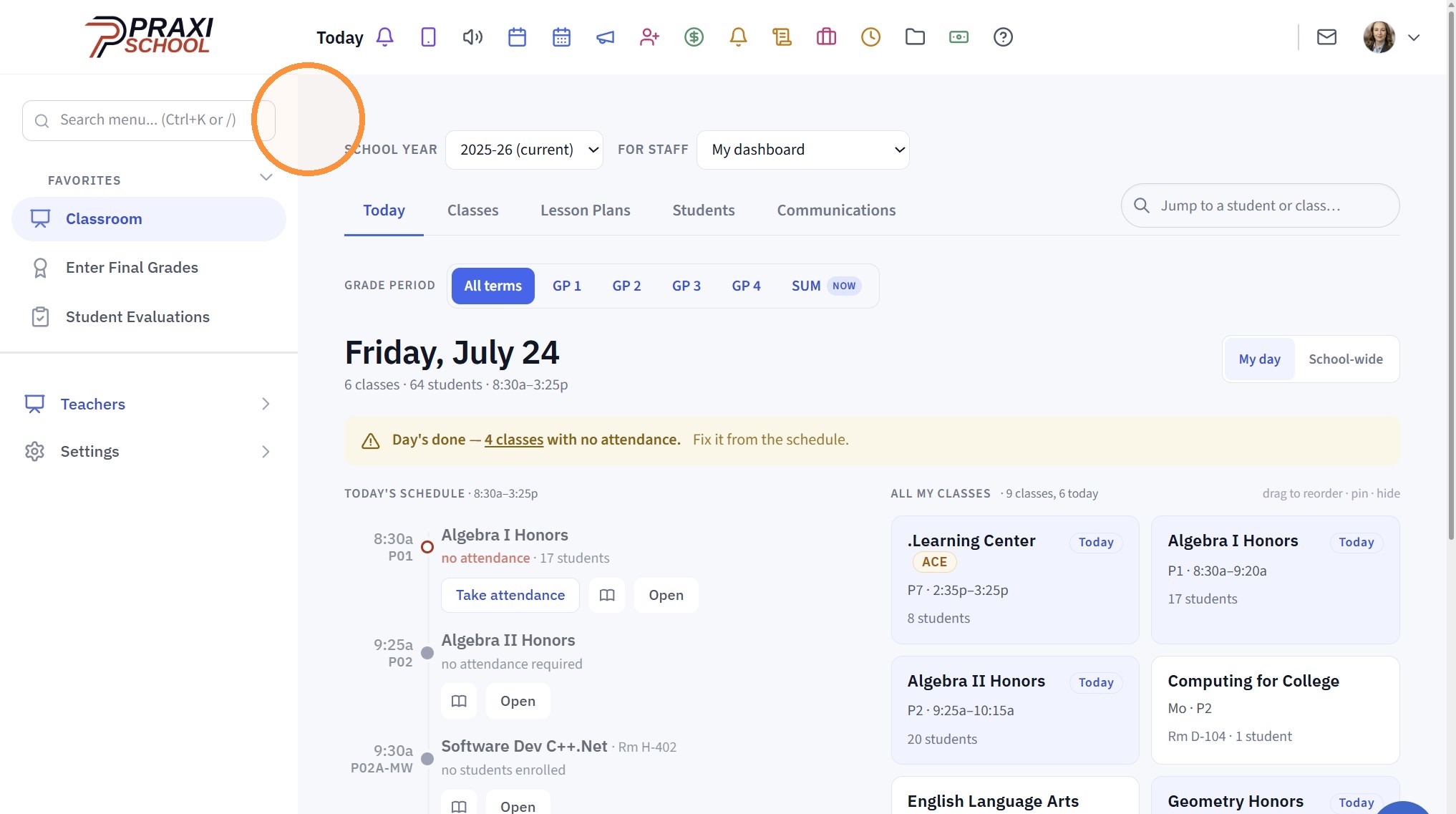
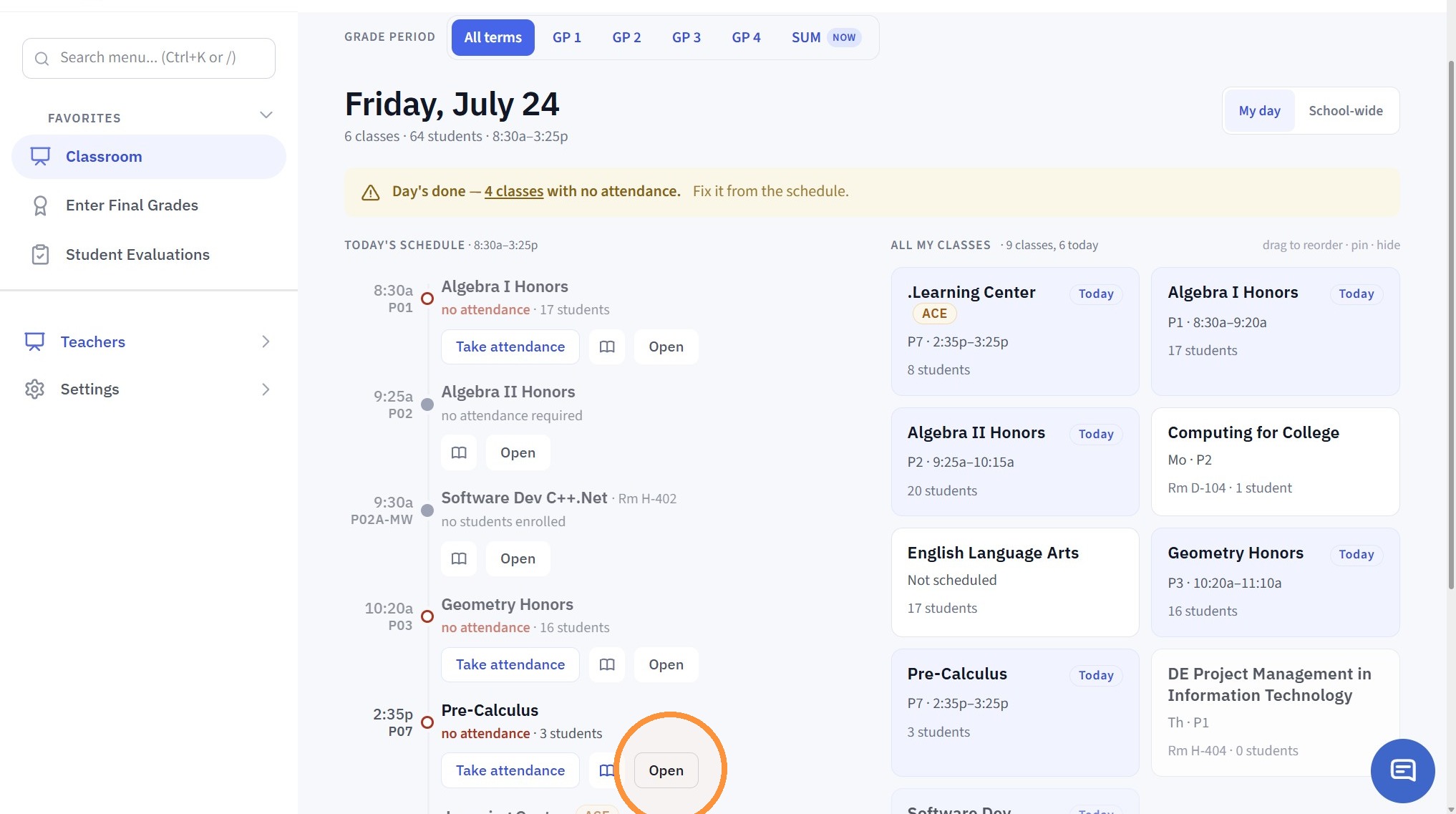
2. Click "Open"
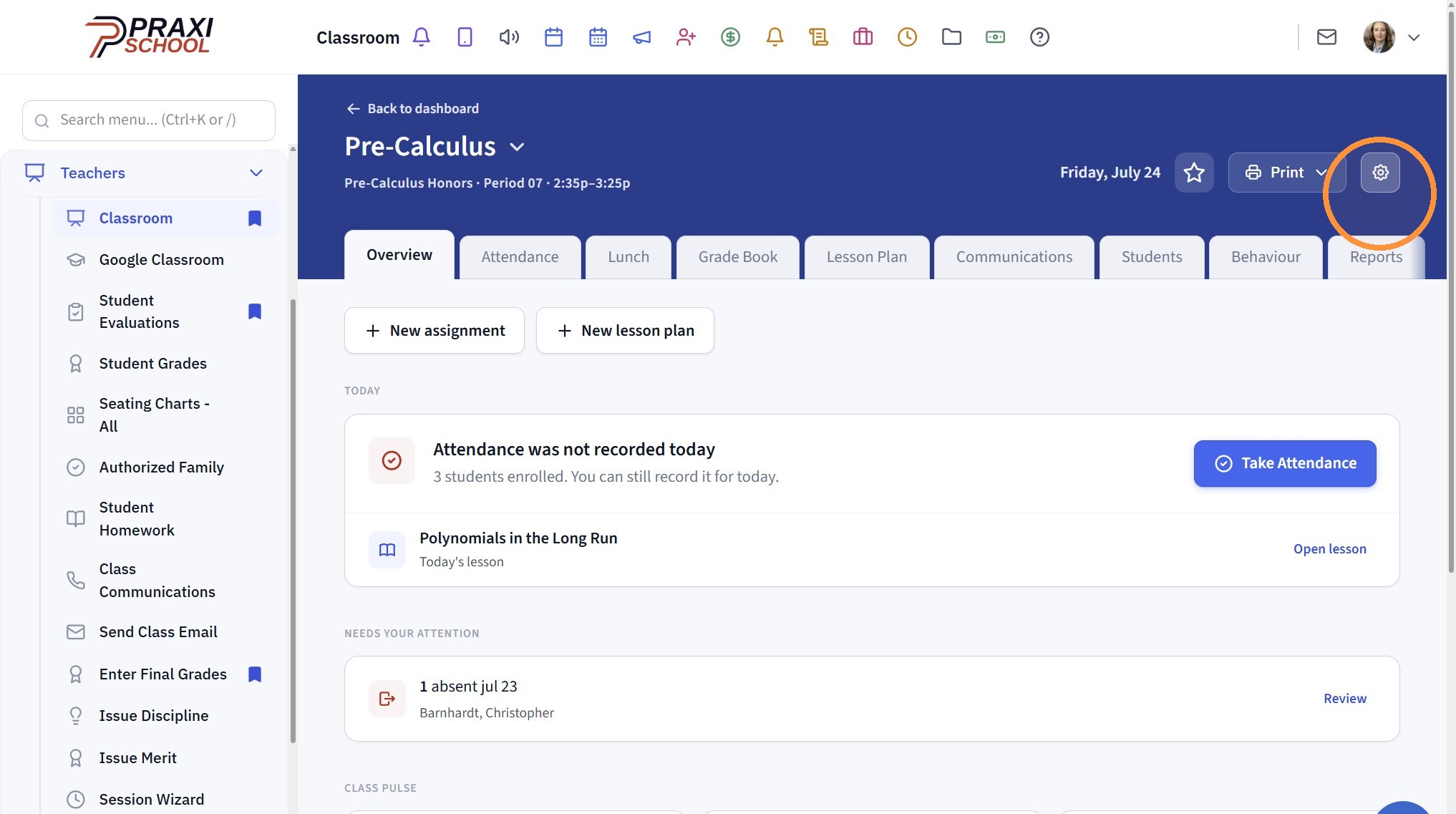
3. Click the Gear Icon
4. Go to the Gradebook Filters Section
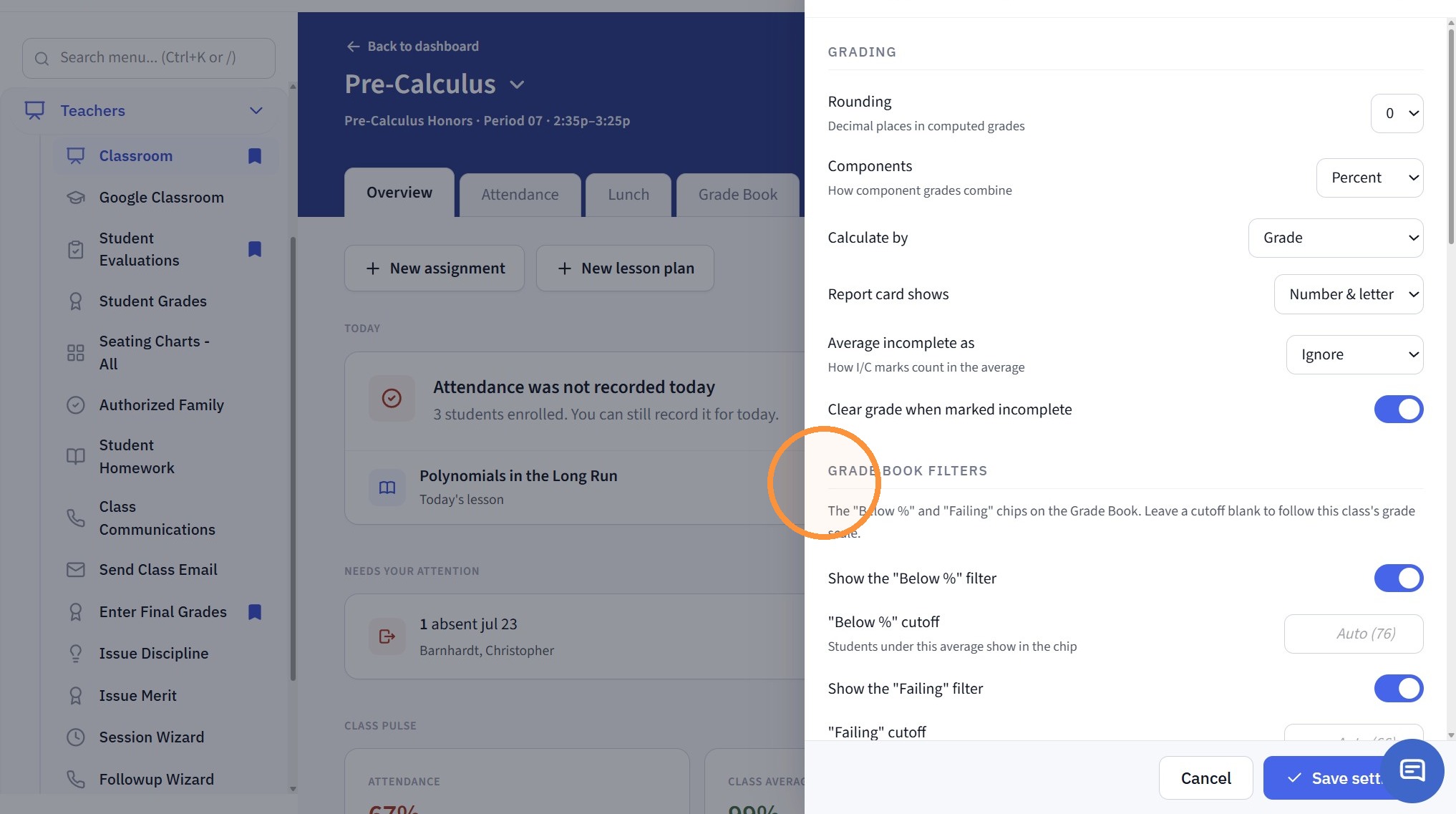
5. This Feature can be Turned Off here
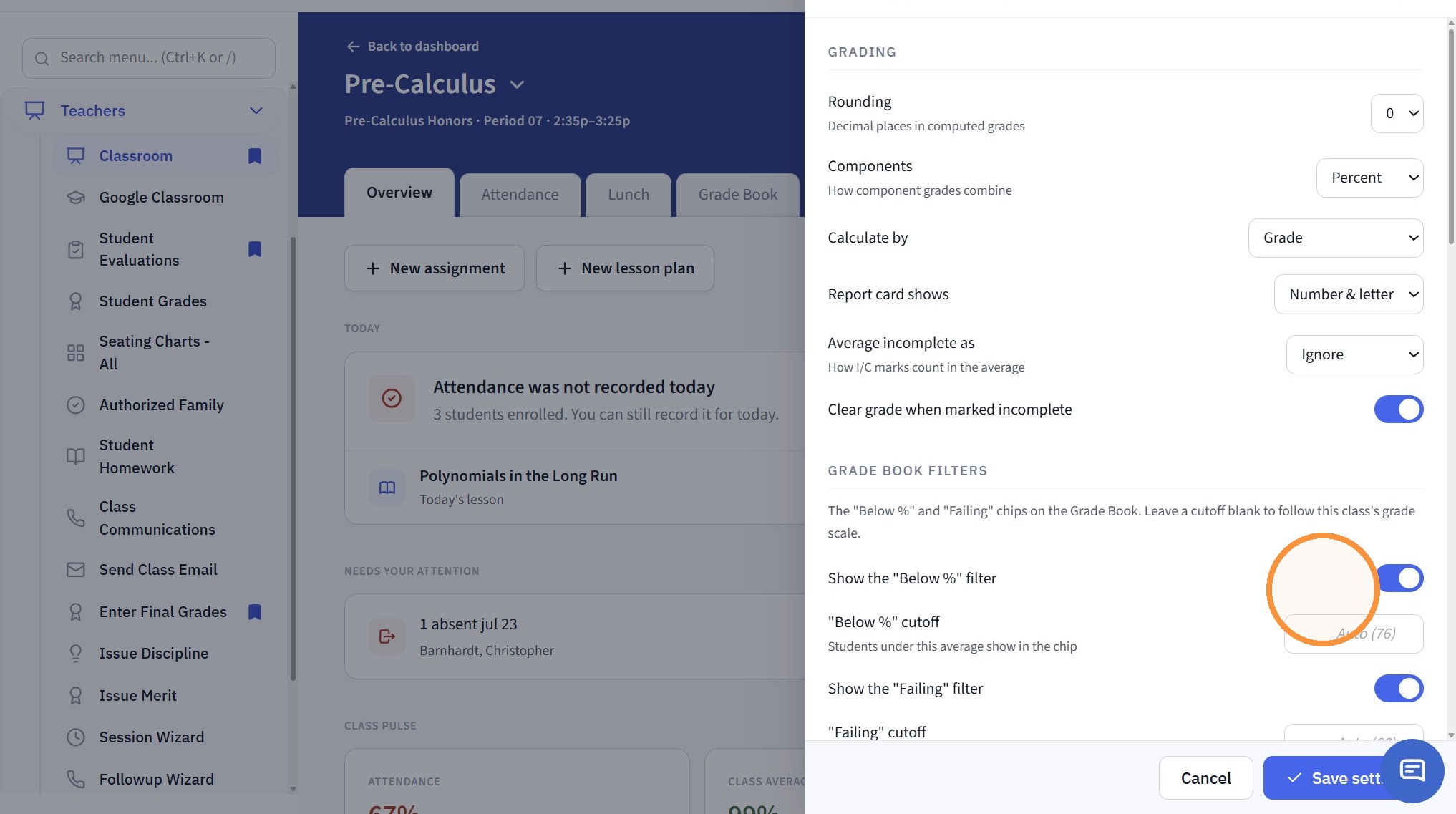
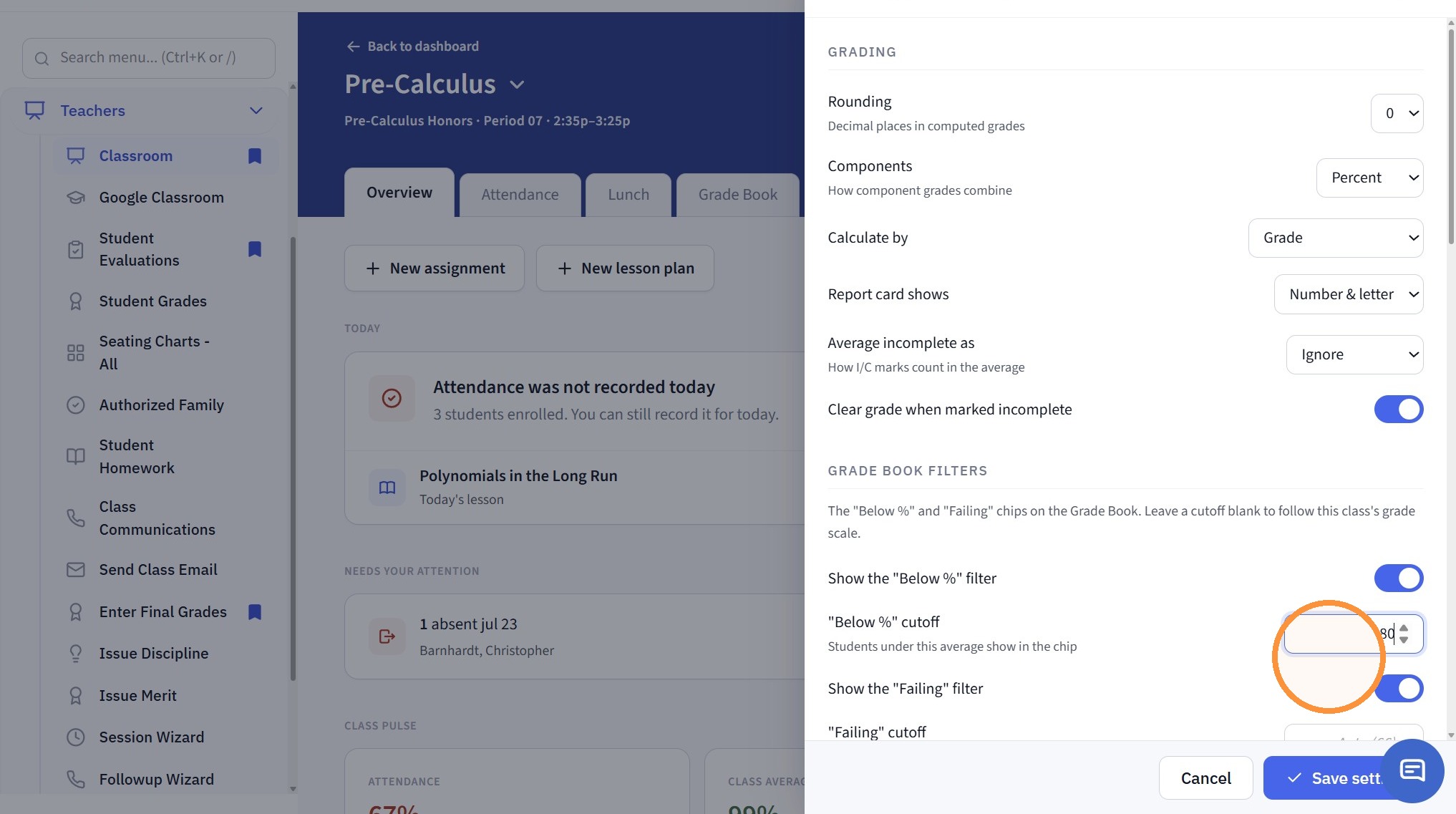
6. Enter the Below % Cutoff Numeric Score
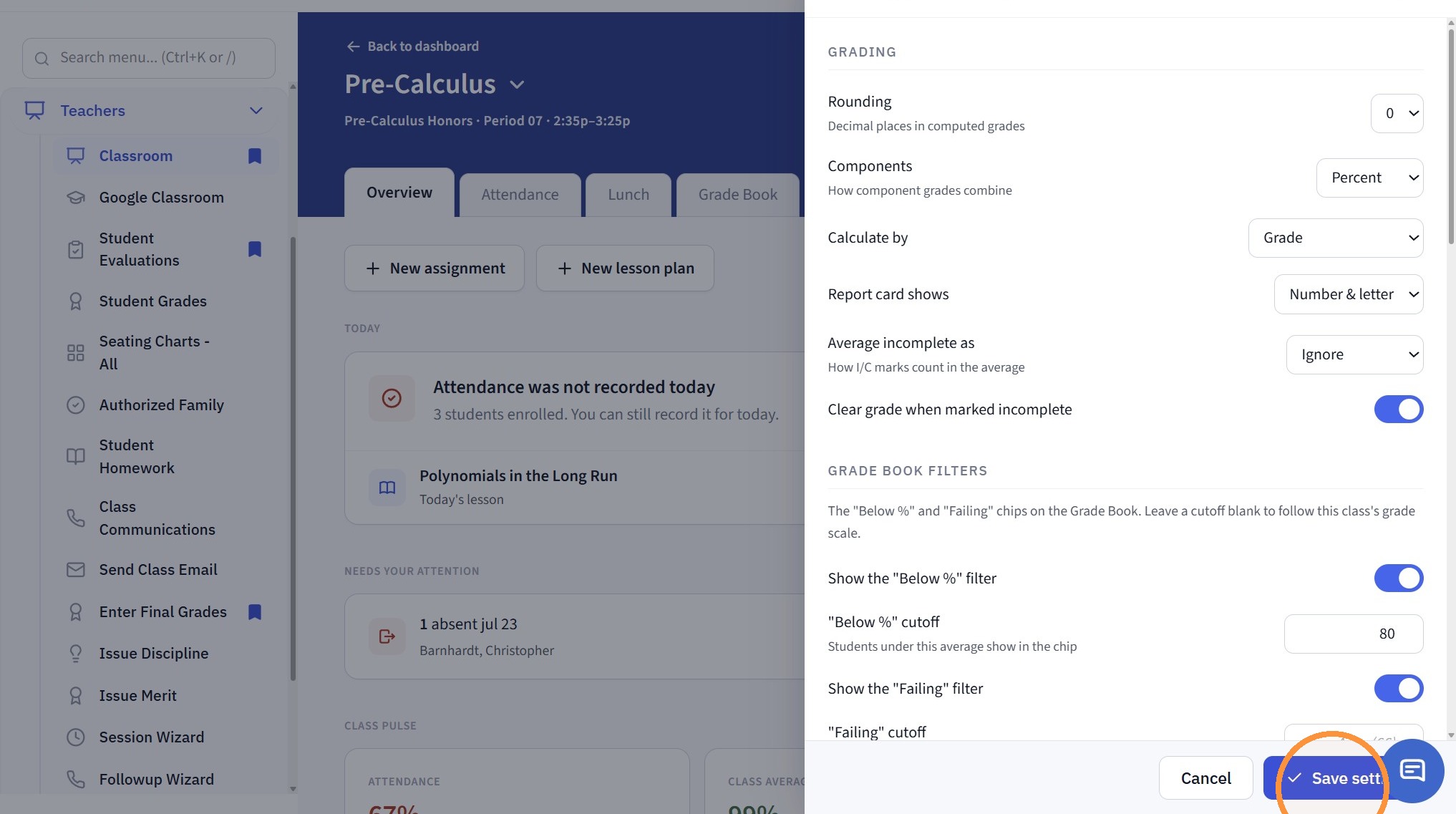
7. Click "Save settings"
Related Articles
Late Fees - Percentage
1. Click "Lists" 2. Click "A/R Accounting" 3. Click "Late Fees" 4. Click "Add" 5. Enter Late Fee Name & Comment 6. Enter Balance Greater than Amount (only set this if accounts should not be billed when balance is lower than a certain amount) 7. ...Heartland Payments Set Up Details
Heartland Payments is eager to assist in establishing a merchant processing account (MID) for credit/debit and echeck (ACH). The purpose of this document is to furnish details specific to each option as well as the boarding portals (labeled ...Report Card Set Up - Turning On Grade Periods
Report Card Set Up - Turning On Grade Periods 1. Log into PraxiSchool 2. Click "Academics" 3. Click "Grades Setup" 4. Click "Report Card" 5. Select Report Card Template 6. Click "Grade Periods" 7. Click "Edit" 8. Select Grade Period Option for Print ...Staff Directory Portal Options
Staff Directory Portal Options 1. Click "Reports" 2. Click "Staff Directory" 3. If Ignore Directory Preferences is not Selected, Options Selected by Administration and Selected by Staff will be visible on the Parent / Student Portal If Ignore ...Student Directory Portal Options
Student Directory Portal Options 1. Click "Reports" 2. Click "Student Directory" 3. Select Sort & Filter Option 4. If Ignore Directory Preferences is not Selected, Options Selected by Administration and Selected by Parent / Student will be visible on ...