Session Close Tasks - Admin: Archiving Announcements
1. Click "Admin"
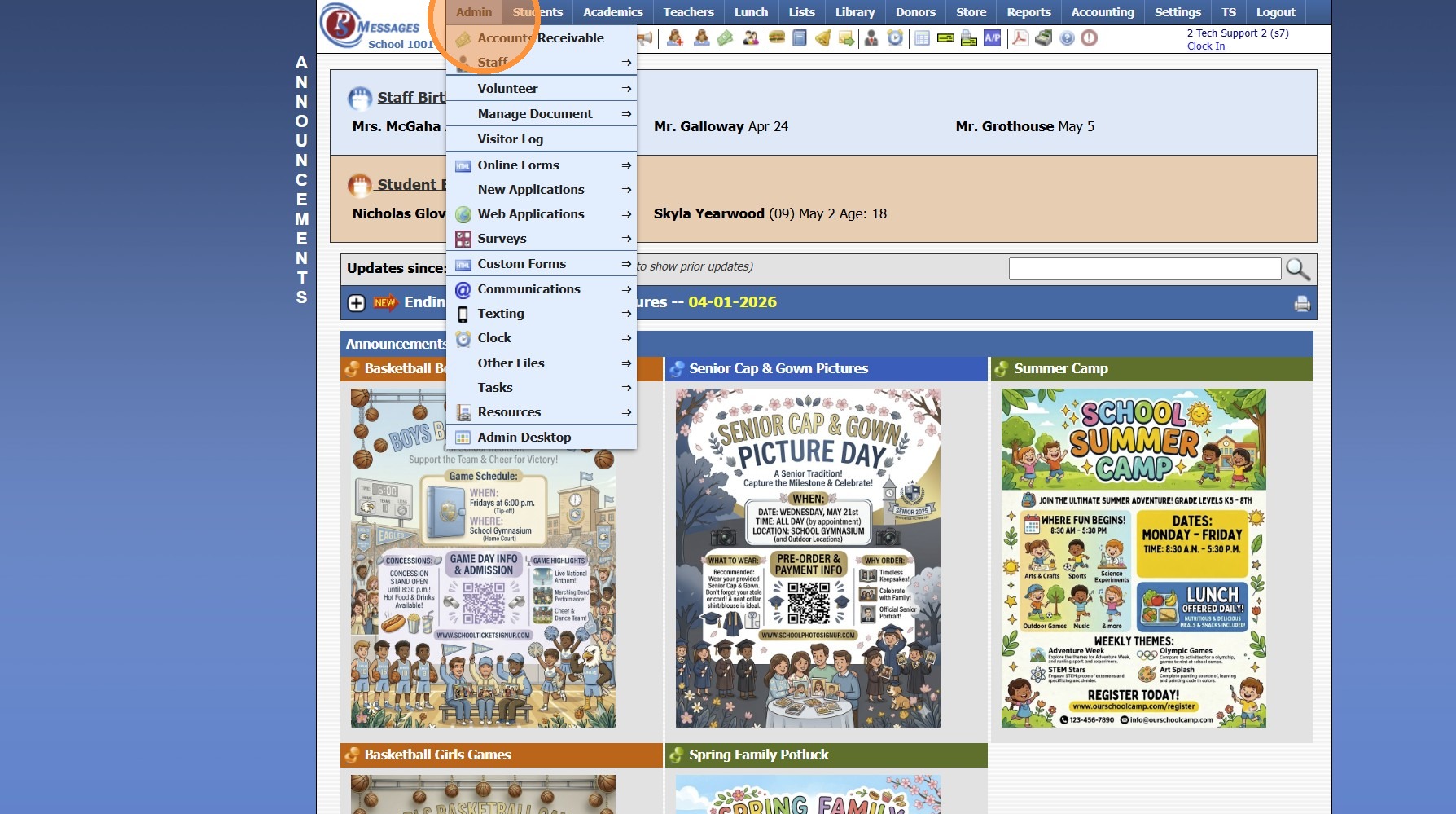
2. Click "Resources"
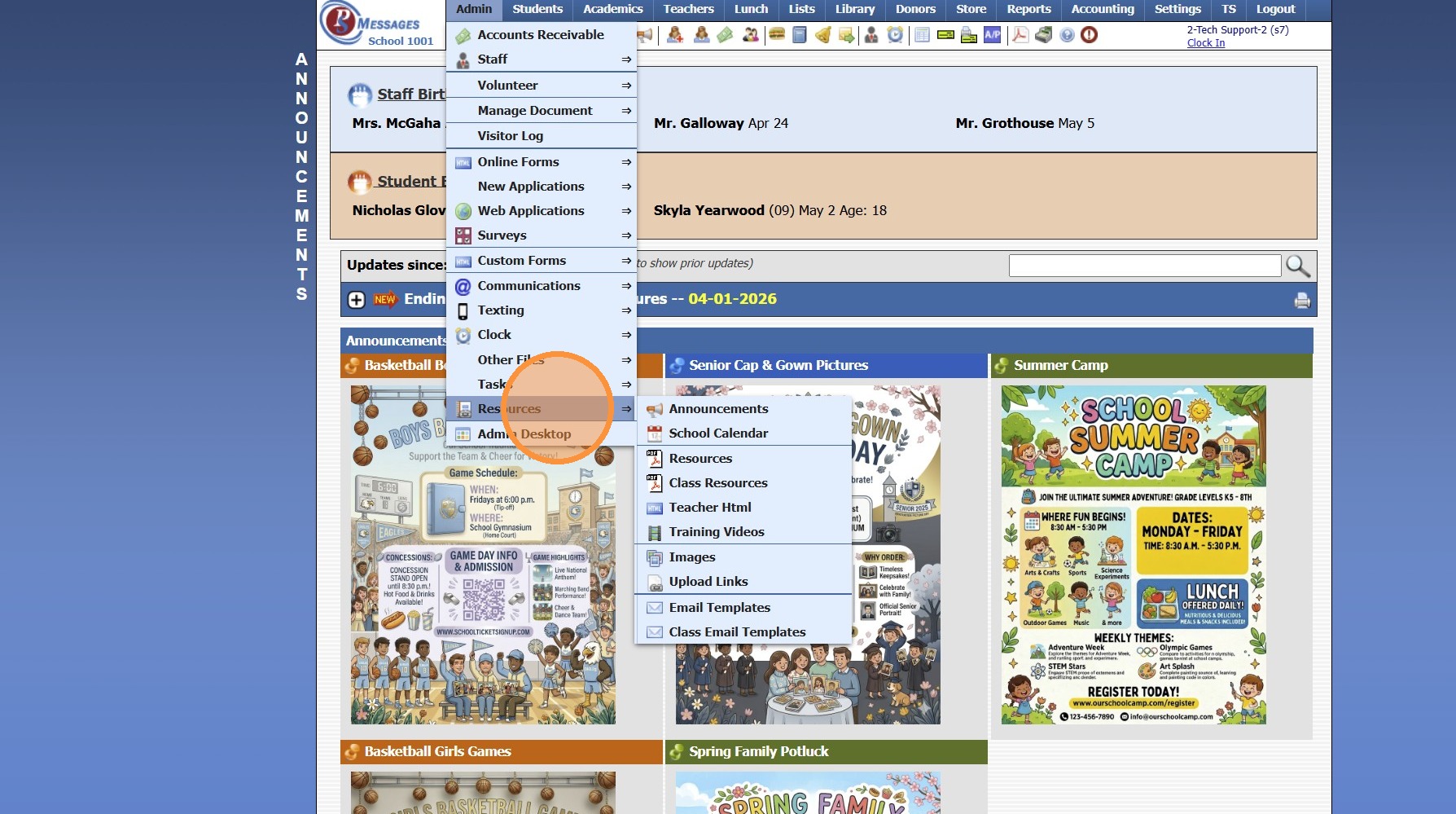
3. Click "Announcements"
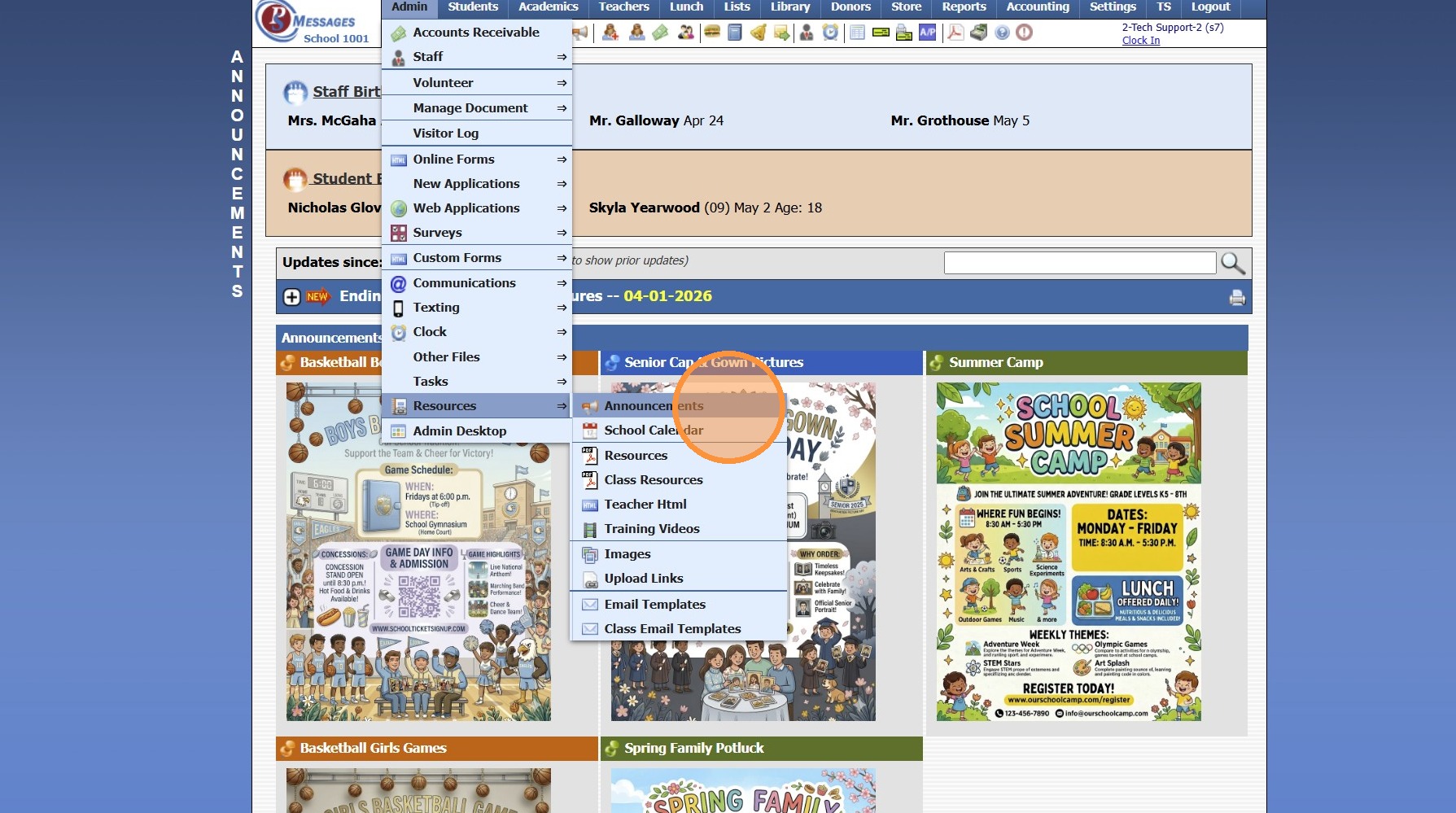
4. Click "Actions"
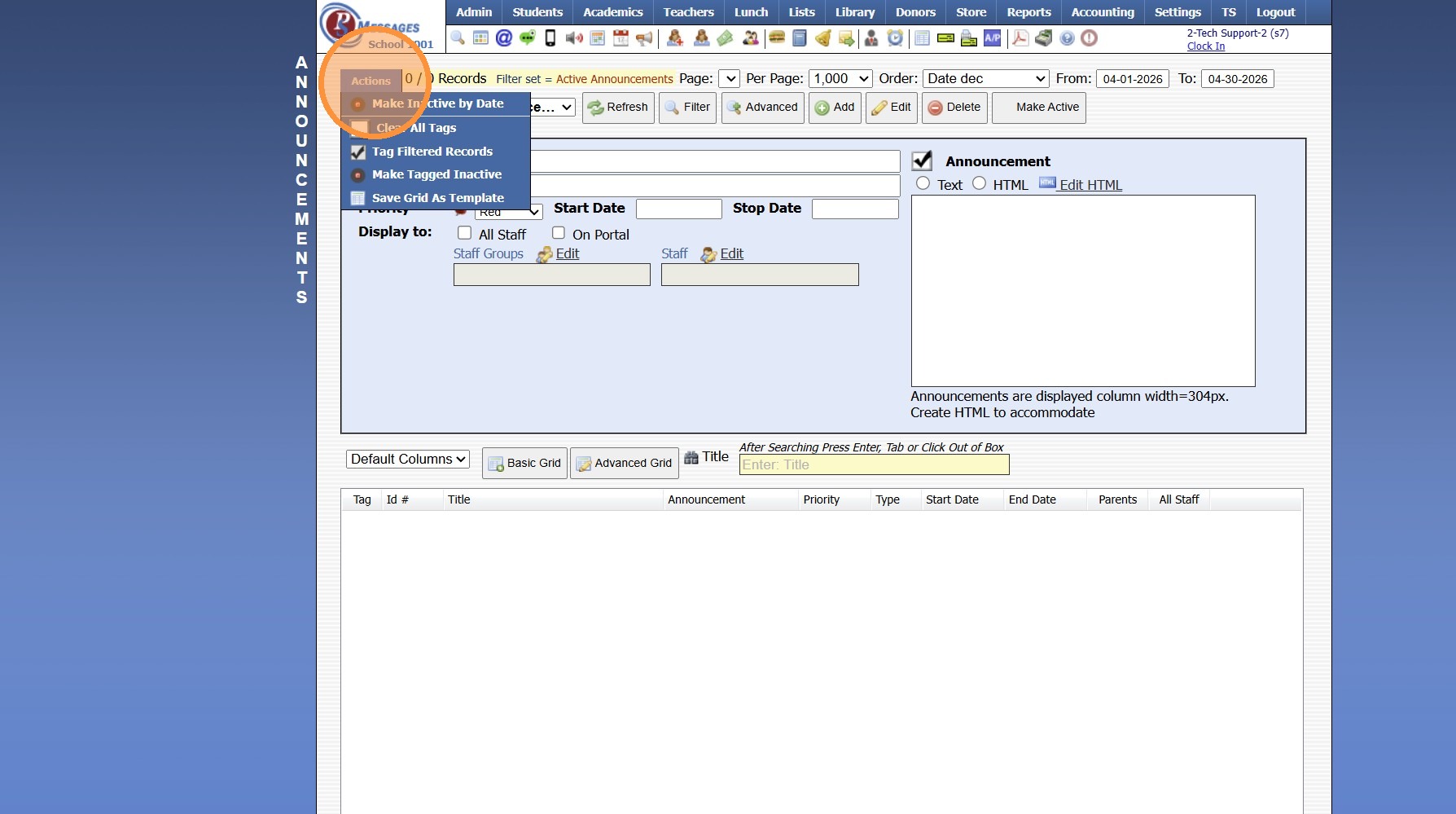
5. Click "Make Inactive by Date"
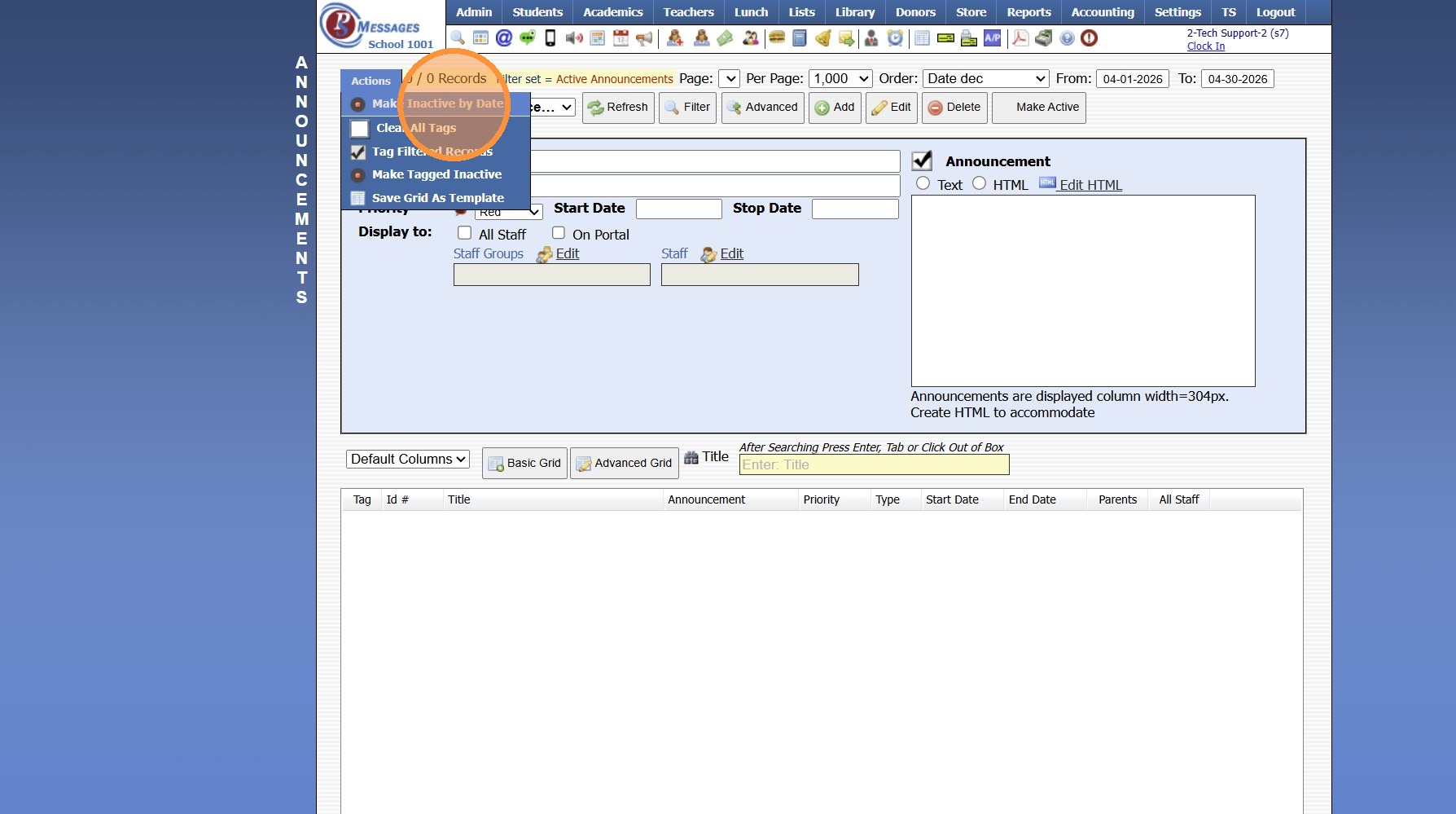
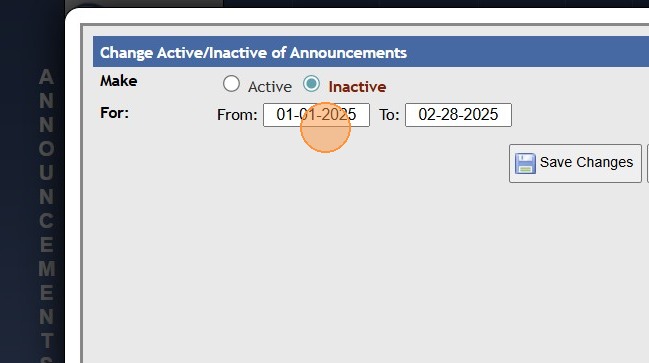
6. Select From & To Dates
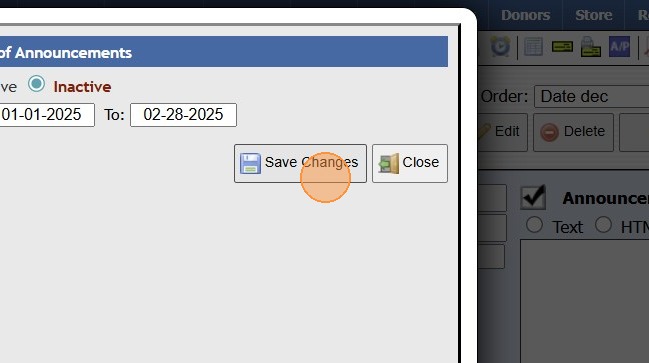
7. Click "Save Changes"
814673
Related Articles
Session Close Tasks - Admin: Copy School Calendar
1. Click "Admin" 2. Select "Tasks" 3. Click "Copy School Calendar" 4. Select Current School Year 5. Select New School Year 6. Uncheck Box next to any Calendar Item that should NOT be Copied into the New School Year 7. Update Start Date & End Date for ...Session Close Prep Step II: Creating Current School Year Session Close
1. Click "Admin" 2. Click "Tasks" 3. Click "Session Close Prep" 4. Select "Create New Closing" from dropdown 5. Select "Current Session" to Close Current School Year, Select "Summer Session" to Close a Summer Session 6. Select Current School Year 7. ...Session Close Tasks - Admin: Make Prior Year Calendar Inactive
1. Click "Admin" 2. Click "Resources" 3. Click "School Calendar" 4. Click "Actions" 5. Click "Make a Year Inactive" 6. Select the School Year to Make Inactive 7. Click "Save" 9600.2.3Session Close Tasks - Academic Tasks: Average Grades
1. Click "Academics" 2. Click "Grades Tasks" 3. Click "Average Grades" 4. Click "Select All" 5. Select Grade Periods to Average 6. Select Semesters to Average 7. Select Year to Average 8. Select Notification Preference 9. Click "Average Grades" 10. ...Session Close Tasks - Admin: Clear Locker Assignments
1. Click "Lists" 2. Select "Misc Lists - Students" 3. Select "Lockers" 4. Click "Actions" 5. Click "Clear Lockers" 9600.2.4