How to Export Database Files
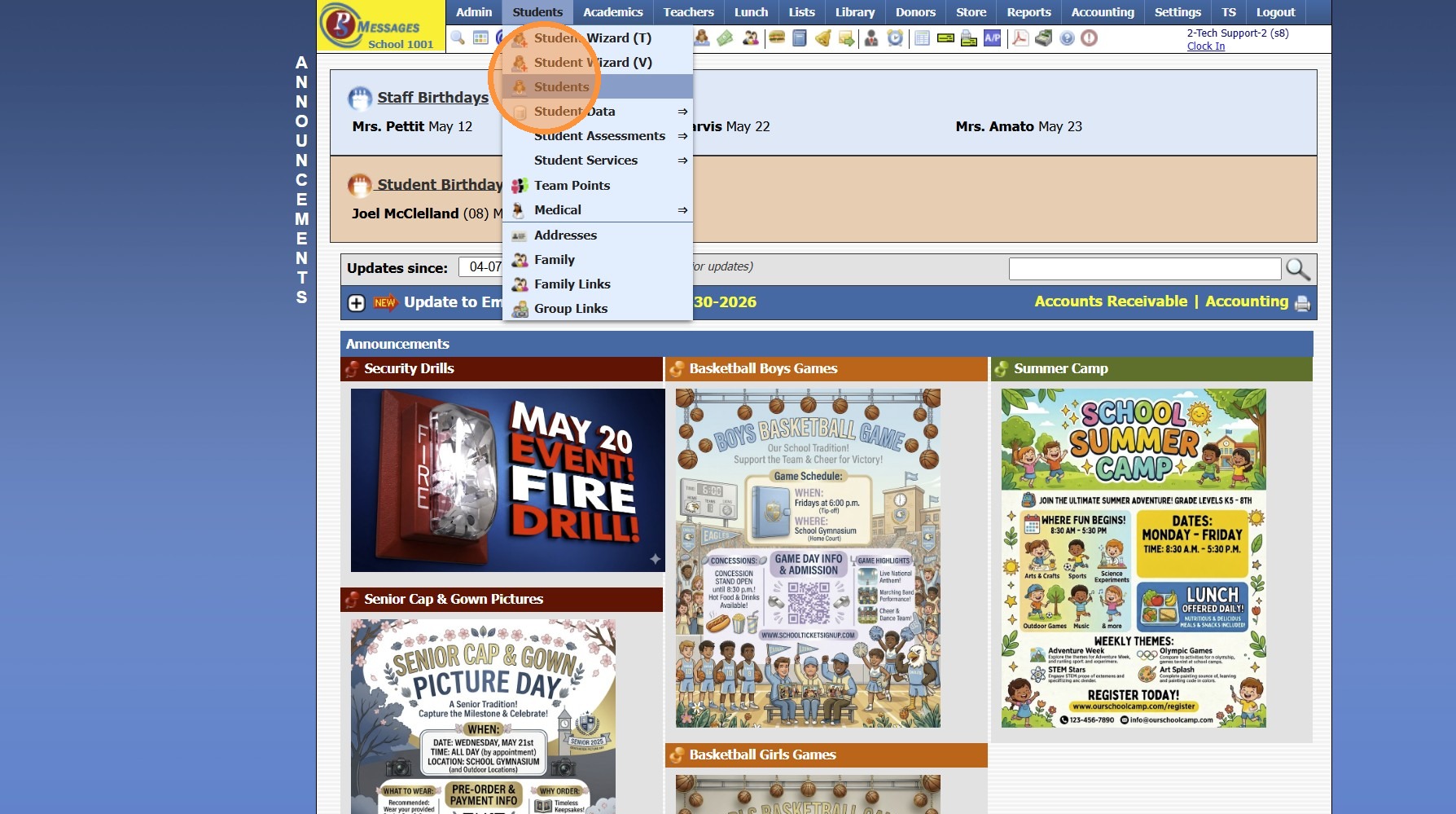
1. Select the Database to Export Files
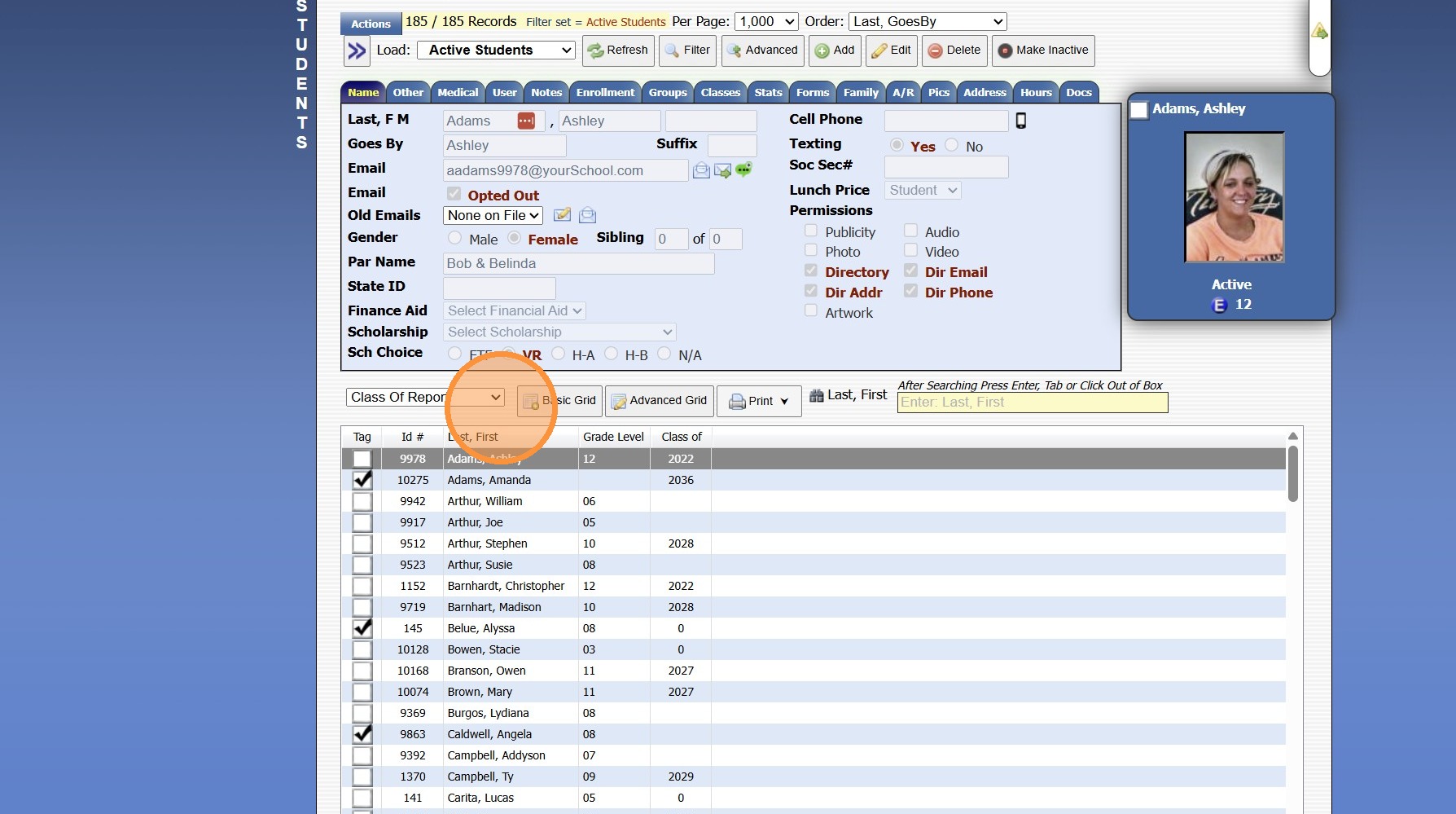
2. Select the Grid Option that Contains the Data to Export
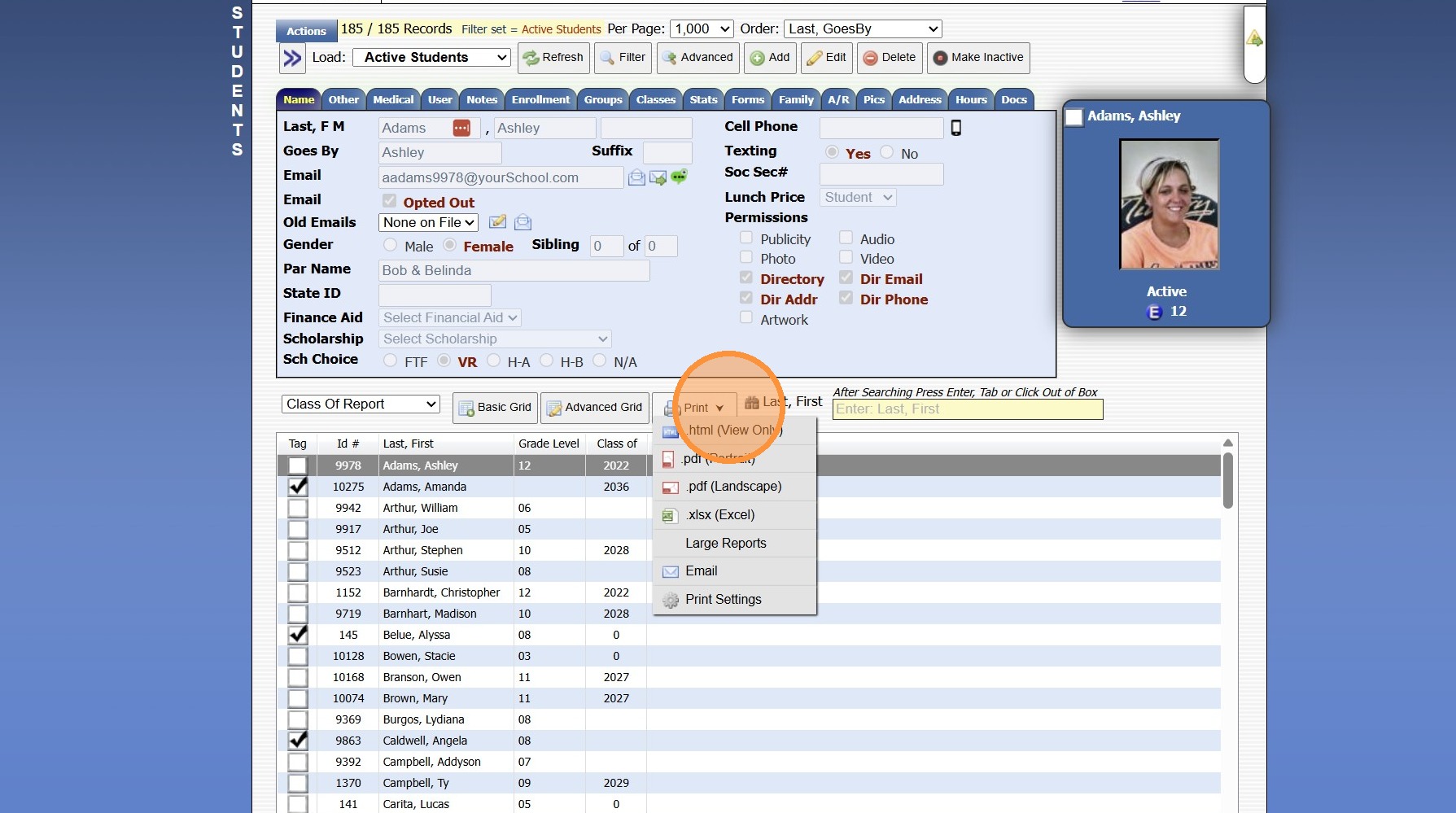
3. Click "Print ⮟"
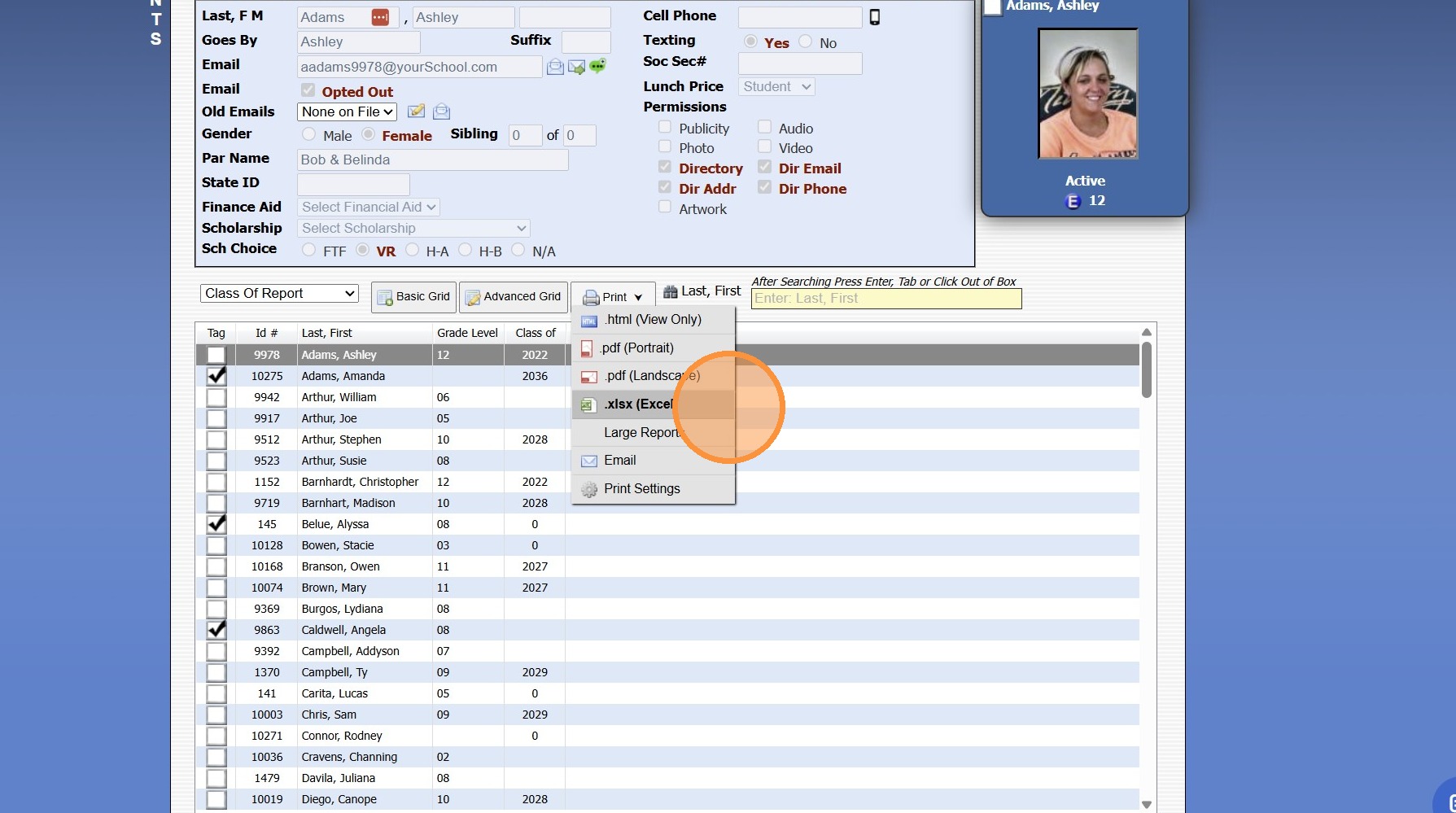
4. Click ".xlsx (Excel)"
8000.38
Related Articles
Why Are All Records Not Populating in a Database?
Tip: The Most Common Reason all Records are not Populating in a Database is because the Per Page Count is Lower than the Number of Records. See Instructions Below. 1. Select Database 2. Check Number of Records Showing & Total Number Records 3. Change ...Print, Email, Export or Generate a PDF General Ledger Report (Balance Sheet)
1. Click "Accounting" 2. Click "Reports" 3. Click "General Ledger" 4. Select "Balance Sheet " from Dropdown Menu 5. Set Date Range 6. Click "Print" 7. Select Print, Email, Export or PDF (If Selecting Email, Verify the Email Address) 6000.10.12Print, Email, Export or Generate a PDF General Ledger Report (All Accounts)
1. Click "Accounting" 2. Click "Reports" 3. Click "General Ledger" 4. Set Date Range 5. Click "Print" 6. Select Print, Email, Export or PDF (If Selecting Email, Verify the Email Address) 6000.10.10Print, Email, Export or Generate a PDF General Ledger Report (Expense Accounts)
1. Click "Accounting" 2. Click "Reports" 3. Click "General Ledger" 4. Select "Expense Accounts" from Dropdown Menu 5. Set Date Range 6. Click "Print" 7. Select Print, Email, Export or PDF (If Selecting Email, Verify the Email Address) 6000.10.15Print, Email, Export or Generate a PDF General Ledger Report (Income Statement)
1. Click "Accounting" 2. Click "Reports" 3. Click "General Ledger" 4. Select "Income Statement " from Dropdown Menu 5. Set Date Range 6. Click "Print" 7. Select Print, Email, Export or PDF (If Selecting Email, Verify the Email Address) 6000.10.13