How do I Change a Student's Enrollment Date?
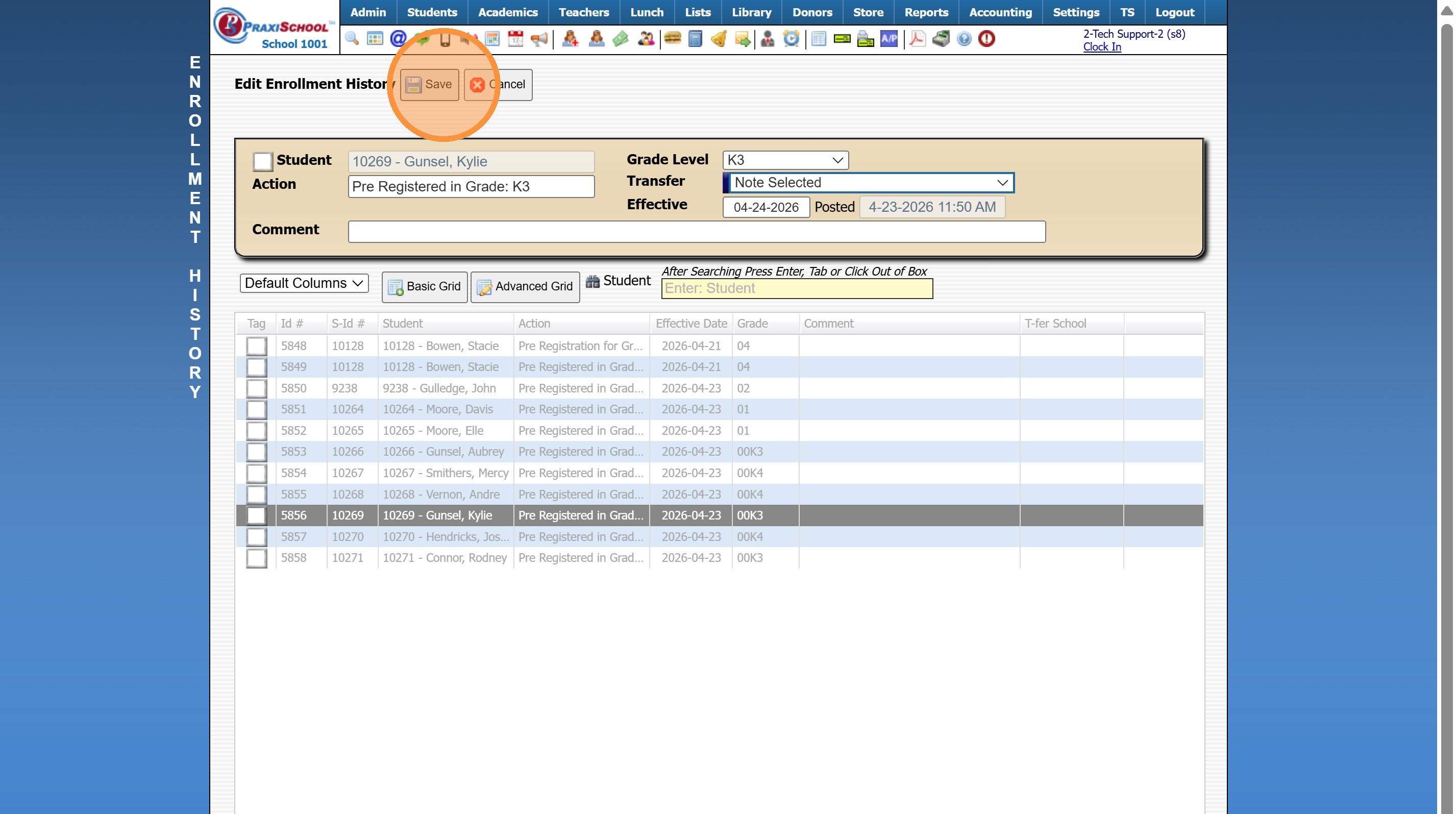
Tip: To Change a Student a Student's Enrollment Date so that the Enrollment Date is reflected Correctly in Praxi, the Enrollment Date should be Changed in Enrollment History. Follow the Instructions below to properly Change a Student's Enrollment Date.
1. Click "Students"
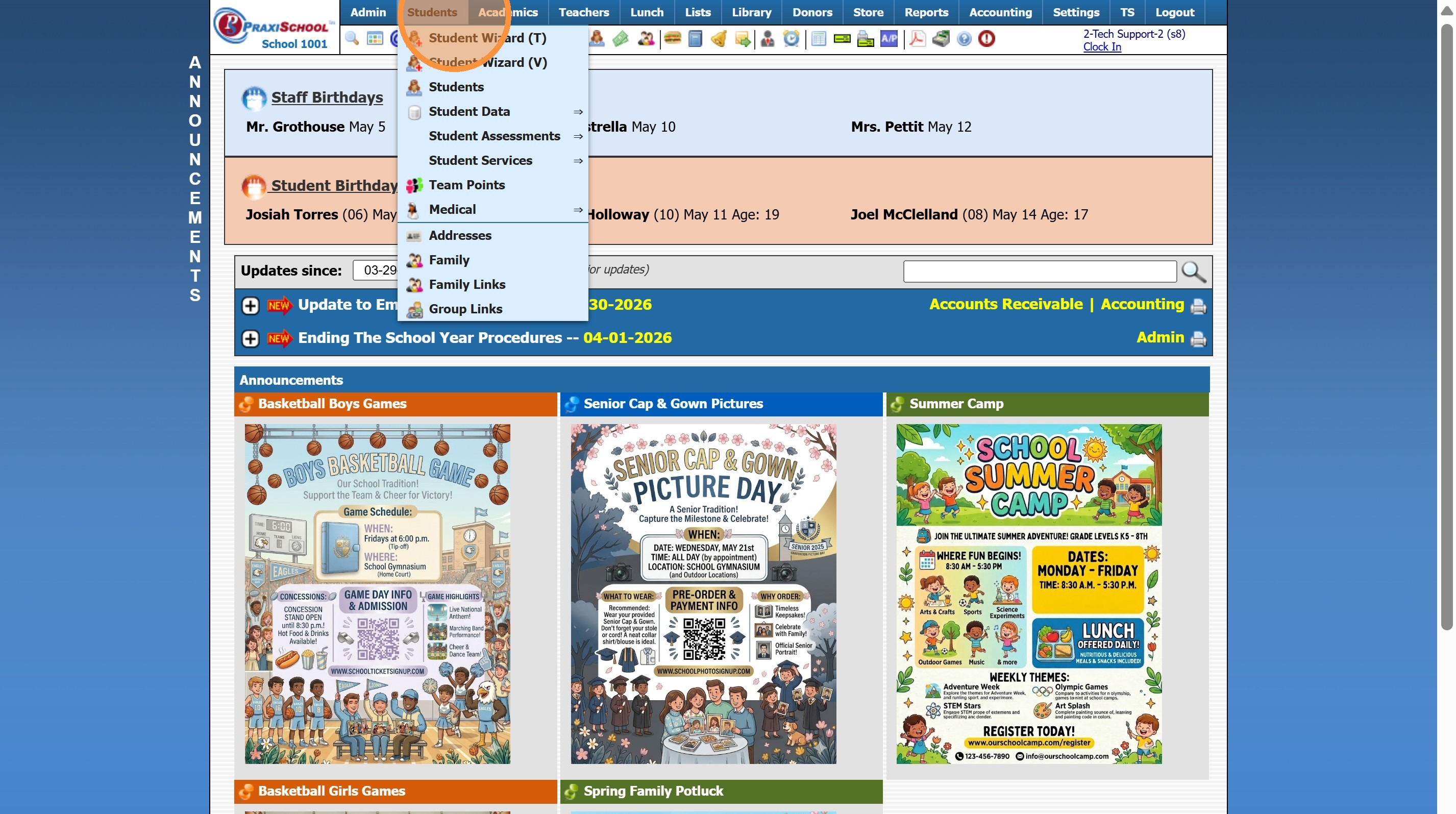
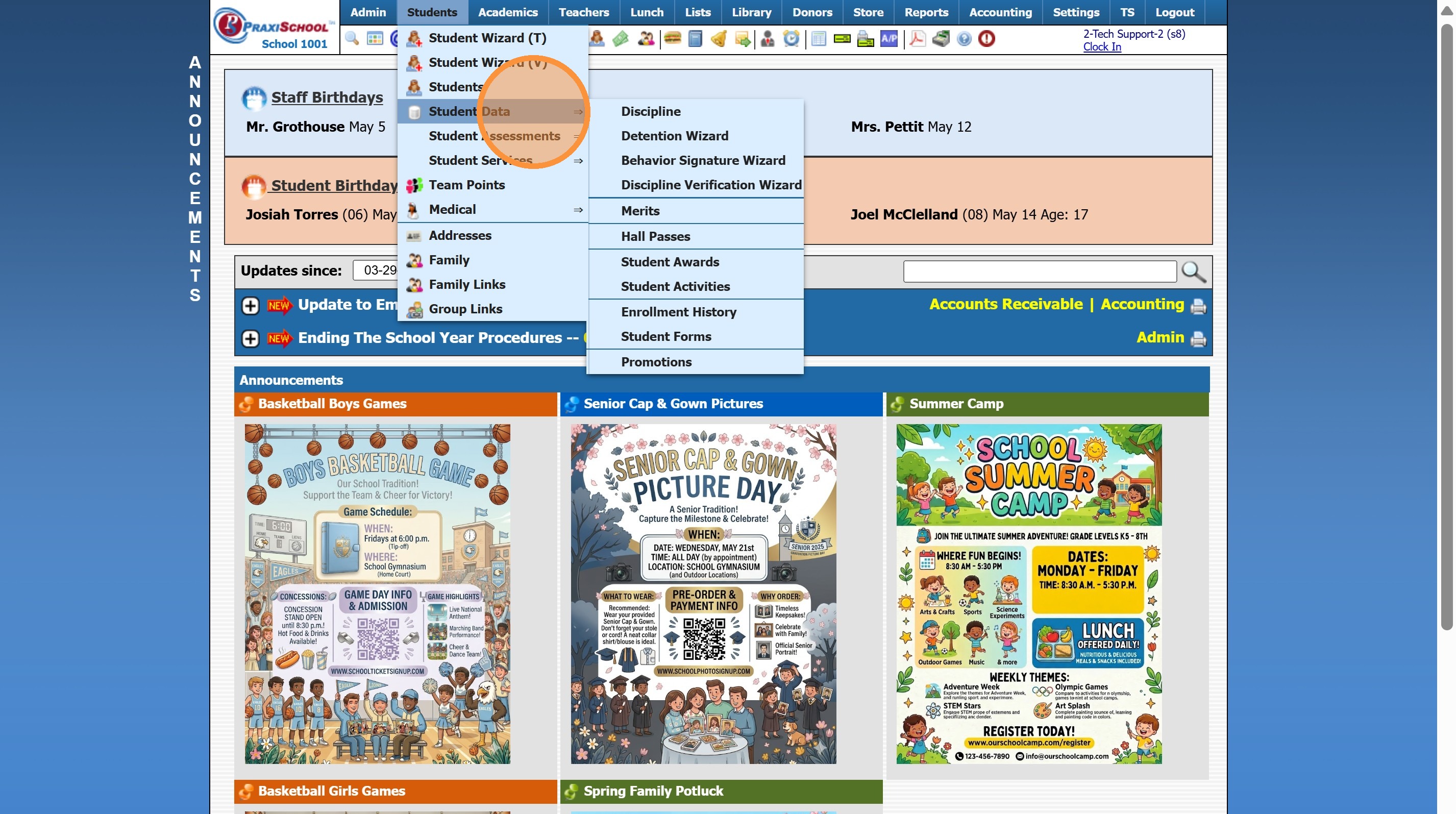
2. Click "Student Data"
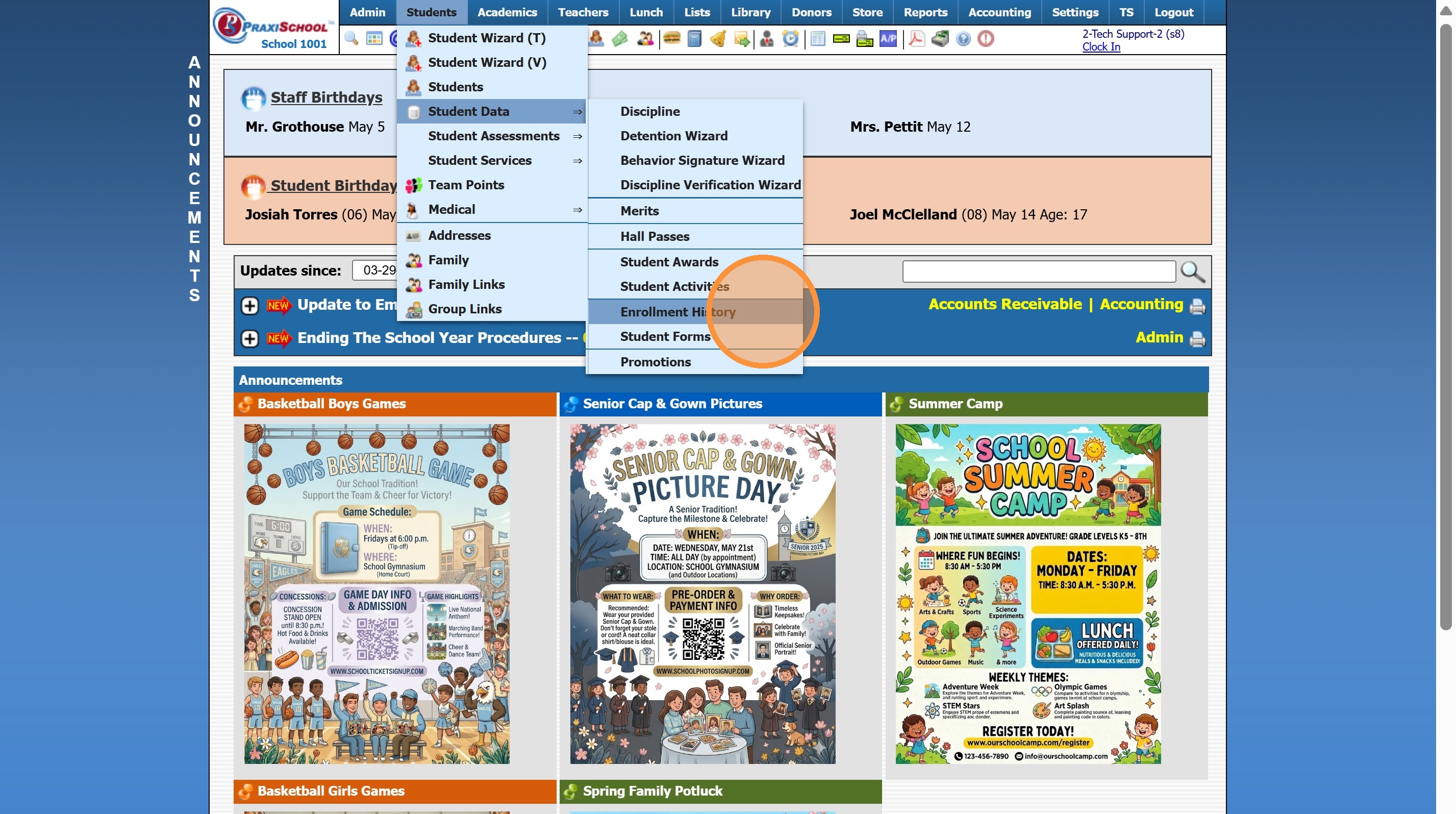
3. Click "Enrollment History"
4. Set From Date to a Date Prior to the Student's original Enrollment Date
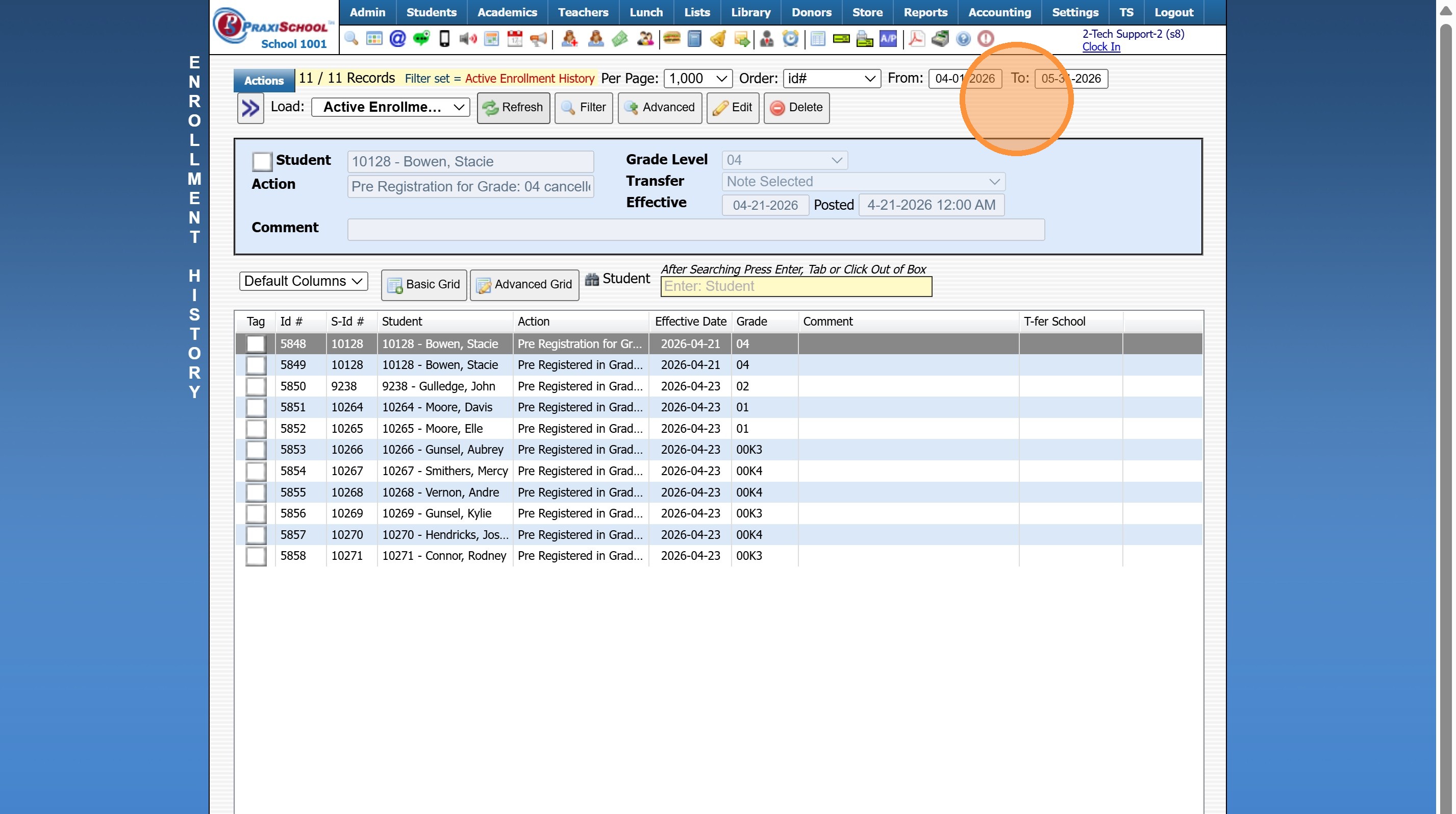
5. Click "Refresh"
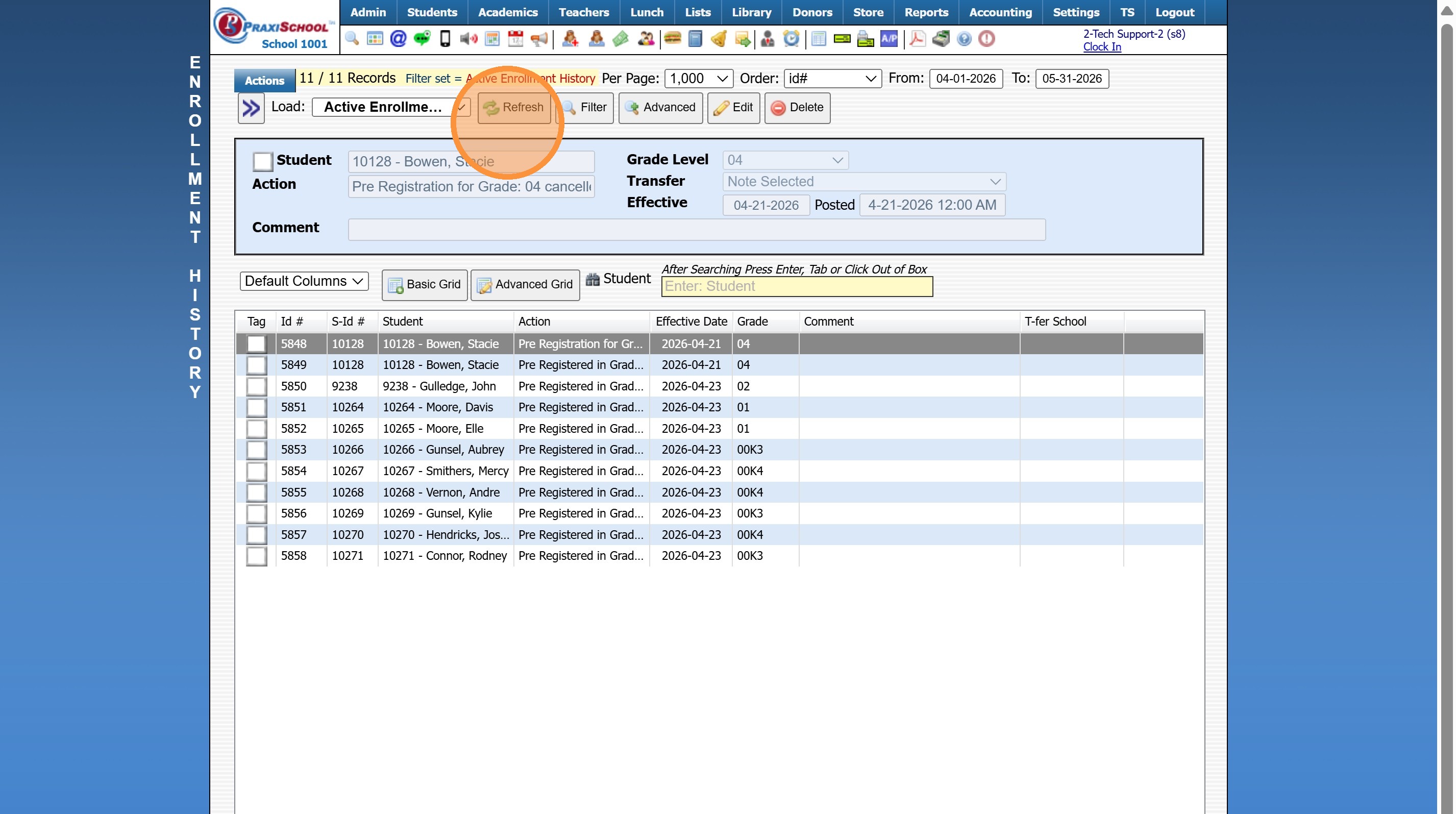
6. Select the Student's Record
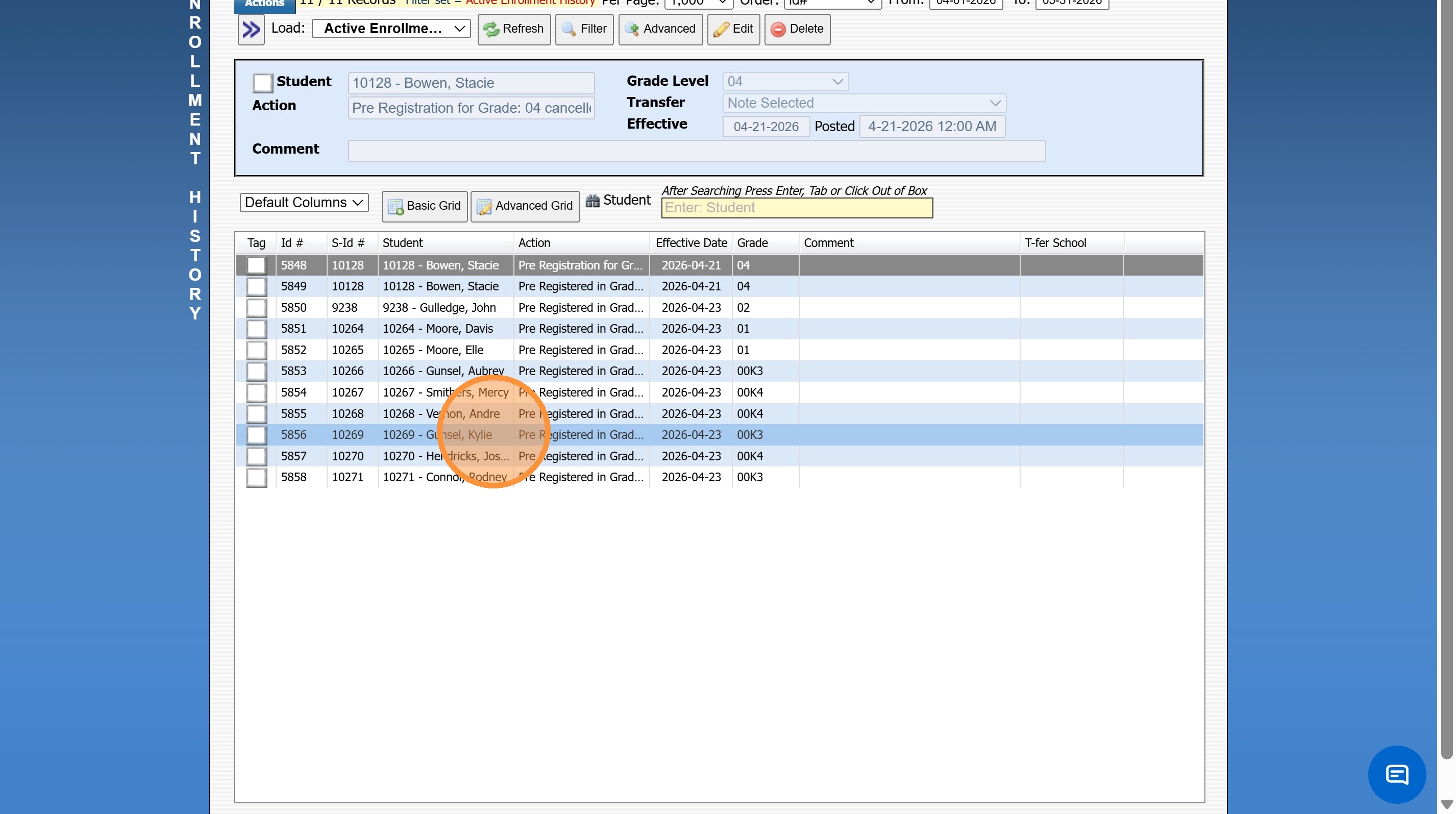
7. Click "Edit"
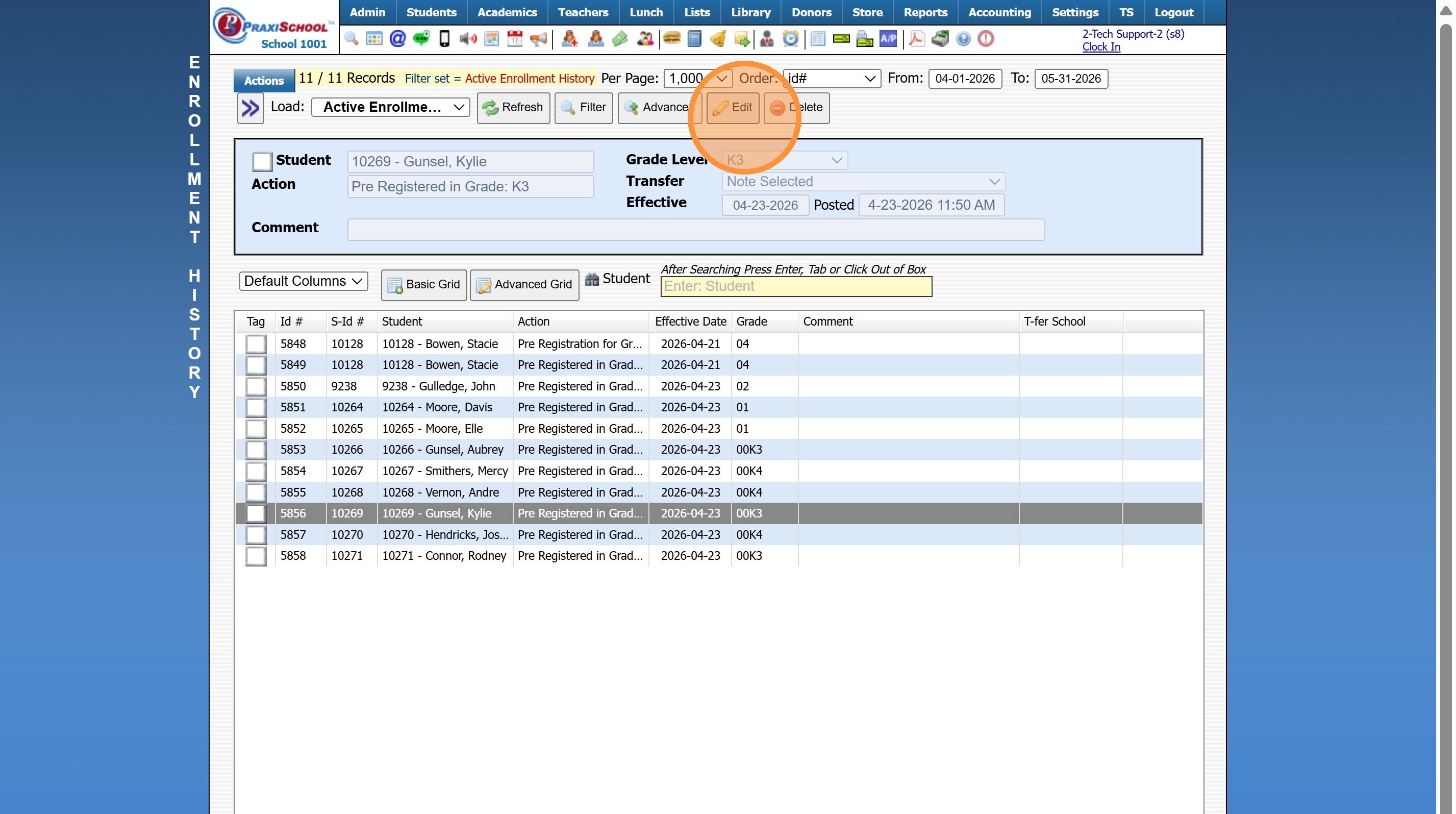
8. Change the Effective date to the Correct Enrollment Date
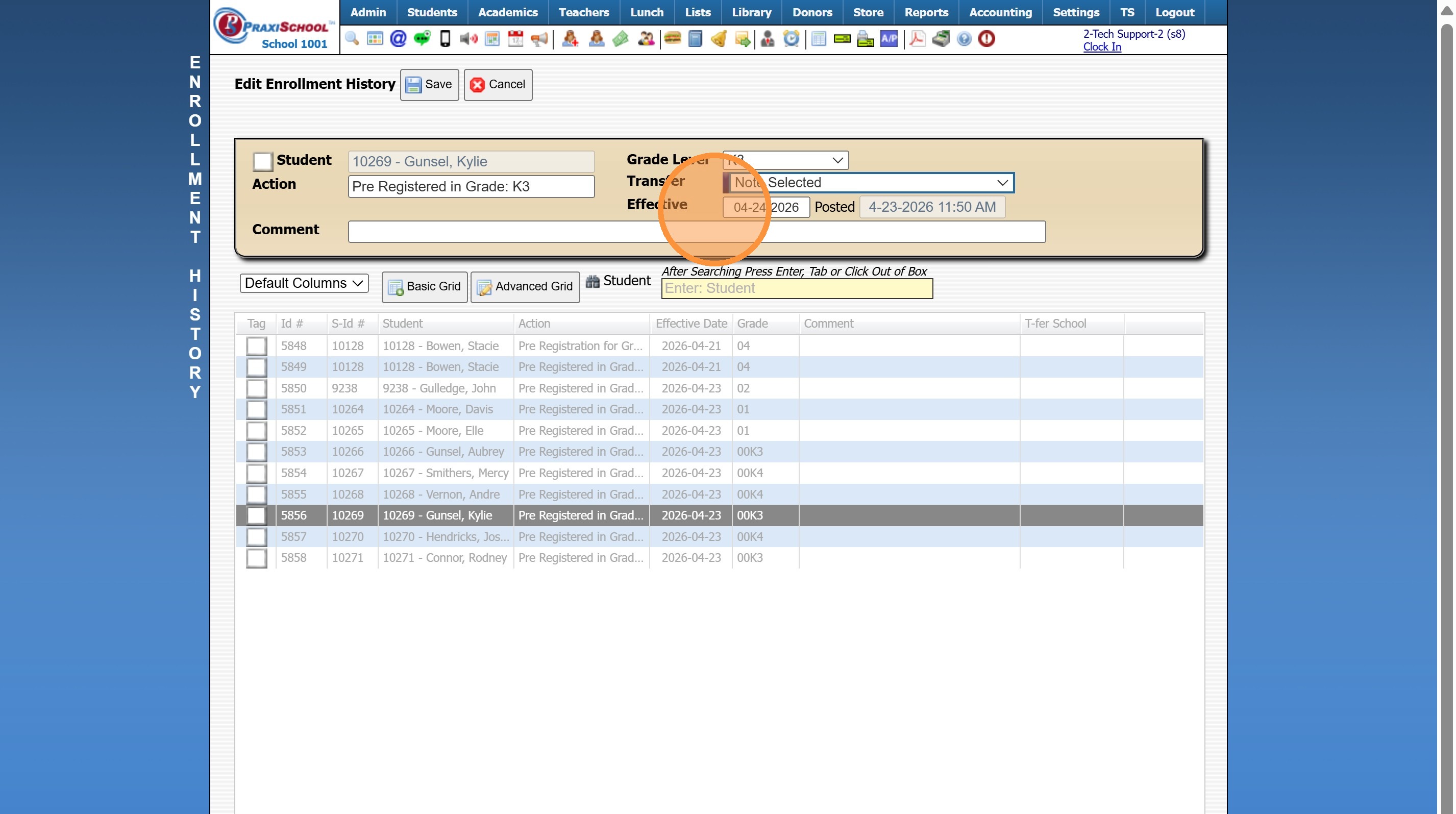
9. Click "Save"
8000.37
Related Articles
Enrollment Reports
1. Click "Reports" 2. Click "Enrollment" Manually Selecting Report Options 3. Select the "For" option, "Enrolled" option, "Summer" option and/or the "Next Year" option 4. Select desired options for the Report 5. Select to Generate Enrollment Report ...Changing Balance Due Date
Changing Balance Due Date 1. Log into PraxiSchool 2. Click "Admin" 3. Click "Accounts Receivable" 4. Click "Actions" 5. Click "Change Bal As of Date" 6. Select As of Trans Date OR As of Dep Date 7. Enter Date 8. Click "Change Date" Clearing Balance ...Session Close Tasks - Enrollment: Attendance Type Change
Alert: PLEASE NOTE: Attendance type should NOT be changed during the school year! 1. Click "Lists" 2. Click "Enrollment" 3. Click "School Levels" 4. Select School Level 5. Click "Edit" 6. Select Desired Attendance Type Daily - Attendance is taken 1 ...Session Close Tasks - Enrollment: Pre-Registering Existing Student Using the Promote Students Wizard
1. Click "Academics" 2. Click "Grades Tasks" 3. Click "Promote Students" 4. Select the Effective Date 5. Select Grade Levels to Promote 6. Click "Next Session" to Pre-Register for Next Year 7. Click "Create Record in Enrollment History" to add the ...Withdrawing a Student
Withdrawing a Student 1. Log into PraxiSchool 2. Click "Students" 3. Click "Students" 4. Select Student to Withdraw 5. Click "Actions" 6. Click "Withdraw" 7. Select the Correct Session "Current, Summer or Next" 8. Click the "Clear" Box to Clear the ...