Connecting Google Account to PraxiSchool Teacher Account
How to connect Praxi with Google Classroom
1. Click "Teachers"
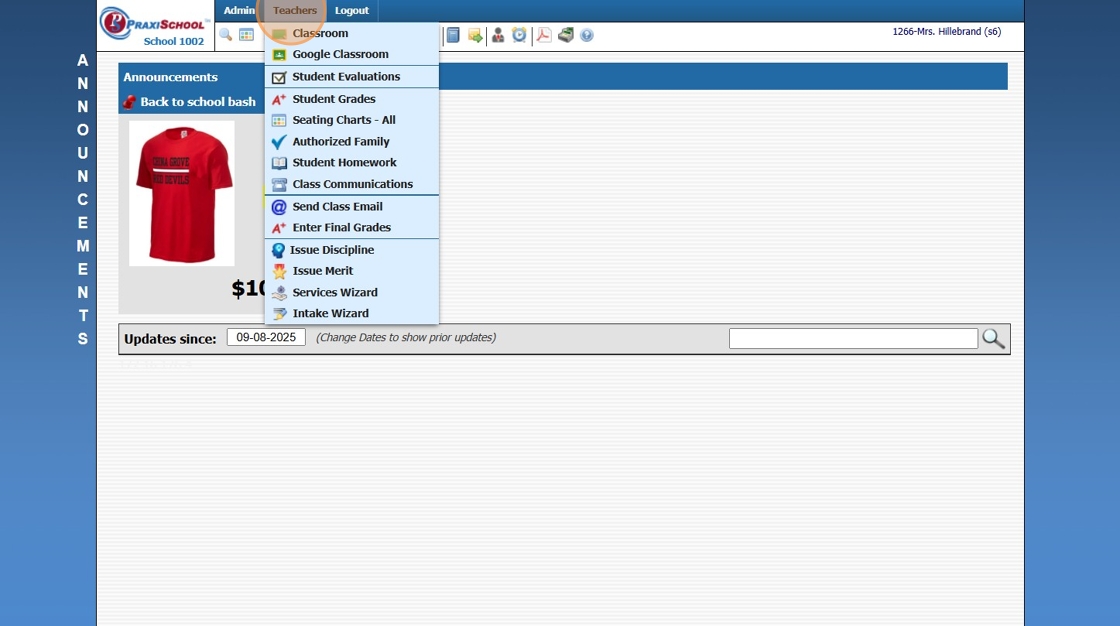
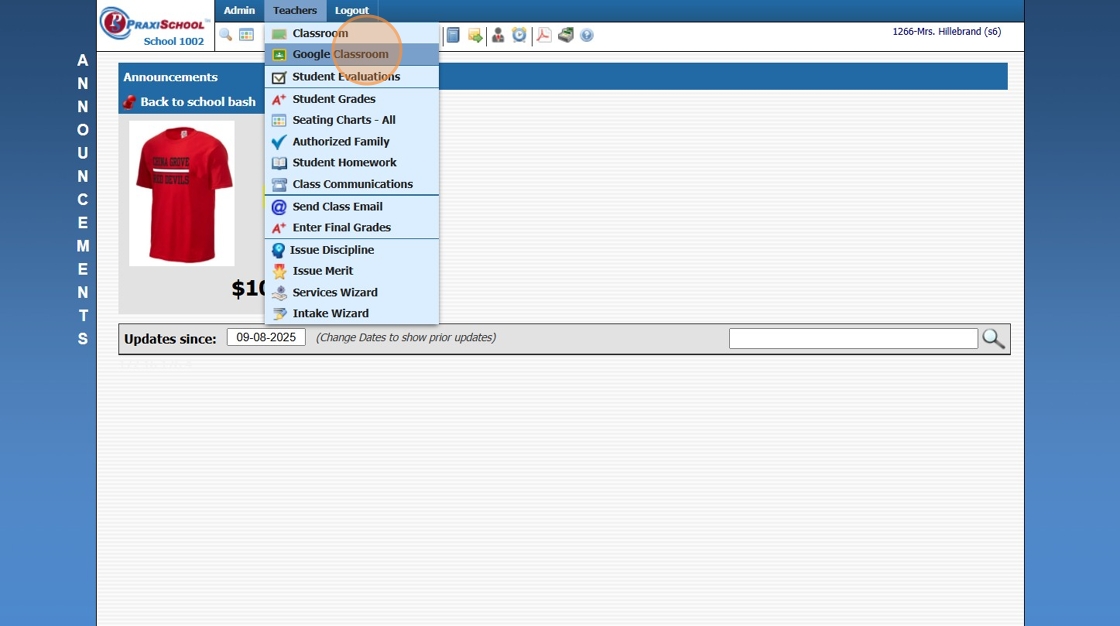
2. Click "Google Classroom"
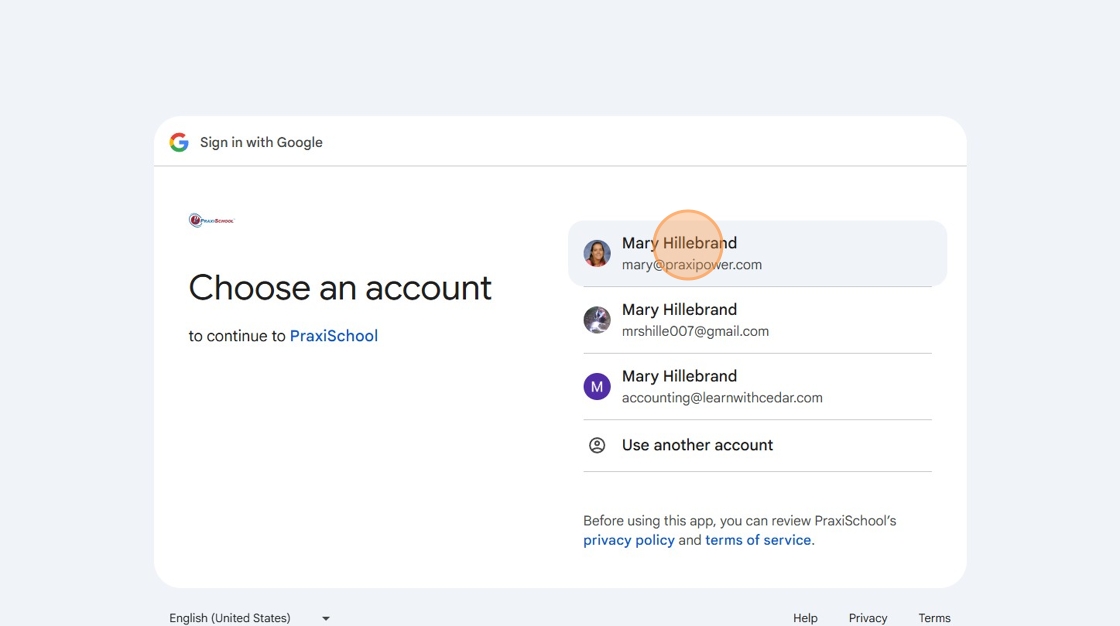
3. Select the Google Account that is being used with the Google Classroom.
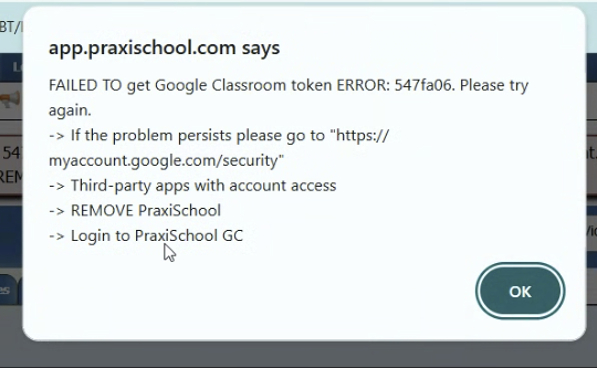
4. Click OK
5. Click Close on right, inside pink box, to close message.

Alert: Alert! If you cannot see both Praxi AND Google Classrooms, follow instructions below.
- If you need to refresh your token. This can happen if you used both the BETA and LIVE sites.
- Click: https://myaccount.google.com/security
- Scroll down to "Third-party apps with account access and Click on it.
- Click on PraxiSchool
- Click Remove Access
- When you go back into Google Classroom in PraxiSchool you will log in with a new token.
2500.2.2
Related Articles
Creating Google Classroom from PraxiSchool
How to Create a Google Classroom Class from PraxiSchool 1. Go to Teachers/Google Classroom 2. Click "Classes" 3. Check Class you want to create in Google Classroom 4. Click "Utilities" 5. Click "Create GC Class" 6. Switch to Google Classroom and ...Invite or Remove Additional PraxiSchool Staff Member to Google Classroom
Invite and Remove Staff from Google Classroom 1. Click "Teachers" 2. Click "Google Classroom" 3. Click "Staff" 4. Select Google Class 5. Select Praxi Staff to send Google Classroom Invitation 6. Click "Utilities ⮟" 7. Click "Invite Selected Staff" 8. ...Implementing Google Classroom
Implementing Google Classroom 1. Click "Teachers" 2. Click "Google Classroom" & Select Google Account to Link 3. Click the "Help" tab to Access the Google Classroom Help for Implementation 4. Click "Google Classroom Interface" to View Interface ...Unlinking PraxiSchool Class with Google Classroom
Unlinking PraxiSchool Class with Google Classroom 1. Click "Teachers" 2. Click "Google Classroom" 3. Check Praxi class to unlink. 4. Click "Utilities" 5. Click "Clear Selected Links" 2500.2.5Create Google Classroom Assignment in PraxiSchool Class
Creating Google Classroom Assignments in PraxiSchool Class 1. Click "Teachers" 2. Click "Google Classroom" 3. Click "Assignments/Grades" 4. Select the Praxi Class 5. Click "Create Google Classroom Assignments In PraxiSchool" Alert: Alert! Make sure ...