Batch Adding Awards, Activities or Endorsements to Student Transcripts from the Student File
Batch Adding Awards, Activities or Endorsements to Student Transcripts from the Student File
1. Click "Students"
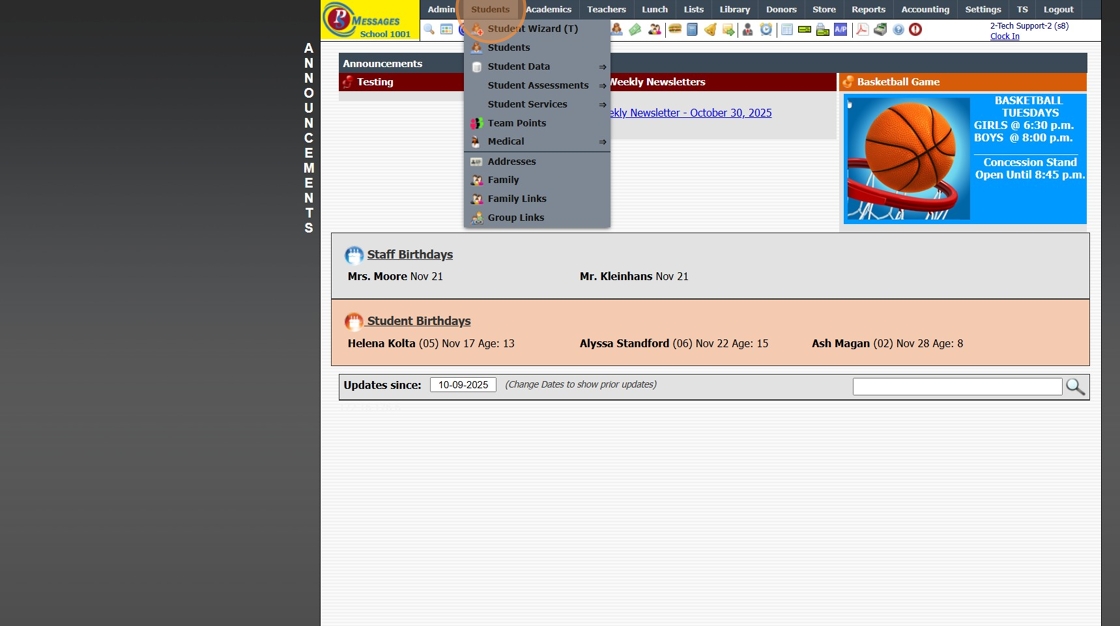
2. Click "Students"
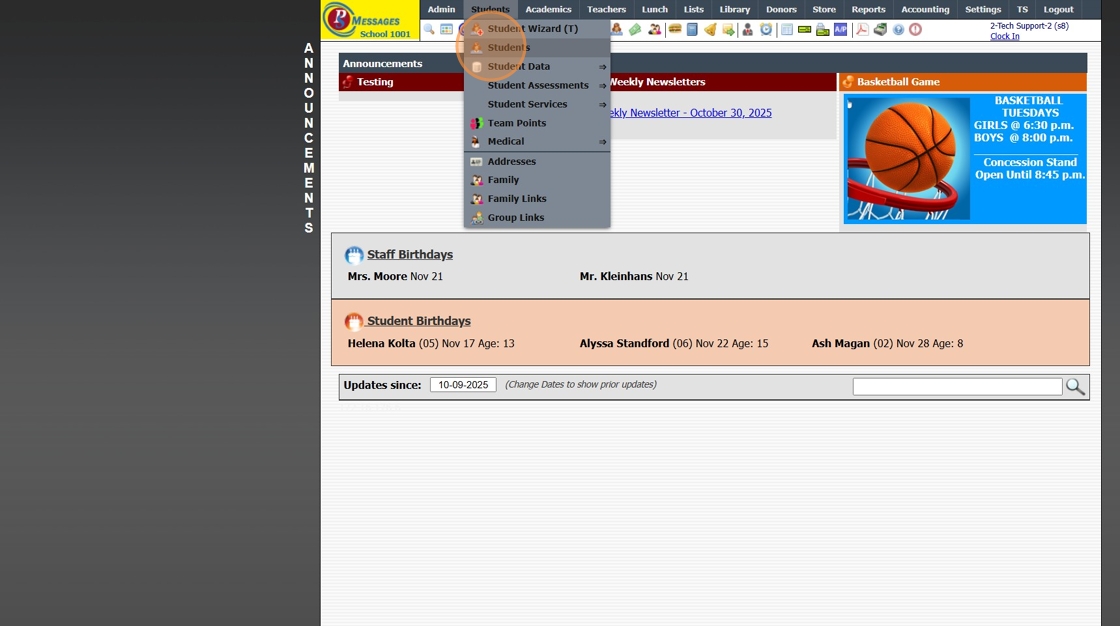
3. Tag Students to Assign Award, Activity or Endorsement
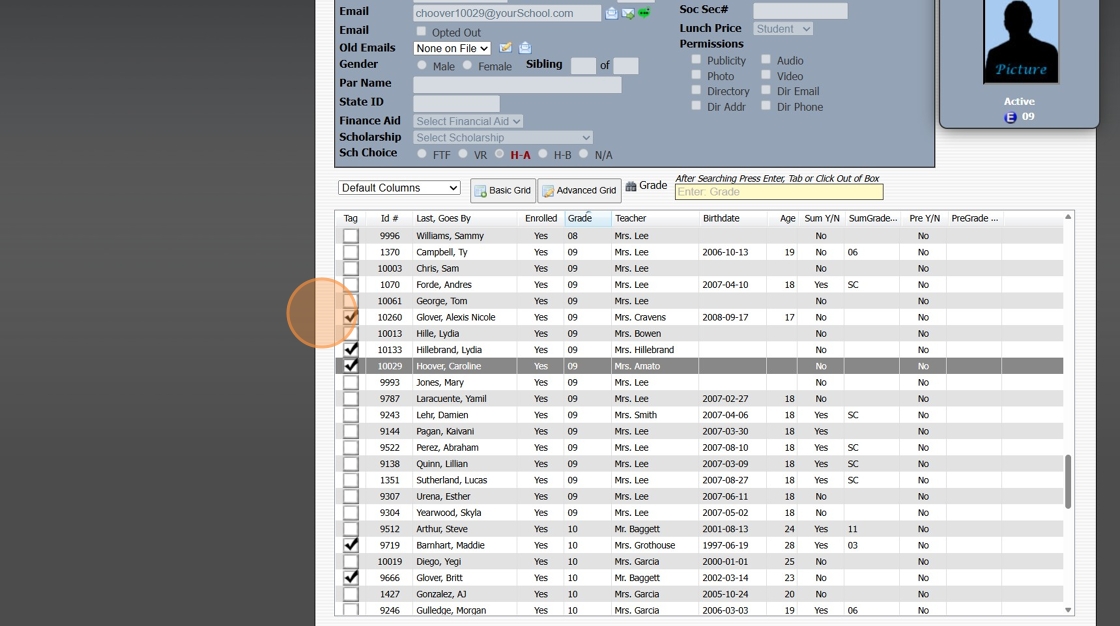
4. Click "Actions"
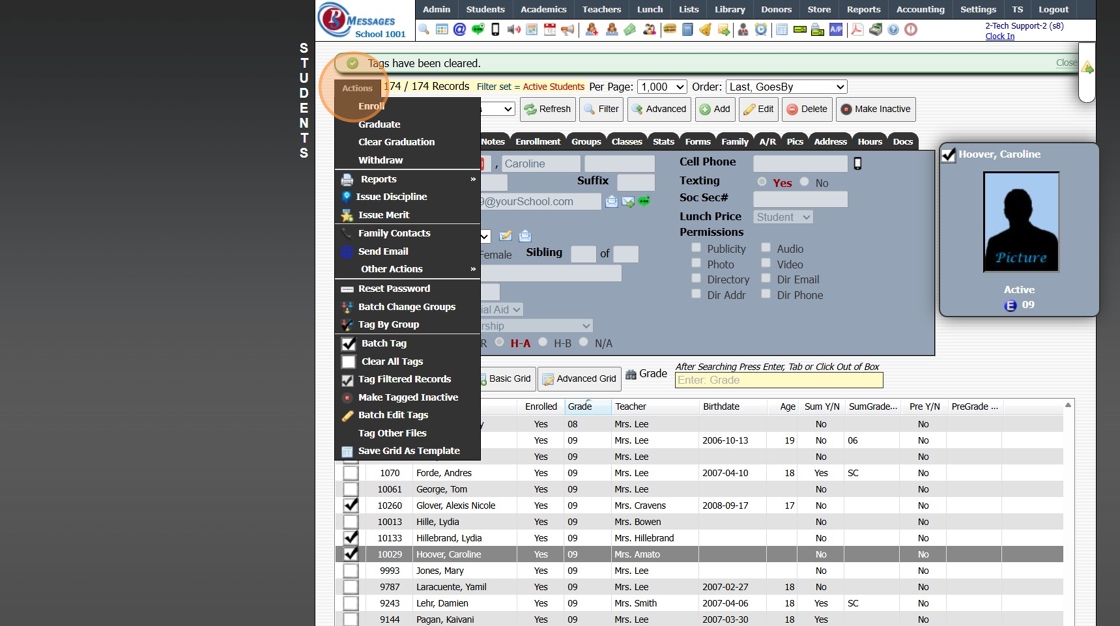
5. Click "Other Actions"
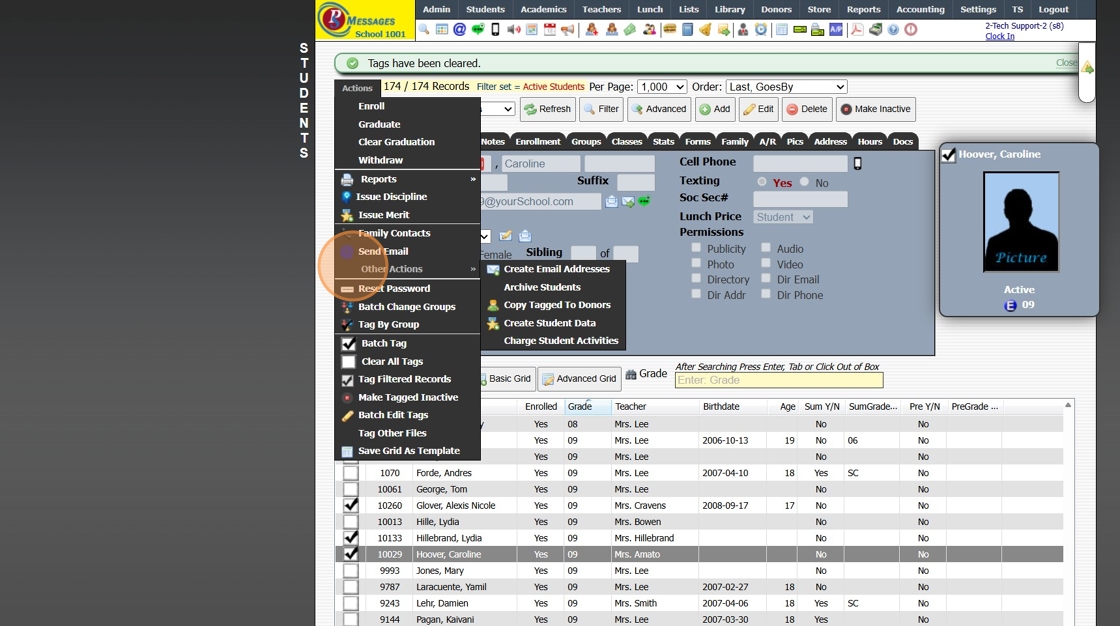
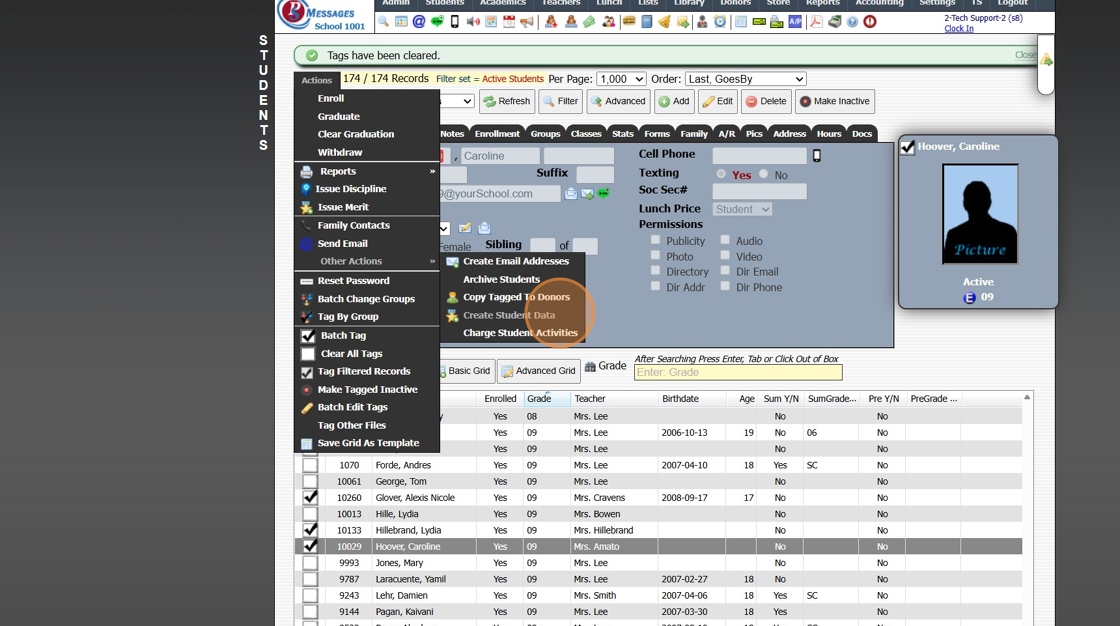
6. Click "Create Student Data"
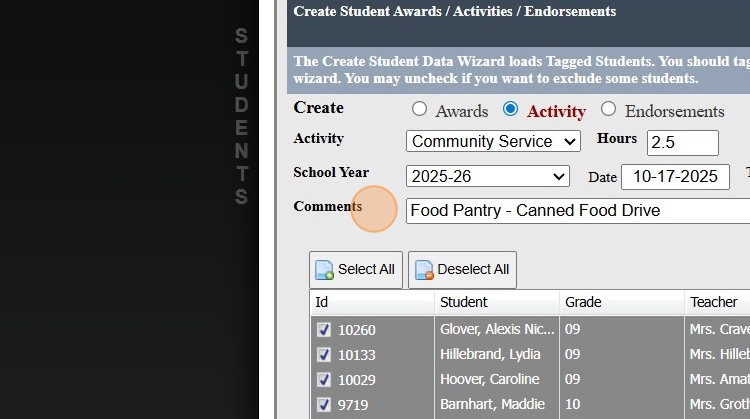
7. Select to Create an Award, Activity or Endorsement
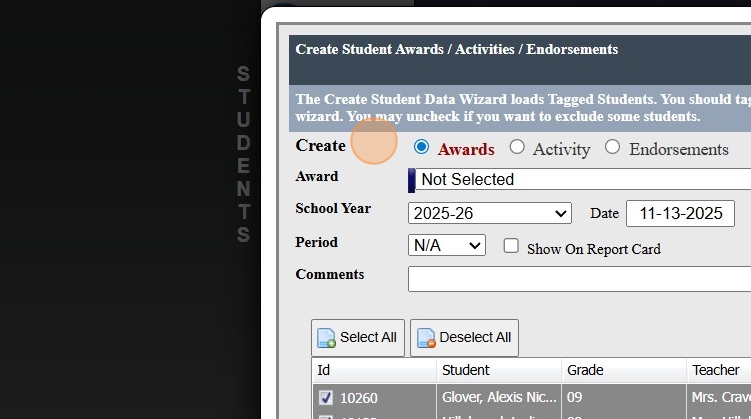
8. Select Award, Activity or Endorsement to Add
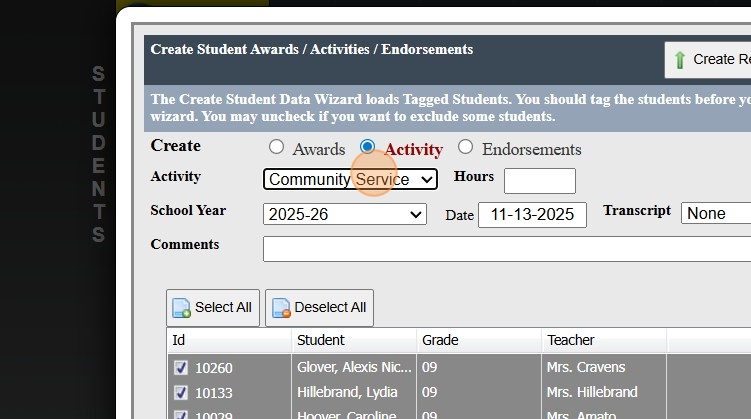
9. If Adding an Activity, Enter the number of Hours
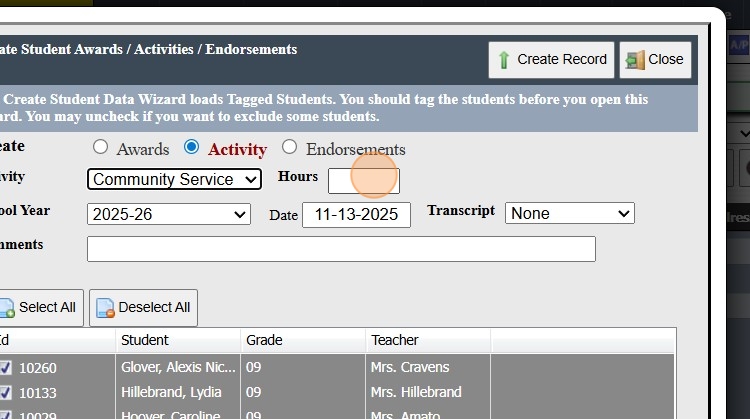
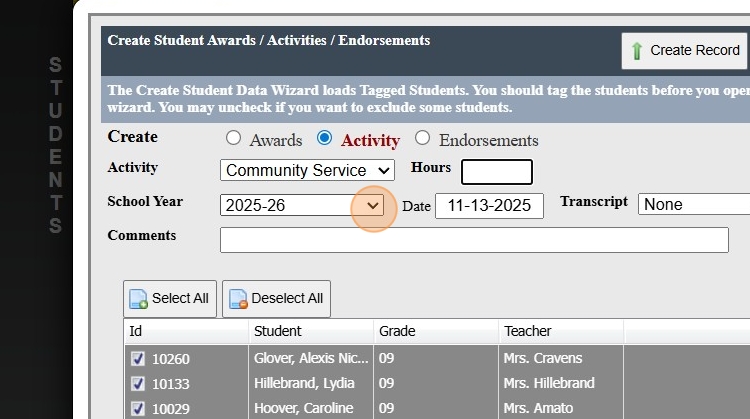
10. Select School Year
(Default is Current School Year)
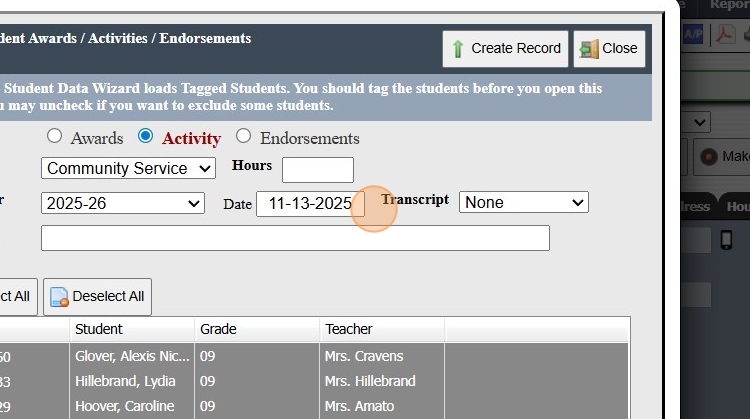
11. Select Date of Award, Activity or Endorsement
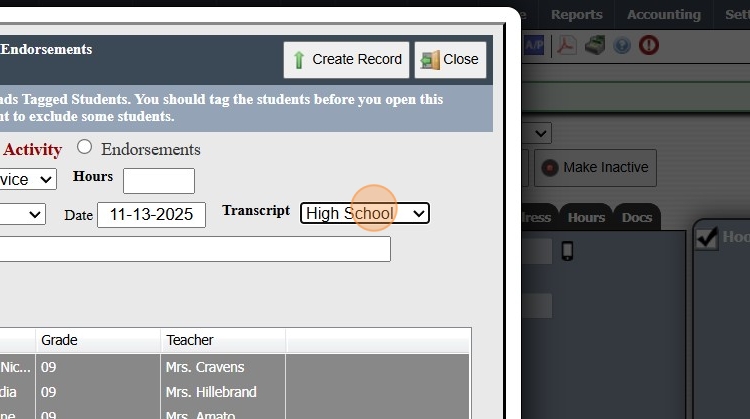
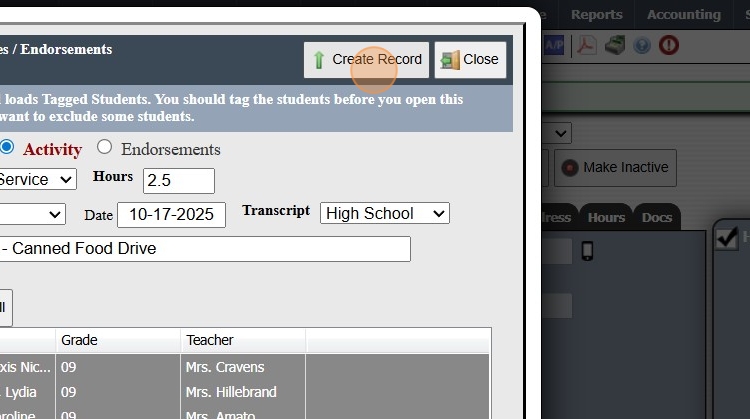
12. Select the Transcript
13. Enter Comments (Optional)
14. Click "Create Record"
15. 1500.4.14
Related Articles
Manually Adding Student Awards
1. Click "Academics" 2. Click "Transcripts" 3. Click "Student Awards" 4. Click "Add" 5. Select Student 6. Select Award Type 7. Select School Year & Date 8. Select Student's Grade Level 9. Select Grade Period (Student Awards can be added to the ...Adding Transcript Endorsements
1. Click "Academics" 2. Click "Transcripts" 3. Click "Endorsements" 4. Click "Add" 5. Select the Endorsement 6. Select the Student 7. Enter Comment (Optional) 8. Enter Notes (Optional) 9. Click "Save" 2000.8.8Adding Student Activities to the Transcript
1. Click "Academics" 2. Click "Transcripts" 3. Click "Student Activities" 4. Click "Add" 5. Select Student 6. Select Activity Type 7. Enter Activity Hours 8. Select School Year 9. Select Date 10. Select Transcript Type 11. Select Student's Grade ...Making Inactive Student Transcripts Inactive in Batch
Making Inactive Student Transcripts Inactive in Batch 1. Click "Academics" 2. Click "Transcripts" 3. Click "Transcripts" 4. Click "Actions" 5. Deactivate for Inactive, type "INACTIVE" & Click "Ok" 6. 2000.8.19Adding Batch Contracts to Student Billing Accounts
Adding Batch Contracts to Student Billing Accounts Tip: Tip! All Contract Templates must be set up prior to Batch Adding. Only contracts that have a set dollar amount can be added in the batch process. The NOW financing option in Contract Templates ...