Adding Email CC List
Adding Email CC List
1. Click "Admin"
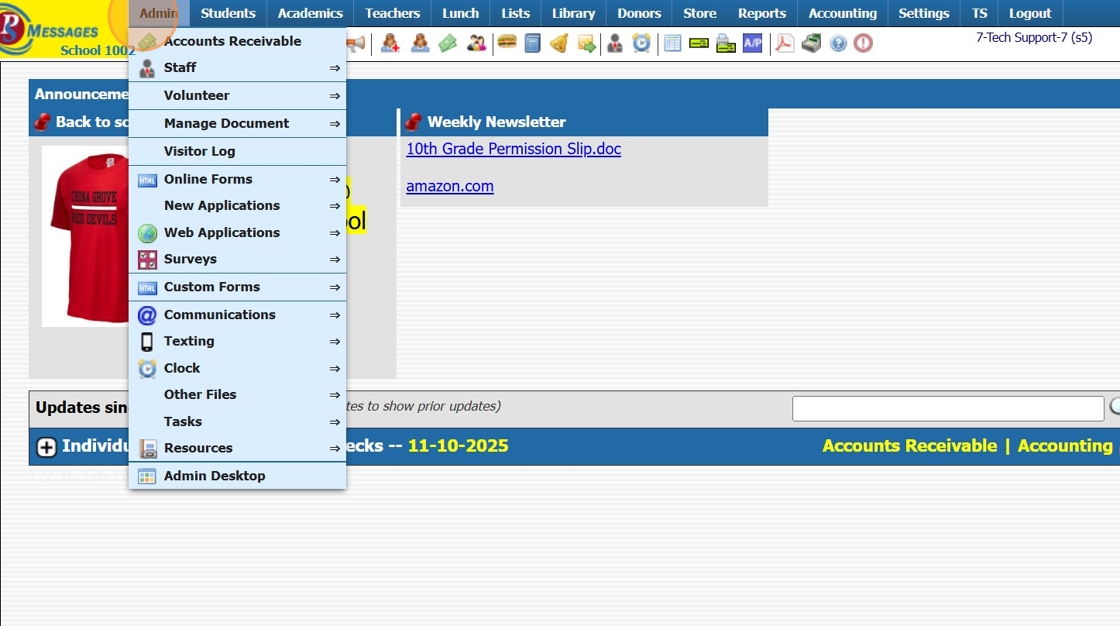
2. Click "Communications"

3. Click "Email cc List"

4. Click "Add"

5. Select Staff Member to Assign CC List

6. Enter Description for CC List
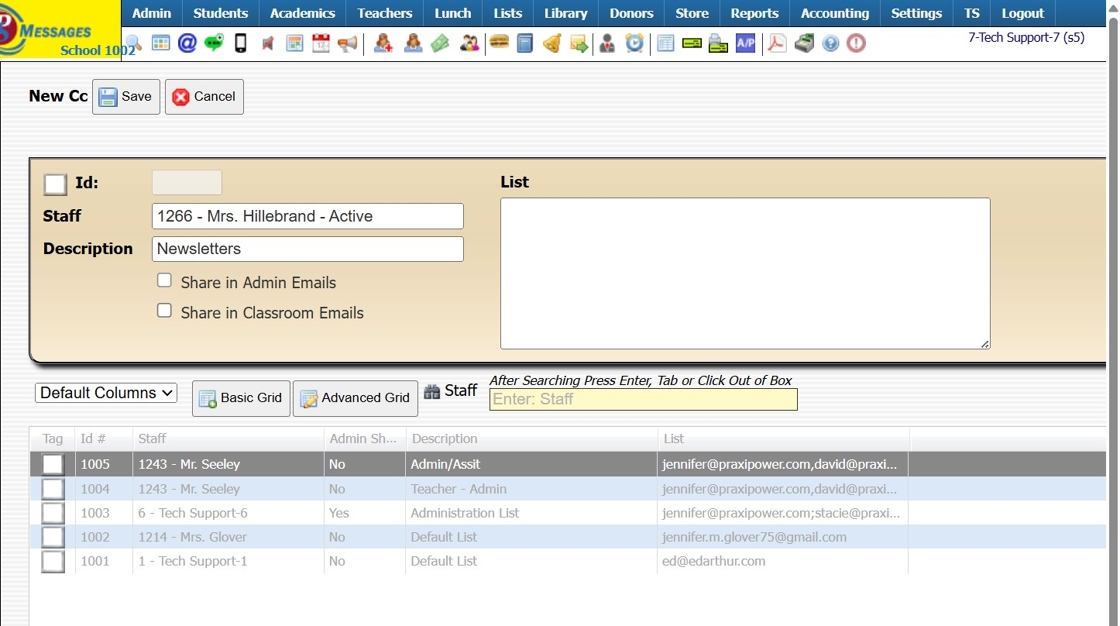
7. Share in Admin Emails - Check box to allow Other Admin Users Access to CC List
Share in Classroom Emails - Check box to allow Teachers Access to CC List

8. Enter CC List Email Addresses separated by a Comma only (NO SPACES)

9. Click "Save"
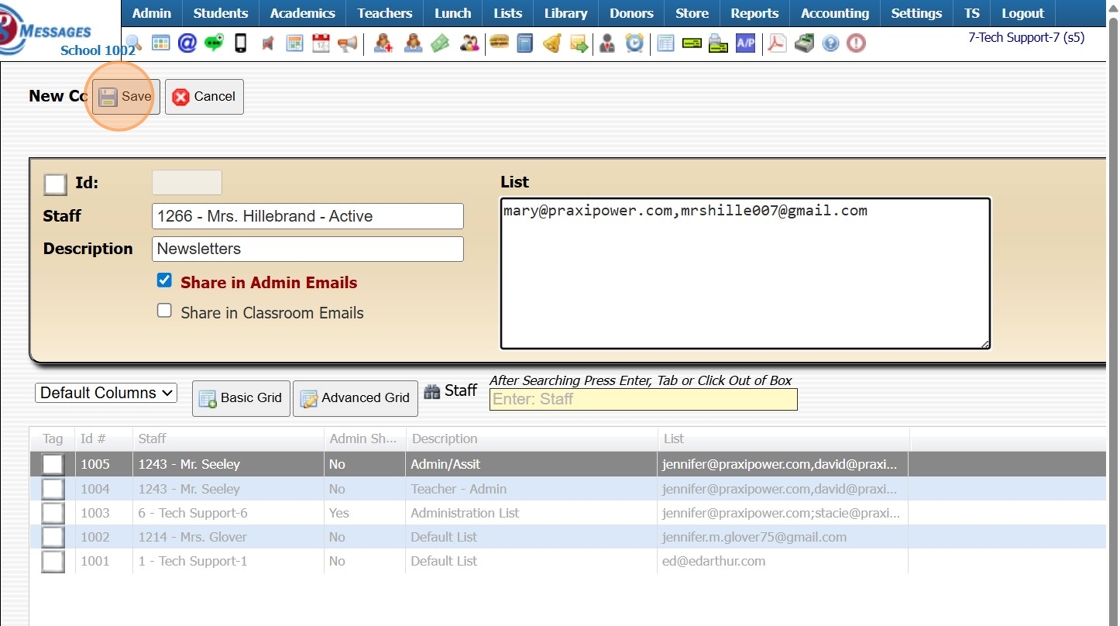
10. Added CC Lists can be used in ALL email sections

EXAMPLE: School Wide Email Blast
11. CC List: Select the desired CC List

1000.10.10
Related Articles
Adding Required Forms List to Students
Adding Required Forms List to Students 1. Click "Students" 2. Click "Students" 3. Select Student 4. Click "Forms" tab 5. Click "Add" 6. Select Form Template or Manually Tag Desired Forms 7. Click "Add Selected Forms" 1500.4.23Invalid Email Report
Invalid Email Report 1. Login to PraxiSchool 2. Click "Reports" 3. Click "Email Suppressions" 4. Click the "Invalid Emails in Database" field 5. Invalid Email List provides Necessary Information for Locating Invalid Email Address for Correction. ...Entering Basic CC Bills
Entering Basic CC Bills 1. Click "Accounting" 2. Click "Enter Accounting" 3. Click "C/C Bills" 4. Select Credit Card from Dropdown Menu 5. Enter New Vendor or Select Existing Vendor 6. Enter Due Date (Optional) 7. Enter Invoice Number (If Applicable) ...Ending the School Year Procedures
Greetings from PraxiPower, Click to Watch Short Instructional Video As always, Ending your current school year is a key process youMUST do before moving to the next year. It is VERY IMPORTANT to close your current school year in Praxi and to “roll ...Adding Resources in PraxiSchool
Adding Resources in PraxiSchool 1. Login to PraxiSchool 2. Click "Admin" 3. Click "Resources" 4. Click "Resources" 5. Click "Add" 6. Add Resource Name 7. Start Date will Default to Current Date. This can be changed to a Specific Date Resource should ...