Why are the Transcripts not showing the Cumulative Average and Cumulative GPA?

Why are the Transcripts not showing the Cumulative Average and Cumulative GPA?

Why are the Transcripts not showing the Cumulative Average and Cumulative GPA?

Tip: The Transcript Grade Averages more than likely have not been Averaged. Follow Instructions below to Run Transcript Grade Average.

1. Click "Academics"
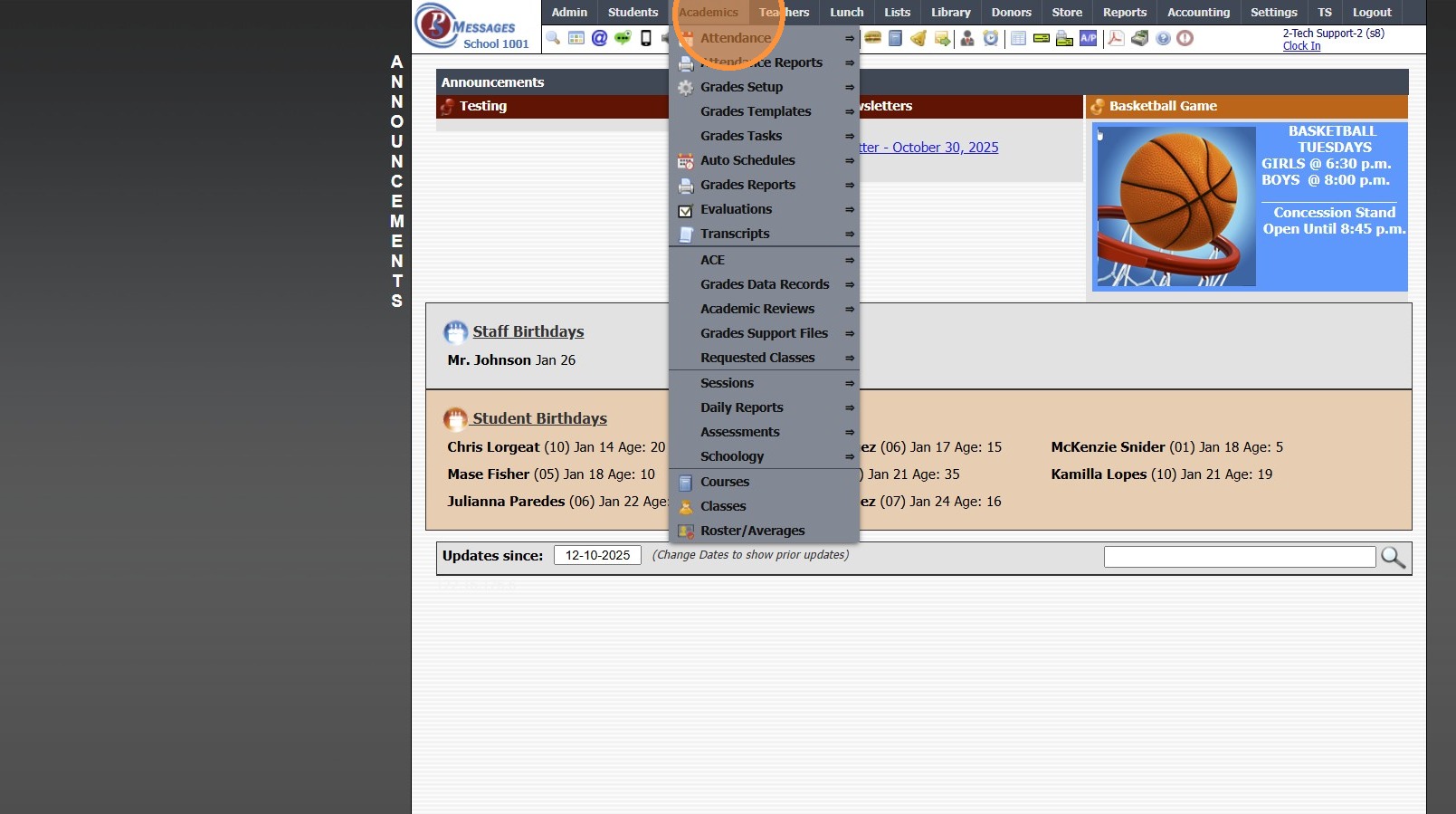
2. Click "Transcripts"
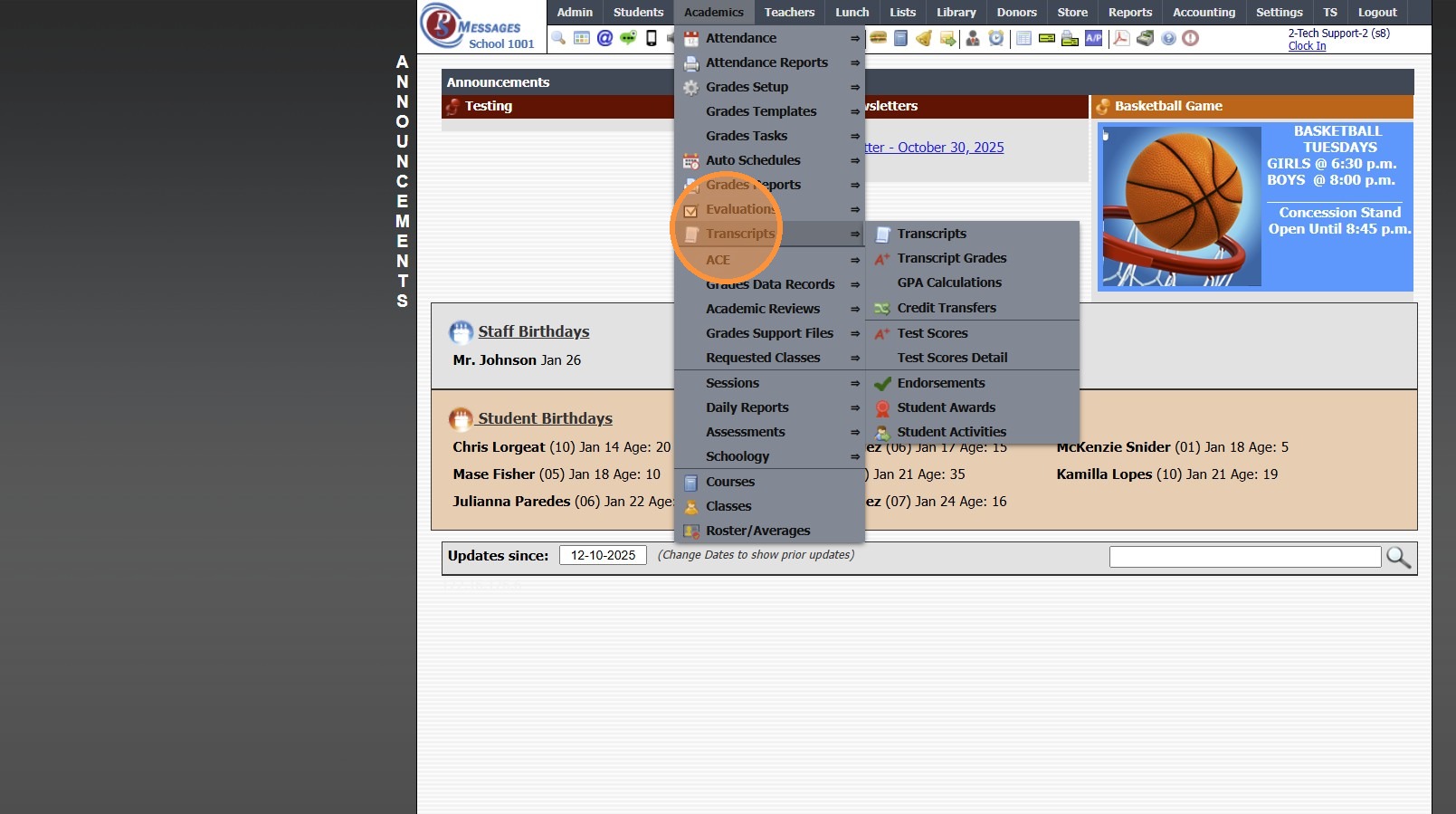
3. Click "Transcripts"
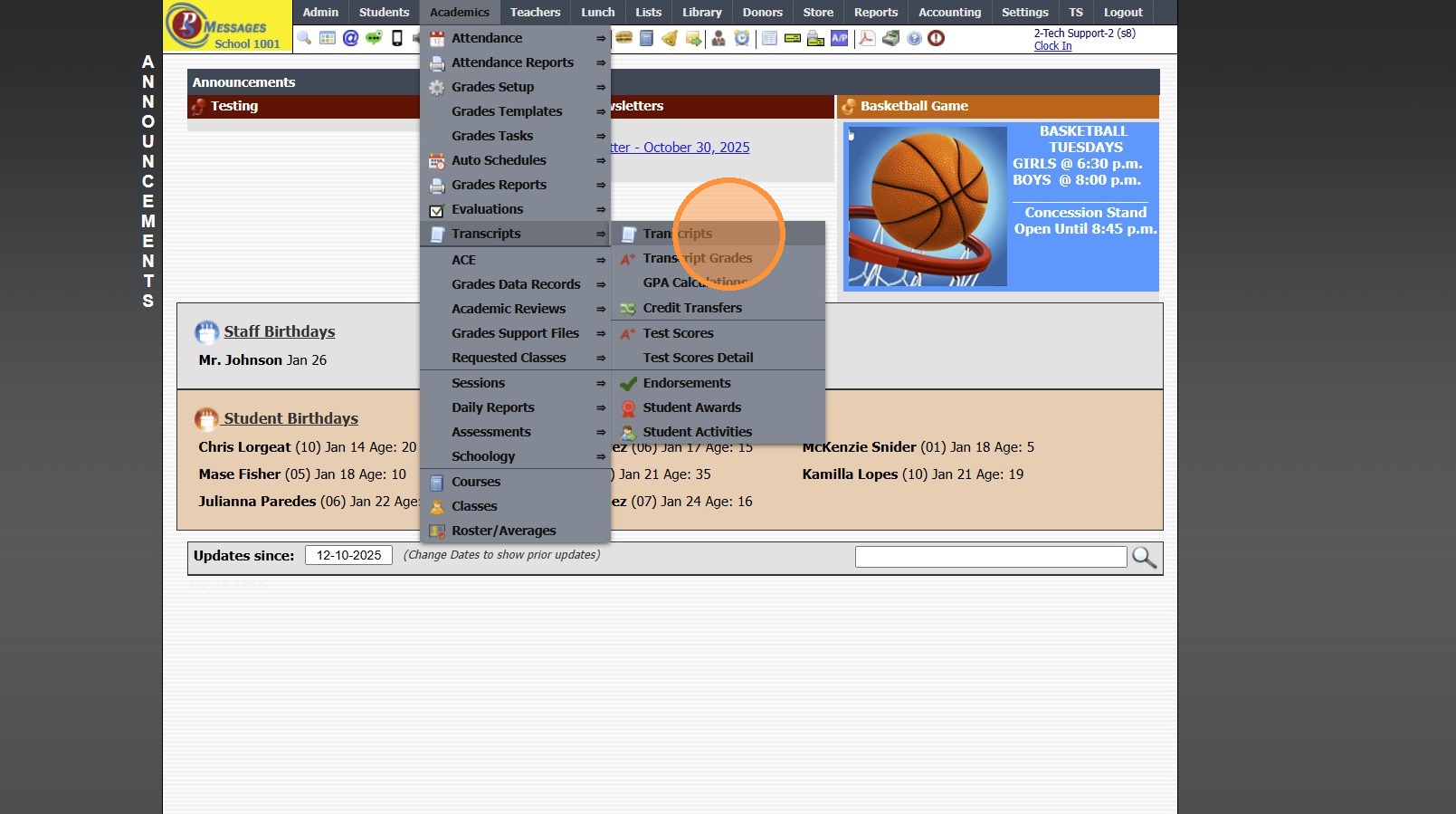
4. Select Student Transcript
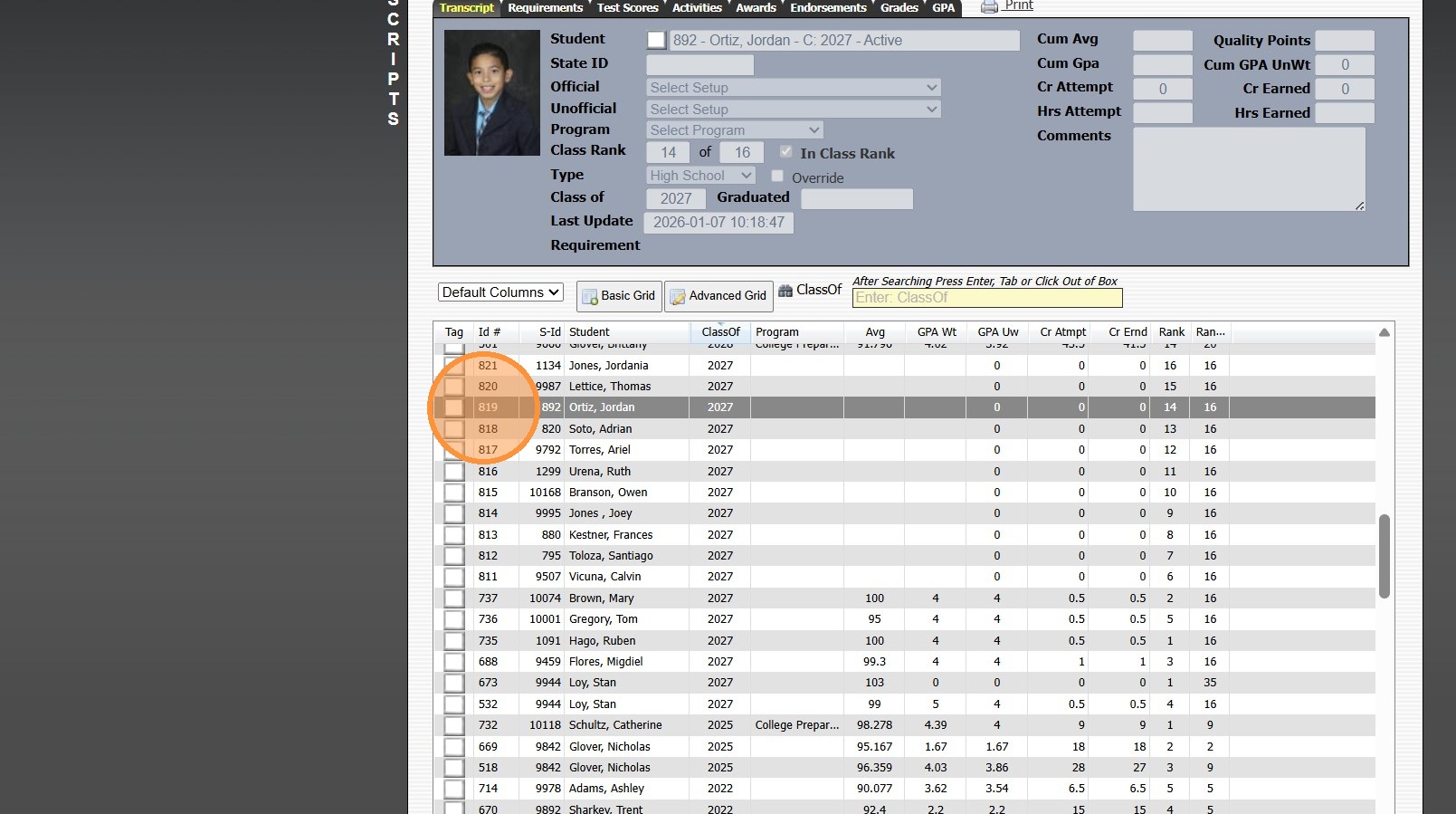
5. Click "Actions"
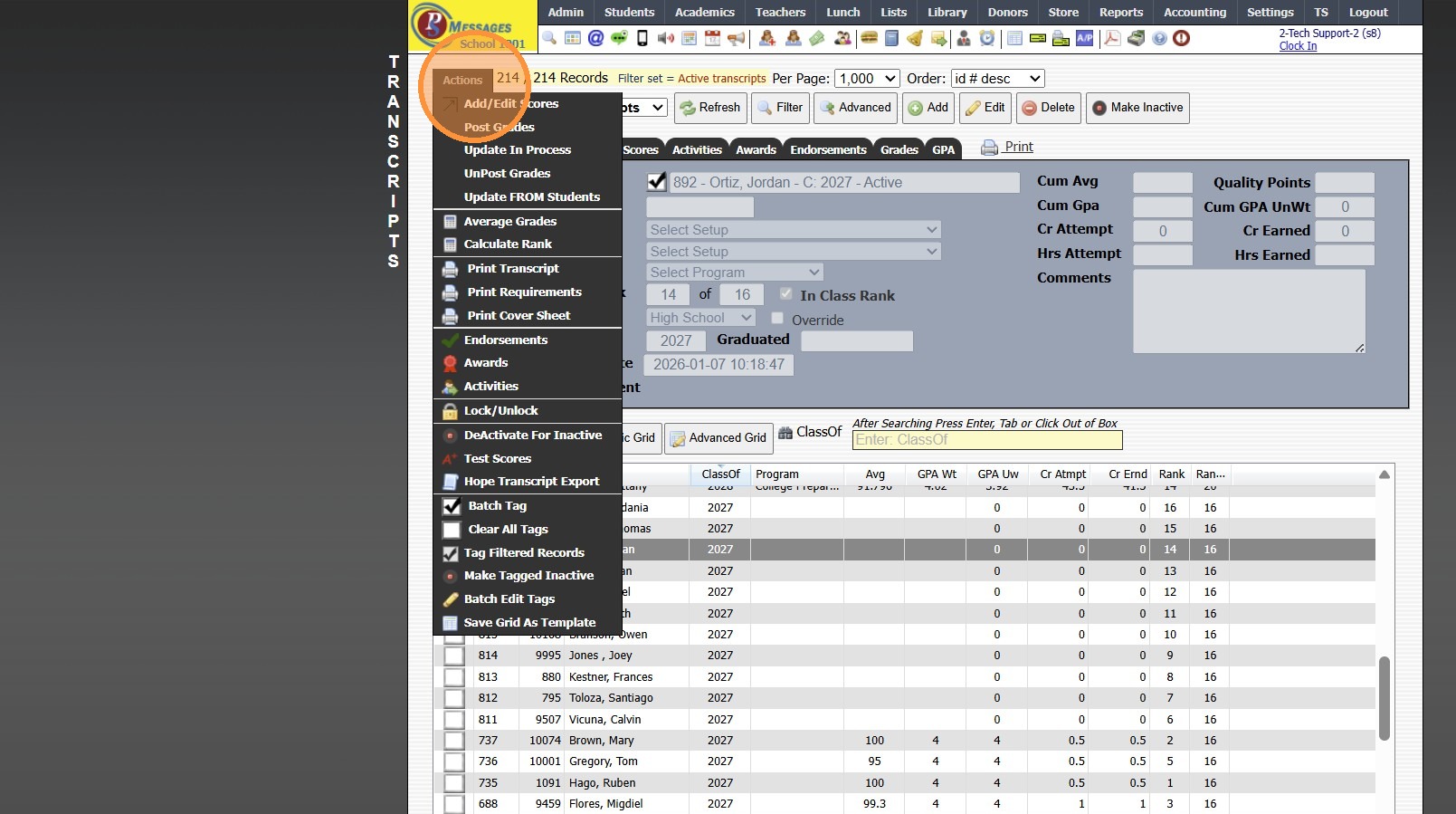
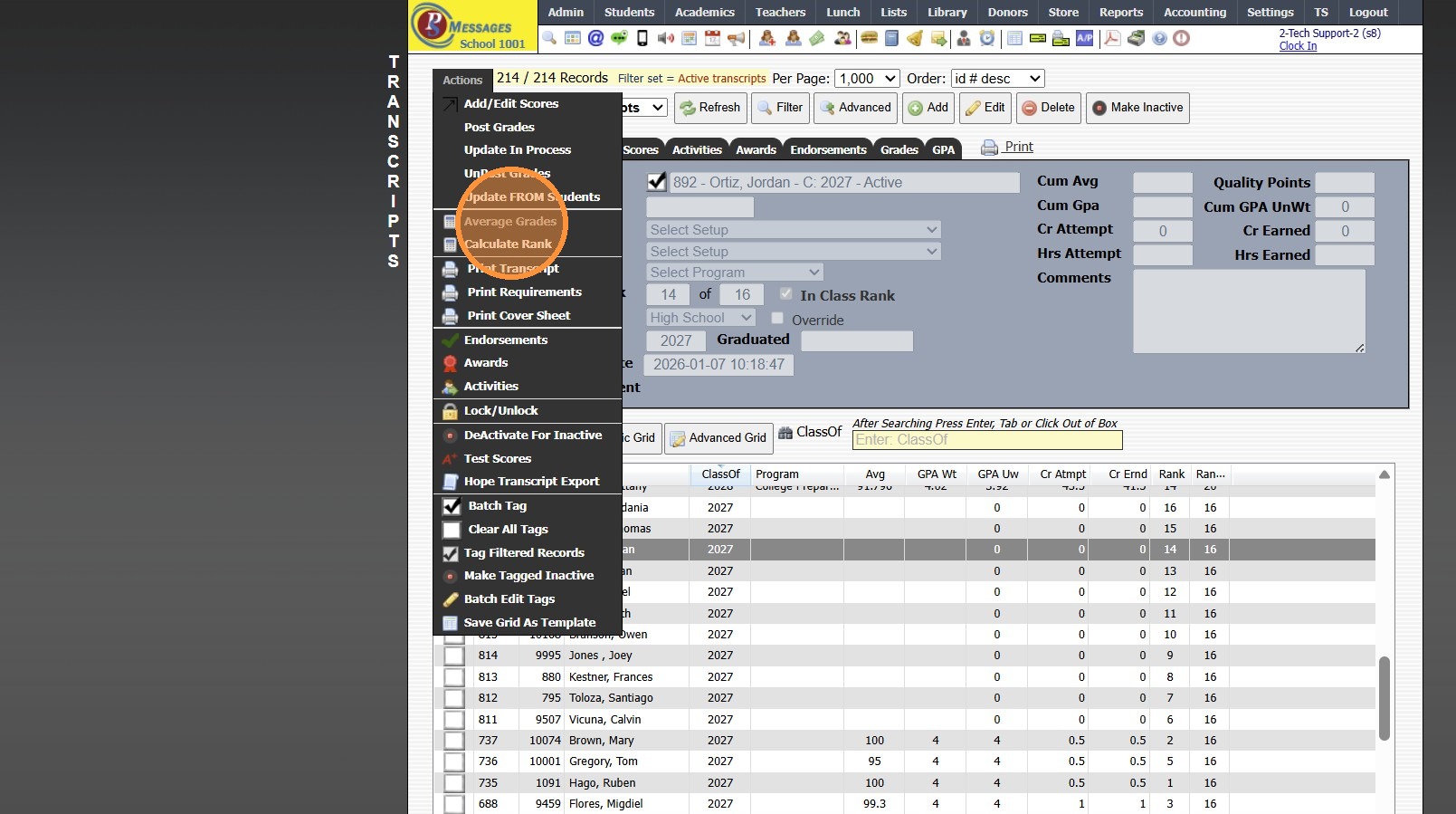
6. Click "Average Grades"
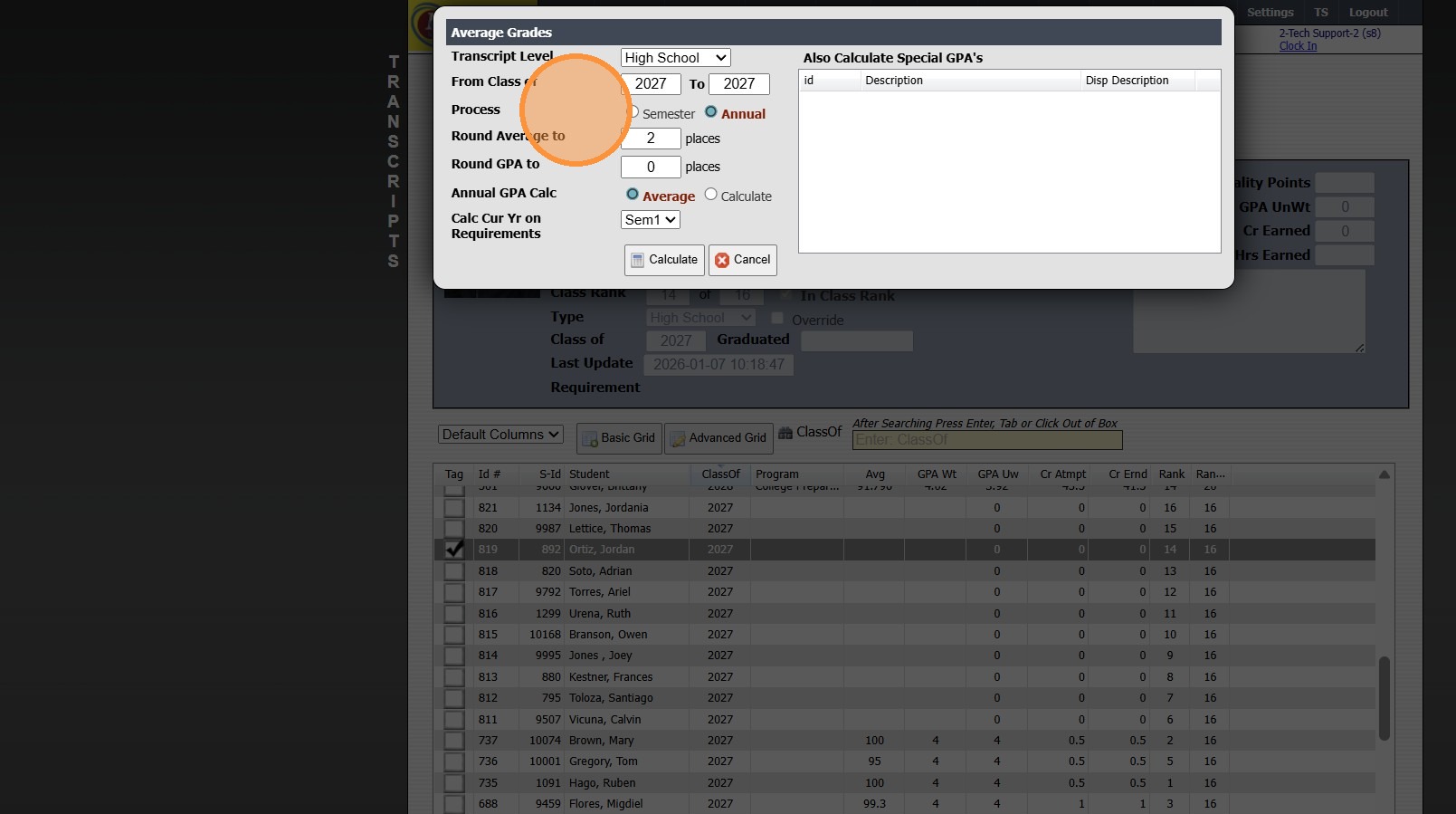
7. Select Process Option (Semester or Annual)
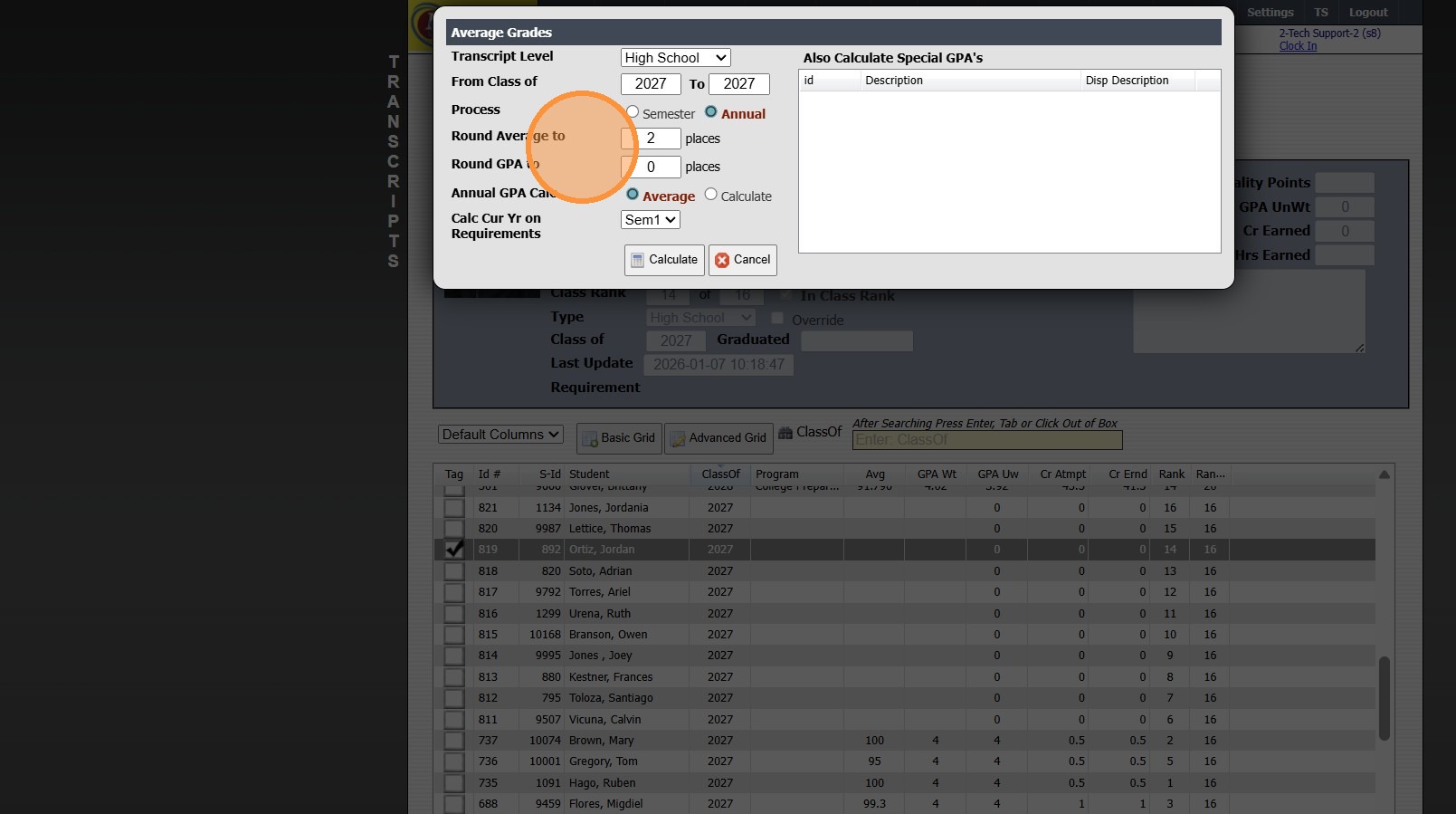
8. Enter Rounding Options
(Ex. 2 places - Calculates to 2 places after the decimal)
9. Select Annual GPA Calculation Option (Average or Calculate)
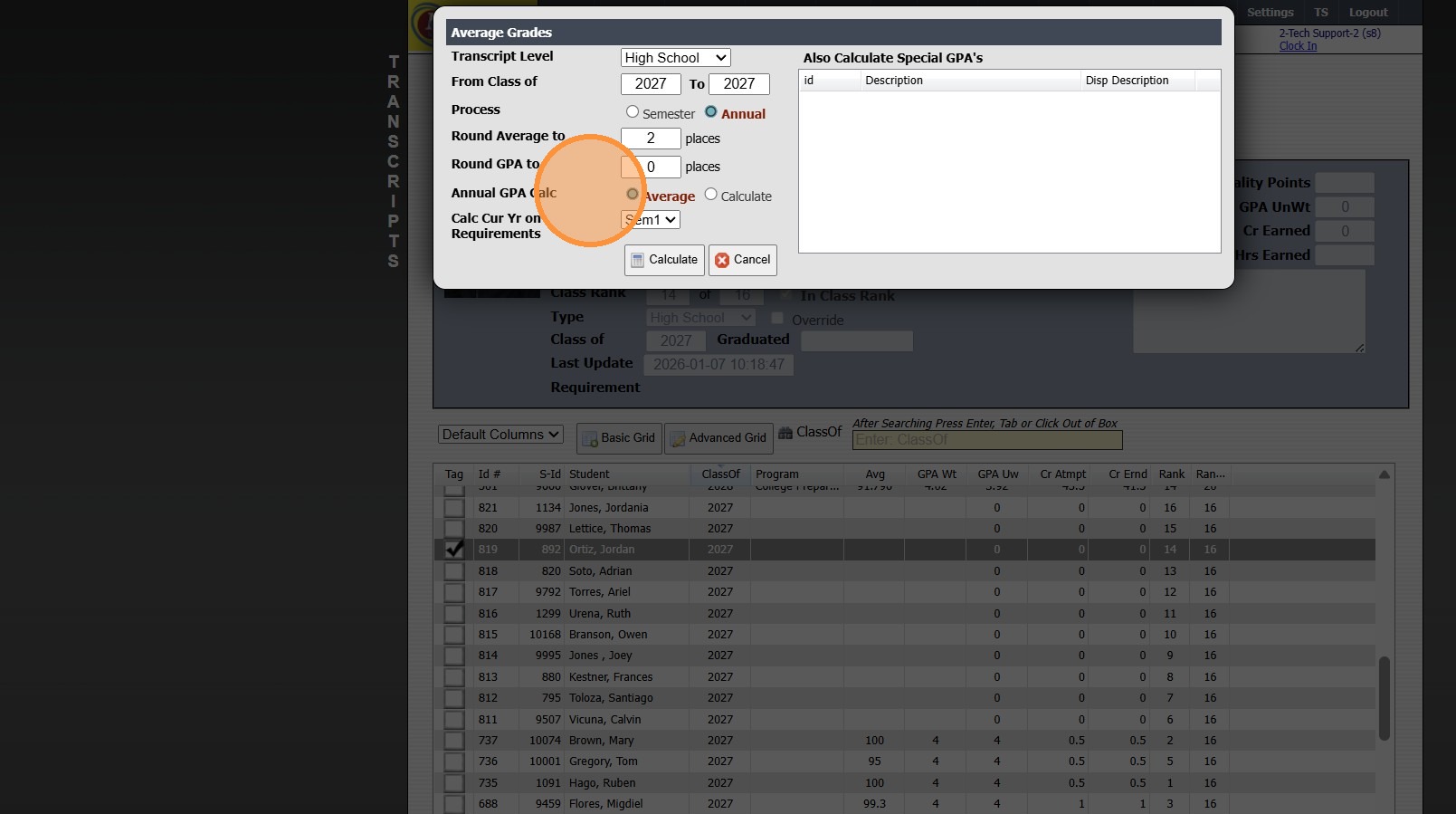
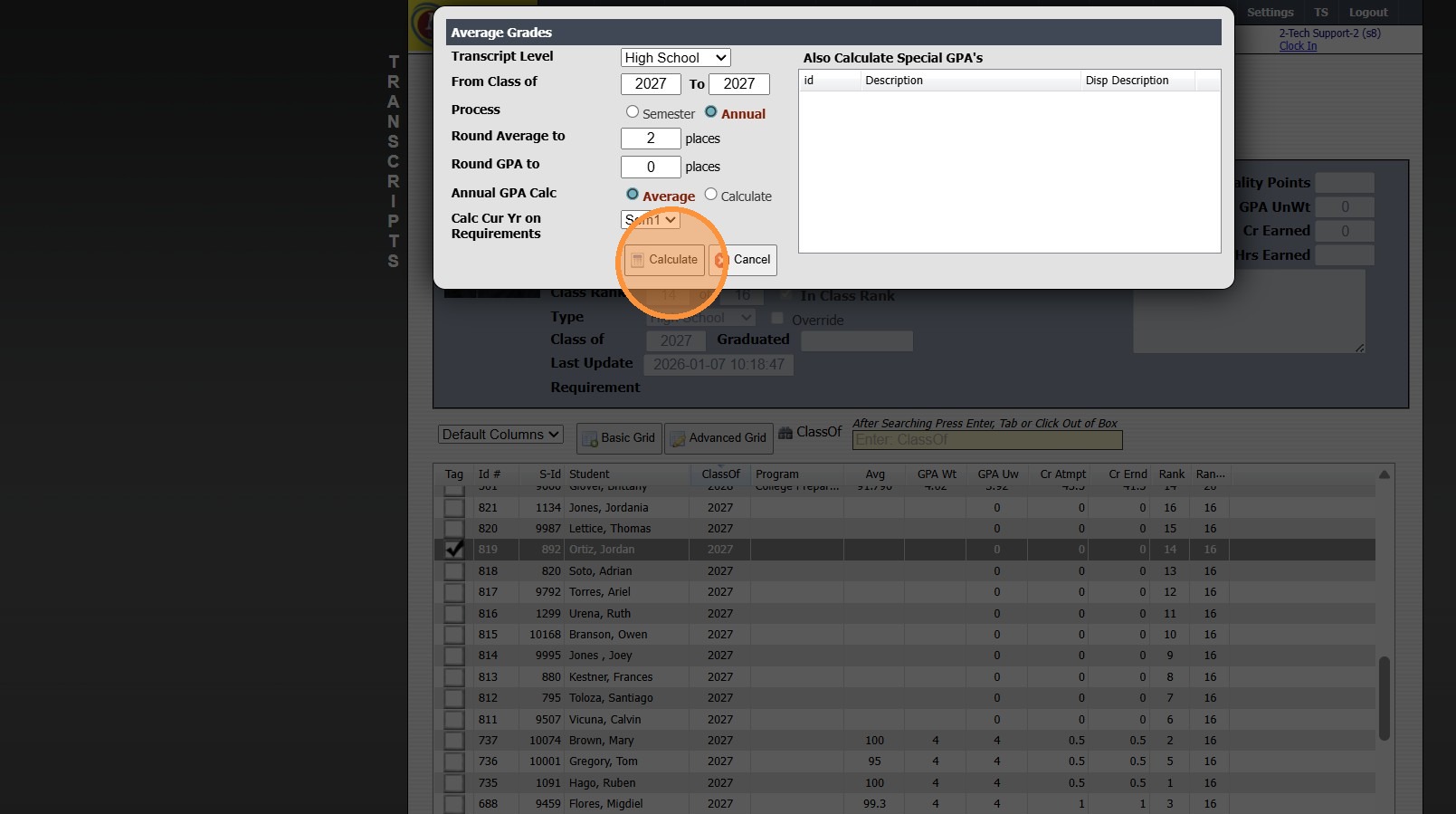
10. Click "Calculate"
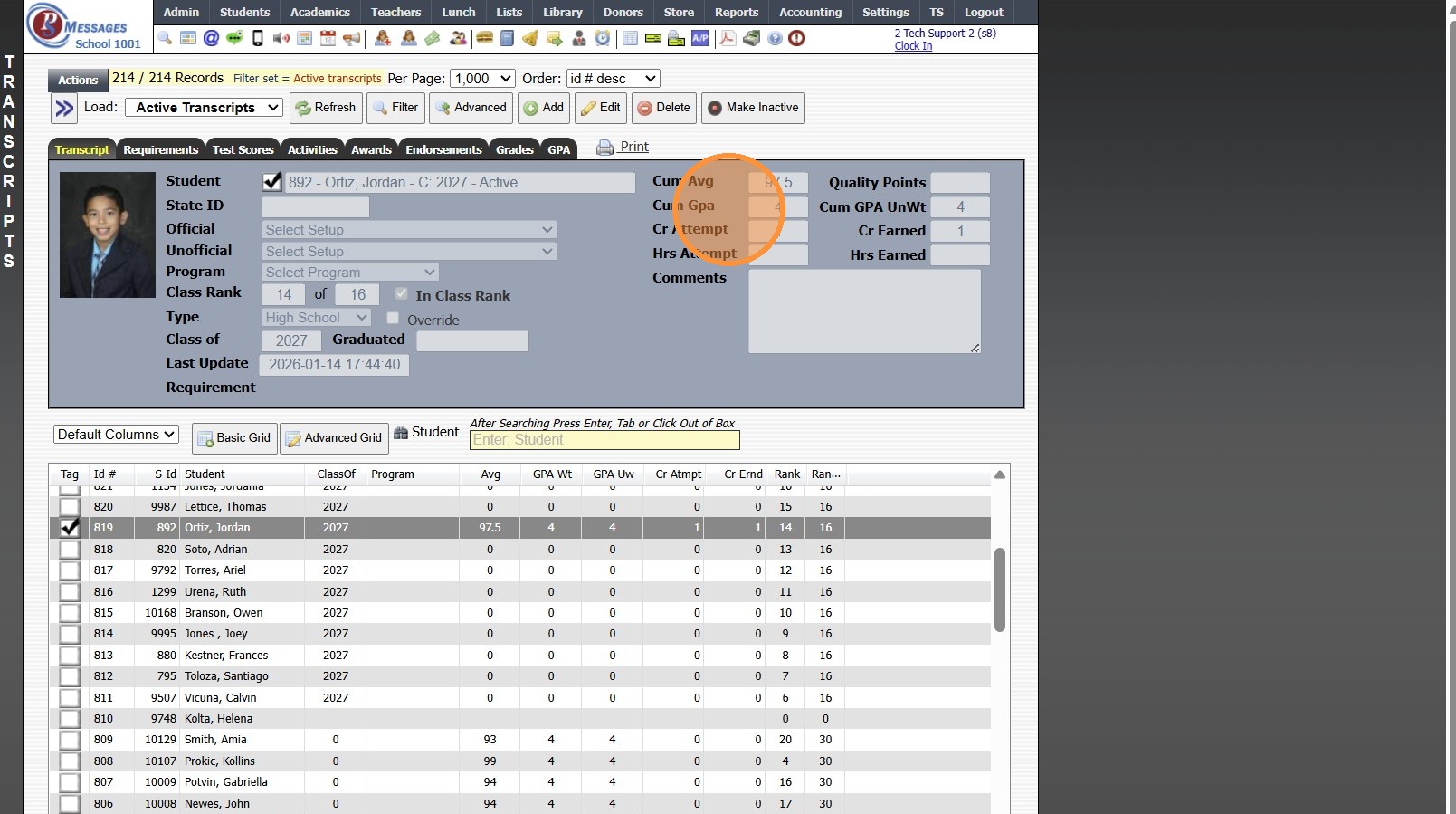
11. Cumulative Average & Cumulative GPA will Populate in Box & in Grid


8000.1

    • Related Articles

    • Calculate Class Rank for Transcripts

      Calculate Class Rank for Transcripts 1. Click "Academics" 2. Click "Transcripts" 3. Click "Transcripts" 4. Select a Student Transcript with the Class Of to be Calculated 5. Click "Actions" 6. Average Grades for the Class Of Year 7. Click "Actions" 8. ...
    • Posting Grades to the Transcripts

      Posting Grades to the Transcripts 1. Log into PraxiSchool 2. Click "Academics" 3. Click "Grades Tasks" 4. Click "Post Transcripts" 5. Select the Correct School Year 6. Select the Transcript Type and Semester 7. Click "Select All" 8. Click "Post ...
    • Making Inactive Student Transcripts Inactive in Batch

      Making Inactive Student Transcripts Inactive in Batch 1. Click "Academics" 2. Click "Transcripts" 3. Click "Transcripts" 4. Click "Actions" 5. Deactivate for Inactive, type "INACTIVE" & Click "Ok" 6. 2000.8.19
    • Updating Student's Year of Graduation in Transcripts

      Updating Student's Year of Graduation in Transcripts 1. Click "Academics" 2. Click "Transcripts" 3. Click "Transcripts" 4. Click "Actions" 5. Click "Tag Filtered Records" 6. Click "Actions" 7. Click "Update FROM Students" 8. Select "Class of" Option ...
    • Setting a Class of Filter in Transcripts

      Setting a Class of Filter in Transcripts For a Specific Transcript Type 1. Click "Academics" 2. Click "Transcripts" 3. Click "Transcripts" 4. Click "Filter" 5. Select Data Field "Type" 6. Select Operator "Does Contain" 7. Set Value to Transcript Type ...