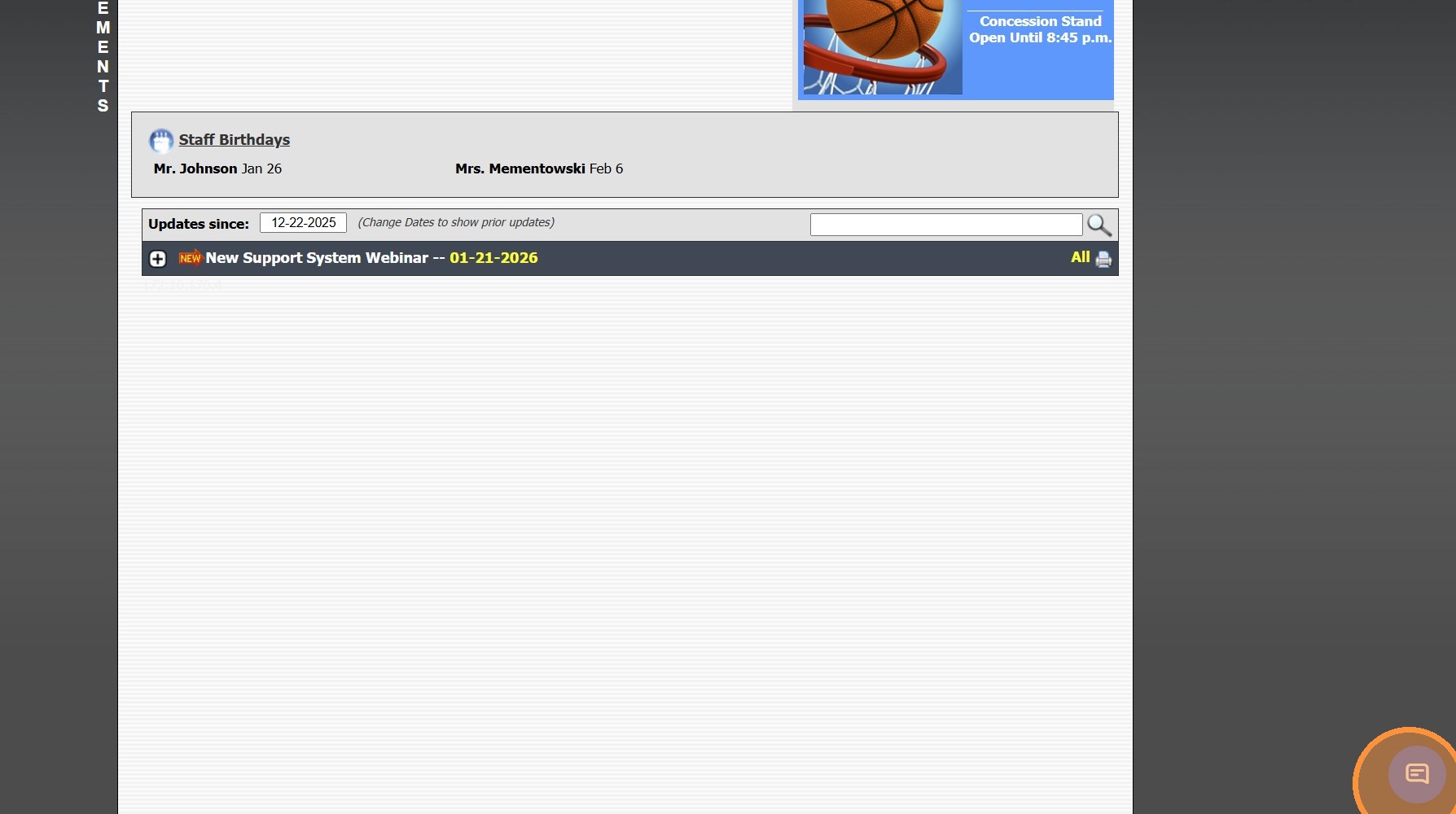
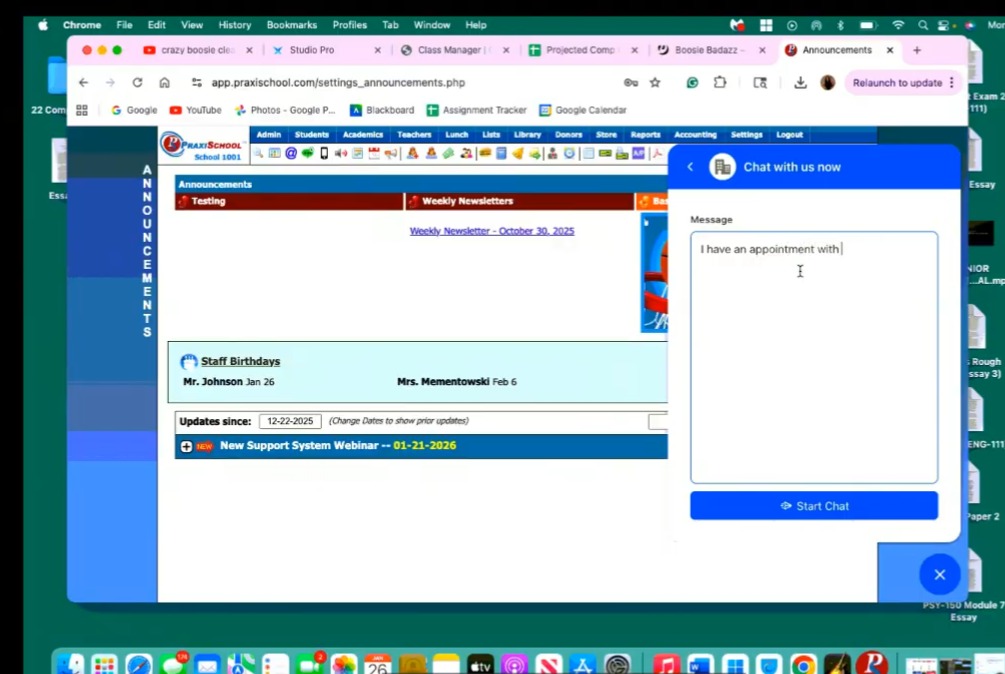
Online Support - How to Connect to Remote Access (MacBook/Apple)


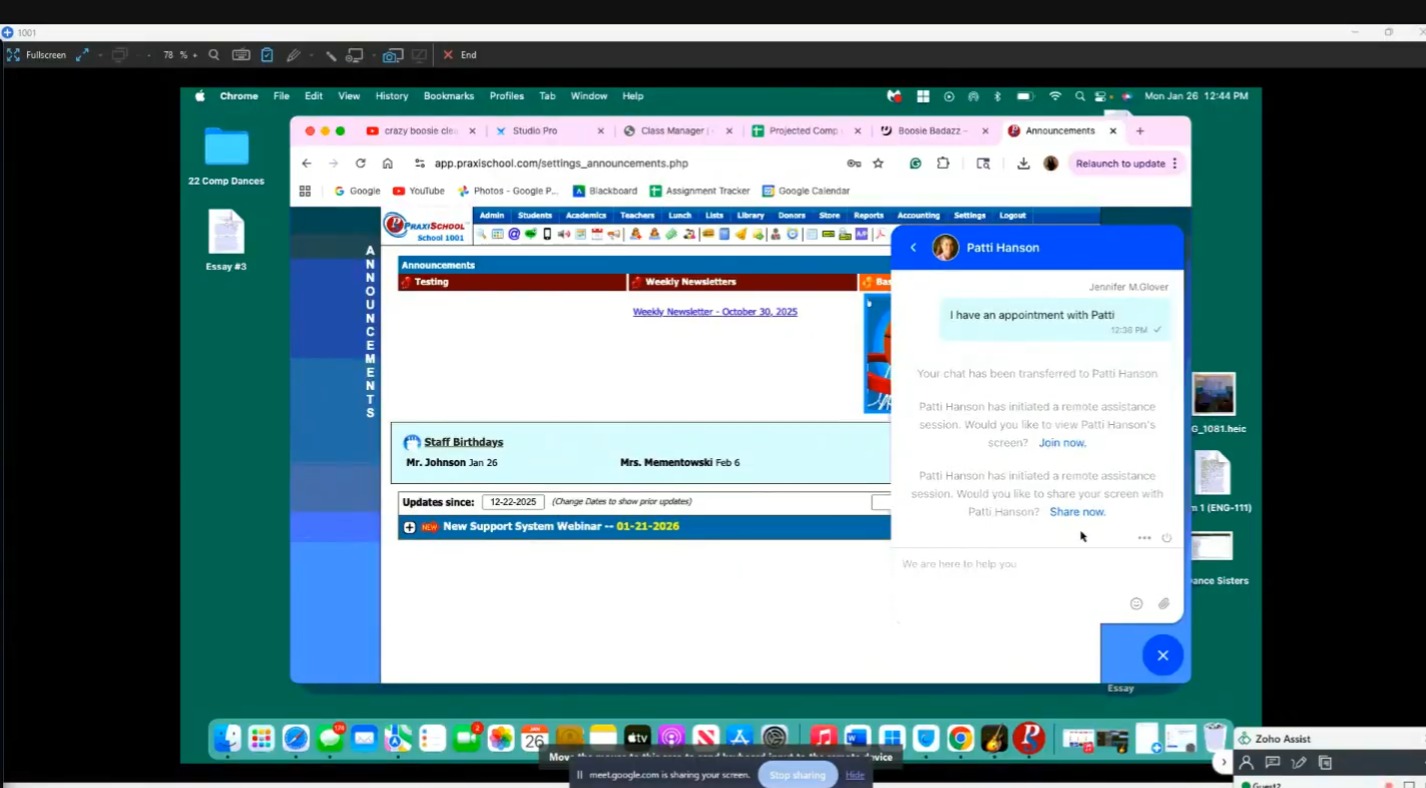
3. When Prompted, Click "Join Now" or "Share Now"
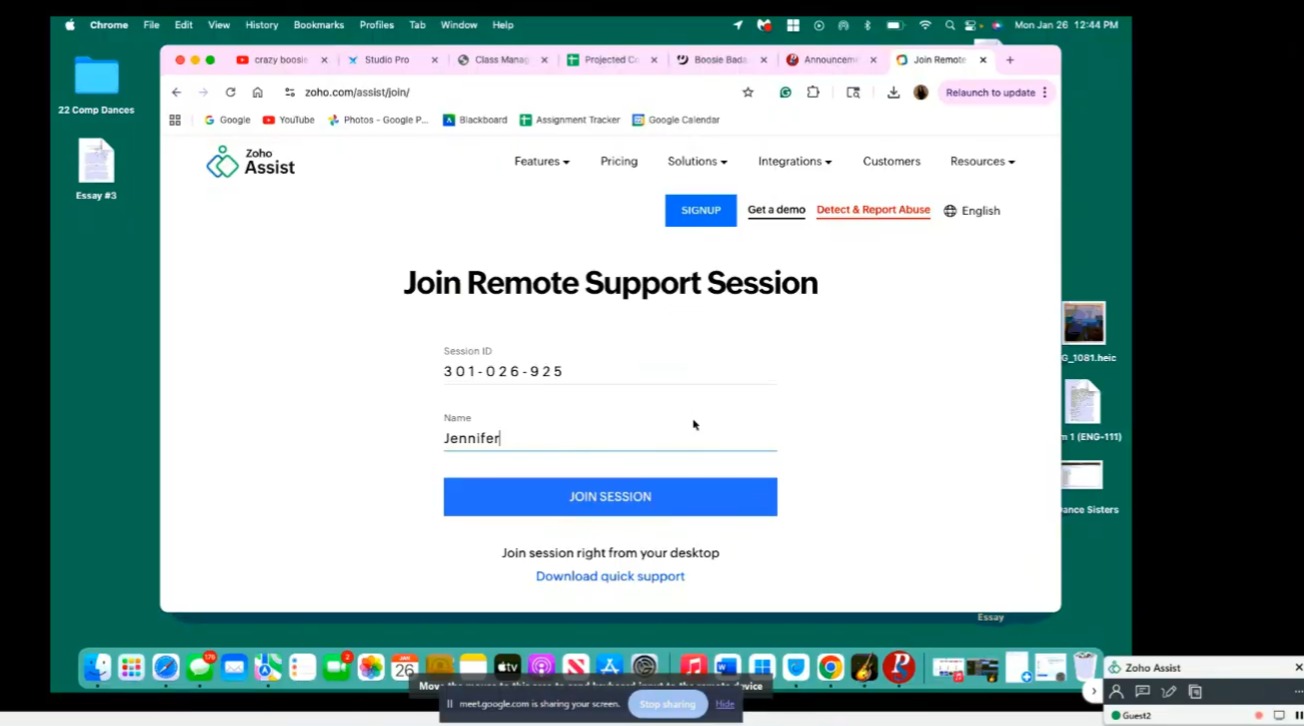
4. Enter Name and Click "Join Session"
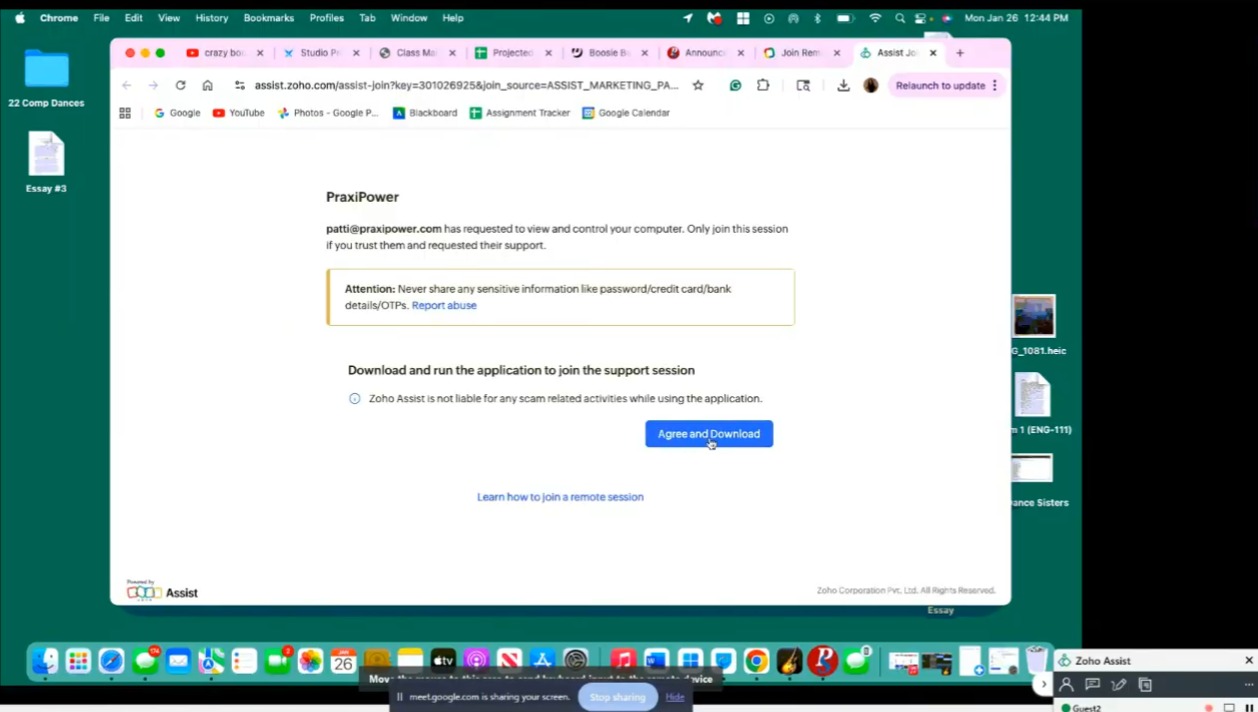
5. Click "Agree and Download"
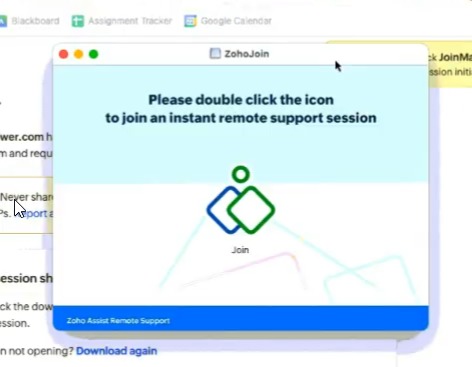
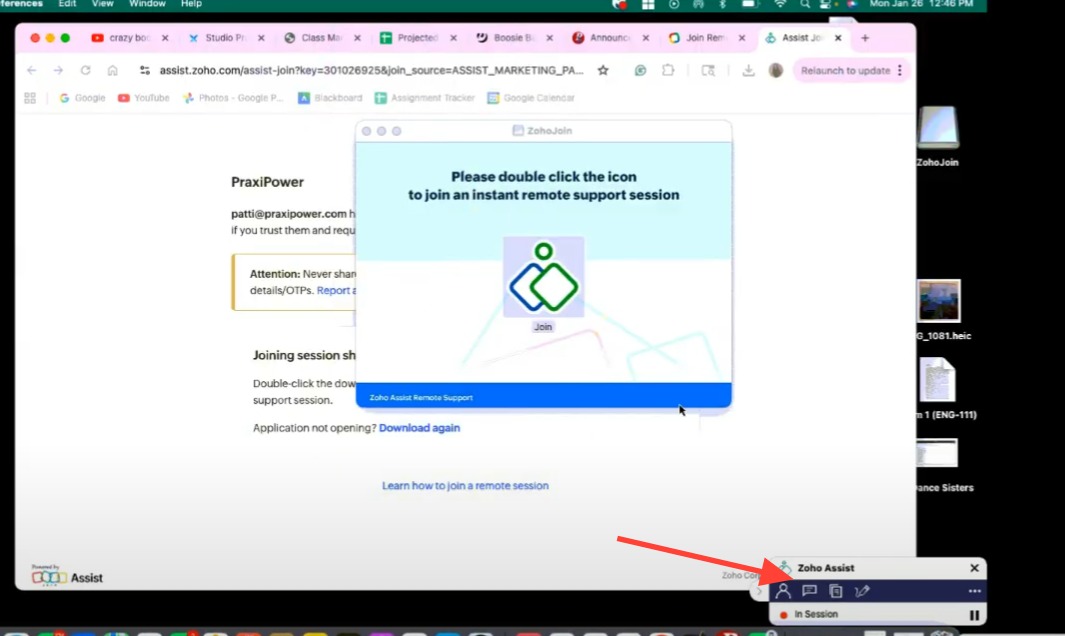
6. Double Click Message will Populate Once Download is Complete
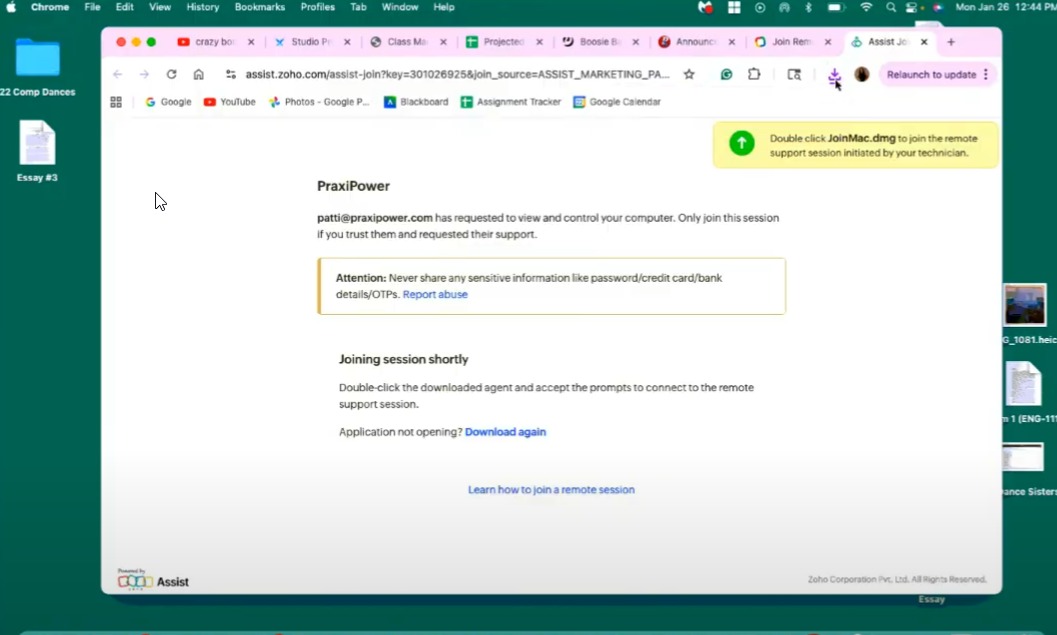
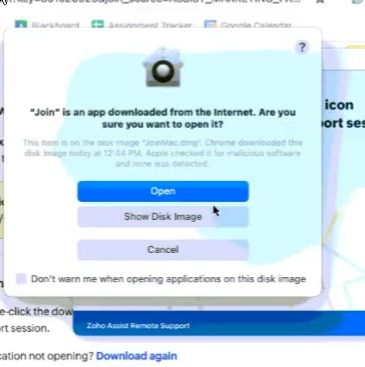
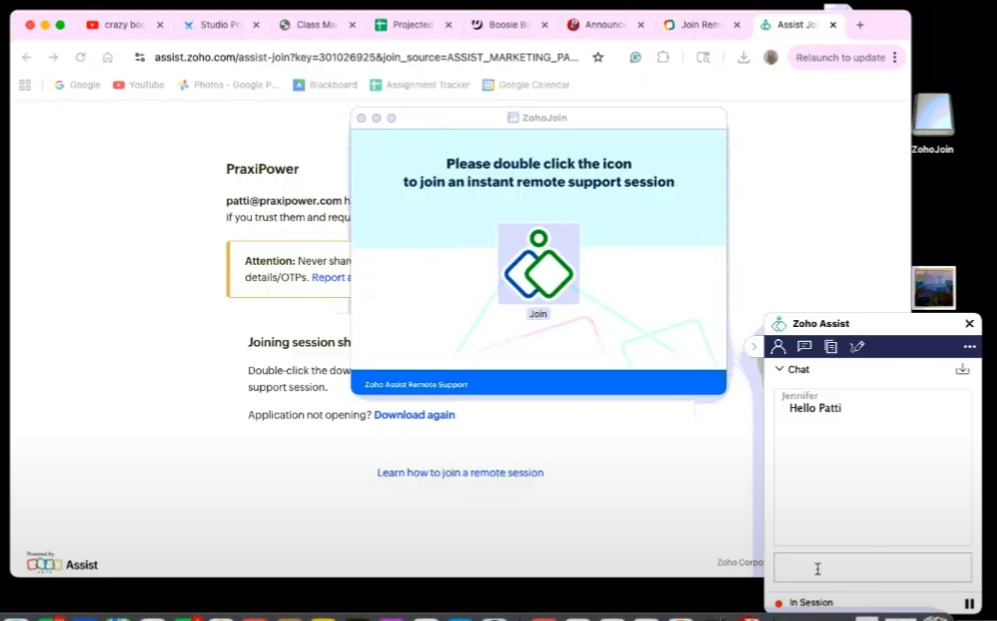
7. Click Download Icon & Double Click on Join Download
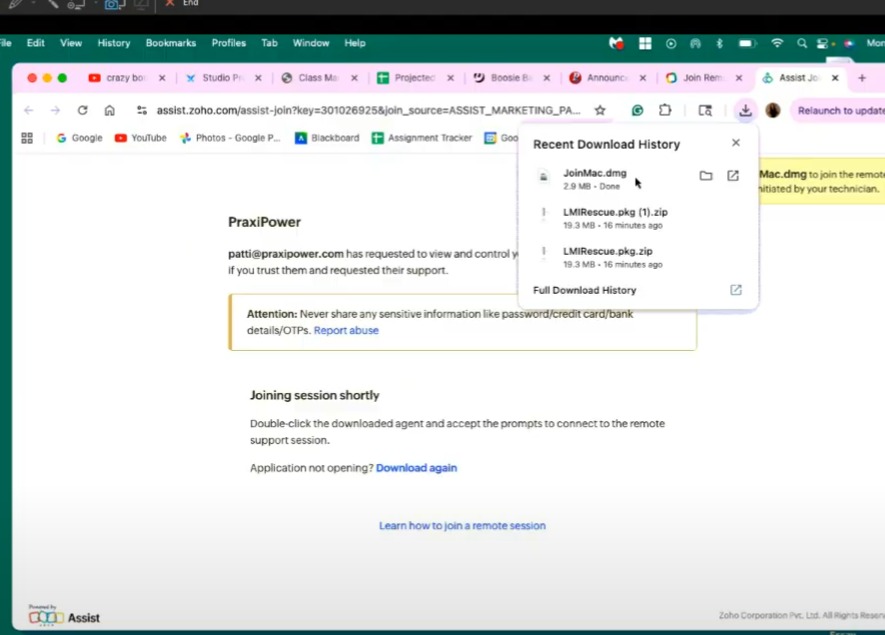


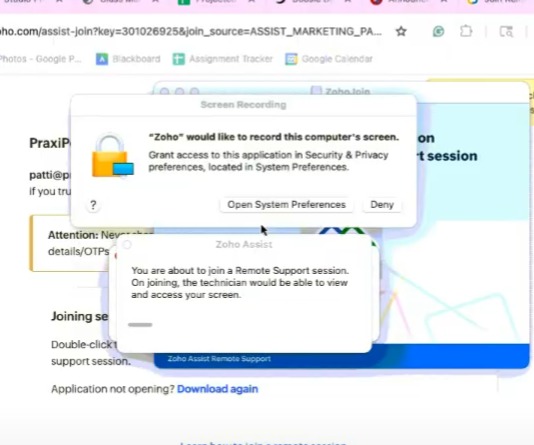
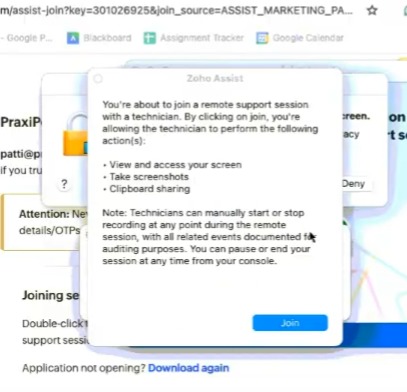
10. Click "Open System Preferences"


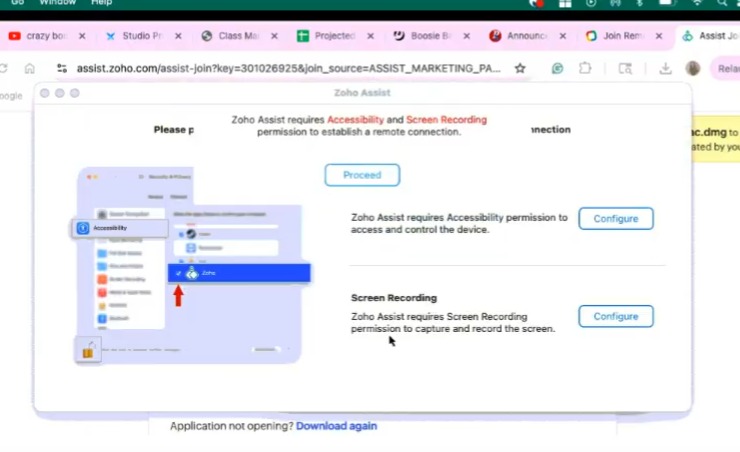
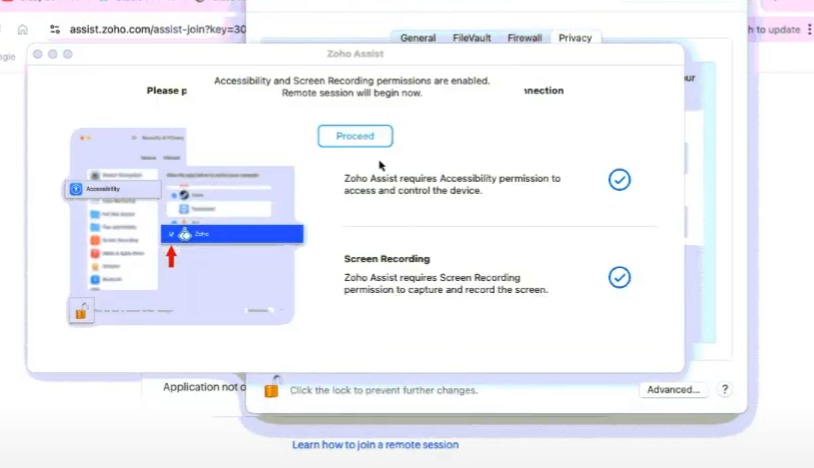
13. Accessibility - Click "Configure"
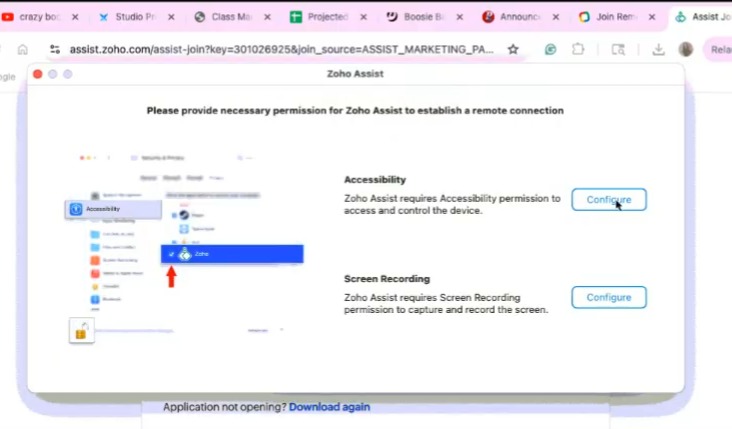
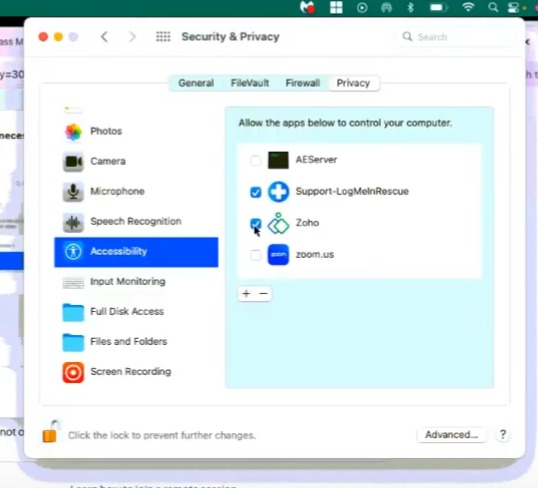
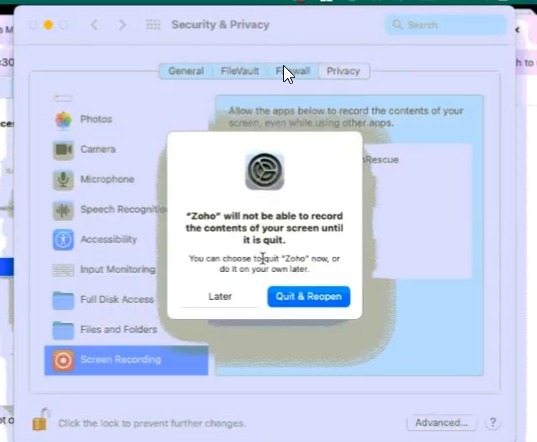
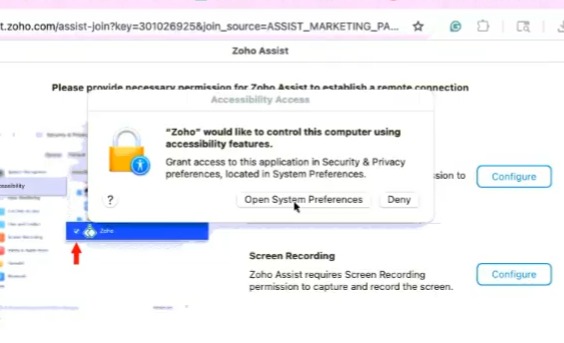
14. Click "Open System Preferences"

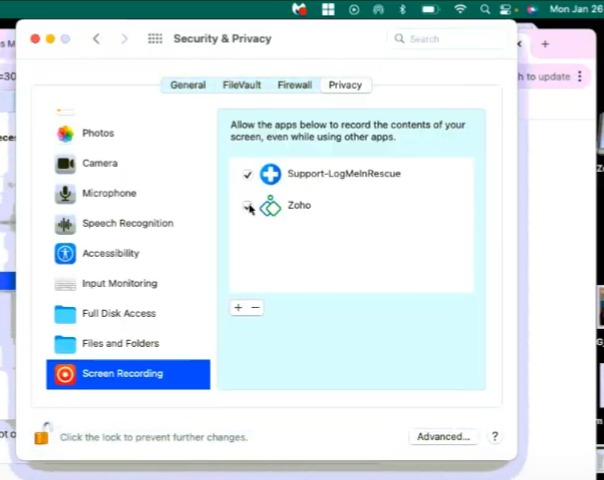
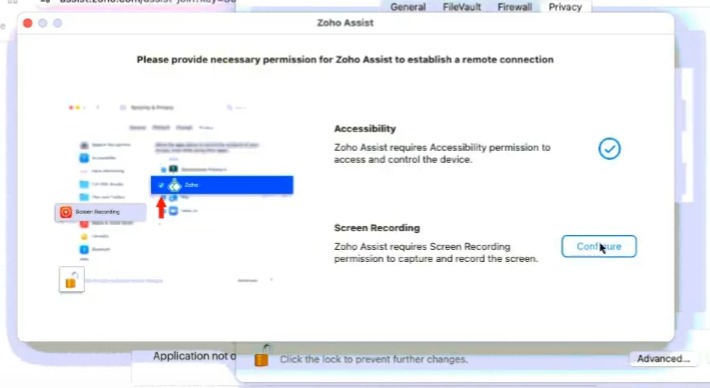
16. Screen Recording - Click "Configure"


21. Continue Chatting with Remote Access Chat Window
Related Articles
Online Support - How to Connect to Remote Access (PC)
1. Click "Share Now" in Chat Window 2. Click "Join Session" 3. Click "Agree and Download" 4. Double click on download 5. Click "Yes" 6. Click "Join" 7. Zoho Assist Window 8. Click the Message Icon to continue Chat with Support Representative 9. Type ...
Joining Remote Access from Chat Instructions
1. Click "Chat Widget" to Open Chat Screen 2. Begin Chat with Tech Support 3. Click "Share Now" 4. Click "Join Session" 5. Click "Agree and Download" 6. Double Click on AZ_Connect.exe download 7. Click "Yes" 8. Click "Join" 9. Select Screen to Share ...
Access the Knowledge Base
1. Click "Settings" 2. Click "Online Support" 3. Click in the Search Field & Enter a Keyword to Search OR click on the Knowledge Base link Knowledge Base Screen 4. From the Knowledge Base Screen, Click Search Articles & Enter a Keyword to Search 5. A ...
Online Form Types and Portal Options
Online Form Types and Portal Options Online Form Types 1. Parent - A/R Portal (Forms for Existing Families, available on Parent Portal) 2. Student Portal (Forms for Existing Students, available on Student Portal) 3. From Your Website (Only new ...
Update Parent Portal and Mobile App Access in Batch
Update Parent Portal and Mobile App Access in Batch 1. Log into PraxiSchool 2. Click "Accounts Receivable" 3. Click "Actions" Assigning Parent Portal Access in Batch 4. Click "Update Portal Access" 5. Click the "Active" field. 6. Click the "Portal ...