Manually Entering Staff Attendance by Group
Manually Entering Staff Attendance by Group
1. Click "Admin"
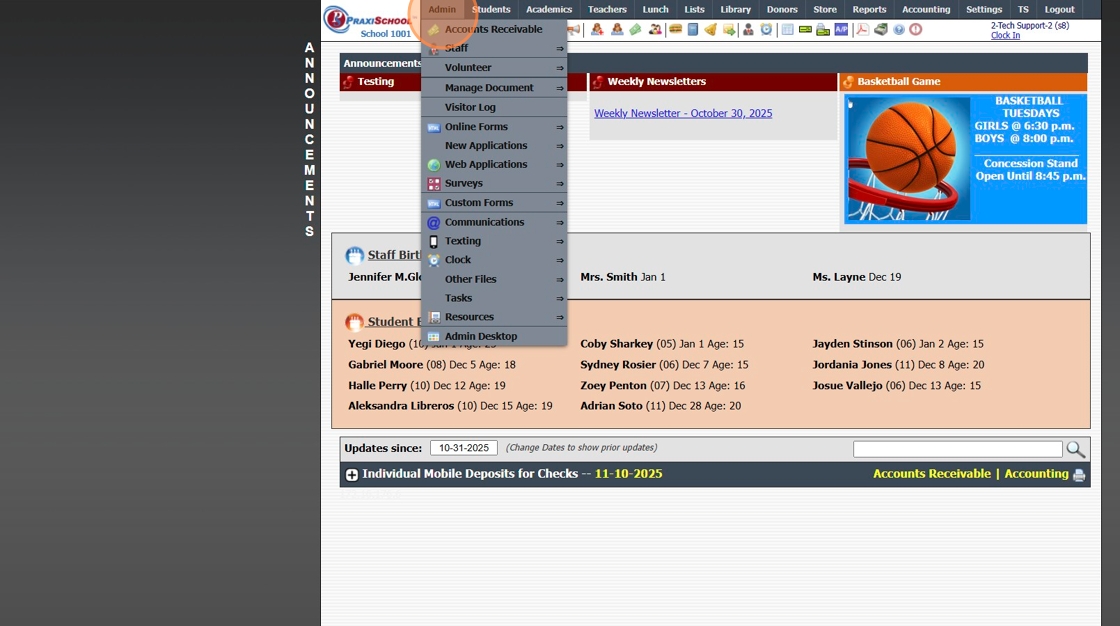
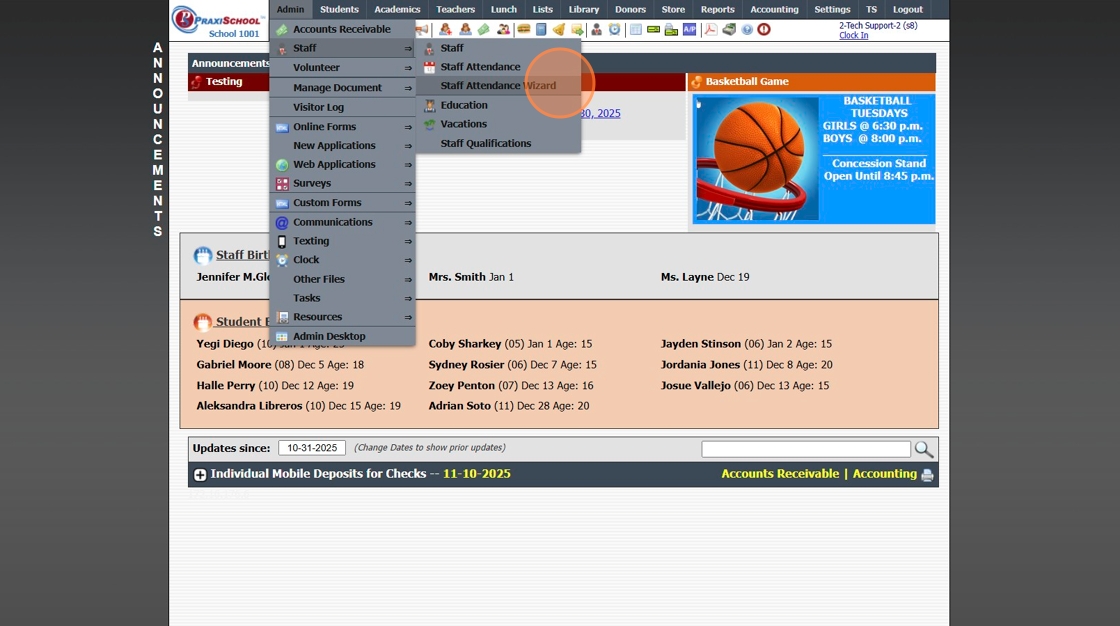
2. Click "Staff"

3. Click "Staff Attendance Wizard"
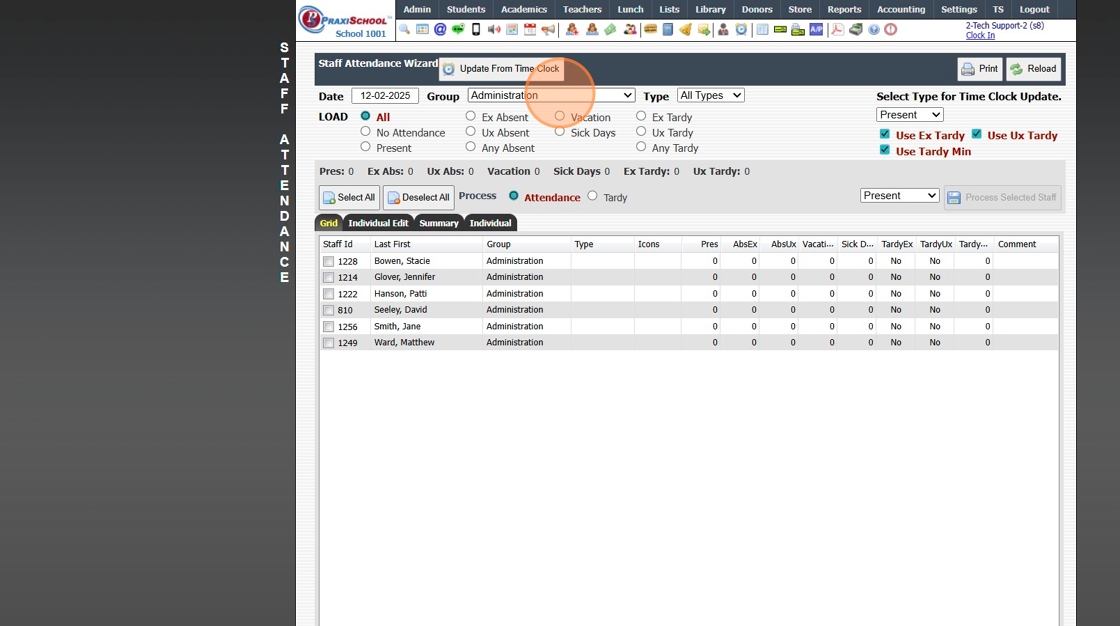
4. Select Staff Group from Dropdown
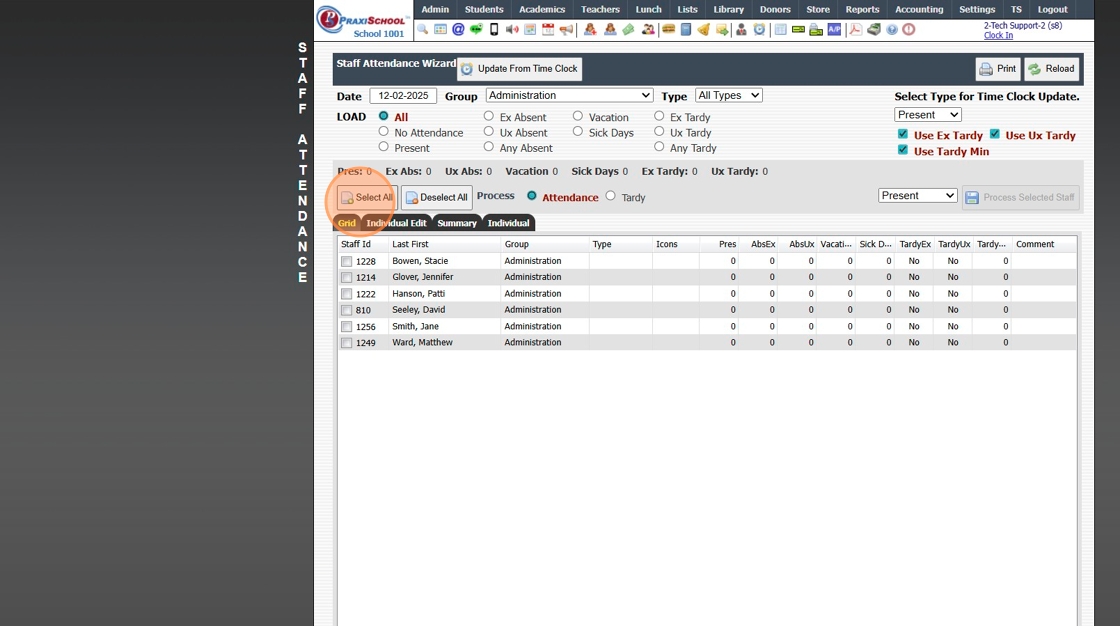
5. Click "Select All"
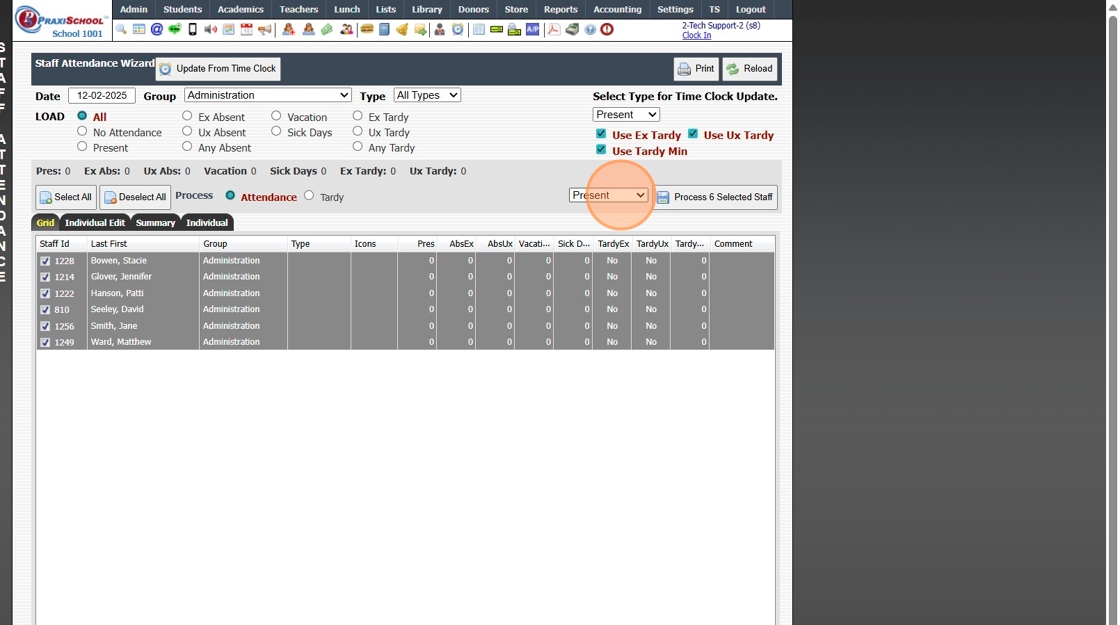
6. Select the Attendance Type
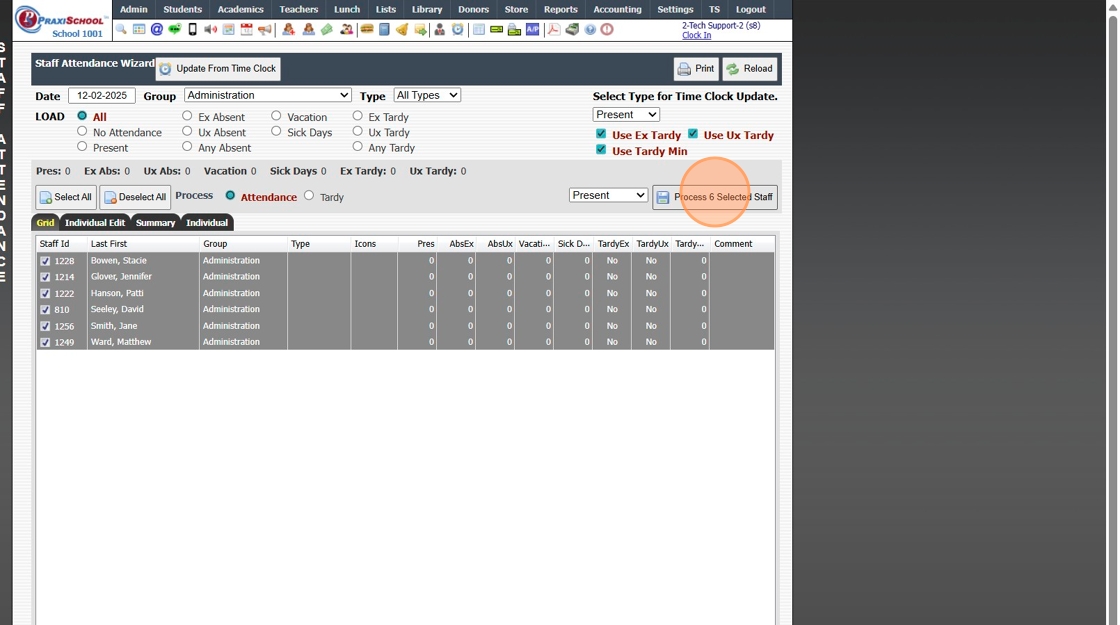
7. Click "Process # Selected Staff"
1000.2.7
Related Articles
Manually Entering Staff Attendance in Batch
Manually Entering Staff Attendance in Batch 1. Click "Admin" 2. Click "Staff" 3. Click "Staff Attendance Wizard" 4. Tag Staff to Add Attendance for 5. Select the Attendance Type 6. Click "Process # Selected Staff" 1000.2.7Staff Attendance Reports by Attendance Type
Staff Attendance Reports by Attendance Type 1. Click "Admin" 2. Click "Staff" 3. Click "Staff Attendance Wizard" 4. Select Date (Group can be selected to view Attendance for staff in a specific Staff Group) (Type can be selected to view a specific ...Entering Attendance in the Attendance Wizard
Entering Attendance in the Attendance Wizard 1. Click "Academics" 2. Click "Attendance" 3. Click "Attendance Wizard" Entering by Grade Level(s) 4. Select Date to Enter Attendance For 5. Select Grade From and Grade To 6. Click "Load Detail" 7. Select ...Entering Attendance in the Classroom
Entering Attendance in the Classroom 1. Log into PraxiSchool 2. Click "Teachers" 3. Click "Classroom" 4. Select Class 5. Click "Classroom" 6. Select "Attendance" toggle 7. Click "Mark" to Mark Entire Class Present 8. Left-Click on a Student to Mark ...Viewing & Printing Staff Attendance Reports
Viewing & Printing Staff Attendance Reports 1. Click "Admin" 2. Click "Staff" 3. Click "Staff Attendance" 4. Select Date Range and Refresh to View Attendance 5. Select a Grid Report 6. Click Print & Select Print Option 1000.2.6